Home › Health & Fitness

 US
US
1 of 1 storefronts
Content in en-US
Content in en-US
Information
Preview 2 platforms
iPhone 7 images


iPad 7 images



What’s New Version 1.9
* Fixed the launch screen logo not centering correctly on iPad.
* Improved privacy controls for AI insights - your sleep data is only ever sent for analysis after you've given consent.
* More accurate Pro subscription status, including faster updates after refunds or changes.
* Behind-the-scenes reliability and stability improvements.
Description
**Wake up to better sleep.**
Noctara is your personal AI sleep journal — beautifully designed to help you log each night, spot what's affecting your rest, and understand the patterns that shape how you feel every day.
**LOG YOUR NIGHTS IN SECONDS**
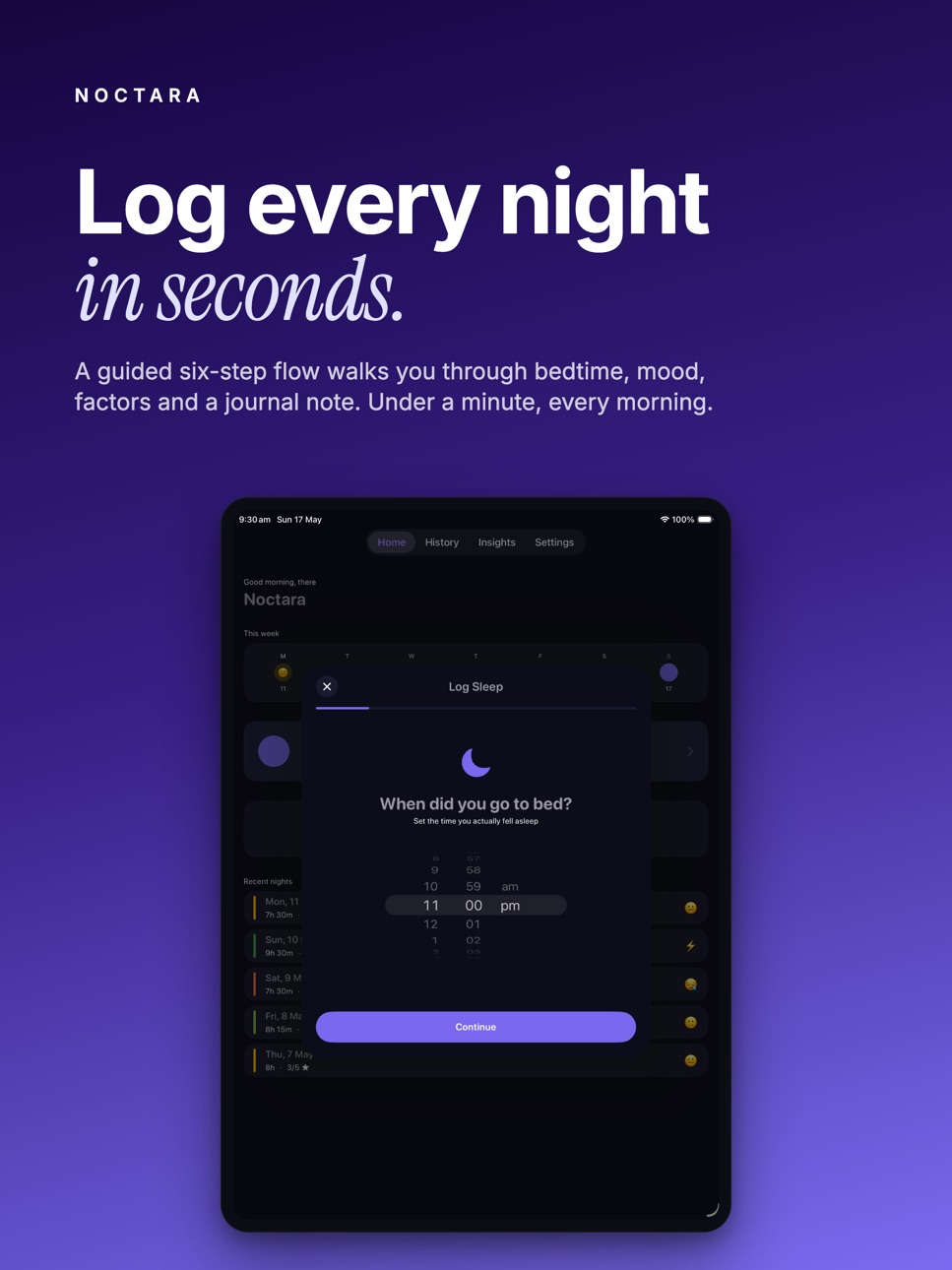
A guided 6-step flow walks you through bedtime, wake time, sleep quality, morning mood, lifestyle factors, and a quick journal note. It takes less than a minute and builds a picture of your sleep health over time.
**YOUR HISTORY AT A GLANCE**
The colour-coded calendar shows every logged night at a glance. Tap any past day you missed to fill it in — Noctara lets you log sleep for any date in the past, so you never lose a night's data.
**AI-POWERED INSIGHTS (Premium)**
Every week, Noctara's AI reads your recent entries and generates a personalised sleep report — identifying patterns, flagging concerns, and suggesting small changes with a big impact.
**CHAT WITH YOUR SLEEP DATA (Premium)**
Ask anything. "Why am I so tired on Mondays?" "What happened the nights I slept best?" Noctara's AI chat reads your actual entries and gives you real, contextual answers.
**TAG IMPACT ANALYSIS (Premium)**
Wonder whether caffeine, alcohol, or screen time is actually affecting your sleep? The Tag Impact chart shows you the average quality difference when each factor is present — so you can see the truth, not just guess.
**APPLE HEALTH INTEGRATION (Premium)**
Noctara writes your sleep sessions directly to Apple Health, so your data works with every health app in your ecosystem.
**EXPORT YOUR DATA (Premium)**
Download a CSV of every sleep entry — date, bedtime, wake time, duration, quality, mood, tags, and journal note. Your data, always yours.
**BEAUTIFUL & PRIVATE**
Dark-themed and distraction-free. All entries are stored locally on your device and optionally synced via your personal iCloud account. Noctara never sells your data.
Terms of Use (EULA): https://www.apple.com/legal/internet-services/itunes/dev/stdeula/
---
CONNECT WITH US
Follow our development journey, see upcoming feature sneak peeks, and send your feedback directly to the creator on X (Twitter):
• X: x.com/kienybuilds
In-App Purchases US pricing
Noctara Premium Subscription
Noctara- Premium Annual · Yearly$29.99
Noctara - Premium Monthly · Monthly$2.99
Capabilities
In-App Purchases
Accessibility
ipadiphonemacrealityDevicetvoswatch
Version history 10 versions
Build 886771076v1.92026-06-10 18:30:57
* Fixed the launch screen logo not centering correctly on iPad.
* Improved privacy controls for AI insights - your sleep data is only ever sent for analysis after you've given consent.
* More accurate Pro subscription status, including faster updates after refunds or changes.
* Behind-the-scenes reliability and stability improvements.
Build 886469174v1.82026-06-03 16:29:05
Light Mode & Adaptive Themes:
You can now choose your preferred appearance in Settings → Appearance. Pick Dark, Light, or Auto (follows your device setting). Dark remains the default for existing users — nothing changes unless you want it to.
New Launch Screen:
Fresh app launch experience with a centred Noctara icon on a clean dark background.
Bug Fixes:
Fixed bar chart in Insights showing one large stacked bar instead of individual daily bars
Fixed mood and tag selection chips missing top and bottom borders
Fixed tags being clipped on the Home screen entry card
Fixed Recent Nights not showing your most recent entry in some cases
Fixed calendar date numbers being invisible in Light mode
Fixed time pickers disappearing in Light mode
Build 885937647v1.72026-05-25 18:39:42
**iCloud Sync**
Your sleep data now syncs automatically across all your devices via iCloud. Switch phones, reinstall the app — your history is always safe.
**Fixes & Polish**
Tag labels are now easier to read when selected in the log flow
The AI chat conversation is saved when you switch tabs and come back
Insights now show your last 30 nights of data instead of 7
Icons in the AI chat, Insights, and Home screens are now properly visible
The weekly strip now shows a moon icon on today's dot when you haven't logged yet
New users see clearer guidance on how many nights are needed before insights become meaningful
Build 885887742v1.62026-05-20 16:51:03
UX Improvements:
- Fixed Rate App in Settings
- Fixed round purple circles not showing white icons
Build 885792000v1.52026-05-18 14:06:46
Added share app and send feedback in Settings
Build 885600774v1.42026-05-13 18:11:26
Voice Journal
Log your sleep thoughts hands-free — tap the mic on the journal note step and speak. Noctara transcribes in real time. Available with Noctara Premium.
Voice in Sleep Chat
The "Ask Your Sleep Data" chat now has a mic button too. Dictate your question instead of typing it.
Log Any Past Night
Missed a few nights? Tap any empty past day in the History calendar or the weekly strip on Home to log sleep for that date.
Smarter Home Card
The most recent sleep entry now shows Bedtime, Duration, and Quality — and the mood emoji sits neatly alongside your tags instead of floating in the corner. The label also now correctly says "Most recent logged" so naps count too.
Cleaner History Calendar
Logged dates now display in crisp white against their quality-coloured backgrounds. Past nights you haven't logged show a subtle + so you know they're tappable.
Tag Impact — Now Free
Sleep tag analysis is now available to all users, not just Premium.
Visual Polish
Labels, axis text, and stat captions across Home, History, Insights, and Settings are now brighter and easier to read throughout the app. Tab bar icons are white when unselected for cleaner contrast.
Build 885548034v1.32026-05-12 19:24:29
Edit & Delete Entries — Made a mistake logging your sleep? You can now edit or delete any past entry directly from the detail view.
Log Past Nights from History — Tap any empty day on the History calendar to log sleep for that date.
Fixes & Improvements — Tapping a past date on the History tab no longer opens a blank sheet. The quick-log button now appears on the Home tab only.
Build 884839355v1.22026-04-23 20:30:19
Bug fixes and improvements
Build 883856294v1.12026-03-28 08:18:19
What's New in Version 1.1
This update focuses on stability and a smoother logging experience.
Past-date logging — Tap any day in the This Week strip on the Home screen to log a night you missed
Bedtime fix — The Continue button no longer gets stuck when logging an early-morning bedtime (e.g. 1 AM → 8 AM)
Home screen — Tapping a past day no longer opens a blank screen
Notifications — Fixed an issue where notification titles and messages could appear mismatched
Subscriptions — Manage Subscription now reliably opens the correct page
Pro features — CSV Export is now correctly restricted to Pro subscribers
Stability — Improved Apple Health sync reliability and fixed several background issues
Thank you for your support — more features coming soon!
Build 883779513v1.02026-03-27 14:06:11
Price history by region
Currency
Show
Columns
Search
Availability 1 of 1 storefronts
| Region | Language | Price | Ratings | Avg | Version |
|---|---|---|---|---|---|
| US | en-US | Free | 0 | — | 1.9 |
Change log 14 changes · US
✎
releaseNotes updated
* Fixed the launch screen logo not centering correctly on iPad.
* Improved privacy controls for AI insights - your sleep data is only ever sent for analysis af
✎
description updated
**Wake up to better sleep.**
Noctara is your personal AI sleep journal — beautifully designed to help you log each night, spot what's affecting your rest, and u
✎
subtitle updated
AI Sleep Journal & Insights
✎
name updated
Noctara
◆
Version 1.9 released
* Fixed the launch screen logo not centering correctly on iPad.
* Improved privacy controls for AI insights - your sleep data is only ever sent for analysis after you've given consent.
* More accurate Pro subscription status, including fa
◆
Version 1.8 released
Light Mode & Adaptive Themes:
You can now choose your preferred appearance in Settings → Appearance. Pick Dark, Light, or Auto (follows your device setting). Dark remains the default for existing users — nothing changes unless you want it t
◆
Version 1.7 released
**iCloud Sync**
Your sleep data now syncs automatically across all your devices via iCloud. Switch phones, reinstall the app — your history is always safe.
**Fixes & Polish**
Tag labels are now easier to read when selected in the log flow
◆
Version 1.6 released
UX Improvements:
- Fixed Rate App in Settings
- Fixed round purple circles not showing white icons
◆
Version 1.5 released
Added share app and send feedback in Settings
◆
Version 1.4 released
Voice Journal
Log your sleep thoughts hands-free — tap the mic on the journal note step and speak. Noctara transcribes in real time. Available with Noctara Premium.
Voice in Sleep Chat
The "Ask Your Sleep Data" chat now has a mic button to
◆
Version 1.3 released
Edit & Delete Entries — Made a mistake logging your sleep? You can now edit or delete any past entry directly from the detail view.
Log Past Nights from History — Tap any empty day on the History calendar to log sleep for that date.
Fixes &
◆
Version 1.2 released
Bug fixes and improvements
◆
Version 1.1 released
What's New in Version 1.1
This update focuses on stability and a smoother logging experience.
Past-date logging — Tap any day in the This Week strip on the Home screen to log a night you missed
Bedtime fix — The Continue button no longer g
◆
Version 1.0 released