Home › Utilities

 US
US
1 of 1 storefronts
Content in en-US
Content in en-US
Information
Apple ID6761104165
Bundle IDcom.oknorp.bluriva
SellerSeller
Min iOS15.1
Min macOS12.0
Device familiesiphone, ipad, ipod
Released2026-03-26
Copyright© 2026 Ihar Pronka
Privacy policyLink ↗
Preview 2 platforms
iPhone 4 images


iPad 4 images


What’s New Version 1.0.1
Added History section for reopening, resending, and clearing export history
Improved analysis screen: long text and images fit better on one screen
Updated interface and texts across all supported languages
Improved app launch and overall stability
Fixed issues with displaying exported images
Improved navigation and bottom bar behavior across screens
Description
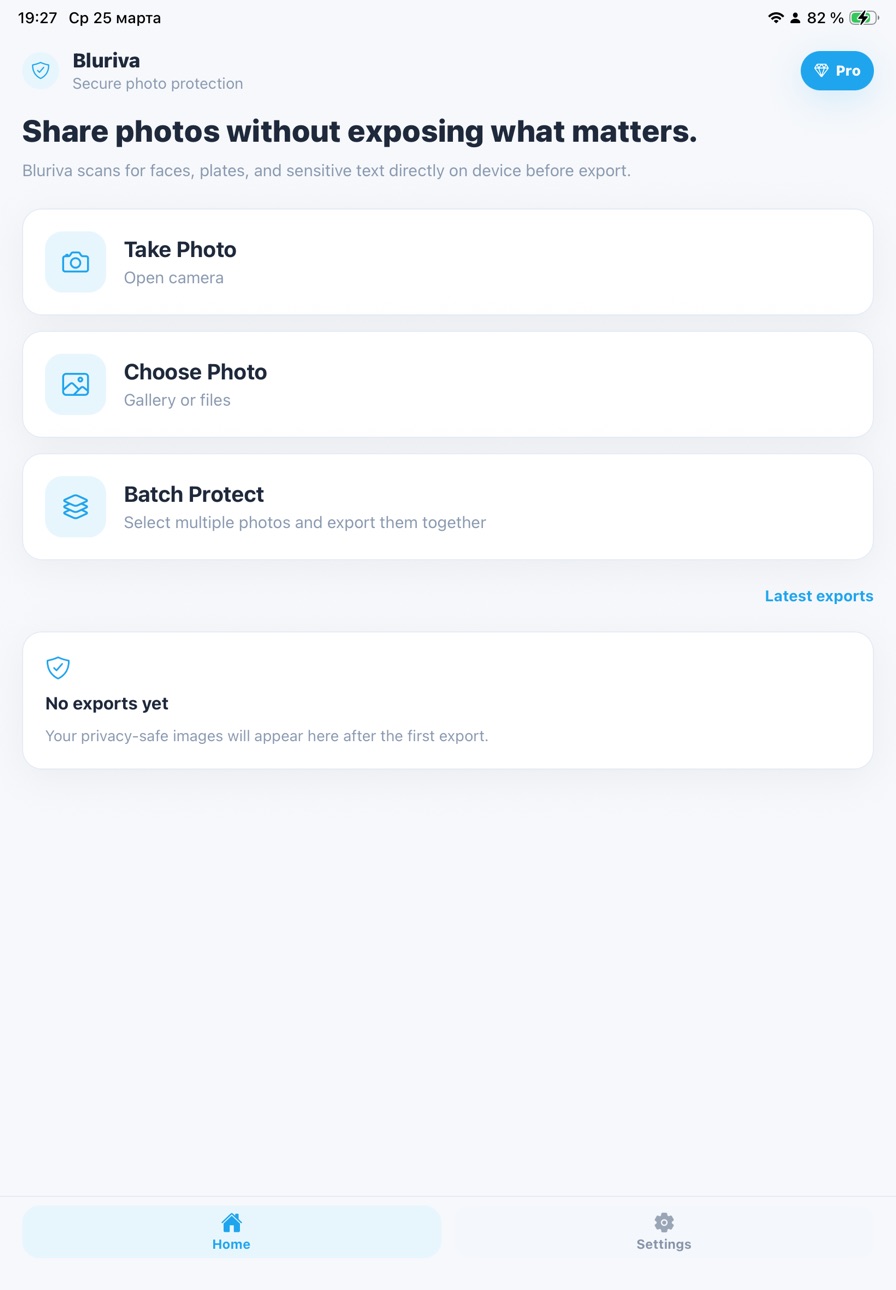
Blur faces, license plates, text, and selected areas in your photos. Edit manually and review the result before exporting.
Bluriva is a simple photo editing app that lets you apply blur where needed.
Blur and pixelation
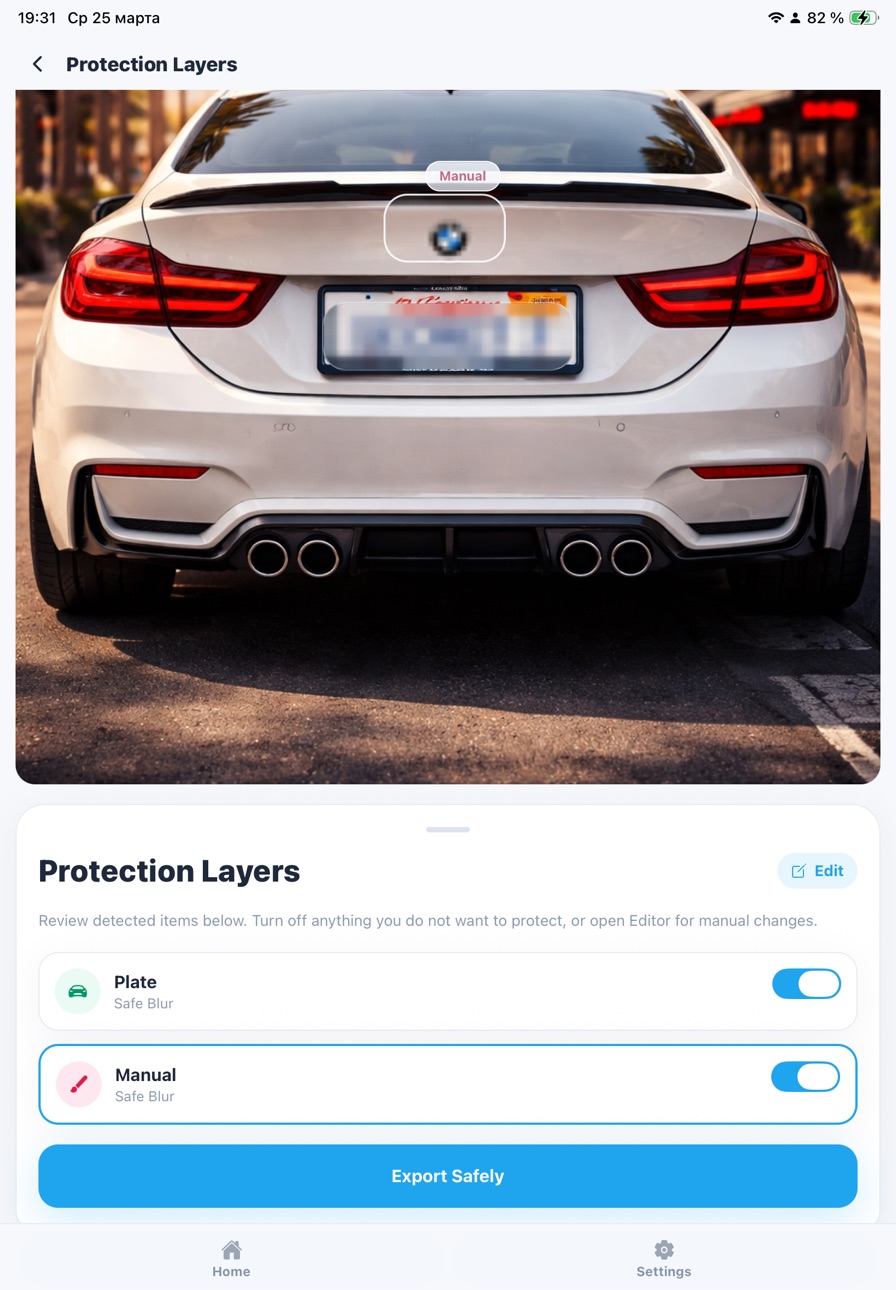
The app helps detect faces, license plates, and text, and lets you review the result before applying effects.
Manual editor
Adjust selected areas manually, add or remove blur regions as needed.
Flexible tools
Choose between blur and pixelation and adjust the intensity.
Remove EXIF data
Remove image metadata such as date and device details.
You can export the image after reviewing the result.
Batch processing Bluriva Pro
Work with multiple images.
Review the result before export and adjust areas manually if needed.
Key features:
Detection of faces, license plates, and text
Blur and pixelation
Manual editing
Remove EXIF data
Export image
Bluriva Pro includes:
Batch processing
Manual editor
Full-quality export
For:
Social media users
Content creators
Photo and video editors
Anyone working with images
Download Bluriva and start editing your photos.
Subscription Bluriva Pro
Get access to all Bluriva Pro features, including batch processing, manual editor, and full-quality export.
Subscriptions renew automatically based on the selected plan unless canceled before the end of the current period.
By using the app, you agree to the Privacy Policy and Terms of Use:
https://iharoknorp.github.io/bluriva_privacy_policy/
https://iharoknorp.github.io/bluriva_terms/
In-App Purchases US pricing
Bluriva Pro Subscription
Pro Weekly · 7 days 3-day free trial$0.99
Pro Monthly · Monthly 3-day free trial$2.99
Capabilities
In-App Purchases
Accessibility
ipadiphonemacrealityDevicetvoswatch
Version history 2 versions
Build 883873305v1.0.12026-03-29 01:13:01
Added History section for reopening, resending, and clearing export history
Improved analysis screen: long text and images fit better on one screen
Updated interface and texts across all supported languages
Improved app launch and overall stability
Fixed issues with displaying exported images
Improved navigation and bottom bar behavior across screens
Build 883744783v1.02026-03-26 20:14:01
Price history by region
Currency
Show
Columns
Search
Availability 1 of 1 storefronts
| Region | Language | Price | Ratings | Avg | Version |
|---|---|---|---|---|---|
| US | en-US | Free | 1 | 5.0 | 1.0.1 |
Change log 6 changes · US
✎
releaseNotes updated
Added History section for reopening, resending, and clearing export history
Improved analysis screen: long text and images fit better on one screen
Updated inte
✎
description updated
Blur faces, license plates, text, and selected areas in your photos. Edit manually and review the result before exporting.
Bluriva is a simple photo editing ap
✎
subtitle updated
Blur faces and text
✎
name updated
Bluriva: Blur Photo Editor
◆
Version 1.0.1 released
Added History section for reopening, resending, and clearing export history
Improved analysis screen: long text and images fit better on one screen
Updated interface and texts across all supported languages
Improved app launch and overall s
◆
Version 1.0 released