Home › Photo & Video

 US
US
1 of 1 storefronts
Content in en-US
Content in en-US
Information
Preview 3 platforms
iPhone 4 images


iPad 4 images


Apple Watch 3 images


What’s New Version 1.1.0
Thanks for all the great feedback!!! Here’s what’s new and improved in Version 1.1.0:
· New: You can now try Lumenicer Pro features for free with the new 7-day trial!
· New: locked Fullscreen mode added
· Improved: Fire Effect, now with 7 speeds to choose from
· Fixed: various Bug fixes and performance improvements
Enjoy the update!
Description
Lumenicer lets you use an iPhone, iPad or MacBook as a controllable light panel.
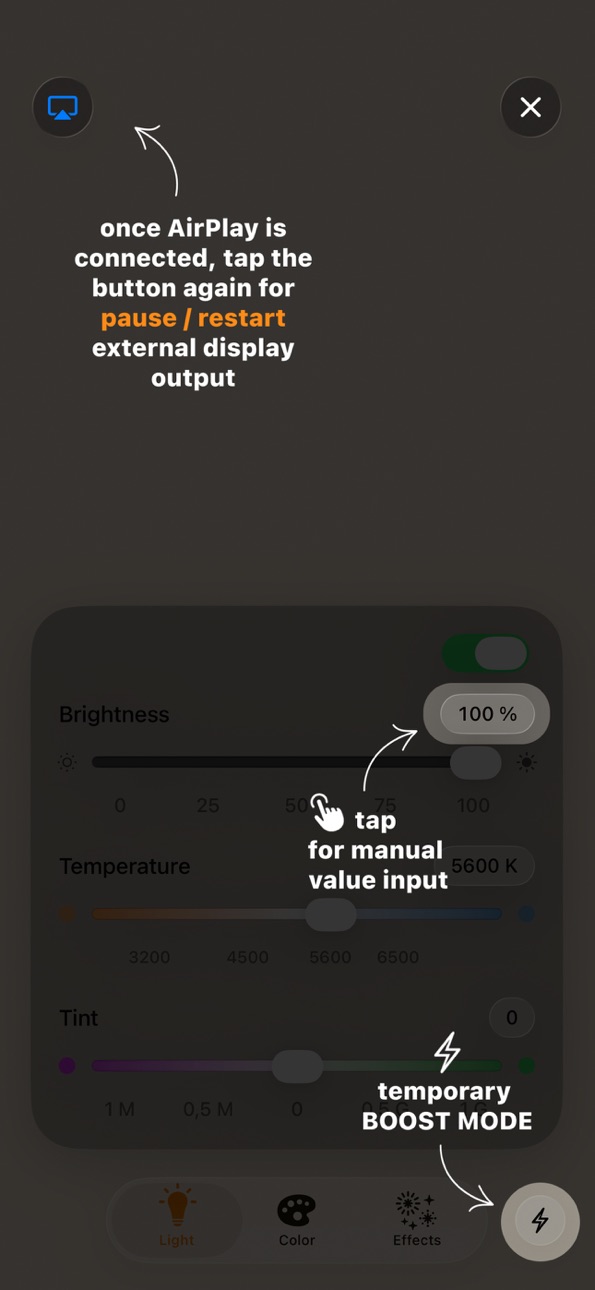
Connect it to a TV or projector via AirPlay or HDMI and you get a much larger surface to light a scene with. Your iPhone and Apple Watch work as the remote, so you can adjust everything without walking back to the screen.
I built it because I kept running into the same situation as a cinematographer: small productions, travel shoots, no budget for a proper light kit — but always a few screens within reach.
It's free to use in Light Mode, and you can try the Pro features for 7 days before deciding anything.
WHAT YOU CAN DO
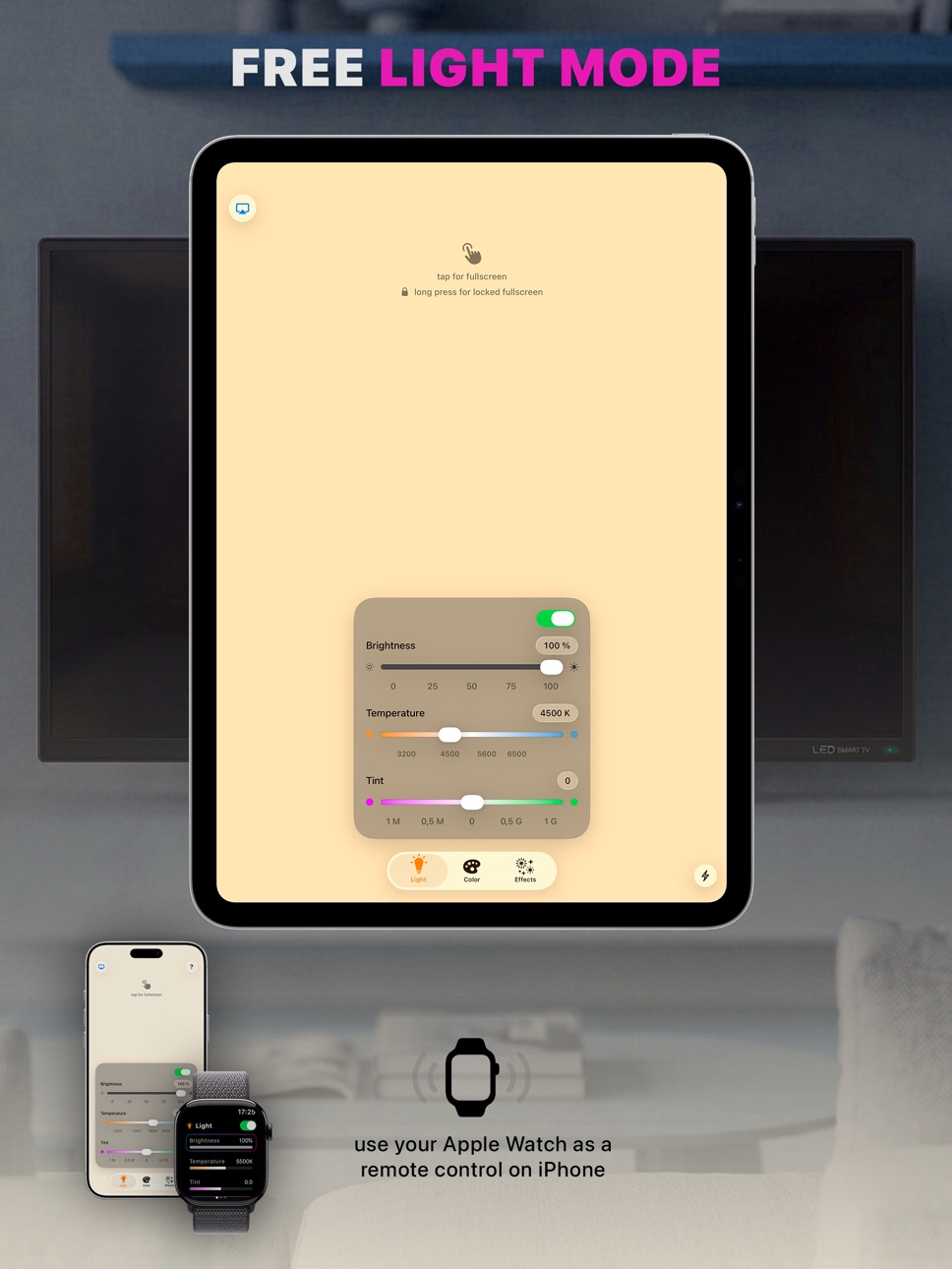
Light Mode (free, no time limit, no ads)
· Set color temperature from warm candlelight to cool daylight (2800K–7500K)
· Fine-tune green/magenta tint
Color Mode (Pro)
· Full color wheel to match a scene or set a mood
· Save up to 10 colors so they stay consistent across shooting days
· See / type in HSB, RGB, CMY and HEX values for each color
Effects (Pro)
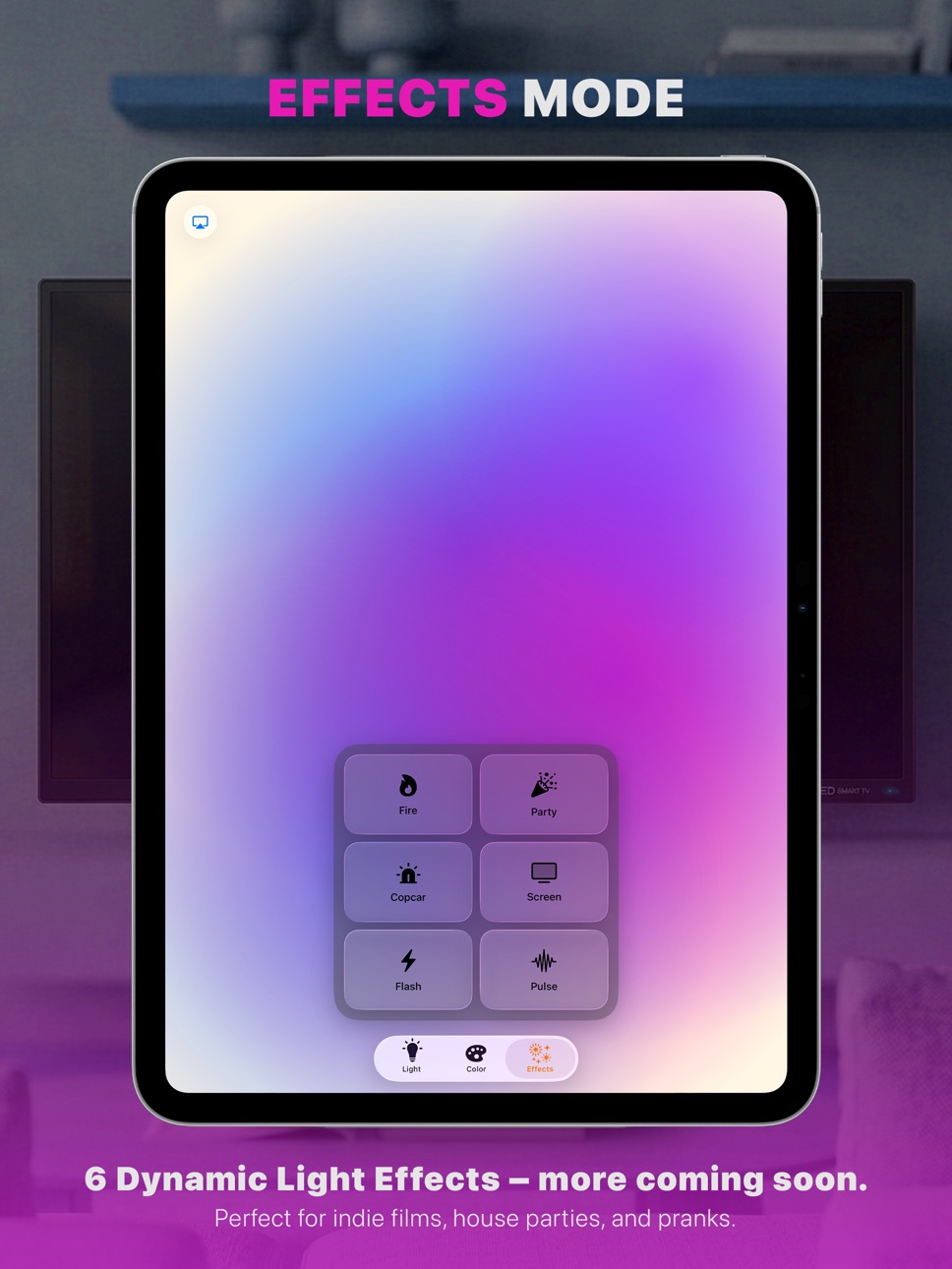
· Live lighting effects you can send to your big screens: fireplace glow, police lights, party light, TV flicker, strobe and a slow pulse
· I add new ones regularly
EDR Boost (Pro)
· Metal-powered ultra-bright mode. Pushes supported Apple displays beyond standard limits (up to 8x brighter)
(Note: Peak brightness and duration depend on your specific device hardware, temperature, and battery level)
A few details that matter on set: a locked fullscreen mode so nothing interrupts the light mid-take, no accidental screen dimming, haptic feedback and a clean, distraction-free layout.
PRO
Light Mode stays free forever. Pro unlocks Color Mode, all effects and EDR Boost. Start with a 7-day free trial — monthly, annual or a one-time lifetime option.
Found a bug or have an idea? Email me at hi@lumenicer.app with your device and iOS version. I read everything and it genuinely helps.
Terms of Use (EULA): https://www.apple.com/legal/internet-services/itunes/dev/stdeula/
Privacy Policy: https://lumenicer.app/privacy
Capabilities
In-App Purchases
Accessibility
ipadiphonemacrealityDevicetvoswatch
Version history 2 versions
Build 886524556v1.1.02026-06-05 20:04:02
Thanks for all the great feedback!!! Here’s what’s new and improved in Version 1.1.0:
· New: You can now try Lumenicer Pro features for free with the new 7-day trial!
· New: locked Fullscreen mode added
· Improved: Fire Effect, now with 7 speeds to choose from
· Fixed: various Bug fixes and performance improvements
Enjoy the update!
Build 883674807v1.02026-04-07 03:39:35
No pricing data captured yet — comparisons appear once the app has paid storefronts or in-app purchases.
Availability 1 of 1 storefronts
| Region | Language | Price | Ratings | Avg | Version |
|---|---|---|---|---|---|
| US | en-US | Free | 1 | 5.0 | 1.1.0 |
Change log 6 changes · US
✎
releaseNotes updated
Thanks for all the great feedback!!! Here’s what’s new and improved in Version 1.1.0:
· New: You can now try Lumenicer Pro features for free with the new 7-day
✎
description updated
Lumenicer lets you use an iPhone, iPad or MacBook as a controllable light panel.
Connect it to a TV or projector via AirPlay or HDMI and you get a much larger
✎
subtitle updated
Film + Photo Softbox Tool
✎
name updated
Lumenicer · Video Light Panel
◆
Version 1.1.0 released
Thanks for all the great feedback!!! Here’s what’s new and improved in Version 1.1.0:
· New: You can now try Lumenicer Pro features for free with the new 7-day trial!
· New: locked Fullscreen mode added
· Improved: Fire Effect, now with 7 s
◆
Version 1.0 released