Home › Graphics & Design

 US
US
1 of 1 storefronts
Content in en-US
Content in en-US
Information
Preview 1 platform
iPhone 8 images


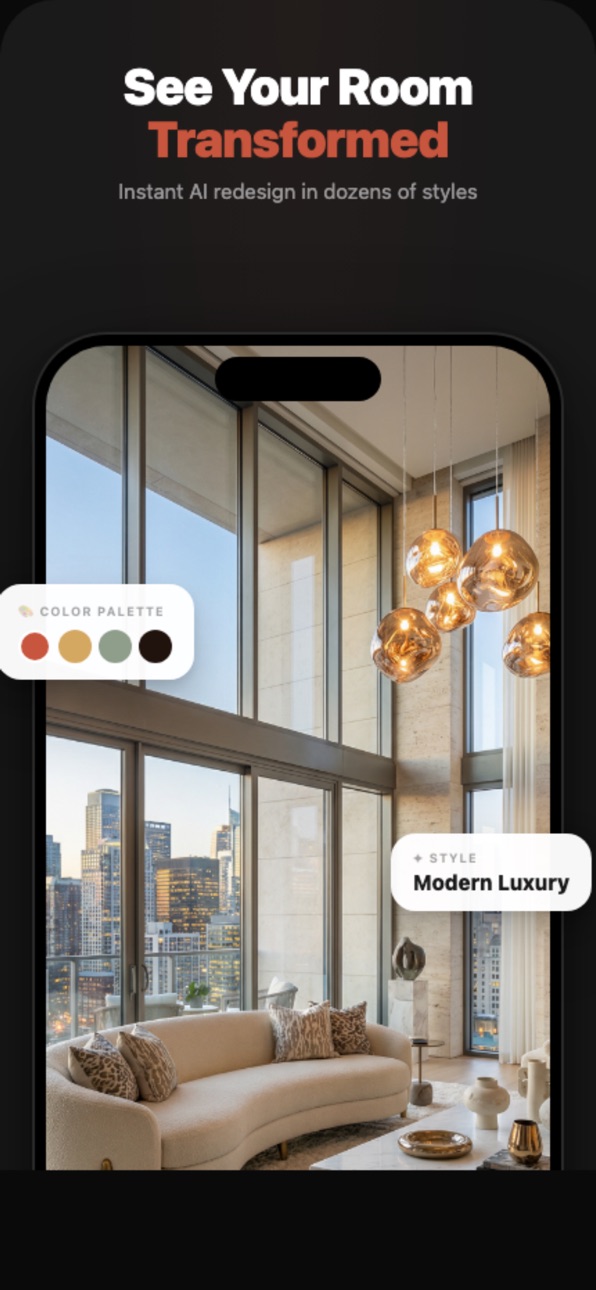


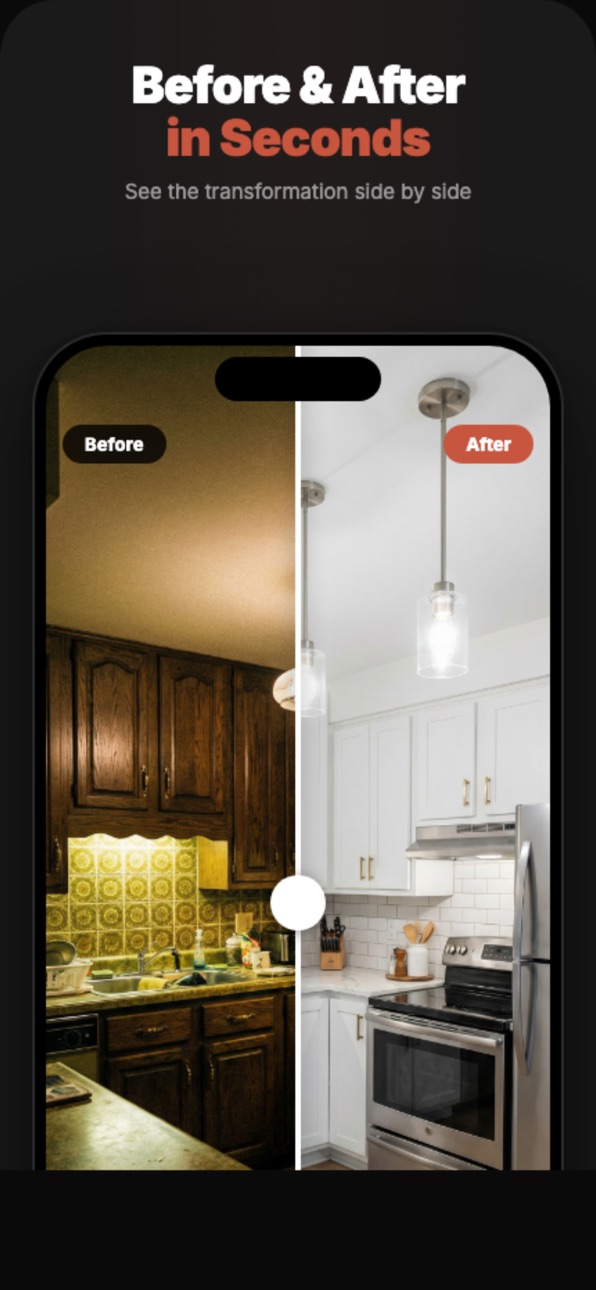

What’s New Version 2.2
Stability improvements and a fix for a background crash.
Description
Transform any room with AI — just snap a photo and watch it redesign itself in seconds.
Homiva turns your phone into a personal interior designer. Upload a photo of any space, choose from 30+ design styles, and see a stunning transformation instantly.
AI ROOM REDESIGN
Take a photo of your living room, bedroom, kitchen, bathroom, or office. Pick a style — Modern, Boho, Japandi, Industrial, Scandinavian, and many more — and Homiva's AI generates a complete redesign in seconds. Compare the before and after side by side with an interactive slider.
STYLE TRANSFER
Love a room you saw on Instagram or Pinterest? Upload it as a reference, and Homiva applies that exact style to your space. The AI captures the colors, furniture arrangement, textures, and atmosphere — then recreates it in your room.
AI ROOM SCORE
Curious how your room measures up? Homiva's AI analyzes your space and rates it on a 0–10 scale across six dimensions: Layout, Lighting, Color Harmony, Tidiness, Styling, and Material Warmth. Get specific tips to improve your score, like adding plants or adjusting lighting.
DECLUTTER
Remove distracting objects from any photo with a simple brush. Paint over the items you want gone — toys on the floor, cables, clutter on the table — and Homiva's AI removes them cleanly, filling in the background naturally.
EVERY ROOM, EVERY STYLE
Whether you're redesigning a cozy bedroom, a modern kitchen, a spa-like bathroom, or a productive home office — Homiva has you covered. With 30+ curated design styles ranging from Minimalist to Maximalist, Farmhouse to Cyberpunk, there's inspiration for every taste.
HOW IT WORKS
1. Snap a photo or choose from your gallery
2. Select a room type and design style
3. Tap Generate and watch your room transform
4. Compare before & after with the interactive slider
5. Save or share your favorite designs
DESIGNED FOR EVERYONE
No design skills needed. No complicated tools to learn. Homiva is built for homeowners dreaming of a refresh, renters wondering "what if," real estate agents staging properties, and anyone who loves beautiful interiors.
Download Homiva and see your home in a whole new light.
Legal
To use this app, you must agree to Apple’s End User License Agreement (EULA):
https://www.apple.com/legal/internet-services/itunes/dev/stdeula/
Privacy Policy:
https://sites.google.com/view/homiva-privacypolicy/home
In-App Purchases US pricing
Stylio Subscriptions Subscription
Weekly Access · 7 days$3.99
Yearly Subscription · Yearly$29.99
Weekly Access Discounted · 7 days$2.99
Capabilities
In-App Purchases
Accessibility
ipadiphonemacrealityDevicetvoswatch
Version history 6 versions
Build 885803869v2.22026-05-20 04:26:51
Stability improvements and a fix for a background crash.
Build 885299641v2.02026-05-16 03:48:10
Bug fixes
Build 885151336v1.32026-05-01 08:04:05
Bug fixes
Build 885082678v1.22026-04-29 21:02:10
Bug fixes
Build 884421011v1.12026-04-12 15:37:22
Bug fixes
Build 883647067v1.02026-04-09 04:29:37
Price history by region
Currency
Show
Columns
Search
Availability 1 of 1 storefronts
| Region | Language | Price | Ratings | Avg | Version |
|---|---|---|---|---|---|
| US | en-US | Free | 0 | — | 2.2 |
Change log 10 changes · US
✎
releaseNotes updated
Stability improvements and a fix for a background crash.
✎
description updated
Transform any room with AI — just snap a photo and watch it redesign itself in seconds.
Homiva turns your phone into a personal interior designer. Upload a pho
✎
subtitle updated
Home Decor & Interior Planner
✎
name updated
Homiva: AI Room Design
◆
Version 2.2 released
Stability improvements and a fix for a background crash.
◆
Version 2.0 released
Bug fixes
◆
Version 1.3 released
Bug fixes
◆
Version 1.2 released
Bug fixes
◆
Version 1.1 released
Bug fixes
◆
Version 1.0 released