Home › Utilities

 US
US
1 of 1 storefronts
Content in en-US
Content in en-US
Information
Preview 2 platforms
iPhone 5 images


iPad 5 images


What’s New Version 2.0.0
Korean Language Added
- Full Korean (한국어) localization across the app and permission dialogs
- Native currency names for every supported region
Adjustable Scan Frame
- Drag to reposition and pinch to resize the focus frame
- Pinpoint a single price on a cluttered receipt, menu, or shelf label
- Smarter on-screen hints when nothing is detected
Smarter Currency Picker
- Currencies are now grouped by region: Asia-Pacific, Oceania, Americas, Europe, Middle East & Africa
- Search and multi-select made faster, with "Clear All" at your fingertips
- Long-press to reorder target currencies in the list
Translation Polish
- Refined Traditional Chinese wording (設定, 搜尋, 新增, 拖曳)
- Consistent tú form across all Spanish prompts
- Reviewed wording across all 6 languages for consistency
Under-the-Hood Improvements
- Faster camera startup and steadier frame processing
- Better reliability for exchange-rate editing and reordering
- Bug fixes and performance improvements
Description
Point your camera at any price tag and get instant currency conversion. CurrencyCam uses smart OCR technology to detect amounts and convert them in real-time — perfect for travel, shopping abroad, and everyday currency needs.
SMART CAMERA DETECTION
Point your camera at price tags, receipts, or menus. Intelligent OCR automatically filters out dates, phone numbers, and product codes — only real prices are detected.
MANUAL INPUT MODE
Can't point the camera? Tap the keyboard icon to manually enter amounts and instantly see conversions to all your target currencies.
50+ CURRENCIES & GLOBAL FORMATS
Supports price formats from around the world:
- Indian lakh grouping (1,23,456)
- European comma decimals (19,99)
- Vietnamese dot-thousands (150.000)
- Swiss apostrophe format (1'234.56)
- And many more local symbols and formats
WORKS OFFLINE
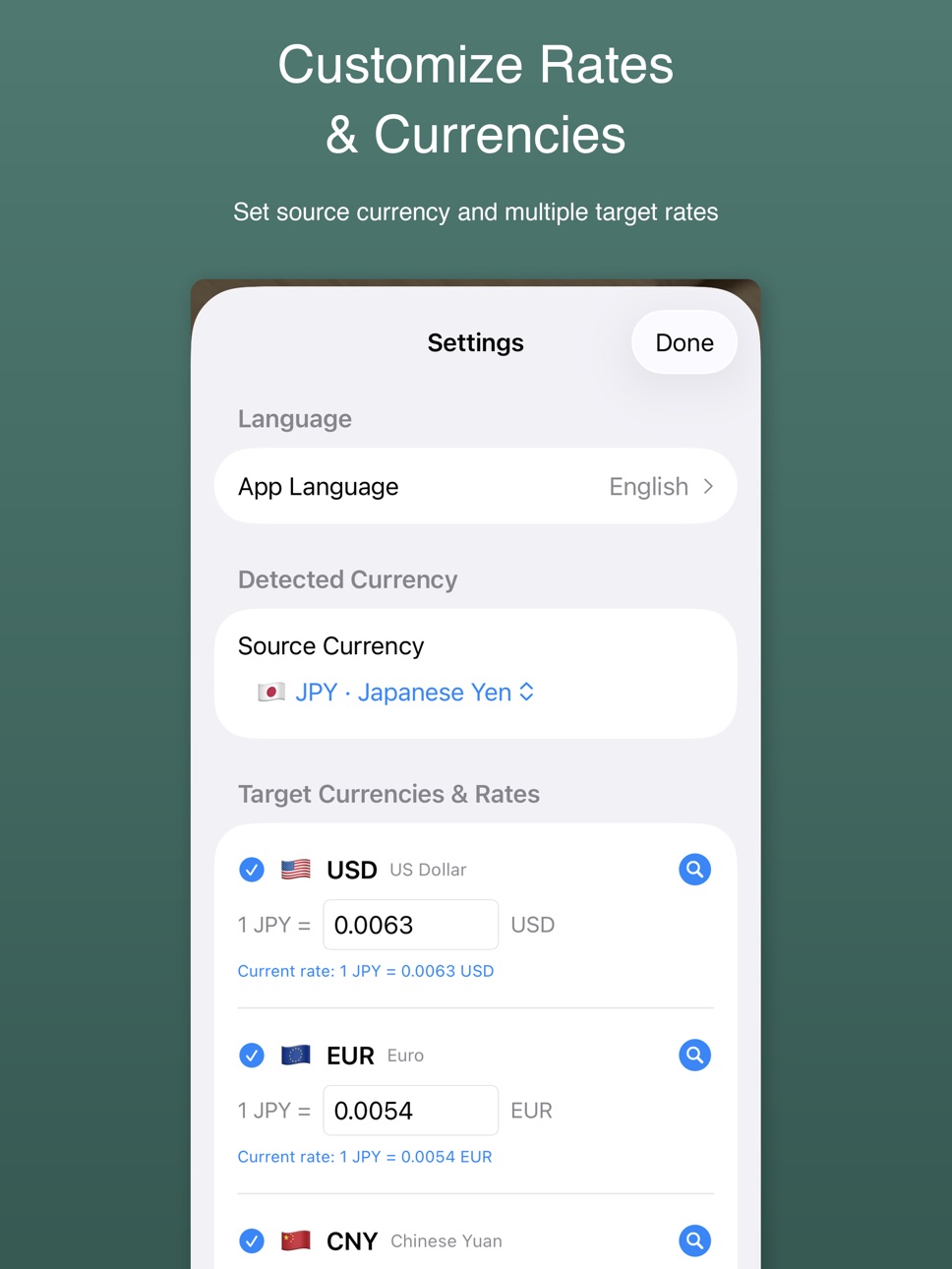
No internet needed. Built-in exchange rates work anywhere. Set your own rates for the most accurate conversions, or look up live rates with one tap.
FAST & LIGHTWEIGHT
All processing happens on your device. No sign-up, no data collected. Available in English, Japanese, Korean, Simplified Chinese, Traditional Chinese, and Spanish.
Accessibility
ipadiphonemacrealityDevicetvoswatch
Version history 3 versions
Build 884684911v2.0.02026-04-21 10:15:17
Korean Language Added
- Full Korean (한국어) localization across the app and permission dialogs
- Native currency names for every supported region
Adjustable Scan Frame
- Drag to reposition and pinch to resize the focus frame
- Pinpoint a single price on a cluttered receipt, menu, or shelf label
- Smarter on-screen hints when nothing is detected
Smarter Currency Picker
- Currencies are now grouped by region: Asia-Pacific, Oceania, Americas, Europe, Middle East & Africa
- Search and multi-select made faster, with "Clear All" at your fingertips
- Long-press to reorder target currencies in the list
Translation Polish
- Refined Traditional Chinese wording (設定, 搜尋, 新增, 拖曳)
- Consistent tú form across all Spanish prompts
- Reviewed wording across all 6 languages for consistency
Under-the-Hood Improvements
- Faster camera startup and steadier frame processing
- Better reliability for exchange-rate editing and reordering
- Bug fixes and performance improvements
Build 884423509v1.1.02026-04-12 21:46:19
NEW: Manual Input Mode
- Tap the keyboard icon to manually enter amounts
- Instantly see conversions to all your target currencies
- Uses system keyboard with decimal support
Smart OCR Detection
- Intelligently filters out dates, phone numbers, and product codes
- Only real prices are detected — no more false positives
- Currency symbol-aware detection for higher accuracy
Expanded Currency Format Support
- Indian lakh grouping: 1,23,456.78 (INR, PKR, BDT, NPR, LKR)
- Vietnamese/Indonesian dot-thousands: 150.000 (VND, IDR)
- Swiss apostrophe thousands: 1'234.56 (CHF)
- Russian/Ukrainian space thousands: 1 234,56 (RUB, UAH)
- European trailing dash notation: 100,- (EUR zone)
More Local Currency Symbols
- Added TL (Turkey), руб (Russia), грн (Ukraine), Rs (India/Pakistan), Tk (Bangladesh), and more
- Bare $ now recognized for HKD, SGD, TWD, AUD, NZD, CAD, MXN, ARS, CLP, COP
UI Improvements
- Camera/freeze button moved to bottom center for easier one-hand use
- Manual input button (keyboard icon) at top-left
- Semi-transparent detection results overlay
- Improved exchange rate input — clearing a rate no longer auto-refills
Build 883632559v1.0.02026-03-30 13:31:27
No pricing data captured yet — comparisons appear once the app has paid storefronts or in-app purchases.
Availability 1 of 1 storefronts
| Region | Language | Price | Ratings | Avg | Version |
|---|---|---|---|---|---|
| US | en-US | Free | 0 | — | 2.0.0 |
Change log 7 changes · US
✎
releaseNotes updated
Korean Language Added
- Full Korean (한국어) localization across the app and permission dialogs
- Native currency names for every supported region
Adjustable Scan
✎
description updated
Point your camera at any price tag and get instant currency conversion. CurrencyCam uses smart OCR technology to detect amounts and convert them in real-time —
✎
subtitle updated
Point, Detect & Convert Money
✎
name updated
CurrencyCam - Exchange Rates
◆
Version 2.0.0 released
Korean Language Added
- Full Korean (한국어) localization across the app and permission dialogs
- Native currency names for every supported region
Adjustable Scan Frame
- Drag to reposition and pinch to resize the focus frame
- Pinpoint a sin
◆
Version 1.1.0 released
NEW: Manual Input Mode
- Tap the keyboard icon to manually enter amounts
- Instantly see conversions to all your target currencies
- Uses system keyboard with decimal support
Smart OCR Detection
- Intelligently filters out dates, phone num
◆
Version 1.0.0 released