Home › Health & Fitness

 US
US
1 of 1 storefronts
Content in en-US
Content in en-US
Information
Apple ID6760955841
Bundle IDcom.voriasolution.voriacare
SellerSeller
Min iOS13.0
Min macOS13.5
Device familiesiphone, ipad, ipod
Released2026-04-14
Copyright© 2026 Voria Solution
Privacy policyLink ↗
Preview 2 platforms
iPhone 8 images

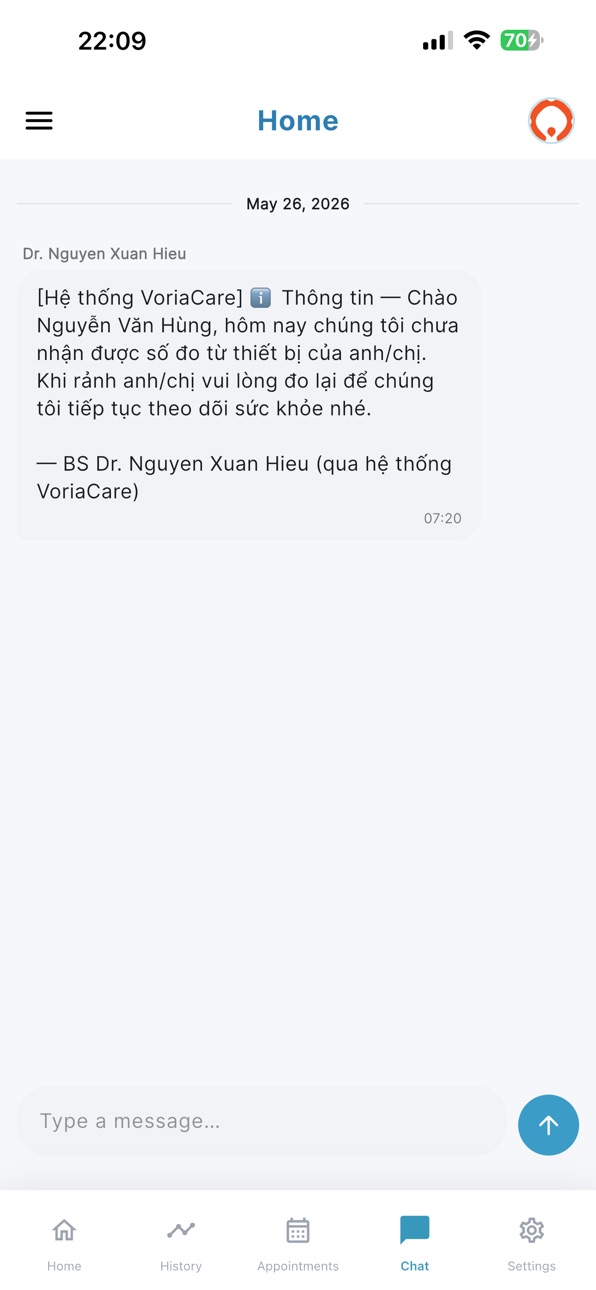
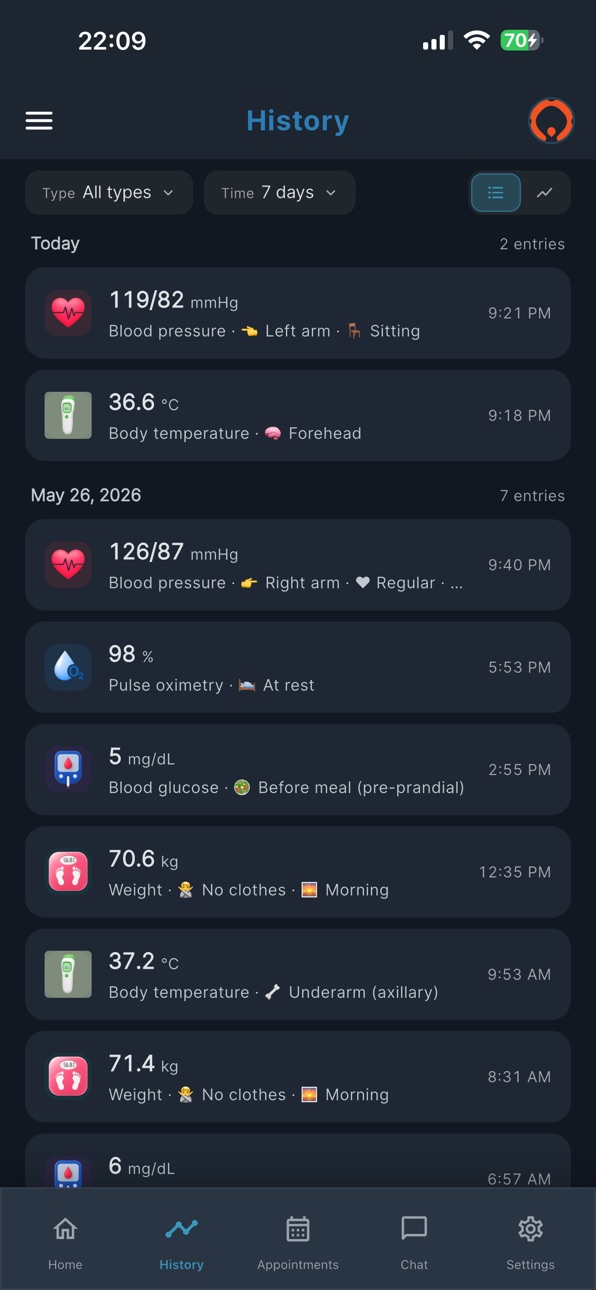


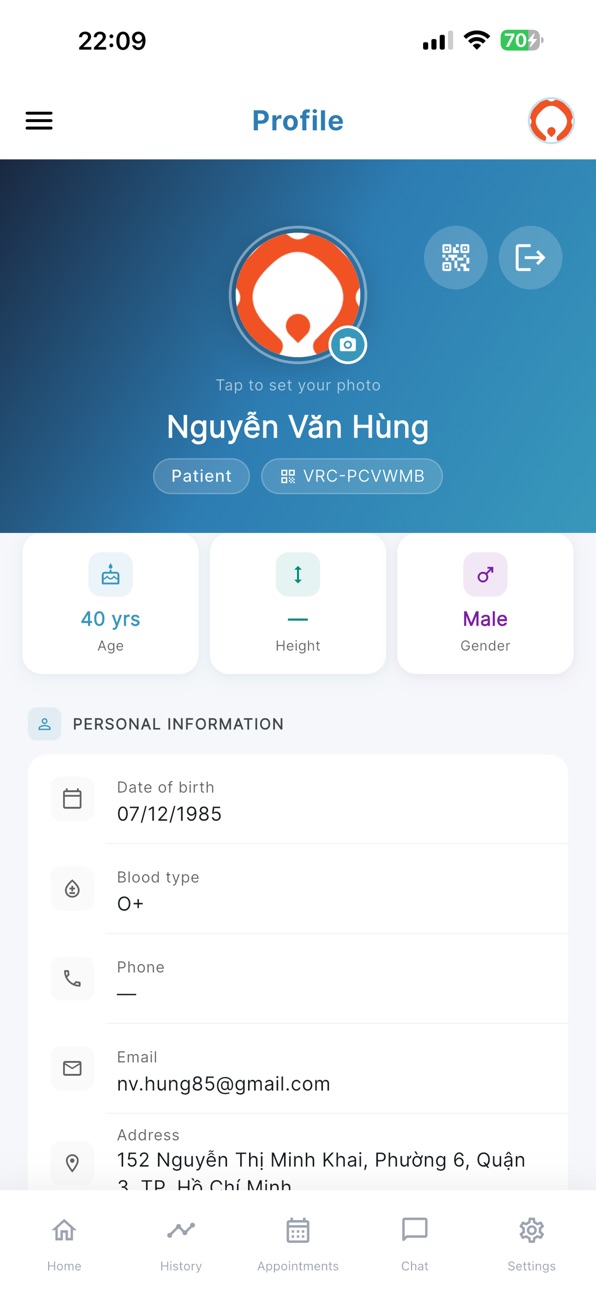


iPad 7 images

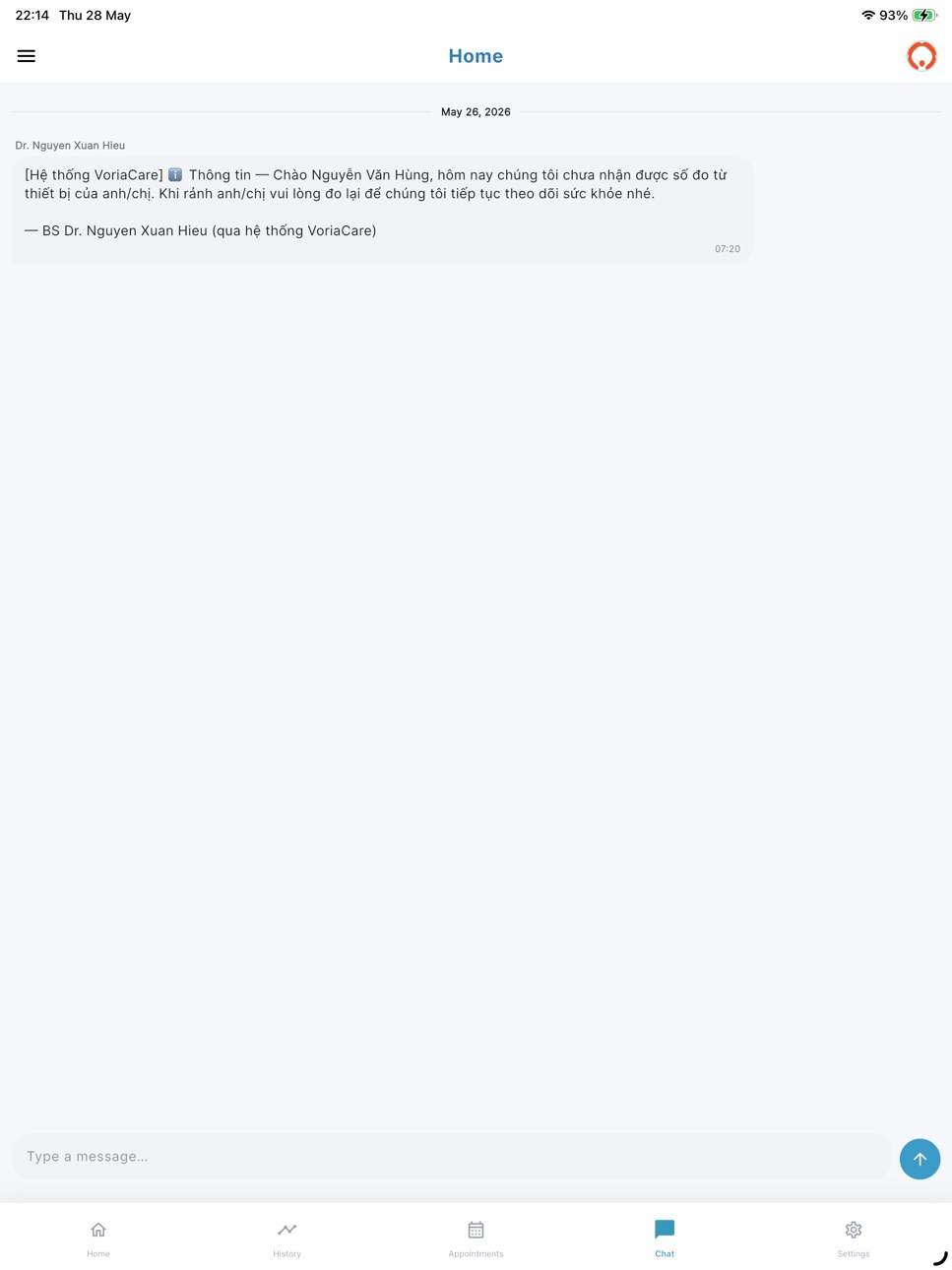


What’s New Version v1.0.12
- Improve Wifi setup workflow
- Clean up hub settings page for clearer and informative base on user feedbacks
- Bug fixes and UI improvements
Description
VoriaCare — Companion App for the Voria Hub
VoriaCare is the official companion app for the Voria Hub, a Bluetooth-connected health monitoring device. The app allows patients to view vitals collected by their hub, manage hub settings, and stay informed about their health readings.
How It Works
The Voria Hub connects to standard Bluetooth health peripherals — blood pressure monitors, pulse oximeters, thermometers, glucometers, and scales. When a measurement is taken, the hub collects the data automatically. VoriaCare connects to your hub via Bluetooth to retrieve these readings and display them on your phone.
Key Features
— View Vitals: See your latest blood pressure, SpO2, temperature, glucose, and weight readings in a clean, easy-to-read dashboard.
— Timeline & Charts: Browse your measurement history with a visual timeline and trend charts to track your health over time.
— Observation Notes: Add context to your measurements such as body position, arm used, meal timing, or activity level.
— Hub Management: Configure your hub's WiFi connection, check firmware version, sync time, and update firmware — all from the app.
— Device Pairing: Securely pair new health peripherals with your hub using a simple PIN code entry.
— Notifications: Receive alerts when new vitals are recorded by your hub.
— Multilingual: Available in English and Vietnamese.
Your Privacy Matters
VoriaCare is designed as a companion tool for the Voria Hub. It displays health data collected by your hub for your convenience. The app does not collect, mine, or sell your personal data. Your health information is shared only with your assigned healthcare provider through a secure connection.
Requirements
— A Voria Hub device assigned to your account by your healthcare provider
— Bluetooth enabled on your phone
— Login credentials provided by your healthcare staff
About Voria Solution
VoriaCare is developed by Voria Solution Technology Company Limited. For support, contact us through the app or visit our website.
Disclaimer
VoriaCare is intended to assist in health monitoring only. It is not a medical device and is not intended to diagnose, treat, cure, or prevent any disease. The Bluetooth health peripherals used with this app are commercially available consumer devices with their own independent regulatory certifications. Always consult your healthcare provider before making any medical decisions based on readings from this app.
VoriaCare is available worldwide. The Bluetooth health peripherals used with this app are commercially available consumer devices with independent regulatory certifications in their respective markets.
Accessibility
ipadiphonemacrealityDevicetvoswatch
Version history 13 versions
Build 888033445vv1.0.122026-07-09 17:11:55
- Improve Wifi setup workflow
- Clean up hub settings page for clearer and informative base on user feedbacks
- Bug fixes and UI improvements
Build 887770515vv1.0.112026-07-03 16:27:43
- Fix WiFi setup issues
- Correct keywords and value base on user feedback
Build 887540449vv1.0.102026-06-30 22:05:58
- Fix bugs and add more improvements
- Update UI and clean up unnecessary content
- Update programs
Build 887225157vv1.0.92026-06-20 18:44:05
- Update UI
- Add feature to cover different program for patients
- Fix bugs and add more improvements
Build 886785460vv1.0.82026-06-10 20:56:07
- Fixed Font issues
- Improve hub connections
- Improve wifi setup process
- Others bug fix and improvements
Build 886507949v1.0.72026-06-04 18:04:35
- UI improvements
- Bug fixings
Build 886247386v1.0.62026-06-01 18:34:15
v1.0.6
- UI improvements
- Icon update
- Merge screen so it will be more convenient to use
- New user base support
- Bug fixing and improvements
Build 885754502v1.0.4 correct screenshot2026-05-17 18:56:49
- Private chat feature from care team
- UI improvements
- Optimize for battery usage
- Family group type support
- Bug fix
Build 885675110v1.0.42026-05-15 18:25:30
- Private chat feature from care team
- UI improvements
- Optimize for battery usage
- Bug fix
Build 885352171v1.0.32026-05-07 16:50:06
[Release] v1.0.3+21
Features
- Live sync status pill + hub-sync timestamp
- User-selectable units for: weight, glucose and temperature
Improvements
- Wi-Fi update: choose current phone wifi for your hub
- Increase font size and change font
- Refined dashboard and animations for wifi and hub update screen
- EN/VI copy corrections, dark mode polish
Fixes
- Issues found during v1.0.2 release
- Misc bug fixes from feedback rounds
Disclaimer:
Location request is optional it for app to get Wifi SSID only.
Build 884899638v1.0.22026-04-25 21:39:09
What's New in v1.0.2
A huge update focused on making the app faster, smarter, and a lot nicer to look at.
Dark mode
Full dark mode is here. Switch from Settings → Preferences, or let it follow your phone automatically. Every screen — home, appointments, profile, settings, timeline — has been polished for both modes.
Animated splash screen
New branded intro with the VoriaCare wordmark (navy "Voria" + orange "Care"), a breathing logo, and a progress bar that plays while we quietly sign you in and preload your appointments. The home screen lands with real data already populated.
Missed-sync reminders
Morning, afternoon, and evening push notifications if no measurements come in during each window. Quietly skipped if you're already on top of it. Toggle off anytime from Settings.
Sync status pill
A color-coded chip at the top of the home screen tells you, at a glance, whether your hub is in live contact — green means synced, amber is stale, red means out of range. Plus a new slim connection banner appears only when the hub needs your attention.
7-day trend sparklines
Every vital card (BP, SpO2, heart rate, temperature, glucose, weight) now shows a tiny line chart of your last 7 days right on the card. See trends at a glance.
Rock-solid auto-sync
Appointments now persist between launches — no more "press reload to see them." The app auto-refreshes when you come back from background, when the phone unlocks, and after every measurement you log. Works even if you launch the app before you're fully signed in.
Appointments scroll like profile
The calendar, header, and reminder list now scroll together as one continuous page. Swipe up to hide the calendar and see more of your list.
Haptics everywhere
Subtle vibrations on key taps — avatar, tab switches, manual entry, dark-mode toggle, logout, pull-to-refresh. Makes the app feel noticeably more responsive.
Pull-to-refresh and skeleton loaders
Pull down on the dashboard to sync instantly. Loading screens now show shimmering placeholders instead of a lonely spinner.
Smoother transitions
Every screen-to-screen navigation uses a soft fade-through animation now.
Accessibility
Bigger tap targets (44×44), screen-reader labels on custom buttons, localized tooltips, and support for larger system text (up to 130%).
Bug fixes
Profile avatar no longer disappears on its own when you dismiss the photo picker.
Vital cards, timeline, filter bars, and popups are all now readable in dark mode.
Contact-us and help-feedback screens fixed — email and website no longer invisible.
Languages
All new strings available in English and Vietnamese.
Happy measuring!
Build 884596787v1.0.12026-04-18 16:41:42
This version focuses on bug fixes and improvements after testing on users:
- Correct languages in Vietnam
- Improve UIs
- Update information up to date
- Update Avatar features
- Add ignore buttons
- Improve data sync flow
- Other small changes
Build 883624946v1.02026-04-14 07:47:07
No pricing data captured yet — comparisons appear once the app has paid storefronts or in-app purchases.
Availability 1 of 1 storefronts
| Region | Language | Price | Ratings | Avg | Version |
|---|---|---|---|---|---|
| US | en-US | Free | 0 | — | v1.0.12 |
Change log 16 changes · US
✎
releaseNotes updated
- Improve Wifi setup workflow
- Clean up hub settings page for clearer and informative base on user feedbacks
- Bug fixes and UI improvements
✎
description updated
VoriaCare — Companion App for the Voria Hub
VoriaCare is the official companion app for the Voria Hub, a Bluetooth-connected health monitoring device. The app a
✎
name updated
VoriaCare
◆
Version v1.0.12 released
- Improve Wifi setup workflow
- Clean up hub settings page for clearer and informative base on user feedbacks
- Bug fixes and UI improvements
◆
Version v1.0.11 released
- Fix WiFi setup issues
- Correct keywords and value base on user feedback
◆
Version v1.0.10 released
- Fix bugs and add more improvements
- Update UI and clean up unnecessary content
- Update programs
◆
Version v1.0.9 released
- Update UI
- Add feature to cover different program for patients
- Fix bugs and add more improvements
◆
Version v1.0.8 released
- Fixed Font issues
- Improve hub connections
- Improve wifi setup process
- Others bug fix and improvements
◆
Version 1.0.7 released
- UI improvements
- Bug fixings
◆
Version 1.0.6 released
v1.0.6
- UI improvements
- Icon update
- Merge screen so it will be more convenient to use
- New user base support
- Bug fixing and improvements
◆
Version 1.0.4 correct screenshot released
- Private chat feature from care team
- UI improvements
- Optimize for battery usage
- Family group type support
- Bug fix
◆
Version 1.0.4 released
- Private chat feature from care team
- UI improvements
- Optimize for battery usage
- Bug fix
◆
Version 1.0.3 released
[Release] v1.0.3+21
Features
- Live sync status pill + hub-sync timestamp
- User-selectable units for: weight, glucose and temperature
Improvements
- Wi-Fi update: choose current phone wifi for your hub
- Increase font size and change fon
◆
Version 1.0.2 released
What's New in v1.0.2
A huge update focused on making the app faster, smarter, and a lot nicer to look at.
Dark mode
Full dark mode is here. Switch from Settings → Preferences, or let it follow your phone automatically. Every screen — home,
◆
Version 1.0.1 released
This version focuses on bug fixes and improvements after testing on users:
- Correct languages in Vietnam
- Improve UIs
- Update information up to date
- Update Avatar features
- Add ignore buttons
- Improve data sync flow
- Other small cha
◆
Version 1.0 released