Home › Developer Tools

 US
US
1 of 1 storefronts
Content in en-US
Content in en-US
Information
Preview 2 platforms
iPhone 7 images



iPad 7 images




What’s New Version 1.0.18
What's New in 1.0.17:
• Live Activity (iOS): monitor your AI coding session right from the lock screen
• Custom mode picker now built into the chat toolbar
• Faster, more reliable connections (HTTP timeouts, smarter token refresh)
• Cross-surface agent activity feed stays consistent across every device
• Plan-mode state now persists across sessions
• Cost cap warnings surface inline before you hit a limit
• AI replies and the UI honor your stored account language
• Improved crash reporting for faster bug fixes
• Removed: regenerate-response (cleaner conversation flow); MCP management moved to Desktop
• General stability and bug fixes
Description
MiraBridge AI helps you stay connected to active coding work from your phone. Start a session on your computer, then follow progress, review code, approve agent actions, monitor terminal output, and respond when your AI coding workflow needs input.
Built for developers who move between desk, meetings, commuting, and focused work, MiraBridge gives you a practical mobile surface for the coding sessions already running in your workspace.
REMOTE CONTROL FOR AI CODING
Track agent progress, review planned changes, and keep the session moving without sitting in front of your computer. MiraBridge is designed for modern AI-assisted development where the important moment is often an approval, a quick instruction, or a build result.
CODE REVIEW FROM YOUR PHONE
Open files, inspect changes, read diffs, and approve or reject tool actions with a clear mobile flow. Stay in control while your AI assistant handles repetitive implementation work.
TERMINAL AND BUILD VISIBILITY
Watch command output in real time, check build and test results, and see when something needs attention. MiraBridge helps you catch failures quickly and continue the loop from anywhere.
FILE AND WORKSPACE CONTEXT
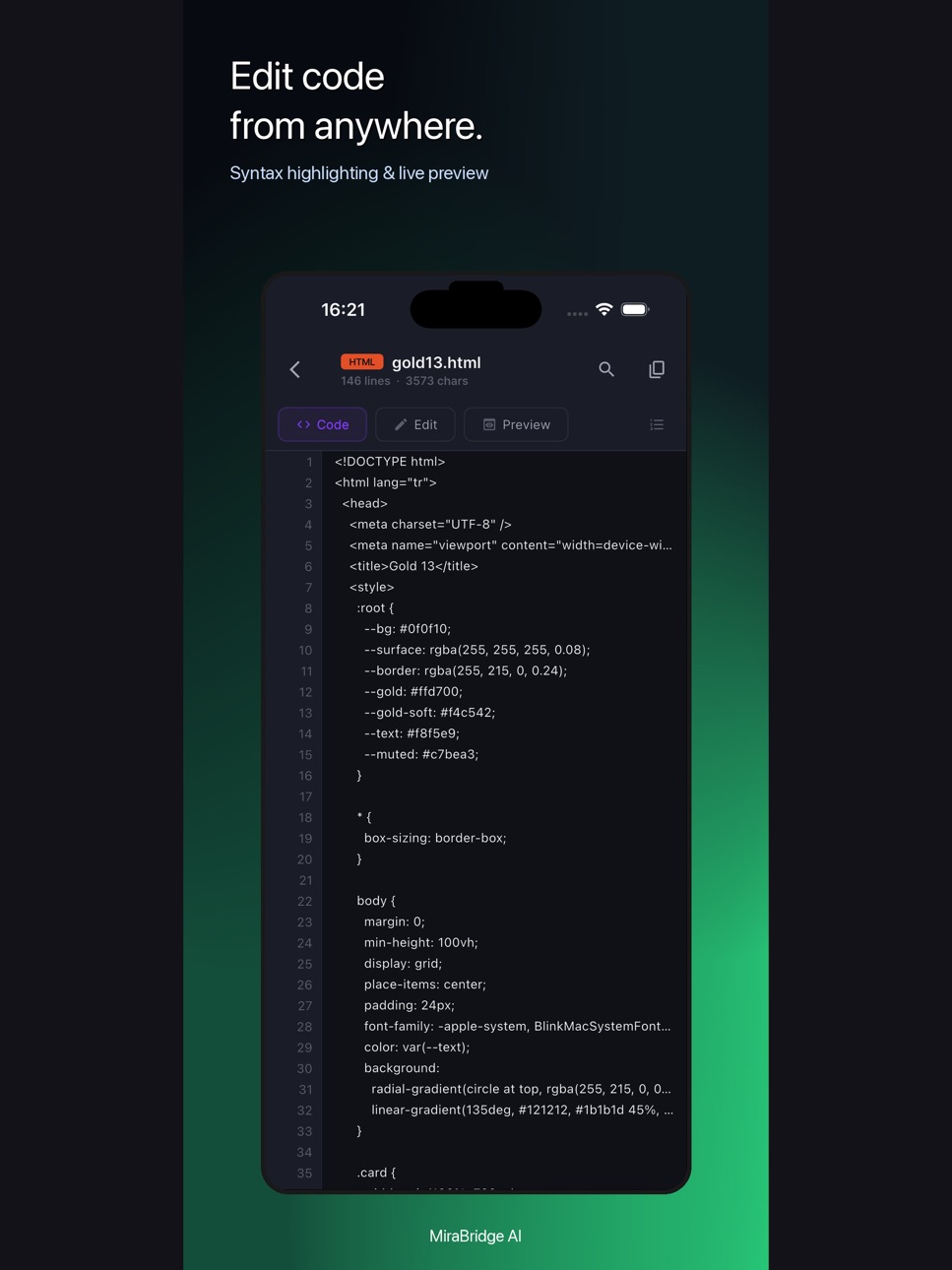
Browse project files, inspect code, and keep track of workspace state from a mobile interface designed for developers, not a generic remote desktop.
MODEL AND AGENT WORKFLOWS
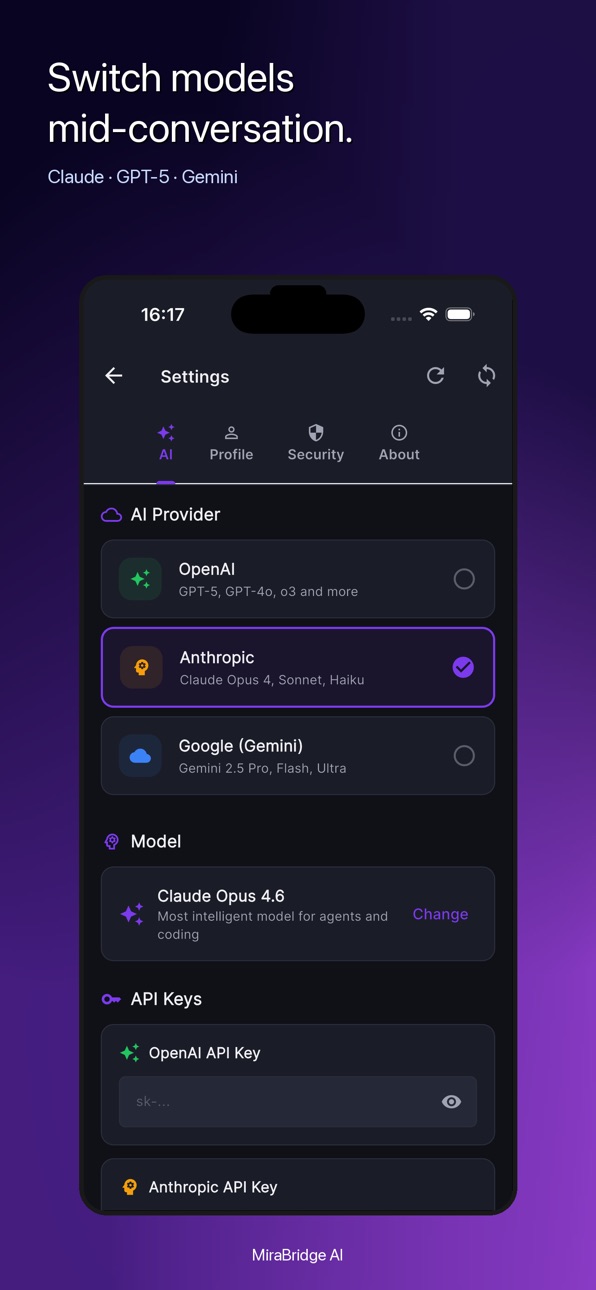
Use MiraBridge with supported AI coding providers and agent modes. Switch context, send follow-up instructions, and keep approvals organized across your coding workflow.
DESIGNED FOR CONTROL
MiraBridge keeps the developer in the loop. AI can help write code, investigate issues, and run tools, while you stay responsible for review, approval, and direction.
MiraBridge AI is for developers who want their coding session to keep moving, even when they step away from the keyboard.
Accessibility
ipadiphonemacrealityDevicetvoswatch
Version history 12 versions
Build 886078040v1.0.182026-05-25 00:12:33
What's New in 1.0.17:
• Live Activity (iOS): monitor your AI coding session right from the lock screen
• Custom mode picker now built into the chat toolbar
• Faster, more reliable connections (HTTP timeouts, smarter token refresh)
• Cross-surface agent activity feed stays consistent across every device
• Plan-mode state now persists across sessions
• Cost cap warnings surface inline before you hit a limit
• AI replies and the UI honor your stored account language
• Improved crash reporting for faster bug fixes
• Removed: regenerate-response (cleaner conversation flow); MCP management moved to Desktop
• General stability and bug fixes
Build 885980866v1.0.172026-05-21 22:37:25
What's New in 1.0.17:
• Live Activity (iOS): monitor your AI coding session right from the lock screen
• Custom mode picker now built into the chat toolbar
• Faster, more reliable connections (HTTP timeouts, smarter token refresh)
• Cross-surface agent activity feed stays consistent across every device
• Plan-mode state now persists across sessions
• Cost cap warnings surface inline before you hit a limit
• AI replies and the UI honor your stored account language
• Improved crash reporting for faster bug fixes
• Removed: regenerate-response (cleaner conversation flow); MCP management moved to Desktop
• General stability and bug fixes
Build 885827304v1.0.162026-05-18 21:49:46
What's New in 1.0.15:
• Live Activity (iOS): monitor your AI coding session right from the lock screen
• Custom mode picker now built into the chat toolbar
• Faster, more reliable connections (HTTP timeouts, smarter token refresh)
• Cross-surface agent activity feed stays consistent across every device
• Plan-mode state now persists across sessions
• Cost cap warnings surface inline before you hit a limit
• AI replies and the UI honor your stored account language
• Improved crash reporting for faster bug fixes
• Removed: regenerate-response (cleaner conversation flow); MCP management moved to Desktop
• General stability and bug fixes
Build 885678661v1.0.142026-05-14 20:47:59
What's New in 1.0.14:
• Live Activity (iOS): monitor your AI coding session right from the lock screen
• Custom mode picker now built into the chat toolbar
• Faster, more reliable connections (HTTP timeouts, smarter token refresh)
• Cross-surface agent activity feed stays consistent across every device
• Plan-mode state now persists across sessions
• Cost cap warnings surface inline before you hit a limit
• AI replies and the UI honor your stored account language
• Improved crash reporting for faster bug fixes
• Removed: regenerate-response (cleaner conversation flow); MCP management moved to Desktop
• General stability and bug fixes
Build 885578606v1.0.132026-05-12 17:20:39
What's New in 1.0.13:
• More reliable tool approval handling across mobile, Desktop, and VS Code sessions
• Clearer approval state for long-running agent tasks
• Improved session ownership and runtime routing for cross-device workflows
• Bug fixes and stability improvements
Build 885435071v1.0.122026-05-11 21:36:11
What's New in 1.0.5:
• Background Agents — Spawn, monitor, and approve cloud agents directly from your phone
• Compare Mode — Run two AI models side by side and vote for the best response
• OAuth Login — Sign in with Google or GitHub in one tap
• Improved Terminal — Better ANSI rendering, auth, billing, and MCP device management
• Composite Sessions — See VSCode + Codex sessions unified in one card
• Push Notifications — Real-time alerts for tool approvals, tasks, and background agent events
• Bug fixes and performance improvements
Build 885336514v1.0.92026-05-06 20:55:35
What's New in 1.0.5:
• Background Agents — Spawn, monitor, and approve cloud agents directly from your phone
• Compare Mode — Run two AI models side by side and vote for the best response
• OAuth Login — Sign in with Google or GitHub in one tap
• Improved Terminal — Better ANSI rendering, auth, billing, and MCP device management
• Composite Sessions — See VSCode + Codex sessions unified in one card
• Push Notifications — Real-time alerts for tool approvals, tasks, and background agent events
• Bug fixes and performance improvements
Build 884985717v1.0.82026-04-28 01:50:20
What's New in 1.0.5:
• Background Agents — Spawn, monitor, and approve cloud agents directly from your phone
• Compare Mode — Run two AI models side by side and vote for the best response
• OAuth Login — Sign in with Google or GitHub in one tap
• Improved Terminal — Better ANSI rendering, auth, billing, and MCP device management
• Composite Sessions — See VSCode + Codex sessions unified in one card
• Push Notifications — Real-time alerts for tool approvals, tasks, and background agent events
• Bug fixes and performance improvements
Build 884561160v1.0.72026-04-16 00:00:20
What's New in 1.0.5:
• Background Agents — Spawn, monitor, and approve cloud agents directly from your phone
• Compare Mode — Run two AI models side by side and vote for the best response
• OAuth Login — Sign in with Google or GitHub in one tap
• Improved Terminal — Better ANSI rendering, auth, billing, and MCP device management
• Composite Sessions — See VSCode + Codex sessions unified in one card
• Push Notifications — Real-time alerts for tool approvals, tasks, and background agent events
• Bug fixes and performance improvements
Build 884317722v1.0.42026-04-10 02:16:00
• Push notifications are here! Get real-time alerts for tool approvals, task completions, and AI events
• Receive notifications even when the app is in the background
• Never miss an important AI coding event again
• Bug fixes and performance improvements
Build 884282919v1.0.32026-04-08 21:11:39
• Sign in with Google or GitHub — one tap to get started
• New setup guide for first-time users
• Return to app button after OAuth sign-in
• Sign out button in Command Center header
Build 883592366v1.0.22026-04-06 18:38:30
No pricing data captured yet — comparisons appear once the app has paid storefronts or in-app purchases.
Availability 1 of 1 storefronts
| Region | Language | Price | Ratings | Avg | Version |
|---|---|---|---|---|---|
| US | en-US | Free | 0 | — | 1.0.18 |
Change log 16 changes · US
✎
releaseNotes updated
What's New in 1.0.17:
• Live Activity (iOS): monitor your AI coding session right from the lock screen
• Custom mode picker now built into the chat toolbar
• F
✎
description updated
MiraBridge AI helps you stay connected to active coding work from your phone. Start a session on your computer, then follow progress, review code, approve agent
✎
subtitle updated
AI Coding from Your Phone
✎
name updated
MiraBridge AI Code Remote
◆
Version 1.0.18 released
What's New in 1.0.17:
• Live Activity (iOS): monitor your AI coding session right from the lock screen
• Custom mode picker now built into the chat toolbar
• Faster, more reliable connections (HTTP timeouts, smarter token refresh)
• Cross-
◆
Version 1.0.17 released
What's New in 1.0.17:
• Live Activity (iOS): monitor your AI coding session right from the lock screen
• Custom mode picker now built into the chat toolbar
• Faster, more reliable connections (HTTP timeouts, smarter token refresh)
• Cross-
◆
Version 1.0.16 released
What's New in 1.0.15:
• Live Activity (iOS): monitor your AI coding session right from the lock screen
• Custom mode picker now built into the chat toolbar
• Faster, more reliable connections (HTTP timeouts, smarter token refresh)
• Cross-
◆
Version 1.0.14 released
What's New in 1.0.14:
• Live Activity (iOS): monitor your AI coding session right from the lock screen
• Custom mode picker now built into the chat toolbar
• Faster, more reliable connections (HTTP timeouts, smarter token refresh)
• Cross-
◆
Version 1.0.13 released
What's New in 1.0.13:
• More reliable tool approval handling across mobile, Desktop, and VS Code sessions
• Clearer approval state for long-running agent tasks
• Improved session ownership and runtime routing for cross-device workflows
• B
◆
Version 1.0.12 released
What's New in 1.0.5:
• Background Agents — Spawn, monitor, and approve cloud agents directly from your phone
• Compare Mode — Run two AI models side by side and vote for the best response
• OAuth Login — Sign in with Google or GitHub in on
◆
Version 1.0.9 released
What's New in 1.0.5:
• Background Agents — Spawn, monitor, and approve cloud agents directly from your phone
• Compare Mode — Run two AI models side by side and vote for the best response
• OAuth Login — Sign in with Google or GitHub in on
◆
Version 1.0.8 released
What's New in 1.0.5:
• Background Agents — Spawn, monitor, and approve cloud agents directly from your phone
• Compare Mode — Run two AI models side by side and vote for the best response
• OAuth Login — Sign in with Google or GitHub in on
◆
Version 1.0.7 released
What's New in 1.0.5:
• Background Agents — Spawn, monitor, and approve cloud agents directly from your phone
• Compare Mode — Run two AI models side by side and vote for the best response
• OAuth Login — Sign in with Google or GitHub in on
◆
Version 1.0.4 released
• Push notifications are here! Get real-time alerts for tool approvals, task completions, and AI events
• Receive notifications even when the app is in the background
• Never miss an important AI coding event again
• Bug fixes and performan
◆
Version 1.0.3 released
• Sign in with Google or GitHub — one tap to get started
• New setup guide for first-time users
• Return to app button after OAuth sign-in
• Sign out button in Command Center header
◆
Version 1.0.2 released