Home › Business

PST Viewer · Open Outlook File
OST Reader & Email Opener Tool
 US
US
1 of 1 storefronts
Content in en-US
Content in en-US
Information
Preview 3 platforms
iPhone 6 images



iPad 4 images


Mac 3 images


What’s New Version 6.0.2
• Minor Improvements & Bug Fixes
• Mail folders now appear complete.
• When uploading PST files to the app for viewing, track all the details using the progress bar.
Experience a smoother PST Viewer experience with these latest enhancements.
Description
Need to open Outlook email archives on your iPhone & iPad?
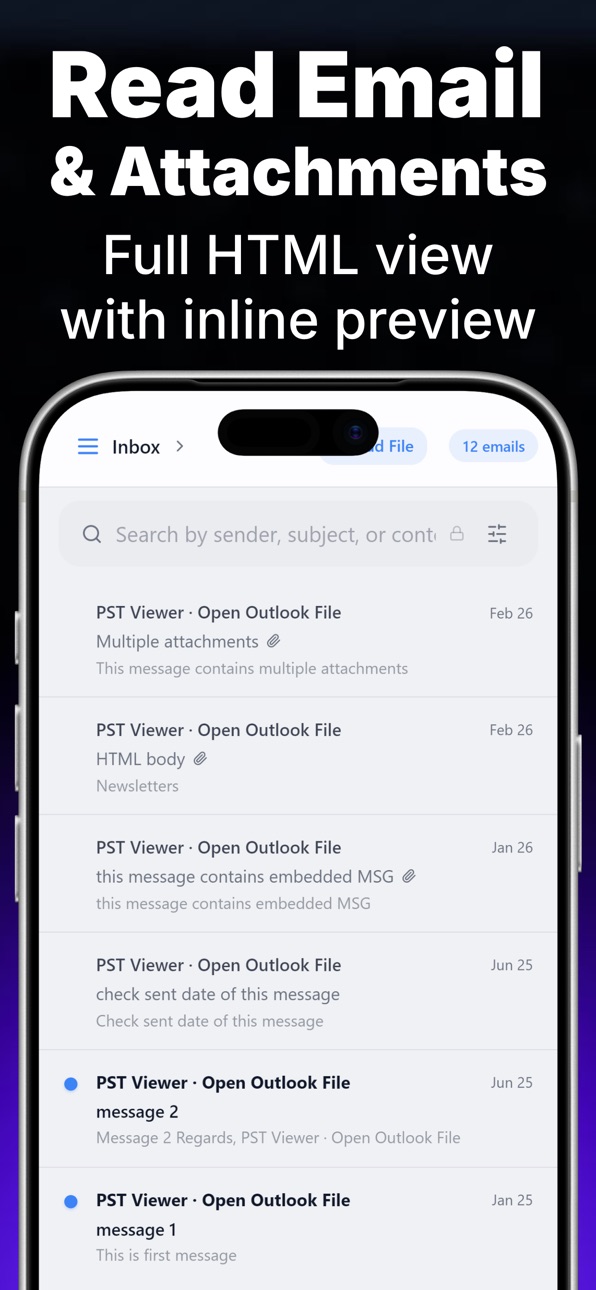
PST Viewer lets you read any .PST or .OST file directly on iOS — no Microsoft Outlook needed, no desktop required, no cloud uploads. Everything runs 100% offline on your device for absolute privacy.
Whether you're a lawyer managing e-discovery, a business professional, or reviewing old backups, get desktop-level power in your pocket.
▸ OPEN & BROWSE IN SECONDS
• Open .PST and .OST files instantly
• Browse Inbox, Sent, Drafts, and custom folders
• Supports all MS Outlook versions (97–365) and Multi PST Opener
• Open Pst File Without Outlook
▸ EXPORT & SHARE (PRO)
• Export emails to PDF, EML, MSG, HTML, and TXT
• Share via AirDrop, Mail, or save to Files app
• Save and view all inline attachments (Images, Docs)
▸ SMART SEARCH & FORENSICS
• Search by sender, subject, or content
• View extracted contacts and calendar events
• Access raw email transport headers & Forensics Reader & Import & Browse
▸ 100% PRIVATE & OFFLINE
• Files never leave your device. No analytics, no tracking.
• Universal access across iPhone, iPad, and Mac. Simply restore your access on any device.
Use PST Viewer today and unlock your email archives anywhere!
Privacy & Terms: https://plusapkz.com/pst-viewer-reader/
In-App Purchases US pricing
PST Viewer Premium Subscription
Pro Weekly · 7 days 3-day free trial$9.99
Pro Annual · Yearly 3-day free trial$59.99
PRO Access - Weekly · 7 days$8.99
PRO Access - Annual · Yearly$44.99
One-Time Purchases
Pro Lifetime$149.99
Capabilities
In-App Purchases
Accessibility
ipadiphonemacrealityDevicetvoswatch
Version history 8 versions
Build 885465619v6.0.22026-05-09 19:00:57
• Minor Improvements & Bug Fixes
• Mail folders now appear complete.
• When uploading PST files to the app for viewing, track all the details using the progress bar.
Experience a smoother PST Viewer experience with these latest enhancements.
Build 884397607v6.0.02026-04-14 04:21:16
Minor Improvements & Bug Fixes
When uploading PST files to the app for viewing, track all the details using the progress bar.
Build 884322291v1.2.62026-04-10 01:26:33
- Minor Improvements & Bug Fixes
- A percentage-based progress bar has been added to the upload area section when importing a PST file for browsing purposes.
- Introducing Demo Mode! You can now explore the app and test our premium features using a sample Demo PST Email Archive without needing to upload your own PST files.
- You can now open .PST email archives larger than 250 GB. Instantly viewer!
- Improved document processing engine for faster file loading.
- Minor bug fixes and overall stability improvements.
Build 884241196v1.2.32026-04-07 16:50:04
- Minor Improvements & Bug Fixes
- A percentage-based progress bar has been added to the upload area section when importing a PST file for browsing purposes.
- Introducing Demo Mode! You can now explore the app and test our premium features using a sample Demo PST Email Archive without needing to upload your own PST files.
- You can now open .PST email archives larger than 250 GB. Instantly viewer!
- Improved document processing engine for faster file loading.
- Minor bug fixes and overall stability improvements.
Build 884197143v1.2.22026-04-06 17:09:56
- A percentage-based progress bar has been added to the upload area section when importing a PST file for browsing purposes.
- Introducing Demo Mode! You can now explore the app and test our premium features using a sample Demo PST Email Archive without needing to upload your own PST files.
- You can now open .PST email archives larger than 250 GB. Instantly viewer!
- Improved document processing engine for faster file loading.
- Minor bug fixes and overall stability improvements.
Build 884162696v1.2.12026-04-05 15:02:37
In this update:
- Introducing Demo Mode! You can now explore the app and test our premium features using a sample Demo PST Email Archive without needing to upload your own PST files.
- You can now open .PST email archives larger than 250 GB.
- Improved document processing engine for faster file loading.
- Minor bug fixes and overall stability improvements.
Build 883757237v1.1.82026-03-25 20:14:09
In this update, we have implemented minor bug fixes and under-the-hood performance improvements to provide a smoother and more reliable experience. Thank you for using our app!
Build 883525162v1.1.72026-03-21 15:18:59
Price history by region
Currency
Show
Columns
Search
Availability 1 of 1 storefronts
| Region | Language | Price | Ratings | Avg | Version |
|---|---|---|---|---|---|
| US | en-US | Free | 1 | 5.0 | 6.0.2 |
Change log 12 changes · US
✎
releaseNotes updated
• Minor Improvements & Bug Fixes
• Mail folders now appear complete.
• When uploading PST files to the app for viewing, track all the details using the progress
✎
description updated
Need to open Outlook email archives on your iPhone & iPad?
PST Viewer lets you read any .PST or .OST file directly on iOS — no Microsoft Outlook needed, no des
✎
subtitle updated
OST Reader & Email Opener Tool
✎
name updated
PST Viewer · Open Outlook File
◆
Version 6.0.2 released
• Minor Improvements & Bug Fixes
• Mail folders now appear complete.
• When uploading PST files to the app for viewing, track all the details using the progress bar.
Experience a smoother PST Viewer experience with these latest enhancements
◆
Version 6.0.0 released
Minor Improvements & Bug Fixes
When uploading PST files to the app for viewing, track all the details using the progress bar.
◆
Version 1.2.6 released
- Minor Improvements & Bug Fixes
- A percentage-based progress bar has been added to the upload area section when importing a PST file for browsing purposes.
- Introducing Demo Mode! You can now explore the app and test our premium features
◆
Version 1.2.3 released
- Minor Improvements & Bug Fixes
- A percentage-based progress bar has been added to the upload area section when importing a PST file for browsing purposes.
- Introducing Demo Mode! You can now explore the app and test our premium features
◆
Version 1.2.2 released
- A percentage-based progress bar has been added to the upload area section when importing a PST file for browsing purposes.
- Introducing Demo Mode! You can now explore the app and test our premium features using a sample Demo PST Email Ar
◆
Version 1.2.1 released
In this update:
- Introducing Demo Mode! You can now explore the app and test our premium features using a sample Demo PST Email Archive without needing to upload your own PST files.
- You can now open .PST email archives larger than 250 GB
◆
Version 1.1.8 released
In this update, we have implemented minor bug fixes and under-the-hood performance improvements to provide a smoother and more reliable experience. Thank you for using our app!
◆
Version 1.1.7 released