Home › News

 US
US
1 of 1 storefronts
Content in en-US
Content in en-US
Information
Preview 1 platform
iPhone 6 images



What’s New Version 1.2.1
Bug Fixes:
- Fixing an issue where the sort menu in the Queue was blinking when open.
- Fixed an issue where if a download fails PodShocker will now notify the user.
- Fixed an issue where swiping to delete an episode in the queue wasn't consistently deleting the download.
Description
Built for people who actually listen.
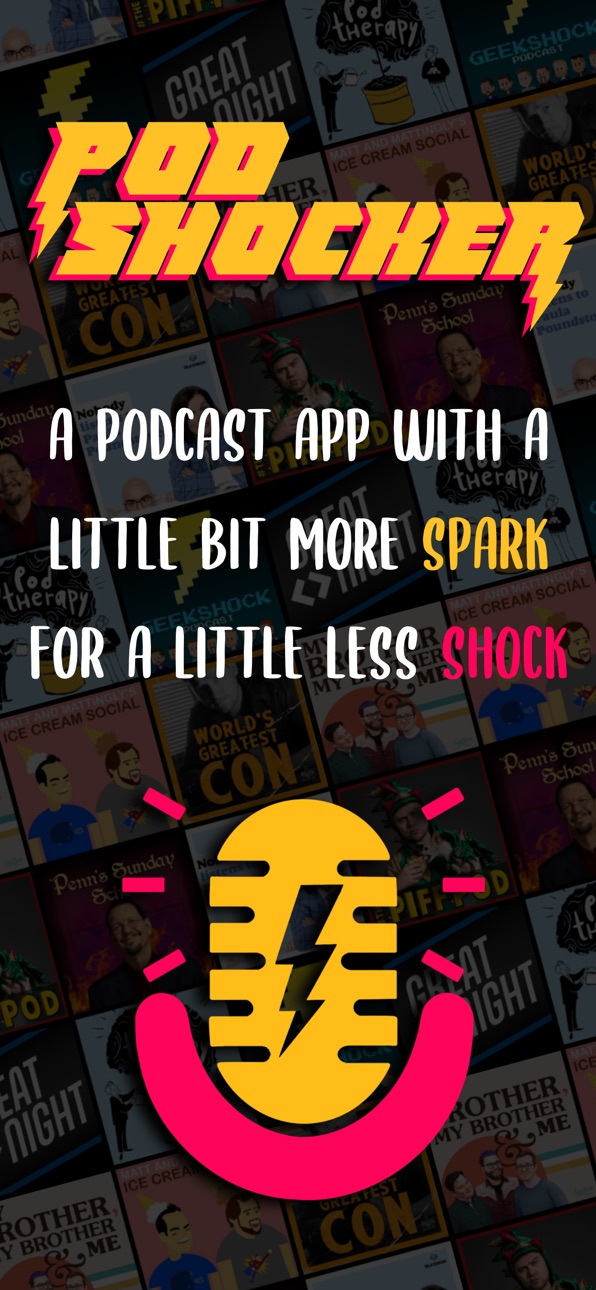
PodShocker is a focused podcast player for iPhone and CarPlay — quick to learn, easy to organize, and designed to stay out of your way.
No subscription. No tracking. No ads. Just a great way to find, queue, and play the podcasts you love.
Discover your next favorite show:
- See the top charts in your region or what's trending right now
- Browse 16 categories — Comedy, News, True Crime, Science, Tech, and more
- Search by show name, host, or topic across the entire iTunes podcast directory
- Subscribe to any RSS feed, including premium feeds from Patreon, Supporting Cast, and other paid networks
Listen your way
- Stream or download for offline playback
- A persistent queue plus your own playlists for different listening modes
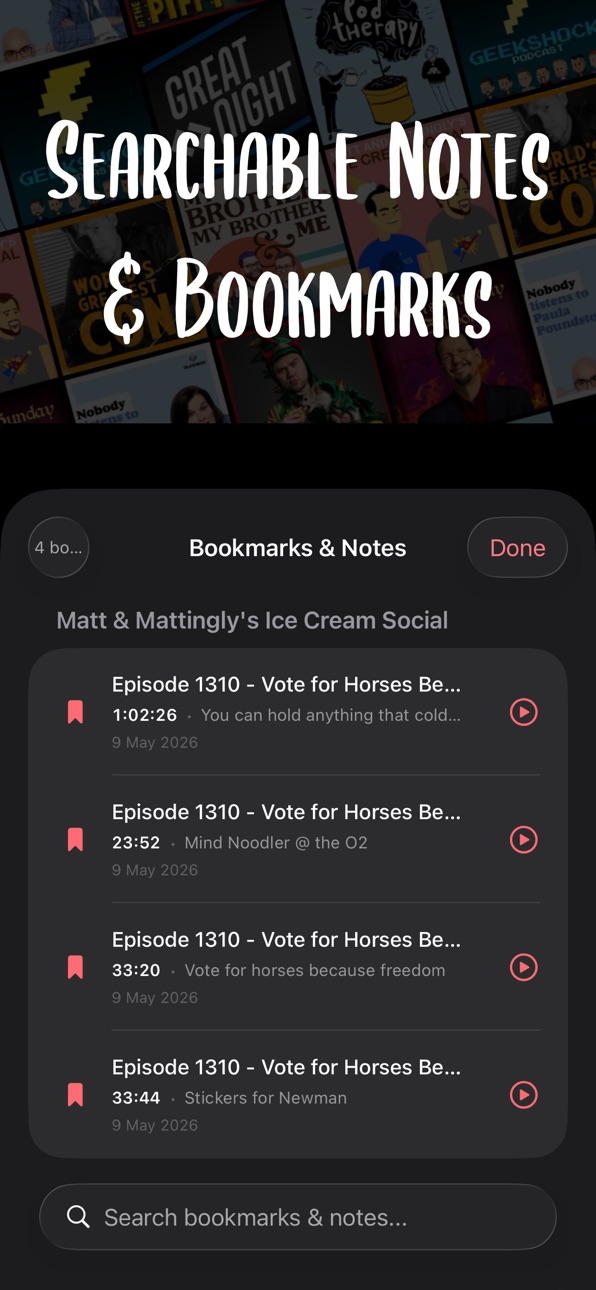
- Bookmark moments inside episodes and jump back to them anytime
- Tile or list view for your subscription library
- Customizable skip intervals from 5 to 90 seconds, continuous play, resume-rewind on pause, and a sleep timer with end-of-episode awareness
- Episode chapters when the feed provides them
- Variable playback speed from 0.5× to 3×
- Import your subscriptions from another app via OPML, or export to take them elsewhere
Bring your own audio
- Tap "Save to PodShocker" from the Files app, Dropbox, OneDrive, or any audio app
- Connect Dropbox, OneDrive, or iCloud Drive to browse and play audio you've stored there — audiobooks, conference talks, lectures, your own recordings
CarPlay-ready from day one
-A clean CarPlay interface for hands-free listening: subscribed shows, recent downloads, and your queue, all available without unlocking your phone.
Unlock more with PodShocker Premium
Premium is a one-time unlock — no monthly fees, no subscription to manage. It adds:
- Auto-Pace — automatically compresses silence and pauses in conversation, saving 15 to 30 minutes a day of listening time
- Auto-Level — normalizes voice volume for clearer playback at low levels
- Per-podcast speed memory — set 1.2× for one show, 1.5× for another, and PodShocker remembers
- Smart Playlists — auto-populating playlists by rule: unplayed, by podcast, by length, by date
- Podcast Folders & Filters — group subscriptions into color-coded folders and filter your library with one tap
- Skip Intro & Outro — set per-podcast trim lengths and skip them automatically every episode
- Listening Stats with full history — total hours, episodes completed, current and longest streaks, time saved by Smart Speed, plus a list of every episode you've recently played
- Clip Sharing — share 15 to 60 second clips from any episode as audio or as an audiogram
- Episode Transcripts — view, search, and tap-to-seek when the feed includes them
- Bookmark notes — add notes to any bookmark and search across all of them
- Cloud Backup — back up downloaded episodes to OneDrive, Dropbox, or iCloud Drive
Private by design
PodShocker doesn't collect data, run analytics, or operate a backend. Your subscriptions, listening history, bookmarks, and progress live only on your device. Cloud connections authenticate directly with those services — your credentials never touch us, and there are no servers of ours that could be breached.
Made independently, PodShocker is built and maintained by UrsaWorx, LLC an independent developer based in the United States. No venture capital, no growth team, no quarterly engagement targets — just an app made for listening to podcasts, the way they should be.
In-App Purchases US pricing
One-Time Purchases
PodShocker$9.99
Capabilities
In-App Purchases
Accessibility
ipadiphonemacrealityDevicetvoswatch
Version history 7 versions
Build 887092064v1.2.12026-06-19 17:05:11
Bug Fixes:
- Fixing an issue where the sort menu in the Queue was blinking when open.
- Fixed an issue where if a download fails PodShocker will now notify the user.
- Fixed an issue where swiping to delete an episode in the queue wasn't consistently deleting the download.
Build 886503109v1.22026-06-04 20:49:21
Bug Fixes:
- Bluetooth audio is officially fixed.
New Premium Features:
- Added three widgets (Now Playing, Up Next, and New Episodes)
Build 886149035v1.1.32026-05-28 13:24:42
-Added Remote Controls for AirPods and CarPlay. You can now set the actions for both in the settings.
-Fixes to the QueueView to allow for downloads with a long press and multi-select UI improvements.
-Premium feature updates:
+ Updated the bookmarks and notes function to make it easier to add notes.
+ Added the ability to tweak the bookmark start time.
+ Reduced the minimum clip length to 5 seconds in the share clip feature.
Build 886035283v1.1.22026-05-23 18:25:32
Added a 7 day trial of PodShocker Premium
Build 885993396v1.1.12026-05-22 03:43:30
Bug and UI fixes:
- Premium auto-delete per podcast function fixed to work consistently
- Matched the color and shape of the download icon to the other icons
- Fixed a blinking bug when adding podcasts to certain iPhone models.
- Resolved an issue with certain podcast artwork not showing.
Build 885737245v1.12026-05-19 18:01:54
Added PodShocker Premium
Build 883483675v1.02026-05-15 22:22:28
Price history by region
Currency
Show
Columns
Search
Availability 1 of 1 storefronts
| Region | Language | Price | Ratings | Avg | Version |
|---|---|---|---|---|---|
| US | en-US | Free | 3 | 5.0 | 1.2.1 |
Change log 10 changes · US
✎
releaseNotes updated
Bug Fixes:
- Fixing an issue where the sort menu in the Queue was blinking when open.
- Fixed an issue where if a download fails PodShocker will now notify th
✎
description updated
Built for people who actually listen.
PodShocker is a focused podcast player for iPhone and CarPlay — quick to learn, easy to organize, and designed to stay out
✎
name updated
PodShocker
◆
Version 1.2.1 released
Bug Fixes:
- Fixing an issue where the sort menu in the Queue was blinking when open.
- Fixed an issue where if a download fails PodShocker will now notify the user.
- Fixed an issue where swiping to delete an episode in the queue wasn't
◆
Version 1.2 released
Bug Fixes:
- Bluetooth audio is officially fixed.
New Premium Features:
- Added three widgets (Now Playing, Up Next, and New Episodes)
◆
Version 1.1.3 released
-Added Remote Controls for AirPods and CarPlay. You can now set the actions for both in the settings.
-Fixes to the QueueView to allow for downloads with a long press and multi-select UI improvements.
-Premium feature updates:
+ Updated
◆
Version 1.1.2 released
Added a 7 day trial of PodShocker Premium
◆
Version 1.1.1 released
Bug and UI fixes:
- Premium auto-delete per podcast function fixed to work consistently
- Matched the color and shape of the download icon to the other icons
- Fixed a blinking bug when adding podcasts to certain iPhone models.
- Resolv
◆
Version 1.1 released
Added PodShocker Premium
◆
Version 1.0 released