Home › Productivity

 US
US
1 of 1 storefronts
Content in en-US
Content in en-US
Information
Preview 3 platforms
iPhone 10 images



iPad 10 images


Mac 9 images




What’s New Version 1.3.0
• Mind Map Support: Automatically generate visual mind maps from your structured notes. Simply outline your thoughts and watch them transform into beautiful, interactive diagrams instantly.
Description
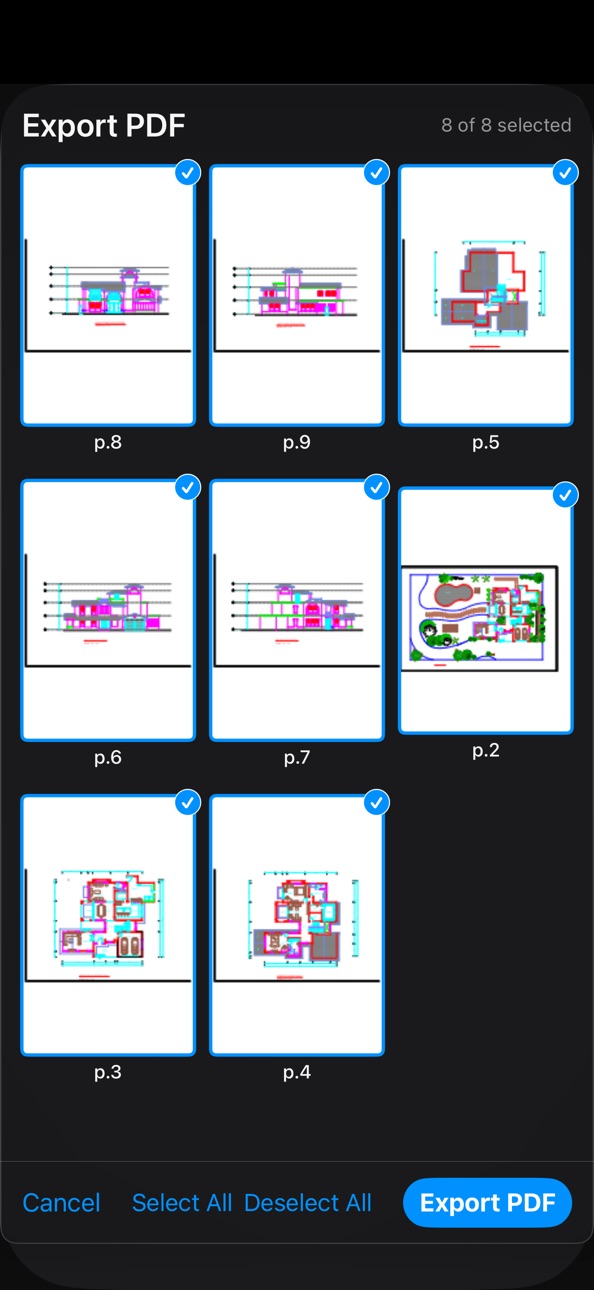
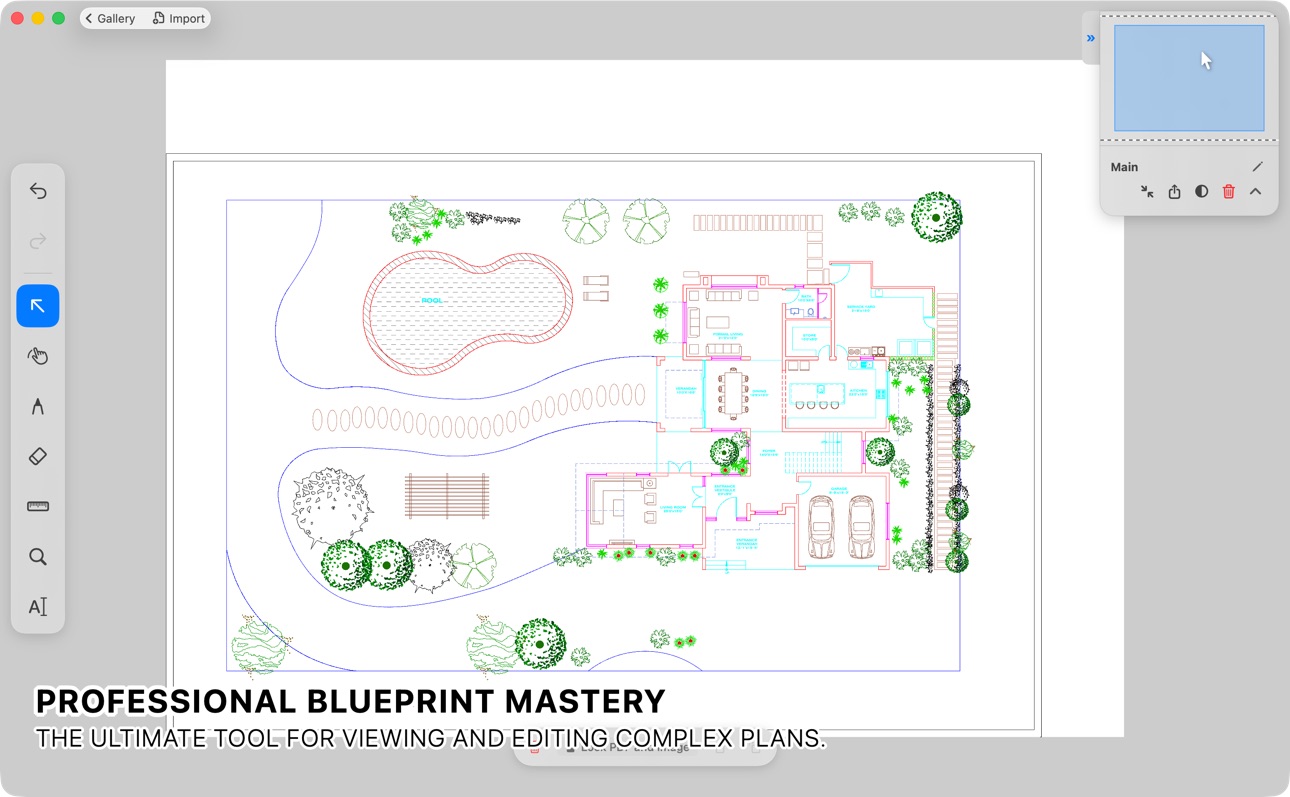
DraftPlanar is a hardware-accelerated PDF viewer and markup tool for iPad, iPhone, and Mac. Open large documents — blueprints, floor plans, technical drawings, or any PDF — and view them side by side on an infinite canvas with 60 FPS Metal-native performance.
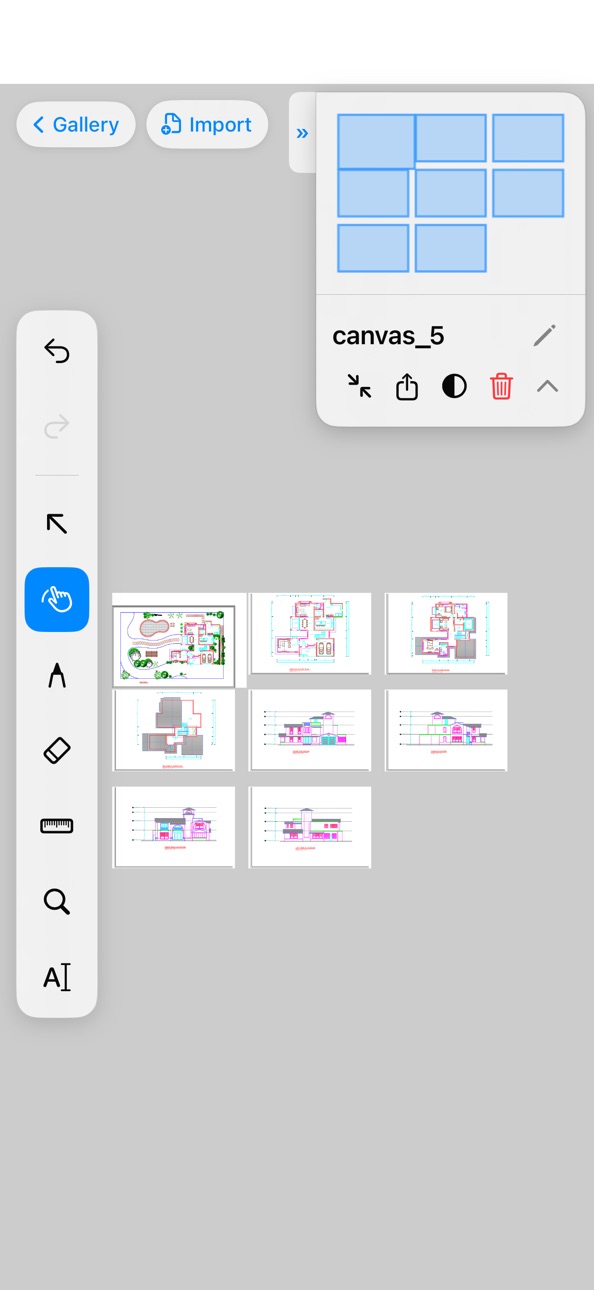
Unlike single-page PDF readers, DraftPlanar lets you lay out multiple documents at once. Place a floor plan next to a section detail. Compare two versions of a drawing. Pin reference images alongside your specs. Work the way professionals do — with everything visible, not buried in tabs.
WHAT YOU CAN DO
• View & Navigate Large PDFs
Open 500+ page documents and zoom in at 60 FPS. Our Metal-native rendering pipeline keeps massive PDFs razor-sharp at any scale. Smooth panning and pinch-to-zoom, optimized for Apple Pencil and trackpad.
• Measure & Dimension
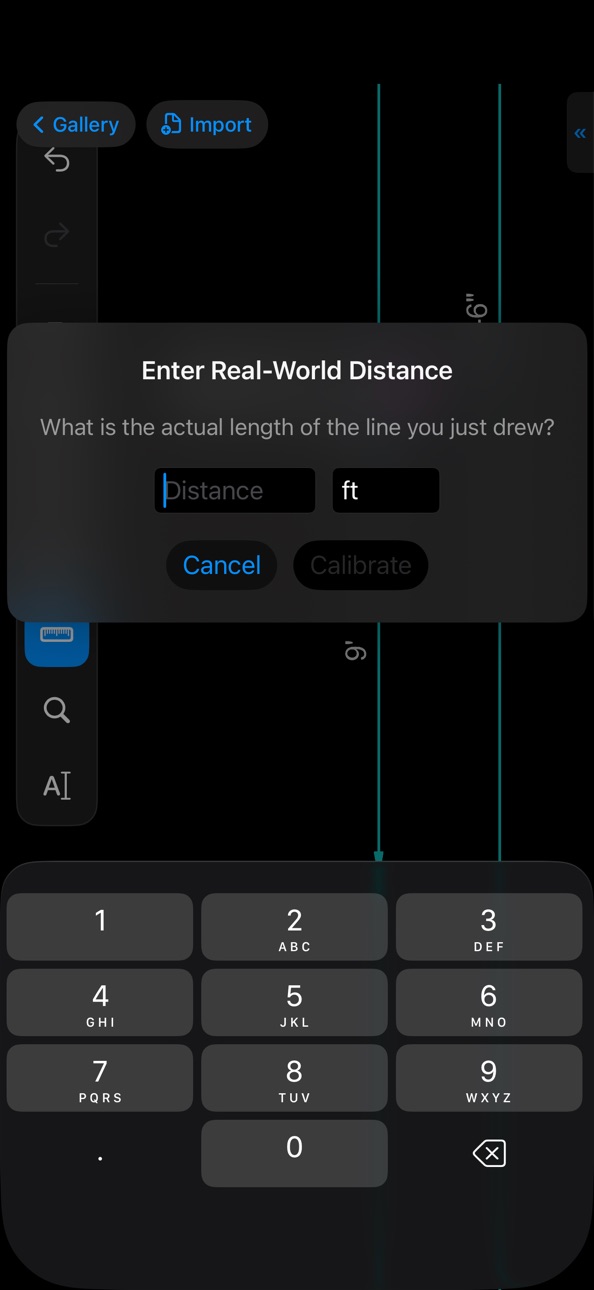
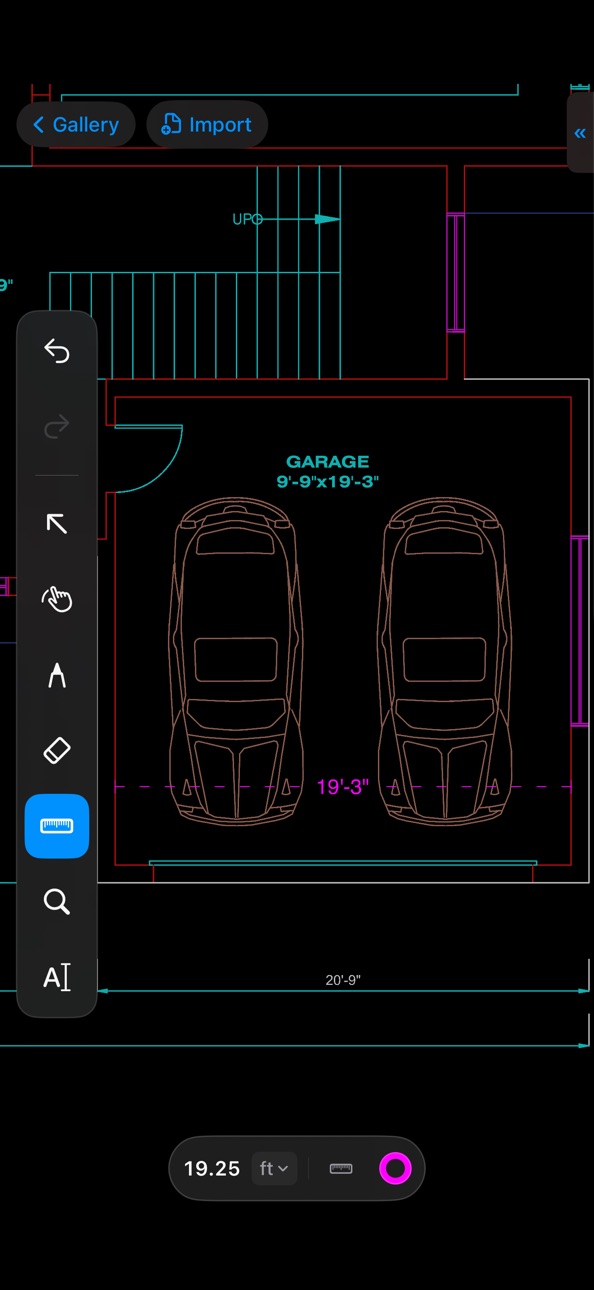
Calibrate your drawings to real-world scale. The Precision Measure tool snaps to path vertices, midpoints, and edges in the PDF's vector geometry — accurate to the line.
• Annotate with Apple Pencil
Draw, sketch, and redline with a GPU-accelerated pen tool that produces smooth, variable-width strokes. Non-destructive layers keep your annotations separate from the original document. Includes shapes, lasso selection, and a precision eraser.
• Pin Notes & Bookmark Viewports
Place visual Pins with rich notes, screenshots, or images directly on document coordinates. Save precise viewports to instantly teleport between distant sections of a large blueprint — perfect for construction punchlists and reading notes.
• Search Text with Fuzzy Matching
Find details instantly across hundreds of plans. DraftPlanar's spatial OCR engine reconstructs text layout from raw characters and scanned documents, then runs lightning-fast fuzzy searches — locate labels, dimensions, or notes even with partial matches.
• Compare Document Versions
Place two revisions side by side and spot differences. Perfect for reviewing plan updates, spec changes, or contractor submissions.
• Control PDF Layers (OCG)
Toggle individual layers in complex PDFs — electrical, plumbing, HVAC, or structural overlays. Filter and search layer names (supports regex) to isolate exactly what you need.
• Import Markdown & Structured Content
Drop Markdown files, Mermaid diagrams, Graphviz graphs, images, SVGs, or HTML onto your canvas. Everything renders as crisp, interactive vector objects automatically.
FREE TO USE
DraftPlanar's viewer is completely free — unlimited PDF, Markdown, and canvas imports with full 60 FPS hardware-accelerated rendering. No limits, no watermarks. Start viewing immediately.
BUILT FOR PROFESSIONALS
Architects, engineers, contractors, and project managers trust DraftPlanar for on-site plan review, takeoff measurements, and specification markup. But the app works just as well for anyone who needs a powerful PDF viewer — students, researchers, designers, or anyone working with large documents.
100% PRIVATE & OFFLINE
- All processing happens on your device. No cloud uploads. No tracking.
- Works without Wi-Fi or internet — perfect for job sites and travel.
- No account required. Download and start working immediately.
DraftPlanar Pro unlocks the full annotation toolkit (Pen, Shapes, Lasso, Custom Pins), Precision Measurement & Scale Calibration, Version Compare, Spatial OCR & Fuzzy Search, PDF Layer Toggling, Viewport Bookmarks, and Exporting.
SUBSCRIPTION INFORMATION
• DraftPlanar Pro Annual — auto-renewable, 1 year
• DraftPlanar Pro 3-Month Pass — non-renewing, 3 months
• Payment will be charged to your Apple Account at confirmation of purchase
• Subscriptions automatically renew unless canceled at least 24 hours before the end of the current period
• You can manage and cancel subscriptions in your Account Settings
Terms of Use: https://www.draftplanar.com/terms
Privacy Policy: https://www.draftplanar.com/privacy
In-App Purchases US pricing
3-Month Project Pass Subscription
Subscription$49.99
DraftPlanar Pro Subscription
Pro Annual · Yearly$179.99
Pro Monthly · Monthly$19.99
Capabilities
In-App Purchases
Accessibility
ipadiphonemacrealityDevicetvoswatch
Version history 14 versions
Build 887985995v1.3.02026-07-09 23:33:07
• Mind Map Support: Automatically generate visual mind maps from your structured notes. Simply outline your thoughts and watch them transform into beautiful, interactive diagrams instantly.
Build 886729116v1.2.22026-06-10 01:54:20
• Mind Map Support: Automatically generate visual mind maps from your structured notes. Simply outline your thoughts and watch them transform into beautiful, interactive diagrams instantly.
Build 886501170v1.2.12026-06-09 02:19:58
• Seamless External Mirroring: View your documents on a TV or external display with faster screen sharing, letterbox formatting for a perfect fit, and a smooth presentation pointer.
Build 886178881v1.2.02026-06-02 22:12:03
• Smarter Search: Find what you need faster. Our new search catches near-matches and uses color-coded highlights so you can spot exact matches at a glance.
• Drag, Drop & Go: Imported PDFs, images, and notes now land perfectly centered on your screen, ready to move or resize immediately.
• Refined Mobile Layout: The toolbar now collapses on iPhone to give you maximum canvas space, and centers neatly on iPad.
• Bug Fixes: Fixed an issue that prevented exporting PDFs on iOS, resolved a rare crash, and polished the interface.
Build 885439021v1.1.12026-05-15 22:42:42
• Smarter Search: Find what you need faster. Our new search catches near-matches and uses color-coded highlights so you can spot exact matches at a glance.
• Drag, Drop & Go: Imported PDFs, images, and notes now land perfectly centered on your screen, ready to move or resize immediately.
• Refined Mobile Layout: The toolbar now collapses on iPhone to give you maximum canvas space, and centers neatly on iPad.
• Bug Fixes: Fixed an issue that prevented exporting PDFs on iOS, resolved a rare crash, and polished the interface.
Build 885049997v1.1.02026-05-01 03:14:23
• Complete Layer Control: You can now toggle, filter, and easily search through complex PDF layers (even using regular expressions) to find exactly what you need.
• Streamlined Workspace: We've simplified the layer panel and added a quick toggle for the right sidebar. Your preferred panel width and state are now saved automatically.
Build 884832613v1.0.152026-04-27 18:51:41
• Complete Layer Rendering: Fixed a critical issue where drawing layers could silently disappear on complex blueprints with many layers. All layers now render reliably regardless of document complexity.
• Faster Scrolling: Large documents now scroll and zoom more fluidly — off-screen pages skip unnecessary rendering work, so everything stays responsive.
• Lower Memory Usage: Pages you aren't viewing are loaded more efficiently, and stale data is automatically cleaned up to keep the app snappy on long documents.
• Stamps & QR Codes: Documents containing embedded stamps, seals, and QR codes now display reliably at every zoom level.
• Accurate Page Cropping: PDFs with custom page boundaries now render to the correct visible area instead of showing overflow content.
• Better Font Display: Certain specialized fonts that previously appeared blank or garbled now render correctly.
• Precise Image Clipping: Fixed visual artifacts where images could bleed outside their intended boundaries on complex pages.
• Clearer Trial Status: Your free trial now shows exactly how many days remain, or a clear notice once it has expired. Multiple pass purchases properly stack your access time.
Build 884572844v1.0.142026-04-23 05:29:59
• Sharper PDF Rendering: Transparent elements and layered artwork now display correctly, letting backgrounds show through exactly as intended.
• Smoother Navigation: Panning and zooming across large documents feels much more responsive thanks to behind-the-scenes performance optimizations.
• More Responsive Drawing: We've eliminated lag when using the Pen tool, making sketching and marking up documents feel instantly responsive and perfectly fluid.
• Bug Fixes & Stability: We've resolved several issues related to page visibility, depth ordering, and overall app stability.
• Searchable Images: Text inside images placed on your canvas is now fully searchable, helping you locate references instantly.
Build 884469294v1.0.122026-04-15 03:31:01
• Faster Rendering: Images and complex documents now load and scroll significantly faster thanks to GPU-accelerated clipping and optimized drawing.
• Improved PDF Display: Images with complex masks and unusual color profiles now render with pixel-perfect accuracy.
• Smoother Navigation: Panning and zooming through large documents is more responsive — background work is intelligently deferred while you navigate.
• Bug Fixes: Fixed an issue where certain lines in PDFs could render outside their intended area, and a rare case where pages could appear blank after loading.
Build 884183000v1.0.112026-04-09 18:31:36
• GPU-Accelerated Rendering: We've overhauled how images and complex paths are rendered. By offloading advanced clipping and image processing to the GPU, performance is significantly faster and smoother, especially for highly detailed documents.
• Faster Geometry Calculations: Optimized internal algorithms for rendering curves and custom shapes reduce drawing lag and improve overall canvas responsiveness.
• Advanced Transparency: Added full support for PDF Soft Masking and advanced group compositing. Complex transparent elements, drop shadows, and overlapping layers now display beautifully and accurately.
• Upgraded Text Handling: Added support for advanced text clipping properties, improved handling for specialized fonts, and resolved a macOS system font conflict that could incorrectly swap letters.
• Increased Document Stability: The app is now far more resilient when opening incorrectly formatted or corrupted PDF documents, safely avoiding crashes related to invalid geometry.
Build 884126311v1.0.102026-04-04 19:06:09
• Performance Enhancements: Optimized the app's rendering engine to significantly reduce memory usage and provide a smoother, more responsive experience.
• Improved PDF Handling: Upgraded the underlying text anchoring and rendering logic to ensure more reliable and accurate interaction with PDF documents.
• Bug Fix: Resolved an issue where fonts were parsing incorrectly due to invalid caching.
Build 883955526v1.0.92026-04-01 11:39:51
• Smooth Navigation: Panning and zooming gestures now completely support macOS Natural Scrolling for a seamless trackpad and mouse wheel experience.
• Polished UI Animations: The canvas minimap now features a smooth, elegant fade out when toggled off.
Build 883876011v1.0.82026-03-30 20:18:04
• Added support for native .canvas files and double-clicking to open from Finder.
• Added the ability to edit the canvas file name directly in the HUD.
• Enhanced PDF rendering engine with support for shading patterns, background colors, and better font decoding.
• Improved document search with flexible punctuation handling.
• Upgraded the Measure Tool with an enhanced magnifier and improved touch handling.
• Added on-demand OCR for image objects and improved text selection.
Build 883448391v1.02026-03-25 20:12:32
Price history by region
Currency
Show
Columns
Search
Availability 1 of 1 storefronts
| Region | Language | Price | Ratings | Avg | Version |
|---|---|---|---|---|---|
| US | en-US | Free | 1 | 5.0 | 1.3.0 |
Change log 18 changes · US
✎
releaseNotes updated
• Mind Map Support: Automatically generate visual mind maps from your structured notes. Simply outline your thoughts and watch them transform into beautiful, in
✎
description updated
DraftPlanar is a hardware-accelerated PDF viewer and markup tool for iPad, iPhone, and Mac. Open large documents — blueprints, floor plans, technical drawings,
✎
subtitle updated
Blueprint measure, scale, draw
✎
name updated
DraftPlanar: PDF Plan Viewer
◆
Version 1.3.0 released
• Mind Map Support: Automatically generate visual mind maps from your structured notes. Simply outline your thoughts and watch them transform into beautiful, interactive diagrams instantly.
◆
Version 1.2.2 released
• Mind Map Support: Automatically generate visual mind maps from your structured notes. Simply outline your thoughts and watch them transform into beautiful, interactive diagrams instantly.
◆
Version 1.2.1 released
• Seamless External Mirroring: View your documents on a TV or external display with faster screen sharing, letterbox formatting for a perfect fit, and a smooth presentation pointer.
◆
Version 1.2.0 released
• Smarter Search: Find what you need faster. Our new search catches near-matches and uses color-coded highlights so you can spot exact matches at a glance.
• Drag, Drop & Go: Imported PDFs, images, and notes now land perfectly centered on y
◆
Version 1.1.1 released
• Smarter Search: Find what you need faster. Our new search catches near-matches and uses color-coded highlights so you can spot exact matches at a glance.
• Drag, Drop & Go: Imported PDFs, images, and notes now land perfectly centered on y
◆
Version 1.1.0 released
• Complete Layer Control: You can now toggle, filter, and easily search through complex PDF layers (even using regular expressions) to find exactly what you need.
• Streamlined Workspace: We've simplified the layer panel and added a quick t
◆
Version 1.0.15 released
• Complete Layer Rendering: Fixed a critical issue where drawing layers could silently disappear on complex blueprints with many layers. All layers now render reliably regardless of document complexity.
• Faster Scrolling: Large documents n
◆
Version 1.0.14 released
• Sharper PDF Rendering: Transparent elements and layered artwork now display correctly, letting backgrounds show through exactly as intended.
• Smoother Navigation: Panning and zooming across large documents feels much more responsive than
◆
Version 1.0.12 released
• Faster Rendering: Images and complex documents now load and scroll significantly faster thanks to GPU-accelerated clipping and optimized drawing.
• Improved PDF Display: Images with complex masks and unusual color profiles now render with
◆
Version 1.0.11 released
• GPU-Accelerated Rendering: We've overhauled how images and complex paths are rendered. By offloading advanced clipping and image processing to the GPU, performance is significantly faster and smoother, especially for highly detailed docum
◆
Version 1.0.10 released
• Performance Enhancements: Optimized the app's rendering engine to significantly reduce memory usage and provide a smoother, more responsive experience.
• Improved PDF Handling: Upgraded the underlying text anchoring and rendering logic to
◆
Version 1.0.9 released
• Smooth Navigation: Panning and zooming gestures now completely support macOS Natural Scrolling for a seamless trackpad and mouse wheel experience.
• Polished UI Animations: The canvas minimap now features a smooth, elegant fade out when t
◆
Version 1.0.8 released
• Added support for native .canvas files and double-clicking to open from Finder.
• Added the ability to edit the canvas file name directly in the HUD.
• Enhanced PDF rendering engine with support for shading patterns, background colors, an
◆
Version 1.0 released