Home › Photo & Video

 US
US
1 of 1 storefronts
Content in en-US
Content in en-US
Information
Apple ID6760565345
Bundle IDMonospatial.Monito
SellerSeller
Min iOS18.0
Min macOS15.0
Device familiesiphone, realityDevice, ipad
Released2026-03-26
Copyright© 2026 MONOSPATIAL LLC
Privacy policyLink ↗
Preview 3 platforms
iPhone 10 images



iPad 10 images






Apple Vision Pro 10 images


What’s New Version 4.1.3
This update includes performance improvements and bug fixes for a smoother editing experience.
Description
Monito is the AI video editor for creators. AI Edit turns one or many clips into a polished video — smart cuts, captions, music, and pacing handled for you. Auto Clips pulls viral shorts out of long videos. Plus a full timeline editor, teleprompter, auto captions, and 4K export.
AI features use Cloud AI for top quality, with on-device fallback (Apple Intelligence or a local model) so your work keeps moving offline. Your videos are never used to train AI.
AI EDIT
Turn one or many clips into a finished video. The AI removes retakes, false starts, and awkward pauses, picks the strongest takes, and weaves them together with captions, music, transitions, and pacing already locked in. Two built-in recipes: Talking Head Short for TikTok, Reels, and Shorts, or Long-Form for YouTube-style vlogs. Add screenshots or B-roll and the AI places them at the right moments. Customize aspect, visual style, cut strength, captions, and audio in one panel.
AUTO CLIPS
Find the viral moments hiding in your long videos. The AI scans your footage to surface the most engaging segments, generates captions, and frames subjects with smart face-aware cropping. Review, tweak, and export — or send a clip straight to the editor.
TELEPROMPTER
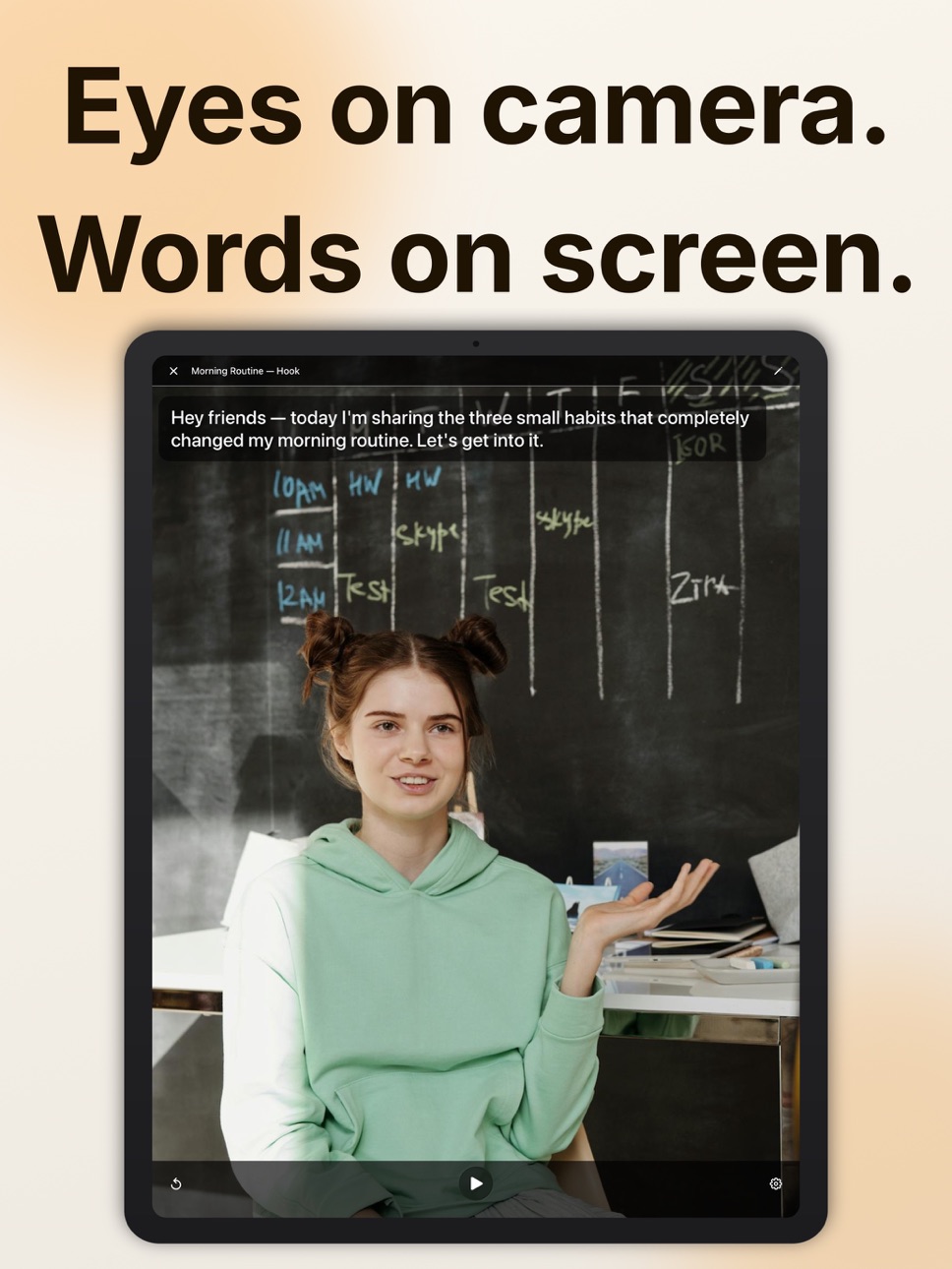
Record and read at the same time. Write or import scripts, adjust scroll speed, font size, and colors, split scripts into sections to pause between takes, and record in up to UHD 60 fps with the front or back camera. Mirror mode, eye-line guide, and background customization included.
TIMELINE EDITING
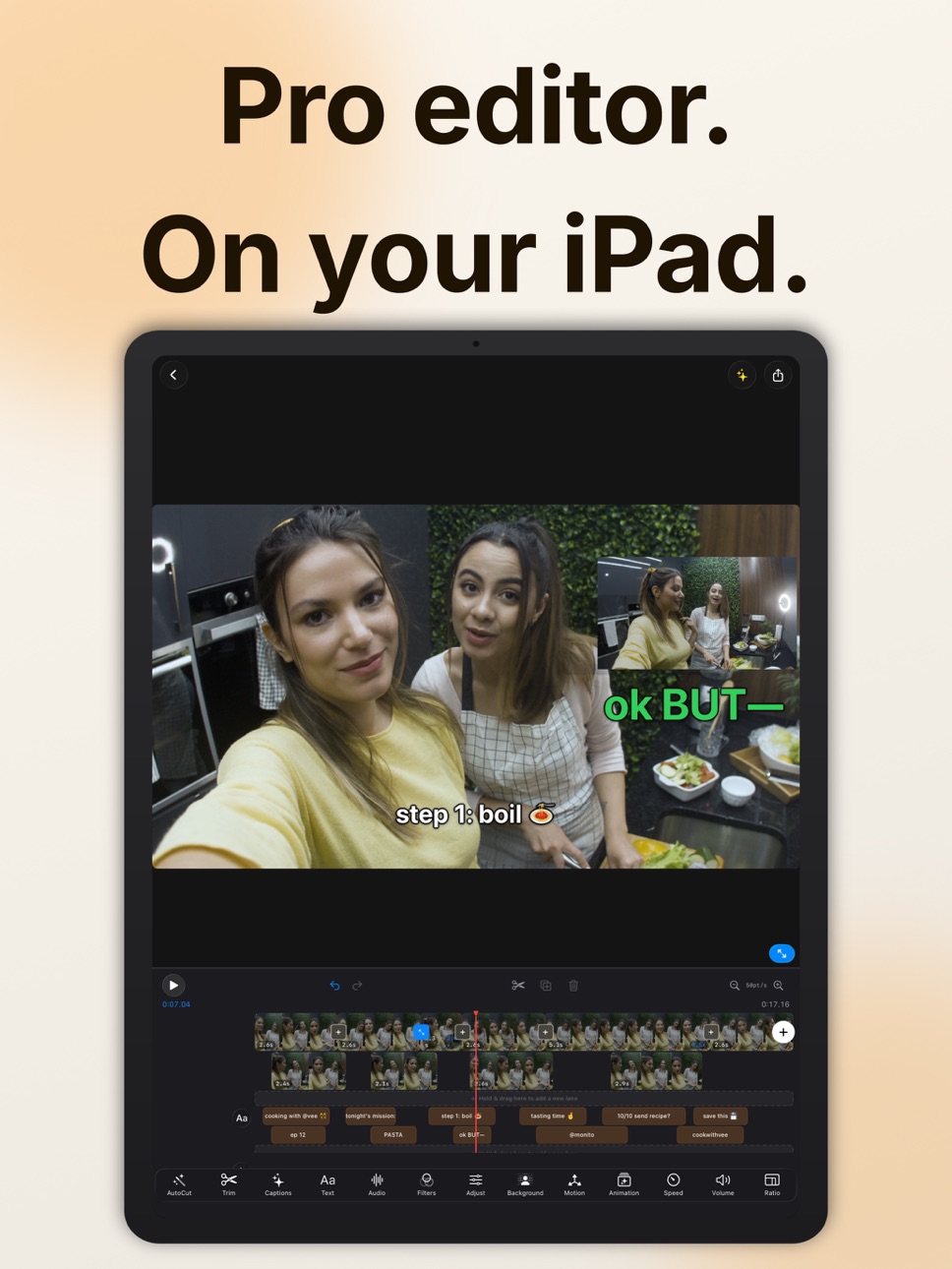
Trim, split, reorder, and layer clips on a visual timeline with snap-to-grid precision. Add Picture-in-Picture overlays with adjustable size and position.
AUTO CAPTIONS
Generate accurate captions automatically using Apple's built-in speech recognition. Supports 40+ languages with customizable fonts, colors, sizes, and positioning.
AUTOCUT
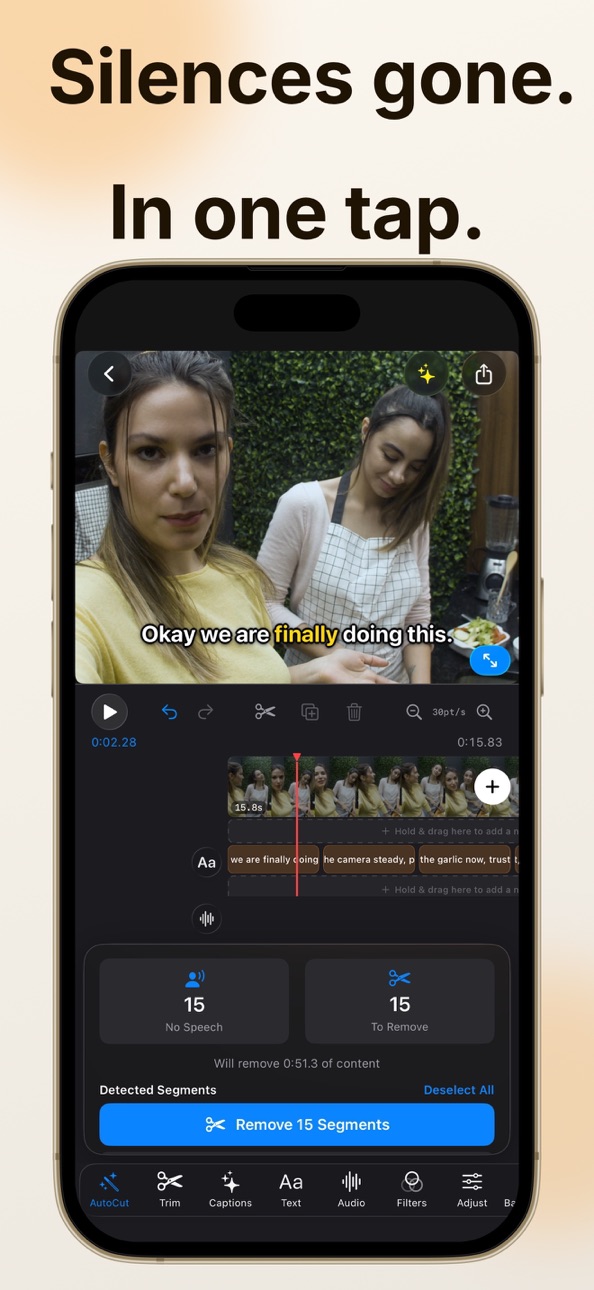
Automatically detect and remove silences or sections with no speech from your videos. Choose from three sensitivity levels and adjust padding for precise cuts.
FILTERS, TRANSITIONS & ADJUSTMENTS
Apply 10 professional filters — Chrome, Noir, Sepia, Vignette, and more. Fine-tune every clip with brightness, contrast, saturation, exposure, warmth, highlights, and shadows. Add smooth transitions: Dissolve, Slide, Wipe, and Zoom.
TEXT & TITLES
Add styled text overlays with 10 font choices, custom colors, background options, and 9 preset positions. Control timing down to the frame.
BACKGROUND REMOVAL & MOTION
Remove the background from any clip — transparent, solid color, or blurred. Animate with 7 motion presets (Ken Burns, zooms, pans) or set your own keyframes with custom easing.
MUSIC & AUDIO
Import MP3, WAV, AIFF, or M4A tracks. Mix multiple audio layers with volume, fade in/out, and trim controls. Adjust volume per clip.
SPEED CONTROL
Slow down to 0.25x or speed up to 4x. Apply to individual clips or your entire project.
TEMPLATES
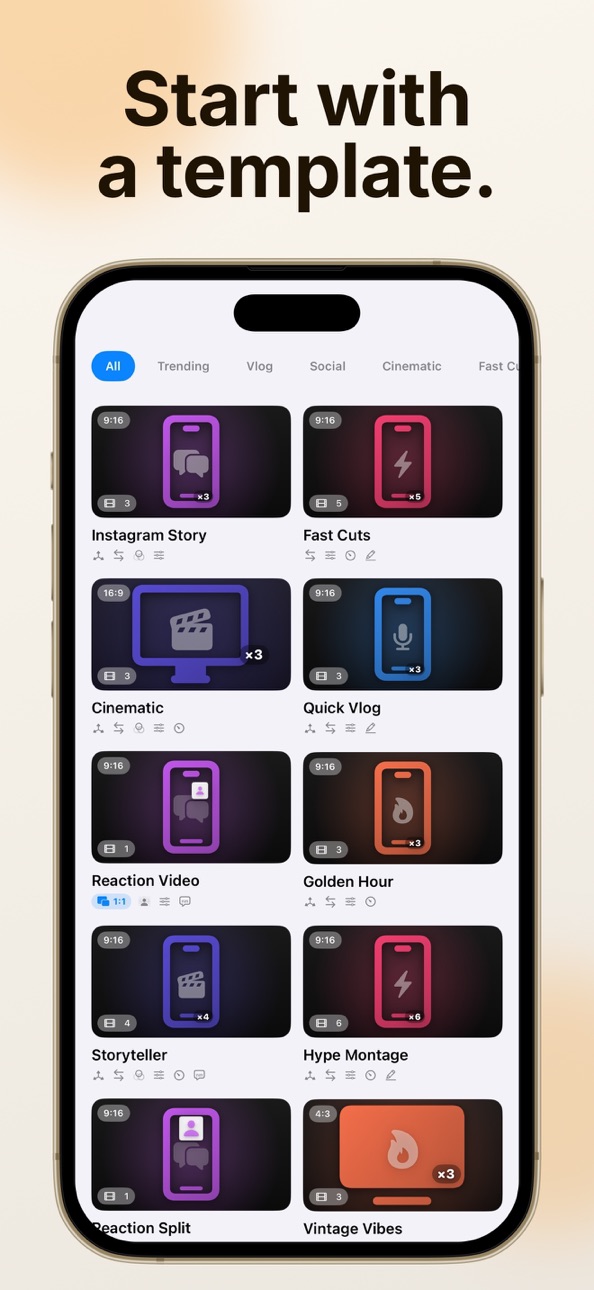
Start fast with built-in templates for Vlogs, Reels, Cinematic edits, and more — or save your own projects as reusable templates.
POST GENERATOR
Generate catchy titles, platform-optimized descriptions for Instagram, TikTok, and YouTube, and trending hashtags, all from your video's content.
EXPORT IN UP TO 4K
Export in 720p, 1080p, or 4K with HEVC or H.264 codec. Choose 24, 25, 30, or 60 fps. Crop to any aspect ratio: 16:9, 9:16, 1:1, 4:5, or 4:3.
PRIVACY YOU CONTROL
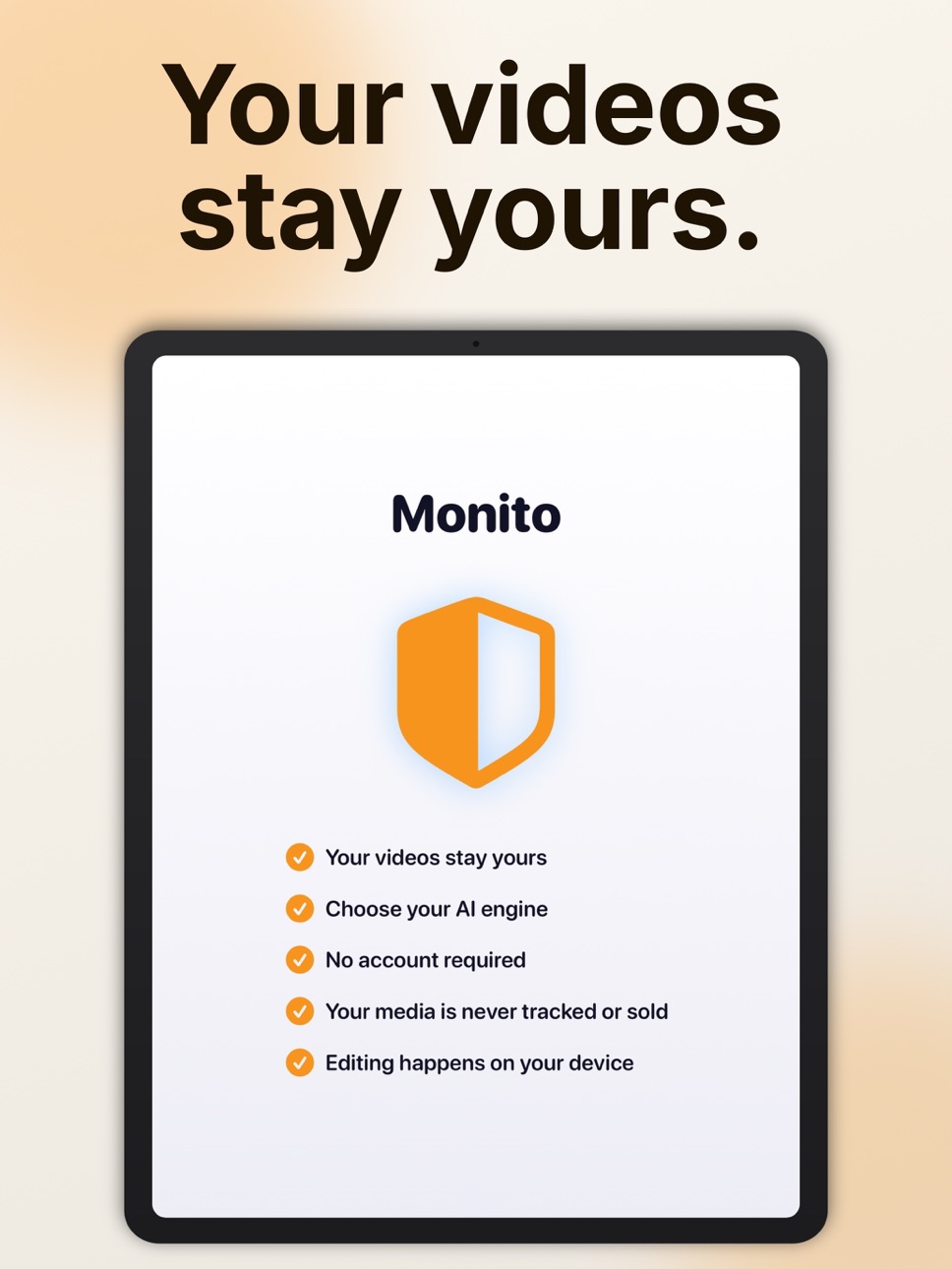
Editing, captions, AutoCut, transitions, and exports always run on-device. For AI Edit, Auto Clips, and Post Generator you choose: Cloud AI for top quality, Apple Intelligence on supported iPhones, or a downloadable local model that runs entirely offline. Your content is never used for training.
Monito Pro unlocks unlimited AI Edit, unlimited Auto Clips, unlimited Post Generator, unlimited Cloud AI, unlimited auto captions, unlimited AutoCut, unlimited templates, 4K export, and unlimited daily exports.
Terms of Use:
https://www.apple.com/legal/internet-services/itunes/dev/stdeula/
In-App Purchases US pricing
Monito Pro Subscription
Weekly · 7 days$3.99
Monthly · Monthly 3-day free trial$8.99
Yearly · Yearly 7-day free trial$69.99
One-Time Purchases
Monito Pro Lifetime$89.99
Capabilities
In-App Purchases
Accessibility
ipadiphonemacrealityDevicetvoswatch
Version history 25 versions
Build 887858429v4.1.32026-07-06 04:03:52
This update includes performance improvements and bug fixes for a smoother editing experience.
Build 887804994v4.1.22026-07-04 05:17:32
Bug fixes and improvements throughout the app.
Build 887700869v4.1.12026-07-01 20:48:16
Bug fixes and improvements throughout the app.
Build 887458857v4.12026-06-30 13:38:29
Auto Clips now adds sound effects to your clips at just the right moments, and the whole experience is smarter and more accurate than before. We've also packed in overall improvements and bug fixes to keep everything running smoothly.
Build 887409199v4.02026-06-25 15:30:58
Stickers and animated emoji you can drop onto your videos, by hand or automatically with AI Edit.
AI Edit is now smarter and more reliable, giving you better edits across short and long videos.
Build 887095881v3.92026-06-18 06:12:55
Auto Clips can now apply the same caption style across every clip it finds and batch export them all at once.
Build 886748907v3.82026-06-15 16:30:20
Bug fixes and improvements throughout the app.
Build 886691308v3.72026-06-09 16:42:20
Captions now look cleaner in your finished videos, plus a handful of bug fixes.
Spatial:
Add spatial photos to your projects to use them in spatial videos
Speed, volume, and audio changes now carry through to spatial exports
Build 886536345v3.62026-06-05 14:09:48
Spatial video support — import, edit, and export your spatial videos.
General bug fixes and improvements.
Build 886331466v3.42026-06-01 23:35:42
Fixed a rare issue where deleting your main video clip could leave a project unexportable.
Auto Clips now handles videos with little or no speech and gives clearer errors, like when the wrong language is selected.
Build 886201199v3.32026-05-30 17:47:41
Improved Auto Clips performance and fixed bugs.
Build 886124356v3.22026-05-26 21:50:30
• New social preview. See your video behind TikTok, Reels, and YouTube Shorts UI before exporting.
• Bug fixes and polish.
Build 885883667v3.12026-05-22 18:41:43
Bug fixes and improvements throughout the app.
Build 885758687v3.02026-05-18 16:33:05
• Import your own custom fonts and use them anywhere in your videos.
• Various bug fixes and performance improvements.
Build 885625783v2.92026-05-16 17:15:21
AI Edit now includes a new goal: Montage — drop in your clips and get a beat-synced highlight reel in seconds.
Overall performance, stability, and UI improvements.
Build 885453922v2.82026-05-10 18:47:12
Bug fixes and improvements throughout the app.
Build 885403667v2.72026-05-08 17:14:16
Bug fixes and improvements throughout the app.
Build 885160945v2.62026-05-06 18:21:42
NEW: AI Edit. Turn one or many clips into a polished video with AI cuts, captions, music, and pacing.
You can now use Cloud AI for AI Edit, Auto Clips, and Post Generator for higher quality results. The on-device model is still available. Choose your engine in Settings.
Build 885128586v2.52026-04-30 20:11:29
- Integrated audio: Built‑in sound effects and music.
- Performance improvements.
Build 884992770v2.42026-04-28 16:50:12
Bug fixes and improvements throughout the app.
Build 884864748v2.3.12026-04-24 18:23:55
Bug fixes and performance improvements.
Build 884820518v2.32026-04-23 18:23:18
• Duplicate projects in one tap
• Export and import projects as .monitoproject files — share your work via AirDrop or Files
• Improved karaoke captions with new highlight styles
• Overall improvements and bug fixes
Build 884655686v2.22026-04-18 15:36:23
Bug fixes and overall improvements.
Build 884520907v2.12026-04-16 22:10:12
• Post Generator and Auto Clips now run on devices without Apple Intelligence — still 100% on-device and private.
• Auto Captions experience improved.
• Editor UI polish and refinements throughout.
Build 884407627v2.02026-04-11 22:06:42
• Fresh redesign — cleaner layouts and smoother navigation throughout the app.
• Teleprompter — record videos while reading your script, with adjustable speed and text size.
• Auto Clips — turn long videos into short, shareable clips automatically. Requires Apple Intelligence.
• Background Removal — remove the background from any clip right in the editor.
• Bug fixes and performance improvements.
Price history by region
Currency
Show
Columns
Search
Availability 1 of 1 storefronts
| Region | Language | Price | Ratings | Avg | Version |
|---|---|---|---|---|---|
| US | en-US | Free | 7 | 5.0 | 4.1.3 |
Change log 29 changes · US
✎
releaseNotes updated
This update includes performance improvements and bug fixes for a smoother editing experience.
✎
description updated
Monito is the AI video editor for creators. AI Edit turns one or many clips into a polished video — smart cuts, captions, music, and pacing handled for you. Aut
✎
subtitle updated
Auto Edit & Viral Shorts Maker
✎
name updated
AI Video Editor: Monito
◆
Version 4.1.3 released
This update includes performance improvements and bug fixes for a smoother editing experience.
◆
Version 4.1.2 released
Bug fixes and improvements throughout the app.
◆
Version 4.1.1 released
Bug fixes and improvements throughout the app.
◆
Version 4.1 released
Auto Clips now adds sound effects to your clips at just the right moments, and the whole experience is smarter and more accurate than before. We've also packed in overall improvements and bug fixes to keep everything running smoothly.
◆
Version 4.0 released
Stickers and animated emoji you can drop onto your videos, by hand or automatically with AI Edit.
AI Edit is now smarter and more reliable, giving you better edits across short and long videos.
◆
Version 3.9 released
Auto Clips can now apply the same caption style across every clip it finds and batch export them all at once.
◆
Version 3.8 released
Bug fixes and improvements throughout the app.
◆
Version 3.7 released
Captions now look cleaner in your finished videos, plus a handful of bug fixes.
Spatial:
Add spatial photos to your projects to use them in spatial videos
Speed, volume, and audio changes now carry through to spatial exports
◆
Version 3.6 released
Spatial video support — import, edit, and export your spatial videos.
General bug fixes and improvements.
◆
Version 3.4 released
Fixed a rare issue where deleting your main video clip could leave a project unexportable.
Auto Clips now handles videos with little or no speech and gives clearer errors, like when the wrong language is selected.
◆
Version 3.3 released
Improved Auto Clips performance and fixed bugs.
◆
Version 3.2 released
• New social preview. See your video behind TikTok, Reels, and YouTube Shorts UI before exporting.
• Bug fixes and polish.
◆
Version 3.1 released
Bug fixes and improvements throughout the app.
◆
Version 3.0 released
• Import your own custom fonts and use them anywhere in your videos.
• Various bug fixes and performance improvements.
◆
Version 2.9 released
AI Edit now includes a new goal: Montage — drop in your clips and get a beat-synced highlight reel in seconds.
Overall performance, stability, and UI improvements.
◆
Version 2.8 released
Bug fixes and improvements throughout the app.
◆
Version 2.7 released
Bug fixes and improvements throughout the app.
◆
Version 2.6 released
NEW: AI Edit. Turn one or many clips into a polished video with AI cuts, captions, music, and pacing.
You can now use Cloud AI for AI Edit, Auto Clips, and Post Generator for higher quality results. The on-device model is still available.
◆
Version 2.5 released
- Integrated audio: Built‑in sound effects and music.
- Performance improvements.
◆
Version 2.4 released
Bug fixes and improvements throughout the app.
◆
Version 2.3.1 released
Bug fixes and performance improvements.
◆
Version 2.3 released
• Duplicate projects in one tap
• Export and import projects as .monitoproject files — share your work via AirDrop or Files
• Improved karaoke captions with new highlight styles
• Overall improvements and bug fixes
◆
Version 2.2 released
Bug fixes and overall improvements.
◆
Version 2.1 released
• Post Generator and Auto Clips now run on devices without Apple Intelligence — still 100% on-device and private.
• Auto Captions experience improved.
• Editor UI polish and refinements throughout.
◆
Version 2.0 released
• Fresh redesign — cleaner layouts and smoother navigation throughout the app.
• Teleprompter — record videos while reading your script, with adjustable speed and text size.
• Auto Clips — turn long videos into short, shareable clips automa