Home › Finance

 US
US
1 of 1 storefronts
Content in en-US
Content in en-US
Information
Preview 1 platform
iPhone 7 images




What’s New Version 1.0.2
We redesigned the Import Statement screen. After uploading your statement, the review step now has a cleaner, more refined look — your AI-categorized transactions appear in a fresh card layout with color-coded category tags, making it faster and easier to scan and confirm everything before importing.
Description
Try everything free for 7 days. No payment info required.
Unlike other budget apps, Crescia never asks for your bank credentials. Your data stays on your device or in your personal iCloud. Always.
Crescia helps you take control of your money with a simple, intuitive approach to budgeting.
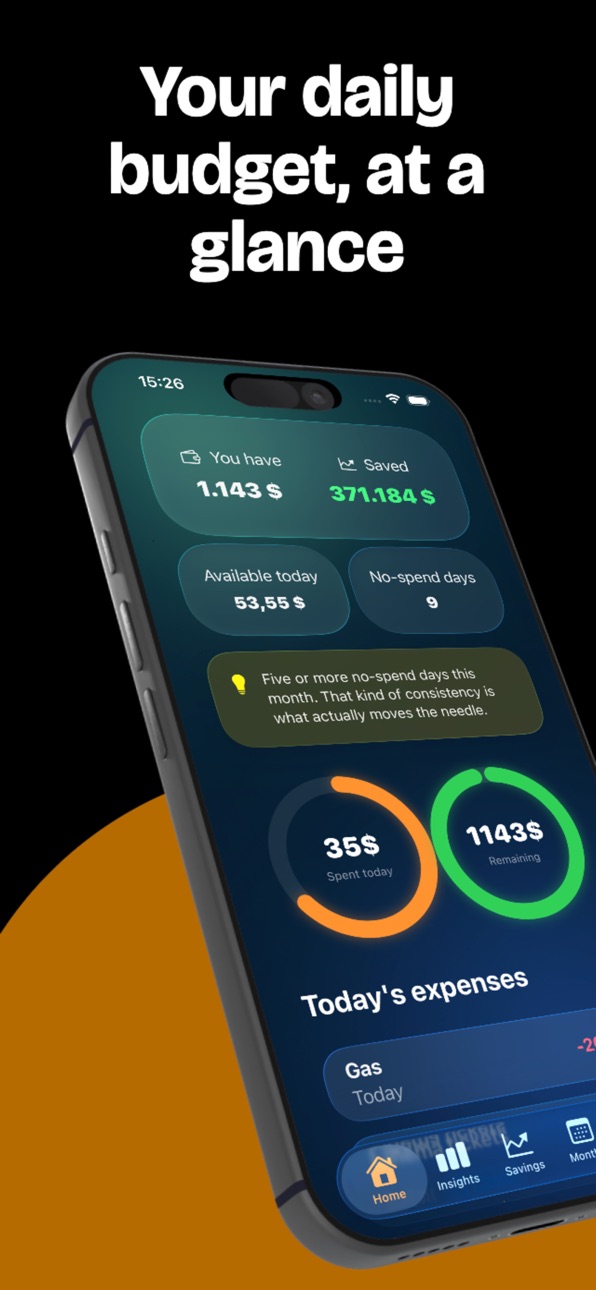
Set your monthly salary, savings goal, and fixed expenses. Crescia calculates your daily budget automatically. Log every expense, track your habits with smart insights, and watch your savings grow.
DAILY BUDGET
Know exactly how much you can spend today. Crescia divides your available money across the remaining days of the month so you always know where you stand.
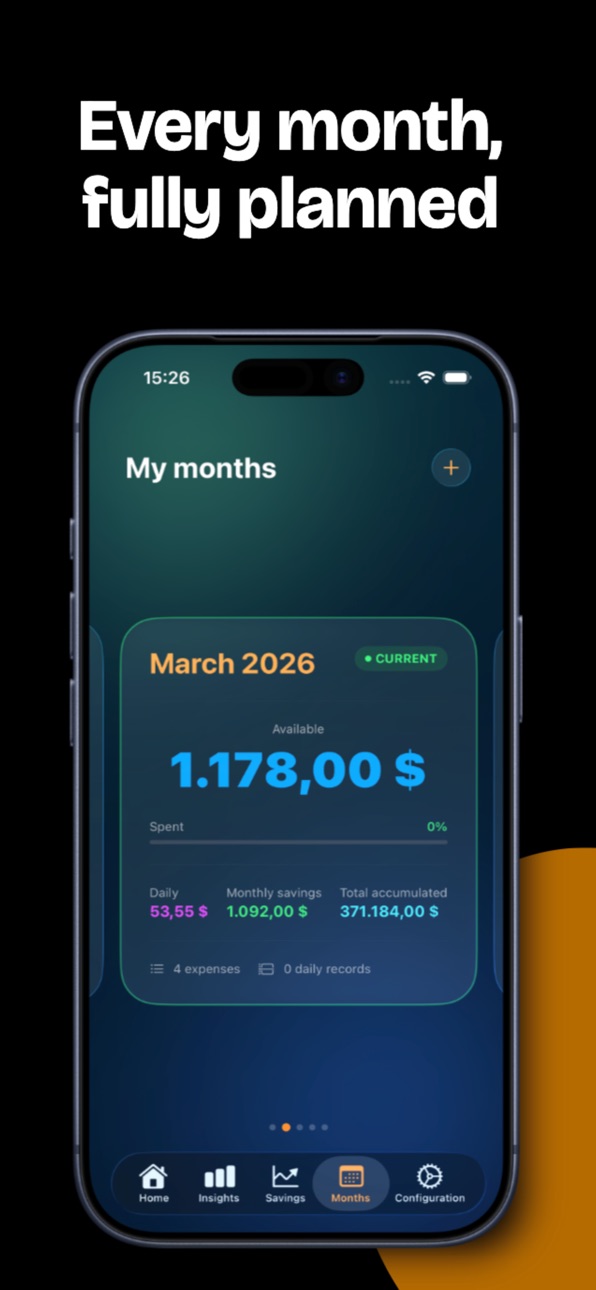
MONTHLY PLANNING
• Set salary, savings target, and fixed/variable expenses
• Carry over unused budget to the next month
• Track multiple months side by side
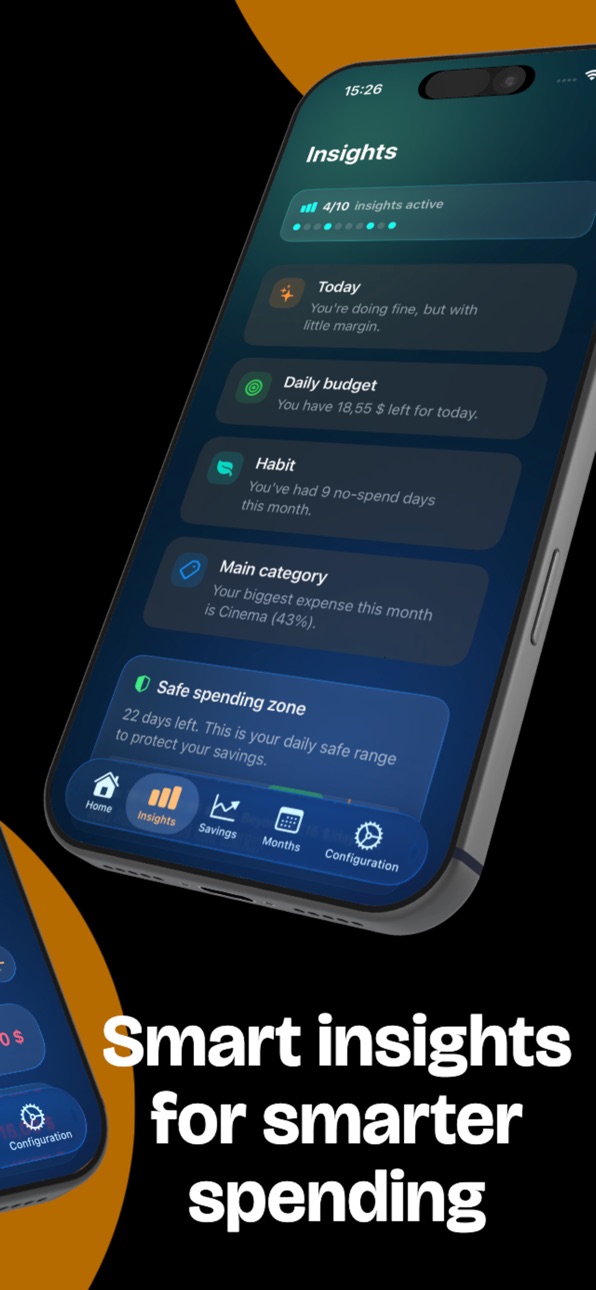
SMART INSIGHTS
• Spending pace and category breakdowns
• Best and worst spending days
• Savings goal projections
• Runway estimates and daily safety ranges
SAVINGS & PIGGY BANKS
• Set a savings goal and track your progress
• Create dedicated piggy banks for specific goals
• Deposits and withdrawals linked to your monthly budget
8 languages · iCloud sync · Dark mode · Works offline · Custom categories
CRESCIA PREMIUM
Unlock advanced insights, unlimited history, custom categories, and more.
• 7-day free trial — no payment required
• Monthly: €2.99
• Annual: €17.99 (save 50%)
Your privacy first — your data stays on your device or your personal iCloud. No ads, no tracking.
SUBSCRIPTION INFORMATION
• Payment is charged to your Apple ID account at confirmation of purchase
• Subscription automatically renews unless canceled at least 24 hours before the end of the current period
• You can manage and cancel subscriptions in your App Store account settings
Privacy Policy: https://griselhub.com/privacy
Terms of Service: https://griselhub.com/terms
Apple EULA: https://www.apple.com/legal/internet-services/itunes/dev/stdfula/
Questions? support@griselhub.com
In-App Purchases US pricing
Premium Monthly Subscription
Monthly$2.99
Premium Annual Subscription
Yearly$14.99
Capabilities
In-App Purchases
Accessibility
ipadiphonemacrealityDevicetvoswatch
Version history 3 versions
Build 886330448v1.0.22026-05-30 22:01:02
We redesigned the Import Statement screen. After uploading your statement, the review step now has a cleaner, more refined look — your AI-categorized transactions appear in a fresh card layout with color-coded category tags, making it faster and easier to scan and confirm everything before importing.
Build 886124770v1.0.12026-05-28 09:54:34
New: Bank Statement Import (Premium)
Stop entering transactions by hand. Import a bank statement — PDF, CSV, OFX, QIF or TXT — and Crescia detects and categorizes your transactions for you.
• Review, edit and re-categorize every transaction before it's added to your month
• Choose exactly which ones to keep
• Sensitive details are filtered out before processing, and you're asked for consent every time
Plus small improvements and fixes. Thanks for using Crescia!
Build 883225041v1.02026-03-22 11:00:22
Price history by region
Currency
Show
Columns
Search
Availability 1 of 1 storefronts
| Region | Language | Price | Ratings | Avg | Version |
|---|---|---|---|---|---|
| US | en-US | Free | 0 | — | 1.0.2 |
Change log 7 changes · US
✎
releaseNotes updated
We redesigned the Import Statement screen. After uploading your statement, the review step now has a cleaner, more refined look — your AI-categorized transactio
✎
description updated
Try everything free for 7 days. No payment info required.
Unlike other budget apps, Crescia never asks for your bank credentials. Your data stays on your devic
✎
subtitle updated
Spend smart, save daily
✎
name updated
Crescia: Daily Budget Tracker
◆
Version 1.0.2 released
We redesigned the Import Statement screen. After uploading your statement, the review step now has a cleaner, more refined look — your AI-categorized transactions appear in a fresh card layout with color-coded category tags, making it faste
◆
Version 1.0.1 released
New: Bank Statement Import (Premium)
Stop entering transactions by hand. Import a bank statement — PDF, CSV, OFX, QIF or TXT — and Crescia detects and categorizes your transactions for you.
• Review, edit and re-categorize every transac
◆
Version 1.0 released