Home › Utilities

 US
US
1 of 1 storefronts
Content in en-US
Content in en-US
Information
Preview 2 platforms
iPhone 5 images


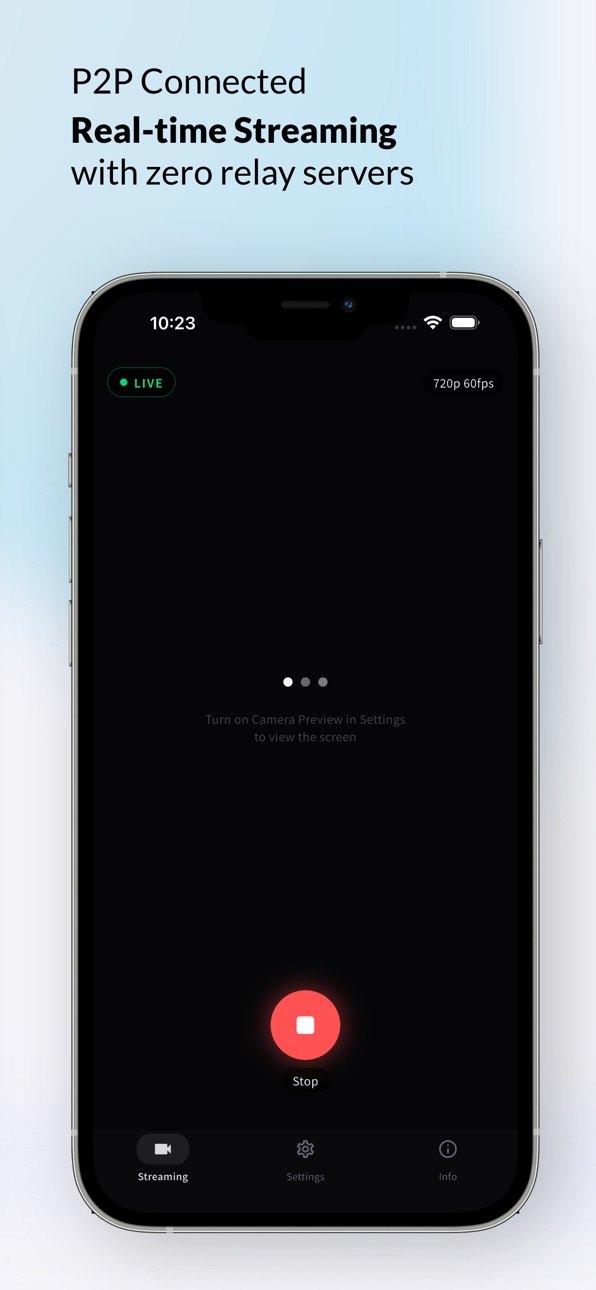


iPad 5 images


What’s New Version 1.0.3
QR Scan bug fix
Description
VTrackLink turns your iPhone into a wireless camera for your Windows PC. Using WebRTC peer-to-peer technology, it streams video in real-time over your local Wi-Fi — with no external servers and no lag.
HOW IT WORKS
1. Connect your iPhone and PC to the same Wi-Fi
2. Scan the QR code shown on your PC
3. Streaming starts automatically — that's it
KEY FEATURES
• Instant QR code connection — no manual setup required
• Real-time P2P streaming over local Wi-Fi
• Adjustable resolution: 480p / 720p
• Adjustable frame rate: 30 / 60 / 120 fps
• H.264 High Profile encoding for sharp video
• Dynamic bitrate for ultra-low latency
• Live camera preview while streaming
• Quick reconnect — tap once to resume previous session
BUILT FOR
• Golf swing replay & slow-motion analysis
• Real-time motion capture & tracking
• Wireless webcam replacement
• Any use case that needs a phone-to-PC camera feed
PRIVACY FIRST
• Zero data collection — nothing leaves your local network
• No cloud servers — direct device-to-device connection
• All settings stored locally on your device
REQUIREMENTS
• iPhone and Windows PC on the same Wi-Fi network
• VTrackLink PC companion app
Accessibility
ipadiphonemacrealityDevicetvoswatch
Version history 4 versions
Build 885353174v1.0.32026-05-08 00:48:11
QR Scan bug fix
Build 884959130v1.0.22026-04-28 00:19:27
Motion Blur Improvements — Added shutter speed and ISO controls for sharper capture in fast motion scenes.
Settings Tab Removed — The Settings tab has been retired; related options have been relocated for a cleaner UI.
Streaming On/Off Moved to Streaming Tab — Streaming toggle is now consolidated under the Streaming tab for quicker access.
Network Status Indicator — The Streaming tab now displays real-time connection quality (Unstable / Fair / Good).
Build 884216975v1.0.12026-04-08 01:46:39
QR scanner SnackBar stacking — Error SnackBars no longer pile up on repeated invalid scans. Added 3s cooldown and clear existing SnackBars before showing new ones.
WebSocketChannelException crash — Now properly caught when WebSocketChannel wraps SocketException.
Build 883167215v1.0.02026-04-07 04:35:20
No pricing data captured yet — comparisons appear once the app has paid storefronts or in-app purchases.
Availability 1 of 1 storefronts
| Region | Language | Price | Ratings | Avg | Version |
|---|---|---|---|---|---|
| US | en-US | Free | 0 | — | 1.0.3 |
Change log 8 changes · US
✎
releaseNotes updated
QR Scan bug fix
✎
description updated
VTrackLink turns your iPhone into a wireless camera for your Windows PC. Using WebRTC peer-to-peer technology, it streams video in real-time over your local Wi-
✎
subtitle updated
Real-Time Camera to PC Stream
✎
name updated
VTrackLink
◆
Version 1.0.3 released
QR Scan bug fix
◆
Version 1.0.2 released
Motion Blur Improvements — Added shutter speed and ISO controls for sharper capture in fast motion scenes.
Settings Tab Removed — The Settings tab has been retired; related options have been relocated for a cleaner UI.
Streaming On/Off Mo
◆
Version 1.0.1 released
QR scanner SnackBar stacking — Error SnackBars no longer pile up on repeated invalid scans. Added 3s cooldown and clear existing SnackBars before showing new ones.
WebSocketChannelException crash — Now properly caught when WebSocketChannel
◆
Version 1.0.0 released