Home › Productivity

Screenshots — platforms



Description
DayBlock is a daily planner app that uses time blocking to manage your day visually.
Key Features:
Timeline Task Management
Place colorful blocks on the timeline to visualize your daily schedule. Drag to move and resize from the bottom edge to adjust duration. 5-minute snap intervals for precise scheduling.
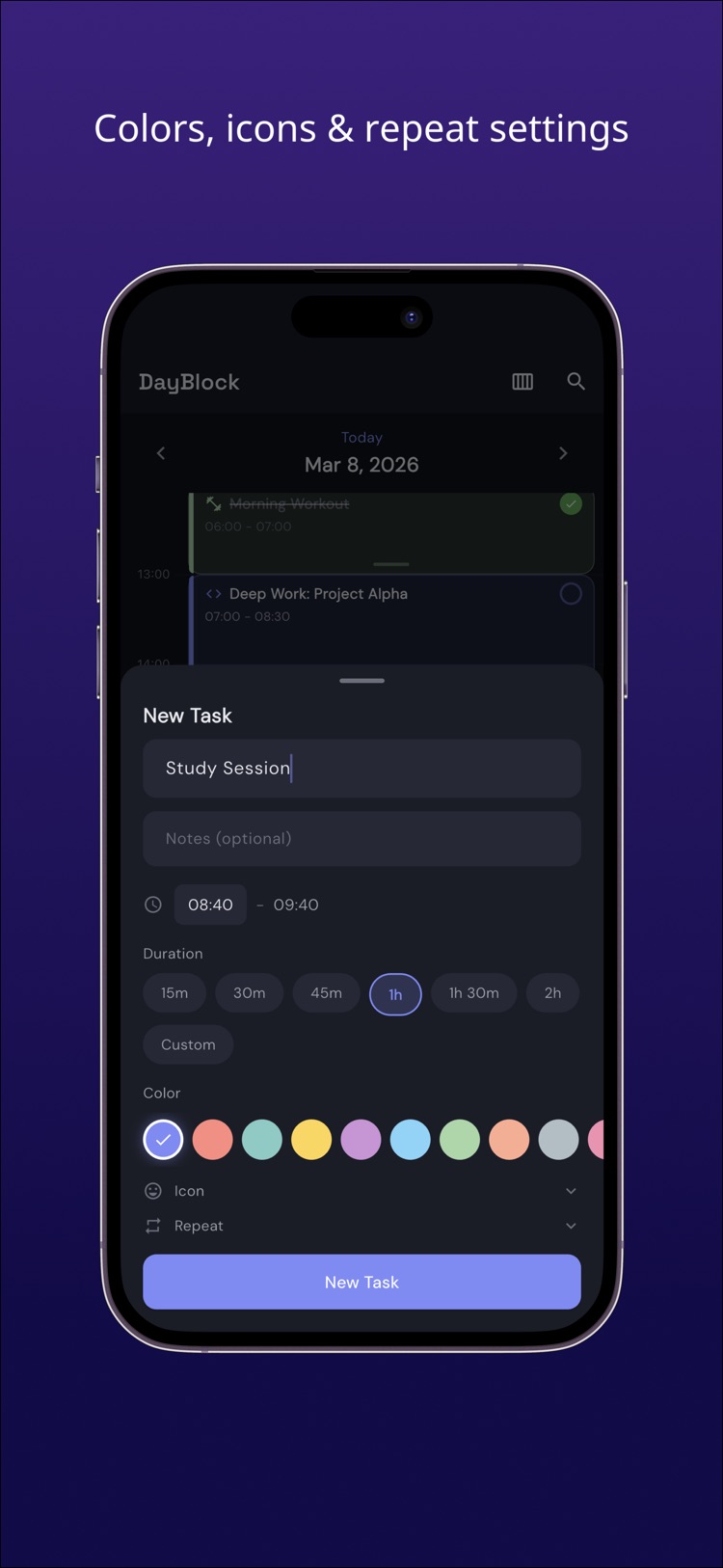
10 Colors x Icons
Assign your favorite color and icon to each task. Instantly distinguish categories like work, study, exercise, and breaks at a glance.
Repeating Tasks
Set daily, weekly, monthly, or yearly repeats. Supports day-of-week selection and custom intervals. Set it once and tasks are generated automatically.
Routines
Save morning prep or evening habits as templates. Apply them to today's timeline with a single tap.
Inbox
Jot down tasks as they come to mind. Schedule them to your timeline later so you never lose an idea.
Weekly View
See all 7 days at a glance. Adjust your plans while viewing the balance of your entire week.
Subtasks
Add checklist-style subtasks to any task. Break big tasks into smaller manageable steps.
Current Time Indicator
A real-time indicator shows the current time on your timeline. Always know what you should be doing right now.
Clean Distraction-Free Design
A calm dark-themed UI designed for focus. Minimal design that works well for ADHD and anyone who needs fewer distractions.
Information
Bundle IDcom.app.dayblockkt
Sellerkota tada
Min iOS13.0
Content rating4+
Released2026-03-09
Version history · 2 recorded
1.0.1
2026-04-03
Bug fixes.
1.0.0
2026-03-10
—
Region availability · 1 of 1 storefronts
| Store | Price | Ratings | Avg | Version |
|---|---|---|---|---|
| US | Free | 0 | — | 1.0.1 |