Home › Utilities

 US
US
USen-US CHde-CH
 AEen-GB
 AFen-GB
 AIen-GB
 ALen-GB
 AMen-GB
 AOen-GB
 ARes-MX
 ATde-DE
 AUen-AU
 BAen-GB
 BBen-GB
 BEen-GB
 BFen-GB
 BGen-GB
 BHen-GB
 BJen-GB
 BMen-GB
 BNen-GB
 BOes-MX
 BRpt-BR
 BSen-GB
 BTen-GB
 BWen-GB
 BYen-GB
 CAen-CA
 CDen-GB
 CGen-GB
 CIfr-FR
 CLes-MX
 CMfr-FR
 CNzh-Hans-CN
 COes-MX
 CRes-MX
 CVen-GB
 CYen-GB
 CZen-GB
 DEde-DE
 DKen-GB
 DMen-GB
 DZen-GB
 ECes-MX
 EEen-GB
 EGen-GB
 ESes-ES
 FIen-GB
 FJen-GB
 FMen-GB
 FRfr-FR
 GAfr-FR
 GBen-GB
 GDen-GB
 GEen-GB
 GHen-GB
 GMen-GB
 GRen-GB
 GTes-MX
 GWen-GB
 GYen-GB
 HKzh-Hant-HK
 HNes-MX
 HRen-GB
 HUen-GB
 IDen-GB
 IEen-GB
 ILen-GB
 IQen-GB
 ISen-GB
 ITit
ITit JOen-GB
 JPja
JPja KEen-GB
 KGen-GB
 KHen-GB
 KNen-GB
 KRko
KRko KWen-GB
 KZen-GB
 LAen-GB
 LBen-GB
 LCen-GB
 LKen-GB
 LRen-GB
 LTen-GB
 LUen-GB
 LVen-GB
 LYen-GB
 MAen-GB
 MDen-GB
 MEen-GB
 MGen-GB
 MKen-GB
 MLen-GB
 MMen-GB
 MNen-GB
 MOzh-Hant-HK
 MRen-GB
 MSen-GB
 MTen-GB
 MUen-GB
 MVen-GB
 MWen-GB
 MXes-MX
 MYen-GB
 MZen-GB
 NAen-GB
 NEen-GB
 NGen-GB
 NLnl
NLnl NOen-GB
 NPen-GB
 NRen-GB
 NZen-AU
 OMen-GB
 PAes-MX
 PEes-MX
 PGen-GB
 PHen-GB
 PKen-GB
 PLen-GB
 PTpt-PT
 PWen-GB
 PYes-MX
 QAen-GB
 ROen-GB
 RSen-GB
 RUru
RUru RWen-GB
 SAen-GB
 SBen-GB
 SCen-GB
 SEsv
SEsv SIen-GB
 SKen-GB
 SLen-GB
 SNen-GB
 STen-GB
 SVes-MX
 SZen-GB
 TCen-GB
 TDen-GB
 THen-GB
 TJen-GB
 TMen-GB
 TNen-GB
 TOen-GB
 TRen-GB
 TTen-GB
 TWzh-Hant-TW
 TZen-GB
 UAen-GB
 UGen-GB
 UYen-GB
 UZen-GB
 VEes-MX
 VGen-GB
 VNen-GB
 VUen-GB
 XKen-GB
 YEen-GB
 ZAen-GB
 ZMen-GB
 ZWen-GB
164 of 164 storefronts
Content in en-US
Content in en-US
Information
Apple ID6760218341
Bundle IDapp.wolframwacker.dualpane
SellerSeller
Min iOS26.0
Min macOS26.0
Device familiesiphone, ipad
Released2026-03-20
Copyright© 2025-2026 wwb-apps.ch
Privacy policyLink ↗
Preview 2 platforms
iPhone 8 images




iPad 6 images


What’s New Version 3.9
Improved startup appearance handling for custom pane background colours. Fixed a brief visual delay where the app could momentarily show the system background before applying the selected pane colour.
Description
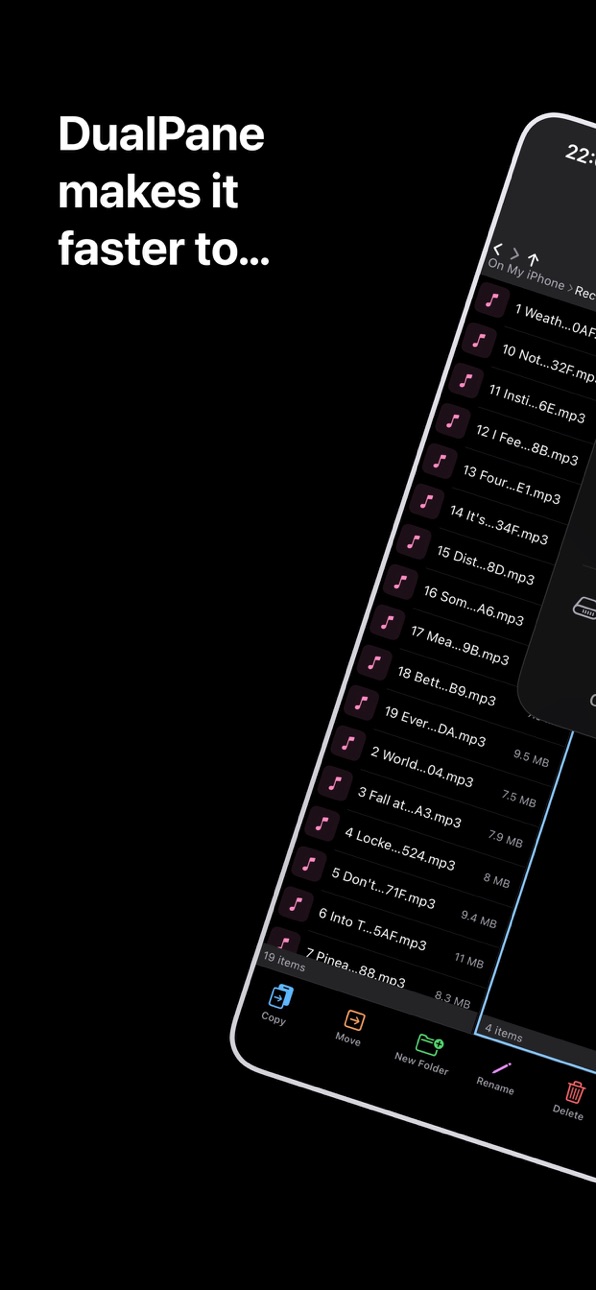
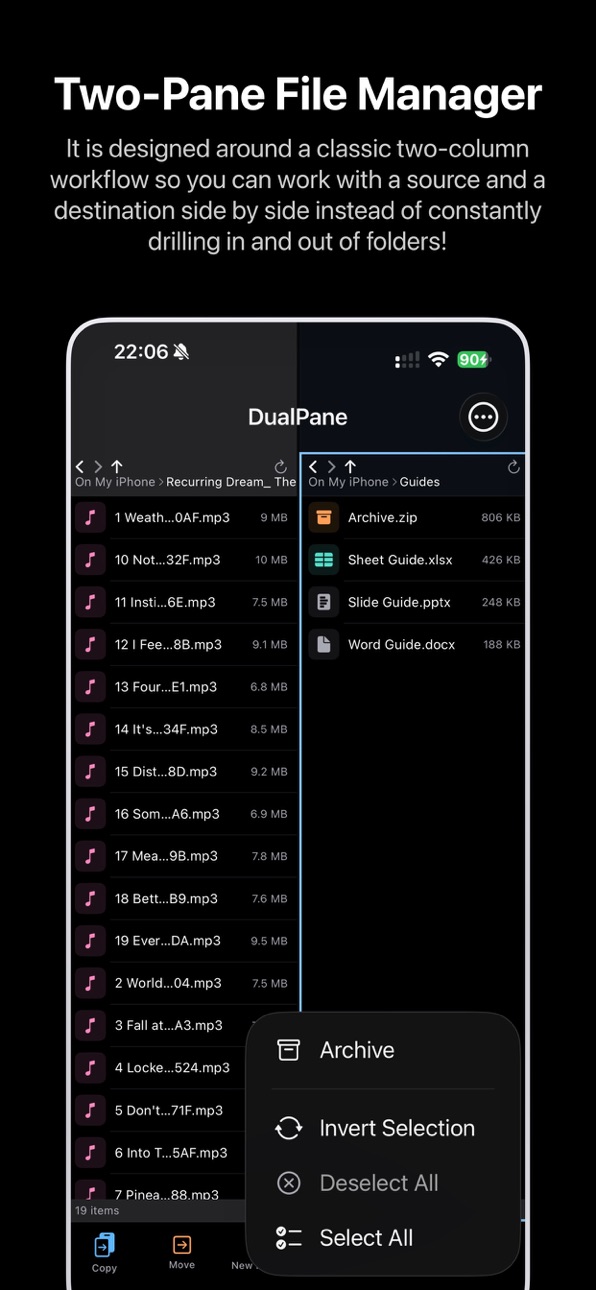
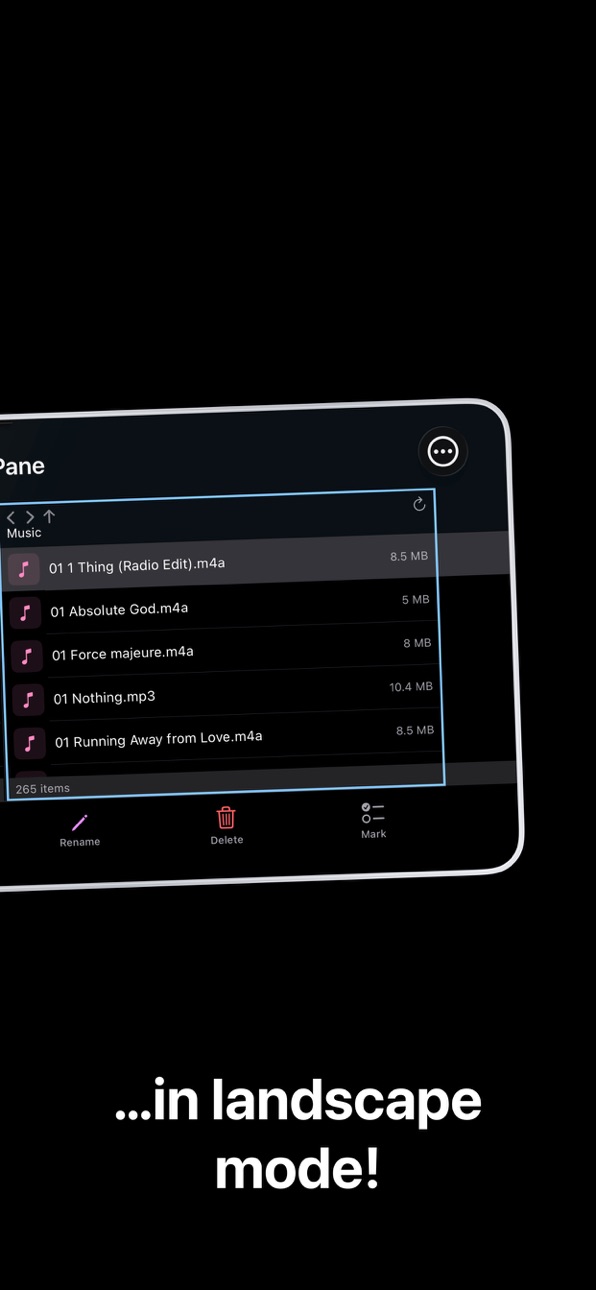
DualPane is a focused dual-pane file manager for iPhone, iPad and Mac (designed for iPad) that makes everyday file work faster, clearer and more efficient.
Browse two folders side by side, move and copy files between locations, organize documents, manage archives, preview text files and work with shared files from other apps. DualPane is designed for practical file workflows without clutter. Whether you are sorting downloads, organizing project folders, reviewing shared files or working with archives, DualPane gives you a faster way to manage files directly on your device.
DualPane Pro unlocks advanced tools for power users, including batch rename, folder compare, duplicate finding, within-pane copy and move, archive browsing, text editing and more.
Key Features:
• Dual-Pane file management for faster file operations
• Browse folders side by side
• Copy and move files between panes
• Adjustable pane widths (drag the divider, reset in settings)
• Open folders, navigate subfolders and manage files efficiently
• Rename files and folders
• Create new folders
• Delete files and folders
• Search within the active pane, including subfolders
• Import files from other apps with the share extension
• Review pending imports before saving them into a folder
• Preview text-based files such as TXT and JSON
• Share files to other apps, AirDrop, Print or Save to Files
• Create and extract archives
• Preview archive contents and handle unsupported files more clearly
• Works on iPhone, iPad and Mac (designed for iPad)
DualPane Pro:
• Batch rename multiple files
• Advanced batch rename options
• Compare left and right folders
• Find duplicate files
• Copy to another folder within the same pane
• Move to another folder within the same pane
• Browse archive contents before extraction
• Extract only selected files from archive preview
• Edit and save text-based files directly in the app
• Share folders and selections as archive files
• Customization for pane background colours
• Customization for bottom toolbar icon styles
• Saved Workspaces
In-App Purchases US pricing
One-Time Purchases
DualPane Pro$2.99
Capabilities
In-App Purchases
Accessibility
ipadiphonemacrealityDevicetvoswatch
Version history 19 versions
Build 887851620v3.92026-07-05 20:24:38
Improved startup appearance handling for custom pane background colours. Fixed a brief visual delay where the app could momentarily show the system background before applying the selected pane colour.
Build 887773481v3.82026-07-04 05:01:15
A cleaner, more polished interface for the actions and menu screens, plus new tools to make everyday file management faster.
• New smart select to quickly select files by name, extension, date or size
• Improved actions menu with clearer grouping and easier navigation
• Improved appearance handling when switching between custom backgrounds and light/system mode
• General polish and usability improvements
Build 887707049v3.72026-07-02 15:24:53
New Appearance Customization
• Added new appearance options for light mode, dark mode or system mode
• Added Pro customization for pane background colors
• Added Pro customization for bottom toolbar icon styles
• Improved contrast handling so text, icons, dividers and toolbars remain readable across appearance combinations
Build 887545636v3.62026-06-28 17:56:37
Added advanced recursive search with filters for file name, extension, modified date and file size. Also included current-folder filtering using the same advanced criteria. Search and filter results can now be cleared directly from the pane header. Improved file browsing workflows for narrowing large folders and nested file trees.
Build 887111275v3.52026-06-18 06:12:30
Added new appearance options with Standard, Compact and Modern presentation styles. Also added theme choices so that you can adjust DualPane’s accent colour. Kept Standard as the default layout, with a reset option to return to the classic DualPane look. Improved PDF handling so that compatible PDF files open in the proper preview instead of being mistaken for text. Also improved archive handling with clearer messaging for password-protected archives.
Build 886952553v3.42026-06-14 23:20:52
Select mode now stays active, making it easier to choose multiple files or folders with simple taps. Archive browsing now supports extracting only selected items instead of the whole archive. Pane widths can now be adjusted (drag the divider between the two panes left or right), with an option in Settings to reset them to the standard layout.
Build 886514790v3.32026-06-04 18:54:38
Improved folder compare with clearer colour coding and a cleaner results layout. Added verify content to check same-size files with SHA-256 and copy/move actions for items that appear only in the left or right pane. Improved copy/move conflict handling with options to skip conflicts, replace existing items or cancel. Also added duplicate for files from the long-press menu.
Build 886486872v3.22026-06-03 18:54:17
Added content difference hints in Folder Compare, same-name files are now flagged when their file sizes differ. Also added an optional content check for matched files, so you can confirm whether files are identical or different. Included an export feature for Folder Compare reports, making it easy to share or save comparison results. Small refinements for a clearer, more useful compare workflow.
Build 886031045v3.12026-05-23 17:08:07
Added statistics with device storage information in the free version and extended storage and pane statistics in the pro tier.
Build 885783205v3.02026-05-18 01:00:44
Added clearer access to external file locations and help guidance for connecting external sources through the Files app.
• Use "Open Folder in Active Pane" to work with iCloud Drive, OneDrive, other cloud providers or server locations when available through Files.
• These locations can be used as pane sources for browsing, copying, moving, comparing and saved workspaces.
• Refined menu presentation, additional UI polish and reliability improvements.
Build 885483816v2.92026-05-11 02:59:11
Added Saved Workspaces for DualPane Pro:
• Save the current left and right folders as a named workspace.
• Reopen both panes later with one tap.
• Workspaces restore folder access securely, including external folders where available.
• The menu has been refreshed with a cleaner full-screen layout.
Build 885460537v2.82026-05-09 16:43:35
DualPane Pro now includes improved duplicate and compare workflows:
• Folder Compare can filter results by Only in left, Only in right and In both.
• Files shown in In both now support long-press actions and can be inspected to compare versions by size, dates and SHA-256 content hash.
• Duplicate Finder now also supports long-press actions for each duplicate file, including Info, Rename and Delete with confirmation.
• Help has been updated with guidance for the new compare and duplicate management features.
• Additional reliability improvements for file inspection and path handling.
Build 885150922v2.72026-05-01 17:23:45
Improved file actions, folder and file information:
• Added additional file and folder info from the context menu
• Added folder statistics, including total size and item counts
• General usability improvements and refinements
Build 885135776v2.62026-04-30 20:48:59
Improved everyday file workflows and expanded DualPane Pro
• Added "Open with" for files, so documents can be opened directly in compatible apps
• Expanded text handling so more flat text files can be opened in the internal viewer
DualPane Pro additions and improvements:
• Edit and save more text-based files directly in the app
• Improved folder compare with simpler filename-based matching and filters
Build 885045100v2.52026-04-29 07:57:07
More powerful file workflows and the option to upgrade to DualPane Pro for advanced features.
• Added DualPane Pro with advanced file management tools
• Added batch rename for multiple files
• Added folder compare between left and right panes
• Added copy and move to another folder within the same pane
• Added duplicate file finder
• Added archive browsing before extraction
• Added in-app editing and saving for text-based files
• Added one-step Share as archive for folders and selections
• Improved text and JSON file handling
• Improved archive handling and extraction workflows
• General usability improvements and refinements
Build 884660039v2.42026-04-18 16:40:15
DualPane now handles more file types more usefully and improves everyday file workflows.
• Added an internal text viewer for text-based files such as TXT and JSON
• Added sharing/export from the internal text viewer so files can be sent to other apps, printed or saved elsewhere
• Improved handling for unsupported files with clearer actions like Preview and Share
• Improved archive handling and added archive extraction with options to extract in place or into a new folder
• General usability improvements for opening and working with files
Build 884101172v2.32026-04-04 12:55:49
Improved iPad support and Apple Silicon Mac availability enabled
Build 883125840v2.12026-03-20 07:41:31
Build 883575713v2.22026-03-20 12:34:07
SAVE FILES FROM OTHER APPS:
You can now send files straight to DualPane and store them exactly where you want. Simply use the share option form apps and choose your preferred directory. No more moving files afterwards - select the target folder and keep everything organised from the start.
EASY FILE EXCHANGE:
DualPane now makes it simple to transfer files between your phone and your computer. Quickly drag and drop files for seamless access across devices.
These updates make managing and transferring your files faster, more flexible and more intuitive than ever!
Price history by region
Currency
Show
Columns
Search
Availability 164 of 164 storefronts
| Region | Language | Price | Ratings | Avg | Version |
|---|---|---|---|---|---|
| US | en-US | Free | 2 | 5.0 | 3.9 |
| CH | de-CH | Free | 1 | 5.0 | 3.9 |
| AE | en-GB | Free | 0 | — | 3.9 |
| AF | en-GB | Free | 0 | — | 3.9 |
| AI | en-GB | Free | 0 | — | 3.9 |
| AL | en-GB | Free | 0 | — | 3.9 |
| AM | en-GB | Free | 0 | — | 3.9 |
| AO | en-GB | Free | 0 | — | 3.9 |
| AR | es-MX | Free | 0 | — | 3.9 |
| AT | de-DE | Free | 0 | — | 3.9 |
| AU | en-AU | Free | 0 | — | 3.9 |
| BA | en-GB | Free | 0 | — | 3.9 |
| BB | en-GB | Free | 0 | — | 3.9 |
| BE | en-GB | Free | 0 | — | 3.9 |
| BF | en-GB | Free | 0 | — | 3.9 |
| BG | en-GB | Free | 0 | — | 3.9 |
| BH | en-GB | Free | 0 | — | 3.9 |
| BJ | en-GB | Free | 0 | — | 3.9 |
| BM | en-GB | Free | 0 | — | 3.9 |
| BN | en-GB | Free | 0 | — | 3.9 |
| BO | es-MX | Free | 0 | — | 3.9 |
| BR | pt-BR | Free | 0 | — | 3.9 |
| BS | en-GB | Free | 0 | — | 3.9 |
| BT | en-GB | Free | 0 | — | 3.9 |
| BW | en-GB | Free | 0 | — | 3.9 |
| BY | en-GB | Free | 0 | — | 3.9 |
| CA | en-CA | Free | 0 | — | 3.9 |
| CD | en-GB | Free | 0 | — | 3.9 |
| CG | en-GB | Free | 0 | — | 3.9 |
| CI | fr-FR | Free | 0 | — | 3.9 |
| CL | es-MX | Free | 0 | — | 3.9 |
| CM | fr-FR | Free | 0 | — | 3.9 |
| CN | zh-Hans-CN | Free | 0 | — | 3.9 |
| CO | es-MX | Free | 0 | — | 3.9 |
| CR | es-MX | Free | 0 | — | 3.9 |
| CV | en-GB | Free | 0 | — | 3.9 |
| CY | en-GB | Free | 0 | — | 3.9 |
| CZ | en-GB | Free | 0 | — | 3.9 |
| DE | de-DE | Free | 0 | — | 3.9 |
| DK | en-GB | Free | 0 | — | 3.9 |
| DM | en-GB | Free | 0 | — | 3.9 |
| DZ | en-GB | Free | 0 | — | 3.9 |
| EC | es-MX | Free | 0 | — | 3.9 |
| EE | en-GB | Free | 0 | — | 3.9 |
| EG | en-GB | Free | 0 | — | 3.9 |
| ES | es-ES | Free | 0 | — | 3.9 |
| FI | en-GB | Free | 0 | — | 3.9 |
| FJ | en-GB | Free | 0 | — | 3.9 |
| FM | en-GB | Free | 0 | — | 3.9 |
| FR | fr-FR | Free | 0 | — | 3.9 |
| GA | fr-FR | Free | 0 | — | 3.9 |
| GB | en-GB | Free | 0 | — | 3.9 |
| GD | en-GB | Free | 0 | — | 3.9 |
| GE | en-GB | Free | 0 | — | 3.9 |
| GH | en-GB | Free | 0 | — | 3.9 |
| GM | en-GB | Free | 0 | — | 3.9 |
| GR | en-GB | Free | 0 | — | 3.9 |
| GT | es-MX | Free | 0 | — | 3.9 |
| GW | en-GB | Free | 0 | — | 3.9 |
| GY | en-GB | Free | 0 | — | 3.9 |
| HK | zh-Hant-HK | Free | 0 | — | 3.9 |
| HN | es-MX | Free | 0 | — | 3.9 |
| HR | en-GB | Free | 0 | — | 3.9 |
| HU | en-GB | Free | 0 | — | 3.9 |
| ID | en-GB | Free | 0 | — | 3.9 |
| IE | en-GB | Free | 0 | — | 3.9 |
| IL | en-GB | Free | 0 | — | 3.9 |
| IQ | en-GB | Free | 0 | — | 3.9 |
| IS | en-GB | Free | 0 | — | 3.9 |
| IT | it | Free | 0 | — | 3.9 |
| JO | en-GB | Free | 0 | — | 3.9 |
| JP | ja | Free | 0 | — | 3.9 |
| KE | en-GB | Free | 0 | — | 3.9 |
| KG | en-GB | Free | 0 | — | 3.9 |
| KH | en-GB | Free | 0 | — | 3.9 |
| KN | en-GB | Free | 0 | — | 3.9 |
| KR | ko | Free | 0 | — | 3.9 |
| KW | en-GB | Free | 0 | — | 3.9 |
| KZ | en-GB | Free | 0 | — | 3.9 |
| LA | en-GB | Free | 0 | — | 3.9 |
| LB | en-GB | Free | 0 | — | 3.9 |
| LC | en-GB | Free | 0 | — | 3.9 |
| LK | en-GB | Free | 0 | — | 3.9 |
| LR | en-GB | Free | 0 | — | 3.9 |
| LT | en-GB | Free | 0 | — | 3.9 |
| LU | en-GB | Free | 0 | — | 3.9 |
| LV | en-GB | Free | 0 | — | 3.9 |
| LY | en-GB | Free | 0 | — | 3.9 |
| MA | en-GB | Free | 0 | — | 3.9 |
| MD | en-GB | Free | 0 | — | 3.9 |
| ME | en-GB | Free | 0 | — | 3.9 |
| MG | en-GB | Free | 0 | — | 3.9 |
| MK | en-GB | Free | 0 | — | 3.9 |
| ML | en-GB | Free | 0 | — | 3.9 |
| MM | en-GB | Free | 0 | — | 3.9 |
| MN | en-GB | Free | 0 | — | 3.9 |
| MO | zh-Hant-HK | Free | 0 | — | 3.9 |
| MR | en-GB | Free | 0 | — | 3.9 |
| MS | en-GB | Free | 0 | — | 3.9 |
| MT | en-GB | Free | 0 | — | 3.9 |
| MU | en-GB | Free | 0 | — | 3.9 |
| MV | en-GB | Free | 0 | — | 3.9 |
| MW | en-GB | Free | 0 | — | 3.9 |
| MX | es-MX | Free | 0 | — | 3.9 |
| MY | en-GB | Free | 0 | — | 3.9 |
| MZ | en-GB | Free | 0 | — | 3.9 |
| NA | en-GB | Free | 0 | — | 3.9 |
| NE | en-GB | Free | 0 | — | 3.9 |
| NG | en-GB | Free | 0 | — | 3.9 |
| NL | nl | Free | 0 | — | 3.9 |
| NO | en-GB | Free | 0 | — | 3.9 |
| NP | en-GB | Free | 0 | — | 3.9 |
| NR | en-GB | Free | 0 | — | 3.9 |
| NZ | en-AU | Free | 0 | — | 3.9 |
| OM | en-GB | Free | 0 | — | 3.9 |
| PA | es-MX | Free | 0 | — | 3.9 |
| PE | es-MX | Free | 0 | — | 3.9 |
| PG | en-GB | Free | 0 | — | 3.9 |
| PH | en-GB | Free | 0 | — | 3.9 |
| PK | en-GB | Free | 0 | — | 3.9 |
| PL | en-GB | Free | 0 | — | 3.9 |
| PT | pt-PT | Free | 0 | — | 3.9 |
| PW | en-GB | Free | 0 | — | 3.9 |
| PY | es-MX | Free | 0 | — | 3.9 |
| QA | en-GB | Free | 0 | — | 3.9 |
| RO | en-GB | Free | 0 | — | 3.9 |
| RS | en-GB | Free | 0 | — | 3.9 |
| RU | ru | Free | 0 | — | 3.9 |
| RW | en-GB | Free | 0 | — | 3.9 |
| SA | en-GB | Free | 0 | — | 3.9 |
| SB | en-GB | Free | 0 | — | 3.9 |
| SC | en-GB | Free | 0 | — | 3.9 |
| SE | sv | Free | 0 | — | 3.9 |
| SI | en-GB | Free | 0 | — | 3.9 |
| SK | en-GB | Free | 0 | — | 3.9 |
| SL | en-GB | Free | 0 | — | 3.9 |
| SN | en-GB | Free | 0 | — | 3.9 |
| ST | en-GB | Free | 0 | — | 3.9 |
| SV | es-MX | Free | 0 | — | 3.9 |
| SZ | en-GB | Free | 0 | — | 3.9 |
| TC | en-GB | Free | 0 | — | 3.9 |
| TD | en-GB | Free | 0 | — | 3.9 |
| TH | en-GB | Free | 0 | — | 3.9 |
| TJ | en-GB | Free | 0 | — | 3.9 |
| TM | en-GB | Free | 0 | — | 3.9 |
| TN | en-GB | Free | 0 | — | 3.9 |
| TO | en-GB | Free | 0 | — | 3.9 |
| TR | en-GB | Free | 0 | — | 3.9 |
| TT | en-GB | Free | 0 | — | 3.9 |
| TW | zh-Hant-TW | Free | 0 | — | 3.9 |
| TZ | en-GB | Free | 0 | — | 3.9 |
| UA | en-GB | Free | 0 | — | 3.9 |
| UG | en-GB | Free | 0 | — | 3.9 |
| UY | en-GB | Free | 0 | — | 3.9 |
| UZ | en-GB | Free | 0 | — | 3.9 |
| VE | es-MX | Free | 0 | — | 3.9 |
| VG | en-GB | Free | 0 | — | 3.9 |
| VN | en-GB | Free | 0 | — | 3.9 |
| VU | en-GB | Free | 0 | — | 3.9 |
| XK | en-GB | Free | 0 | — | 3.9 |
| YE | en-GB | Free | 0 | — | 3.9 |
| ZA | en-GB | Free | 0 | — | 3.9 |
| ZM | en-GB | Free | 0 | — | 3.9 |
| ZW | en-GB | Free | 0 | — | 3.9 |
Change log 23 changes · US
✎
releaseNotes updated
Improved startup appearance handling for custom pane background colours. Fixed a brief visual delay where the app could momentarily show the system background b
✎
description updated
DualPane is a focused dual-pane file manager for iPhone, iPad and Mac (designed for iPad) that makes everyday file work faster, clearer and more efficient.
Br
✎
subtitle updated
Dual-Pane File Manager
✎
name updated
DualPane
◆
Version 3.9 released
Improved startup appearance handling for custom pane background colours. Fixed a brief visual delay where the app could momentarily show the system background before applying the selected pane colour.
◆
Version 3.8 released
A cleaner, more polished interface for the actions and menu screens, plus new tools to make everyday file management faster.
• New smart select to quickly select files by name, extension, date or size
• Improved actions menu with clearer gr
◆
Version 3.7 released
New Appearance Customization
• Added new appearance options for light mode, dark mode or system mode
• Added Pro customization for pane background colors
• Added Pro customization for bottom toolbar icon styles
• Improved contrast handling
◆
Version 3.6 released
Added advanced recursive search with filters for file name, extension, modified date and file size. Also included current-folder filtering using the same advanced criteria. Search and filter results can now be cleared directly from the pane
◆
Version 3.5 released
Added new appearance options with Standard, Compact and Modern presentation styles. Also added theme choices so that you can adjust DualPane’s accent colour. Kept Standard as the default layout, with a reset option to return to the classic
◆
Version 3.4 released
Select mode now stays active, making it easier to choose multiple files or folders with simple taps. Archive browsing now supports extracting only selected items instead of the whole archive. Pane widths can now be adjusted (drag the divide
◆
Version 3.3 released
Improved folder compare with clearer colour coding and a cleaner results layout. Added verify content to check same-size files with SHA-256 and copy/move actions for items that appear only in the left or right pane. Improved copy/move confl
◆
Version 3.2 released
Added content difference hints in Folder Compare, same-name files are now flagged when their file sizes differ. Also added an optional content check for matched files, so you can confirm whether files are identical or different. Included an
◆
Version 3.1 released
Added statistics with device storage information in the free version and extended storage and pane statistics in the pro tier.
◆
Version 3.0 released
Added clearer access to external file locations and help guidance for connecting external sources through the Files app.
• Use "Open Folder in Active Pane" to work with iCloud Drive, OneDrive, other cloud providers or server locations when
◆
Version 2.9 released
Added Saved Workspaces for DualPane Pro:
• Save the current left and right folders as a named workspace.
• Reopen both panes later with one tap.
• Workspaces restore folder access securely, including external folders where available.
• The
◆
Version 2.8 released
DualPane Pro now includes improved duplicate and compare workflows:
• Folder Compare can filter results by Only in left, Only in right and In both.
• Files shown in In both now support long-press actions and can be inspected to compare vers
◆
Version 2.7 released
Improved file actions, folder and file information:
• Added additional file and folder info from the context menu
• Added folder statistics, including total size and item counts
• General usability improvements and refinements
◆
Version 2.6 released
Improved everyday file workflows and expanded DualPane Pro
• Added "Open with" for files, so documents can be opened directly in compatible apps
• Expanded text handling so more flat text files can be opened in the internal viewer
DualPane
◆
Version 2.5 released
More powerful file workflows and the option to upgrade to DualPane Pro for advanced features.
• Added DualPane Pro with advanced file management tools
• Added batch rename for multiple files
• Added folder compare between left and right pan
◆
Version 2.4 released
DualPane now handles more file types more usefully and improves everyday file workflows.
• Added an internal text viewer for text-based files such as TXT and JSON
• Added sharing/export from the internal text viewer so files can be sent to
◆
Version 2.3 released
Improved iPad support and Apple Silicon Mac availability enabled
◆
Version 2.2 released
SAVE FILES FROM OTHER APPS:
You can now send files straight to DualPane and store them exactly where you want. Simply use the share option form apps and choose your preferred directory. No more moving files afterwards - select the target fo
◆
Version 2.1 released