Home › Productivity

 US
US
1 of 1 storefronts
Content in en-US
Content in en-US
Information
Preview 2 platforms
iPhone 6 images




iPad 6 images



What’s New Version 3.1.8
Bug fixes
Description
Most apps tell you what to do. DayBloc makes sure you actually do it. No account required, works 100% offline.
Planning your day is easy. Executing it isn't. DayBloc is a time-blocking planner built around one idea: your day isn't done until every block is done.
** Block Your Day/Week **
Break your days into focused time blocks - each one a commitment, not a suggestion. Design your ideal day in minutes, then let DayBloc hold you accountable to it.
** The Active Block Banner **
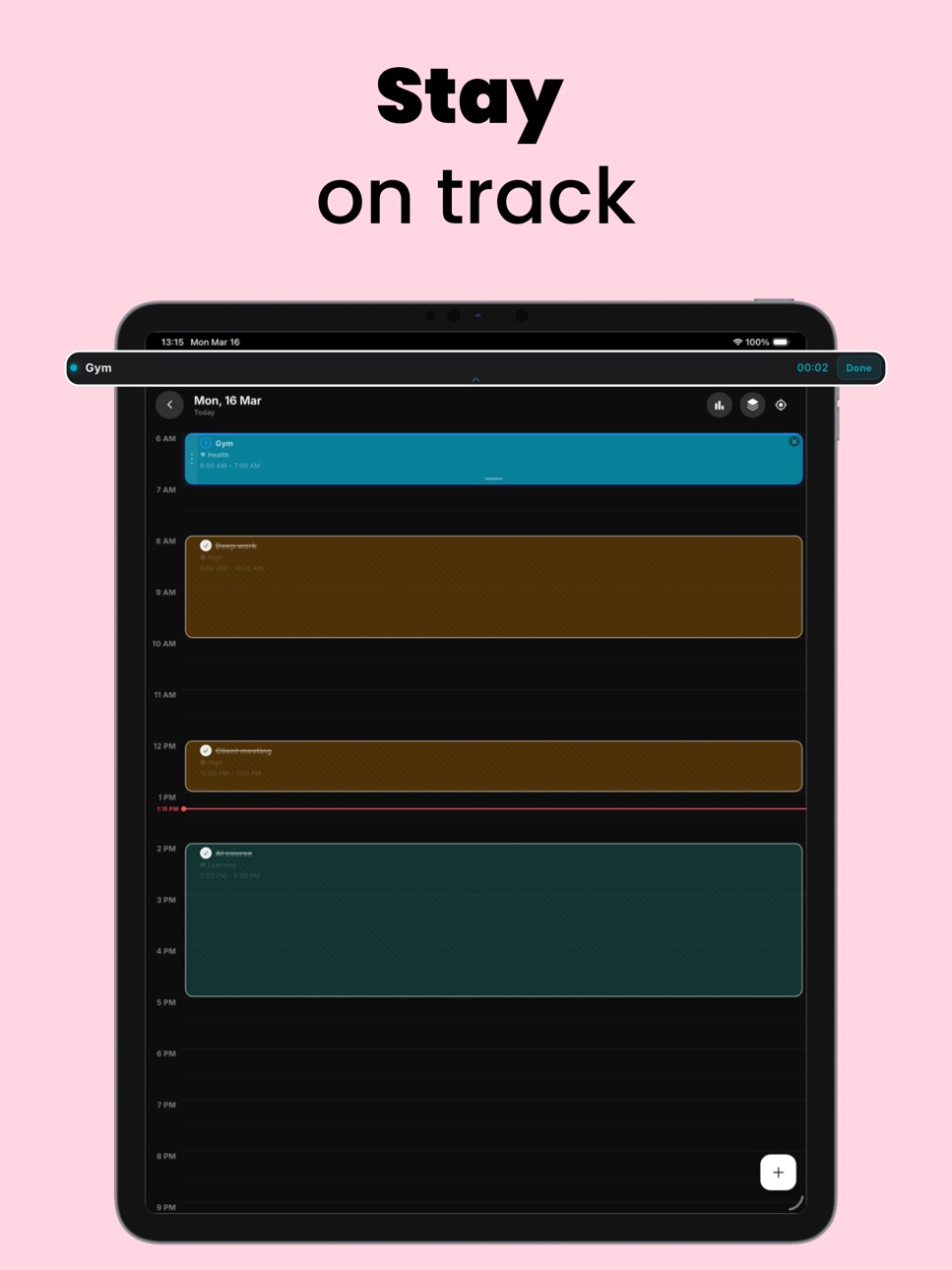
When a block is in progress, a live banner stays pinned to your screen. You always know what you should be doing right now - not buried in a list, front and center. Tap Done when you finish. Simple.
** Streaks That Mean Something **
Complete every block in a day and you earn a streak. Not just showing up - actually finishing what you planned. Miss a block, break the streak. It's a small pressure that builds serious consistency.
** Last 30 Seconds Warning **
Your active block timer turns red with 30 seconds left - a quiet, visual nudge to wrap up and move on. No noise. No pop-ups. Just enough friction to keep you on schedule.
** Calendar Sync & Reminders **
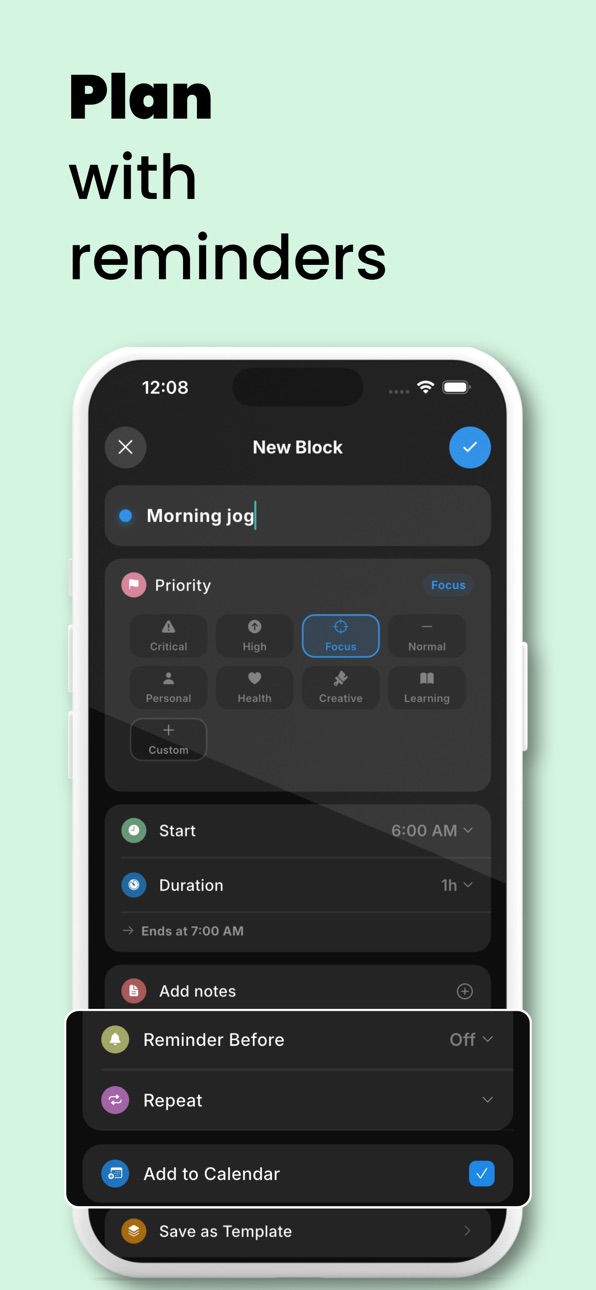
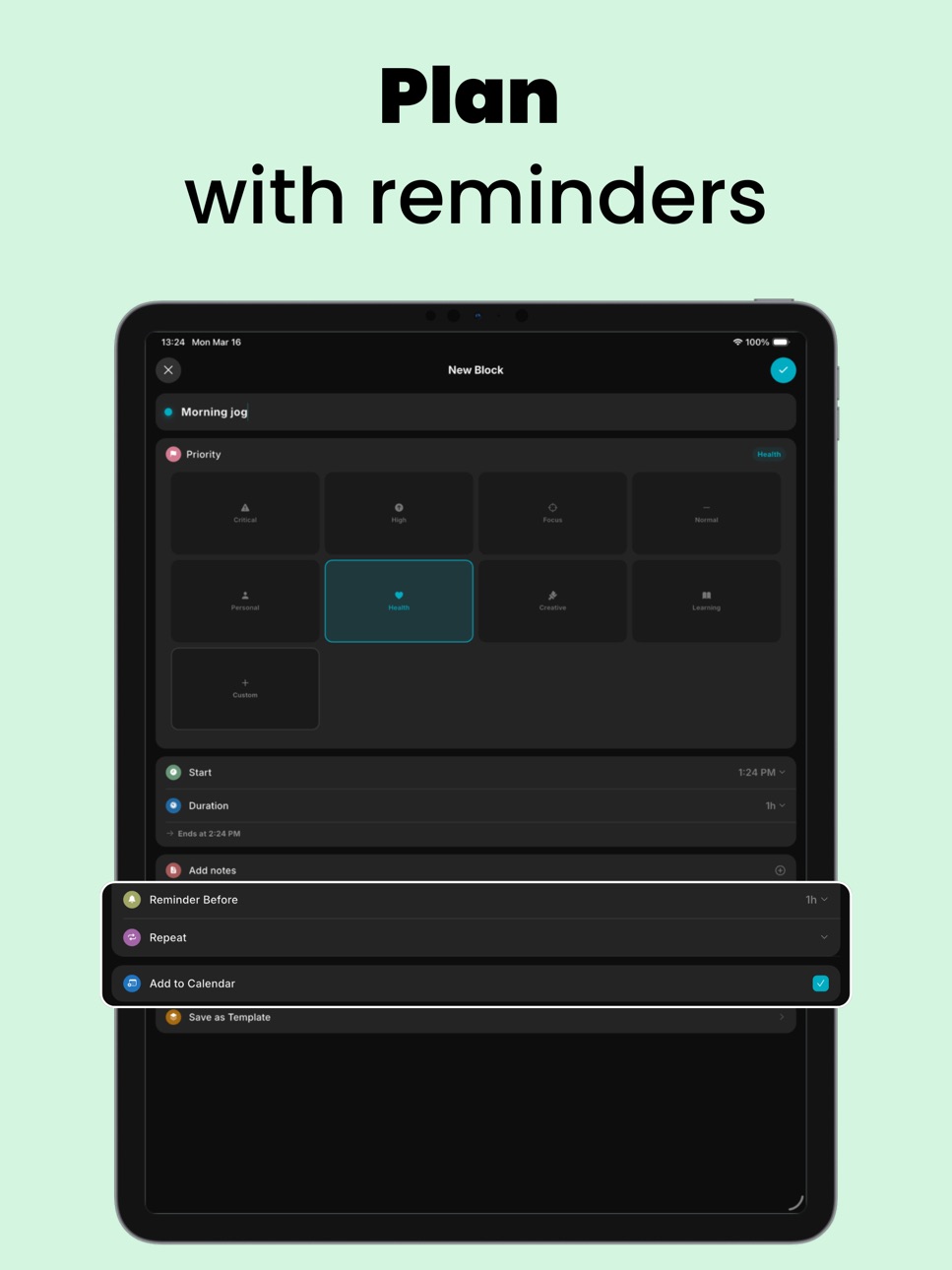
You can choose to sync your each task with Calendar app. Stay on track using reminders.
DayBloc works completely offline. No sign-up, no sync, no data leaving your device. Your schedule is yours - private, fast, and always available.
Built for people who take their time seriously:
· Knowledge workers doing deep, focused sessions
· Students structuring study blocks and revision
· Anyone tired of to-do lists that never get done
Let's organize your day! Get started with DayBloc.
Privacy Policy
: https://daybloc.app/privacy_policy.txt
End User License Agreement (EULA)
: https://www.apple.com/legal/internet-services/itunes/dev/stdeula/
Capabilities
In-App Purchases
Accessibility
ipadiphonemacrealityDevicetvoswatch
Version history 16 versions
Build 887370867v3.1.82026-07-07 00:34:36
Bug fixes
Build 887074395v3.1.72026-06-17 14:18:12
**DayBloc got a lot better now**
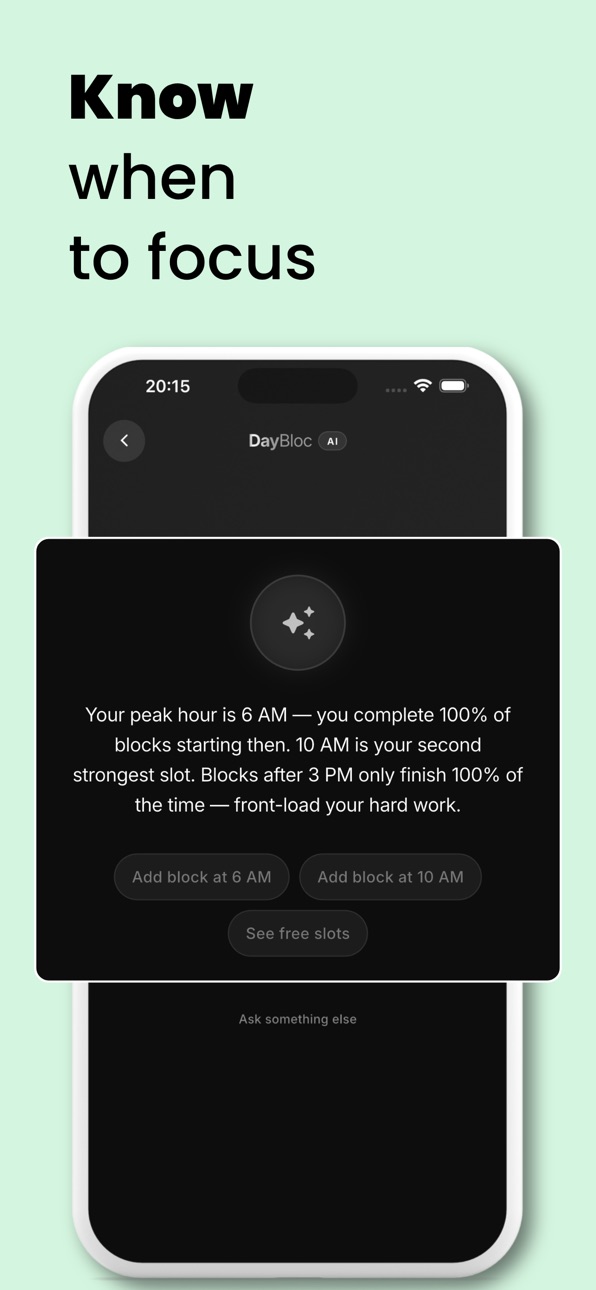
DayBloc AI now helps you act on your day - Plan faster. Focus better.
Build 885267785v3.1.62026-05-05 13:23:47
Critical bug fix
Build 885180696v3.1.52026-05-04 12:33:57
* New weekly overview to see your whole schedule at a glance.
* One‑tap switch between Day and Week views.
* Import events from your device calendar into the timeline.
* Small design tweaks and fixes to keep DayBloc running smoothly.
Build 885152934v3.1.42026-05-01 14:52:23
* New weekly overview to see your whole schedule at a glance.
* One‑tap switch between Day and Week views.
* Import events from your device calendar into the timeline.
* Small design tweaks and fixes to keep DayBloc running smoothly.
Build 884941524v3.1.22026-04-26 17:16:55
* New weekly overview to see your whole schedule at a glance.
* One‑tap switch between Day and Week views.
* Import events from your device calendar into the timeline.
* Small design tweaks and fixes to keep DayBloc running smoothly.
Build 884577193v3.1.02026-04-25 16:52:10
* New weekly overview to see your whole schedule at a glance.
* One‑tap switch between Day and Week views.
* Import events from your device calendar into the timeline.
* Small design tweaks and fixes to keep DayBloc running smoothly.
Build 884527680v3.0.62026-04-15 05:36:14
* Asistente IA (PRO) — encuentra tus huecos libres, detecta tus horas pico de concentración, planifica mañana y rastrea tu Puntuación de Enfoque. Cuanto más usas DayBloc, más inteligente se vuelve.
* Bug fixes
Build 884286295v3.0.52026-04-14 20:31:44
On-device AI Assistant (PRO) - finds your free slots, spots peak focus hours, plans tomorrow, and tracks your Focus Score. The more you use DayBloc, the smarter it gets.
Build 884220266v3.0.12026-04-07 15:13:56
* Export your plans into a JSON file
* Restore data from a JSON
* UI improvements
Build 884198605v3.0.02026-04-06 17:52:16
* Export your plans into a JSON file
* Restore data from a JSON
* UI improvements
Build 883996392v2.5.02026-04-01 05:38:17
* Pause on live banner
* Quick-add button on Calendar screen
* Dutch & Vietnamese languages support added
Build 883880161v2.0.02026-03-29 02:43:08
* New Icon
* Template count badge
* Language localization- en, es de, it, pt, fr, zh & ja
Build 883655311v1.0.22026-03-23 23:11:21
* You can choose when your week starts -> Monday/Sunday
* Days can be changed by swiping across the screen on Day view screen or by tapping the buttons on the top
* UX changes and improvements
Build 883636914v1.0.12026-03-22 19:15:01
* You can choose when your week starts -> Monday/Sunday
* Days can be changed by swiping across the screen on Day view screen or by tapping the buttons on the top
* UX changes and improvements
Build 883124373v1.0.02026-03-18 13:16:58
No pricing data captured yet — comparisons appear once the app has paid storefronts or in-app purchases.
Availability 1 of 1 storefronts
| Region | Language | Price | Ratings | Avg | Version |
|---|---|---|---|---|---|
| US | en-US | Free | 7 | 5.0 | 3.1.8 |
Change log 20 changes · US
✎
releaseNotes updated
Bug fixes
✎
description updated
Most apps tell you what to do. DayBloc makes sure you actually do it. No account required, works 100% offline.
Planning your day is easy. Executing it isn't.
✎
subtitle updated
Daily Planner, Agenda, Goal
✎
name updated
Time Blocking : DayBloc
◆
Version 3.1.8 released
Bug fixes
◆
Version 3.1.7 released
**DayBloc got a lot better now**
DayBloc AI now helps you act on your day - Plan faster. Focus better.
◆
Version 3.1.6 released
Critical bug fix
◆
Version 3.1.5 released
* New weekly overview to see your whole schedule at a glance.
* One‑tap switch between Day and Week views.
* Import events from your device calendar into the timeline.
* Small design tweaks and fixes to keep DayBloc running smoothly.
◆
Version 3.1.4 released
* New weekly overview to see your whole schedule at a glance.
* One‑tap switch between Day and Week views.
* Import events from your device calendar into the timeline.
* Small design tweaks and fixes to keep DayBloc running smoothly.
◆
Version 3.1.2 released
* New weekly overview to see your whole schedule at a glance.
* One‑tap switch between Day and Week views.
* Import events from your device calendar into the timeline.
* Small design tweaks and fixes to keep DayBloc running smoothly.
◆
Version 3.1.0 released
* New weekly overview to see your whole schedule at a glance.
* One‑tap switch between Day and Week views.
* Import events from your device calendar into the timeline.
* Small design tweaks and fixes to keep DayBloc running smoothly.
◆
Version 3.0.6 released
* Asistente IA (PRO) — encuentra tus huecos libres, detecta tus horas pico de concentración, planifica mañana y rastrea tu Puntuación de Enfoque. Cuanto más usas DayBloc, más inteligente se vuelve.
* Bug fixes
◆
Version 3.0.5 released
On-device AI Assistant (PRO) - finds your free slots, spots peak focus hours, plans tomorrow, and tracks your Focus Score. The more you use DayBloc, the smarter it gets.
◆
Version 3.0.1 released
* Export your plans into a JSON file
* Restore data from a JSON
* UI improvements
◆
Version 3.0.0 released
* Export your plans into a JSON file
* Restore data from a JSON
* UI improvements
◆
Version 2.5.0 released
* Pause on live banner
* Quick-add button on Calendar screen
* Dutch & Vietnamese languages support added
◆
Version 2.0.0 released
* New Icon
* Template count badge
* Language localization- en, es de, it, pt, fr, zh & ja
◆
Version 1.0.2 released
* You can choose when your week starts -> Monday/Sunday
* Days can be changed by swiping across the screen on Day view screen or by tapping the buttons on the top
* UX changes and improvements
◆
Version 1.0.1 released
* You can choose when your week starts -> Monday/Sunday
* Days can be changed by swiping across the screen on Day view screen or by tapping the buttons on the top
* UX changes and improvements
◆
Version 1.0.0 released