Home › Travel

 US
US
 CANot Available
 DENot Available
 ESNot Available
 FRNot Available
 GBNot Available
 IENot Available
 ITNot Available
 NLNot Available
3 of 11 storefronts
Content in en-US
Content in en-US
Information
Apple ID6759898309
Bundle IDcom.jonathanng.delayta
SellerSeller
Min iOS18.0
Min macOS15.0
Device familiesiphone, ipad
Released2026-03-04
Copyright© Jonathan Ng
Privacy policyLink ↗
Preview 2 platforms
iPhone 6 images


iPad 6 images




What’s New Version 1.5.1
Calmer, clearer service alerts.
• Line-wide notices no longer tag every single train in the
schedule and route lists — system-wide alerts now live in
the Alerts tab where they belong, so a train-specific alert
actually stands out.
• Clearer heads-up about live data: positions and delays come
from 511 and update on each train's own schedule, so they're
best-effort. We surface that note up front now instead of
burying it.
• On Giants game days, the map's alert pill keeps showing the
game even when a routine 511 notice is also active.
Description
The fastest way to ride Caltrain. Real-time train tracking, instant route planning, and a live system map — built for Bay Area commuters who refuse to miss their train.
**PLAN YOUR RIDE IN SECONDS**
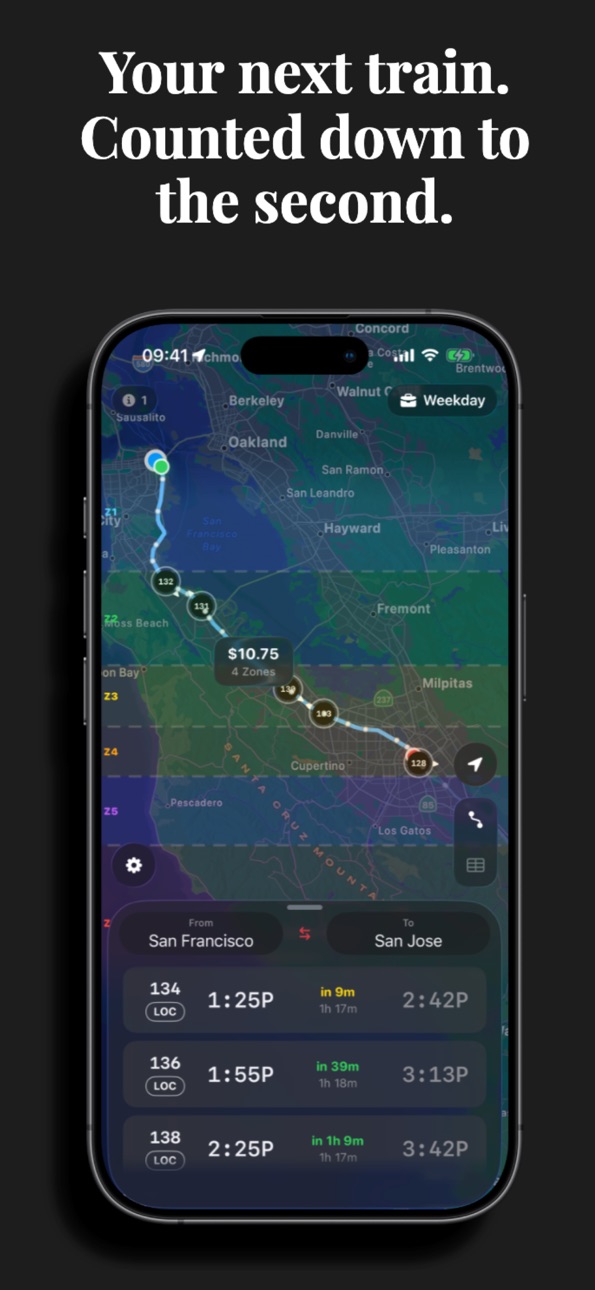
Pick your origin and destination. See every upcoming train with live countdowns, travel time, and fare — color-coded so you know exactly how much time you have. Green means go. Yellow means hustle. Red means run.
**LIVE TRAIN TRACKING**
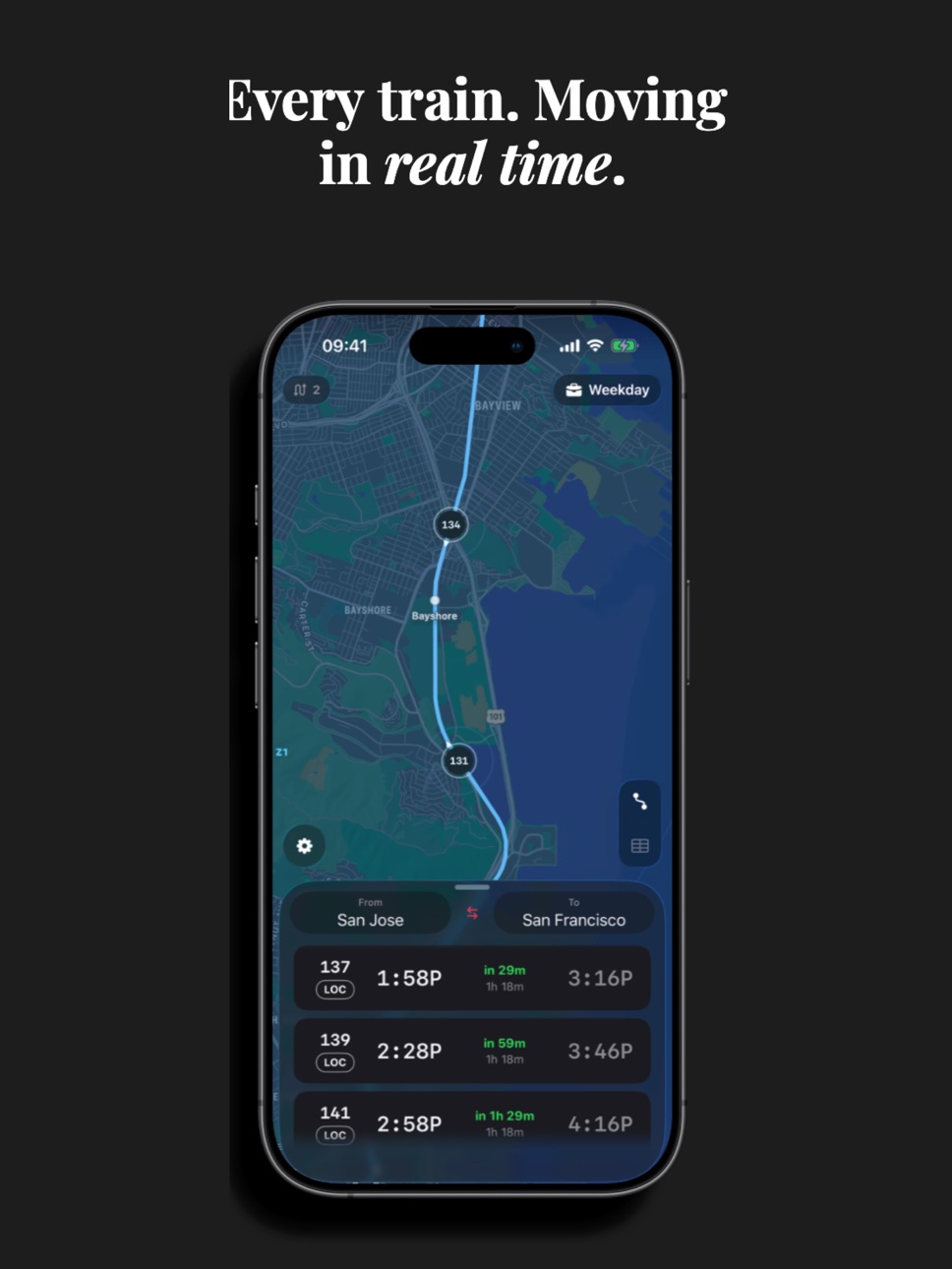
Watch every active train move along the corridor in real time. Tap any train on the map to see where it is, where it's headed, how late it is, and when it'll reach the next stop. Positions update every 30 seconds using official GTFS real-time data from 511.org.
**SMART COMMUTE MODE**
Save your daily route with a long-press. Caltrain remembers your origin and destination, and automatically flips direction based on the time of day — morning commute in, evening commute home. One tap to load, zero thinking required.
**FULL SYSTEM MAP**
An interactive map of the entire Caltrain corridor from San Francisco to Gilroy. Station markers, zone boundaries, walking routes to your station, and every active train rendered as directional arrows. Tap any station to set it as your origin or destination.
**INSTANT TIMETABLE**
The complete weekday and weekend timetable in a fast, scrollable grid. Filter by Local, Limited, Express, or South County service. Search for a specific train number. Tap any train to see its full stop-by-stop timeline with live delay data.
**SERVICE ALERTS**
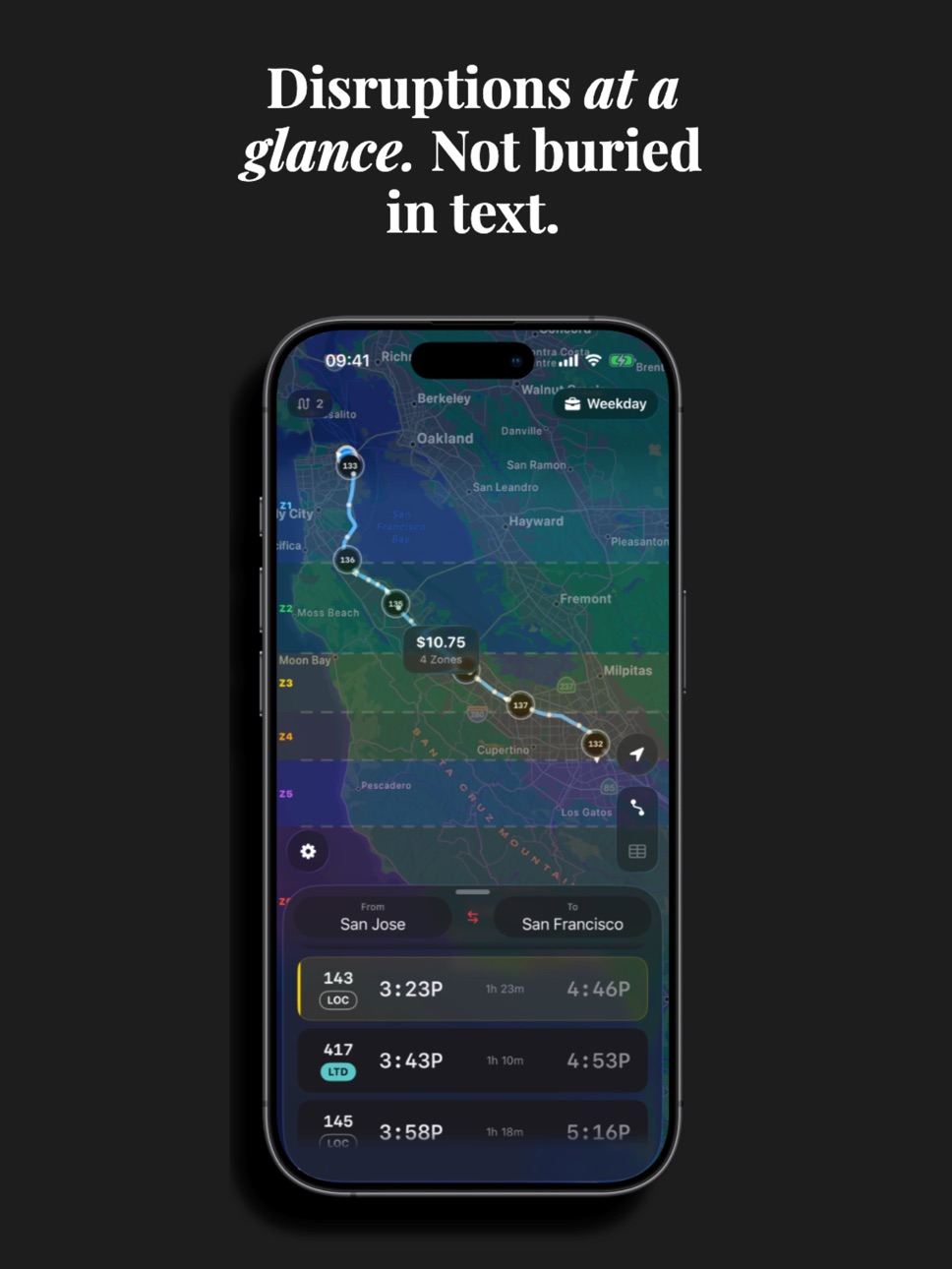
Real-time disruption alerts pulled from the official feed. Ranked by severity — from full service suspensions to minor advisories. Each alert shows which specific trains are affected, and station-specific notices appear directly in the train timeline at the relevant stop.
**SMART FEATURES**
- GPS auto-detect: Tap the locate button and your closest station becomes your origin, with walking time and route to the platform
- Express comparison: When an Express train departs soon after a Local, a smart card shows you exactly how much time you'd save by waiting
- Walking warnings: If your walk to the station takes longer than the countdown, you'll know before you leave
- Fare zones: Automatic fare calculation based on zones crossed
- 24-hour time: Toggle between 12h and 24h formats
**BUILT FOR SPEED**
Every interaction is instant. No loading screens, no server calls for schedule data, no account required. The full GTFS dataset is bundled in the app and parsed on launch in milliseconds.
**NO ADS. NO SUBSCRIPTIONS. NO CATCH.**
Caltrain is completely free. No ads, no paywalls, no data collection, no tracking. An optional tip jar exists if you'd like to keep the developer caffeinated — but the app is fully functional without it.
**ACCESSIBILITY**
Dark mode only — optimized for outdoor readability and OLED battery life. Haptic feedback on key interactions. VoiceOver labels on all interactive elements. Bike car and wheelchair accessibility information on every train.
**KNOW BEFORE THE CROWD**
Giants home games turn the San Francisco terminus into a wall of people — before first pitch and again at the final out. Delayta flags game days right
on the map with the matchup and first pitch, surfaces a heads-up in your alerts, and can remind you the morning of — so you can time your ride around the rush at 4th & King. Service alerts always take priority.
Capabilities
In-App Purchases
Accessibility
ipadiphonemacrealityDevicetvoswatch
Version history 7 versions
Build 886958569v1.5.12026-06-25 17:58:46
Calmer, clearer service alerts.
• Line-wide notices no longer tag every single train in the
schedule and route lists — system-wide alerts now live in
the Alerts tab where they belong, so a train-specific alert
actually stands out.
• Clearer heads-up about live data: positions and delays come
from 511 and update on each train's own schedule, so they're
best-effort. We surface that note up front now instead of
burying it.
• On Giants game days, the map's alert pill keeps showing the
game even when a routine 511 notice is also active.
Build 886934612v1.52026-06-14 16:58:36
Now riding on more iPhones.
Delayta now runs on iOS 18 and later, so more riders can come aboard — and the interface adapts cleanly whether you're on the latest iPhone or one that's been with you a few years. We also added an easy way to show the app a little love.
• Now available on iOS 18 and later
• A refined look that adapts to your iPhone, new or not
• Rate Delayta right from Settings — a quick tap helps other riders find us
As always: faster, calmer commutes.
Build 886811929v1.4.02026-06-11 19:26:51
Game day just got easier.
Delayta now warns you when a Giants home game is about to swamp the SF terminus. On game days you'll see who's playing and first pitch right on the map, plus a heads-up in Alerts so you can plan around the crowds — before and after the final out.
• Game-day chip on the map: matchup and first pitch at a glance
• A morning notification on days with a home game
• Service alerts always take priority over game notices
• A clearer look at where your real-time data comes from, with a note on expected latency
As always: faster, calmer commutes.
Build 883623045v1.3.02026-03-22 23:26:43
v1.3.0
Smarter Service Alerts
- Alerts that affect specific stations (track changes, platform switches, single tracking) now appear directly in the train detail timeline at the
relevant stop — no more hunting through a separate alerts list
- Improved alert matching so station-specific notices correctly identify all affected trains
- Bike capacity alerts colorize the bike icon yellow in the train detail header
Faster, More Reliable Data
- Real-time data now loads through a caching layer, eliminating 511 API rate limit errors during peak usage
- Fixed an issue where some alerts with station-specific information weren't being matched to any trains
Settings
- New visual data pipeline view showing live connection status
- Improved Developer Console for debugging real-time feed data
Build 883206424v1.1.42026-03-11 02:38:58
v1.1.4 — What's New
Bug Fixes
- Fixed DST bug that caused train positions to jump by an hour on spring-forward day
- Fixed alerts leaking to wrong trains (accommodation trains no longer inherit cancelled train alerts)
- Fixed bike capacity false-matching unrelated trains
- Fixed countdown text getting clipped/truncated
- Fixed "No Trains Found" flashing briefly before search completes
- Fixed weekend commute restore ignoring manual trigger
- Fixed map home button ignoring your Home Button mode setting when commute is configured
- Fixed double haptic buzz on home button tap
New Features
- Route countdowns now reflect real-time delays (previously schedule-only)
- Home Button mode setting: 4 options — Here→Home, Home→Here, Start from Home, End at Home
- Alert warning icons on affected trains in the timetable
- Bike capacity callout when a train is full
- Delay-adjusted times shown in train timeline with strikethrough originals
Build 882930415v1.02026-03-05 02:40:16
Build 883048242v1.1.22026-03-05 17:43:17
v1.1.0 — What's New
Lots of minor quality of life bug fixes! Smooth train animation — Trains now glide smoothly along the track instead of jumping every 30 seconds.
Better alerts — Delay alerts now correctly target specific trains instead of flagging the entire system.
No pricing data captured yet — comparisons appear once the app has paid storefronts or in-app purchases.
Availability 3 of 11 storefronts
| Region | Language | Price | Ratings | Avg | Version |
|---|---|---|---|---|---|
| US | en-US | Free | 4 | 5.0 | 1.5.1 |
 AU AU | en-AU | Free | 0 | — | 1.5.1 |
 NZ NZ | en-AU | Free | 0 | — | 1.5.1 |
Not available in: CA, DE, ES, FR, GB, IE, IT, NL
Change log 11 changes · US
✎
releaseNotes updated
Calmer, clearer service alerts.
• Line-wide notices no longer tag every single train in the
schedule and route lists — system-wide alerts now live in
the A
✎
description updated
The fastest way to ride Caltrain. Real-time train tracking, instant route planning, and a live system map — built for Bay Area commuters who refuse to miss thei
✎
subtitle updated
Live Train Times, Map & Alerts
✎
name updated
Caltrain Schedule & Tracker
◆
Version 1.5.1 released
Calmer, clearer service alerts.
• Line-wide notices no longer tag every single train in the
schedule and route lists — system-wide alerts now live in
the Alerts tab where they belong, so a train-specific alert
actually stands out.
•
◆
Version 1.5 released
Now riding on more iPhones.
Delayta now runs on iOS 18 and later, so more riders can come aboard — and the interface adapts cleanly whether you're on the latest iPhone or one that's been with you a few years. We also added an easy way to s
◆
Version 1.4.0 released
Game day just got easier.
Delayta now warns you when a Giants home game is about to swamp the SF terminus. On game days you'll see who's playing and first pitch right on the map, plus a heads-up in Alerts so you can plan around the crowds
◆
Version 1.3.0 released
v1.3.0
Smarter Service Alerts
- Alerts that affect specific stations (track changes, platform switches, single tracking) now appear directly in the train detail timeline at the
relevant stop — no more hunting through a separate aler
◆
Version 1.1.4 released
v1.1.4 — What's New
Bug Fixes
- Fixed DST bug that caused train positions to jump by an hour on spring-forward day
- Fixed alerts leaking to wrong trains (accommodation trains no longer inherit cancelled train alerts)
- Fixed bike capacit
◆
Version 1.1.2 released
v1.1.0 — What's New
◆
Version 1.0 released