Home › Graphics & Design

 US
US
1 of 1 storefronts
Content in en-US
Content in en-US
Information
Apple ID6759830764
Bundle IDcom.anyir.app
SellerSeller
Min iOS16.0
Min macOS13.0
Device familiesiphone, ipad
Released2026-04-22
Copyright© 2026 Bin Wang
Privacy policyLink ↗
Preview 2 platforms
iPhone 5 images



iPad 5 images


What’s New Version 0.2.14
• Localized home titles now show the correct regional app name instead of always forcing the English wordmark.
• Japanese wording is clearer across the app name, Photos permission copy, sharing footer, PDF title, and Perler color labels.
• Cleaned up build and test configuration for a quieter, more reliable release.
Description
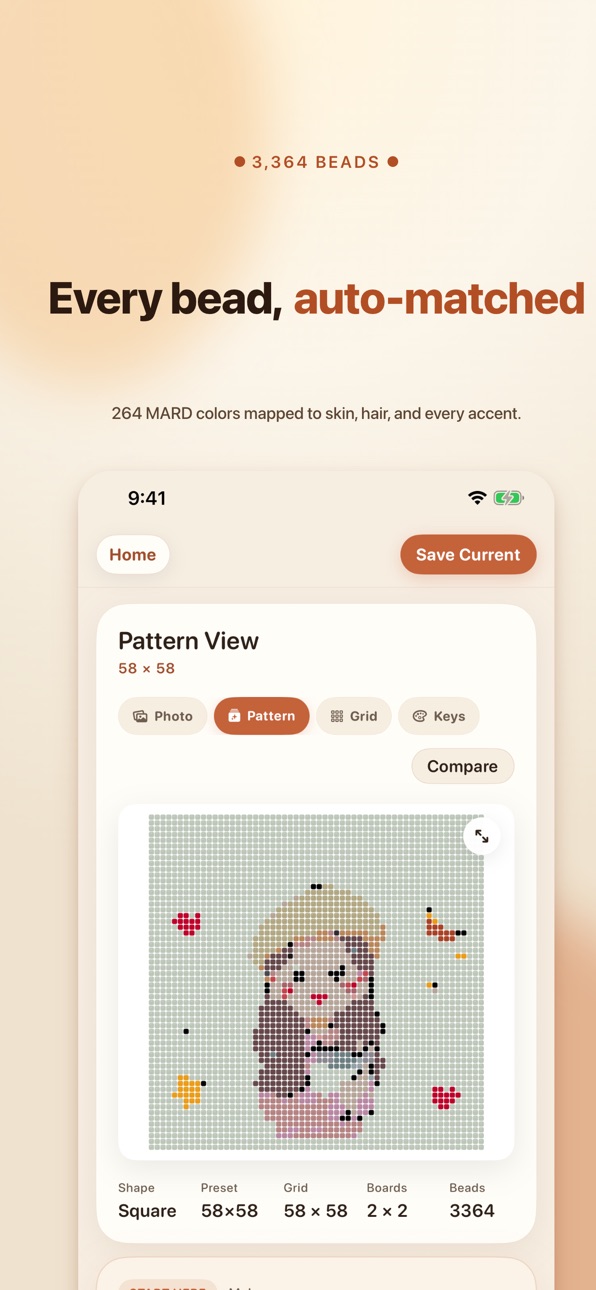
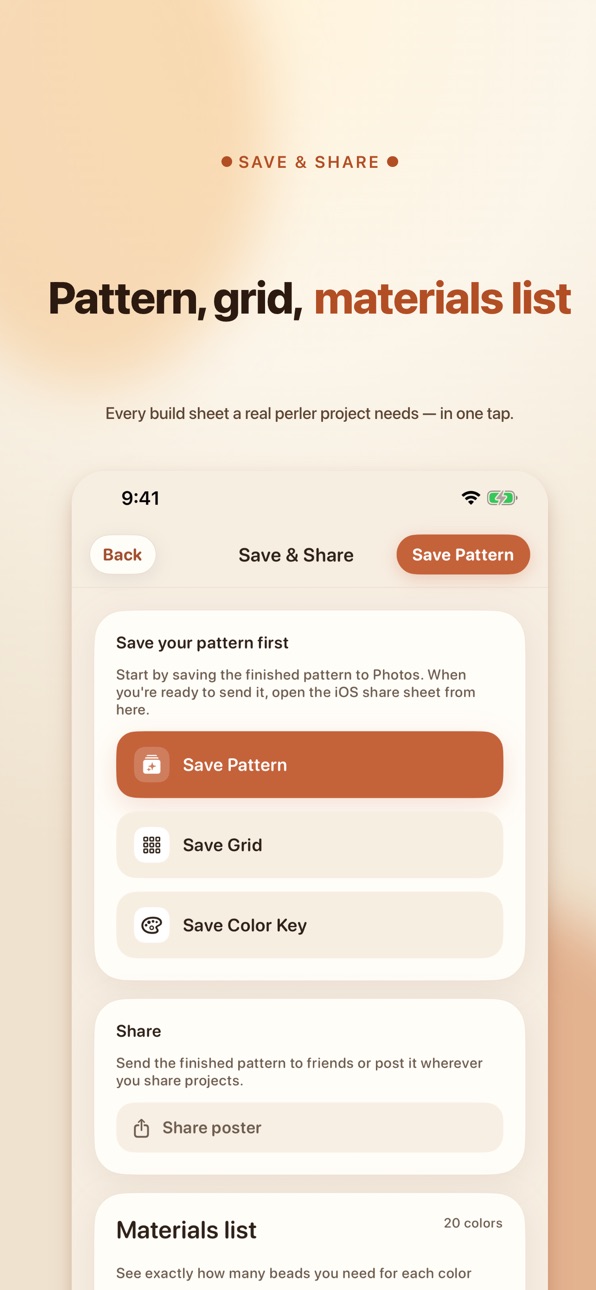
BeanCraft helps you turn photos into build-ready fuse bead patterns on iPhone and iPad. Import a photo, crop it, reduce the palette, review board-by-board layouts, and export the pattern, grid, and color key when you are ready to build. Save projects locally, reopen them later, and keep refining your pattern before you print or share them. Core pattern generation is designed to happen on device. Your photo contents stay local unless you explicitly export or share them.
Terms of Use: https://birony.app/beadcraft/terms.html
In-App Purchases US pricing
BeanCraft Pro Subscription
Weekly · 7 days$0.99
Monthly · Monthly$2.99
Yearly · Yearly$14.99
One-Time Purchases
Pro Lifetime$19.99
Capabilities
In-App Purchases
Accessibility
ipadiphonemacrealityDevicetvoswatch
Version history 13 versions
Build 887398762v0.2.142026-06-26 21:27:31
• Localized home titles now show the correct regional app name instead of always forcing the English wordmark.
• Japanese wording is clearer across the app name, Photos permission copy, sharing footer, PDF title, and Perler color labels.
• Cleaned up build and test configuration for a quieter, more reliable release.
Build 886837537v0.2.132026-06-11 19:18:35
• Better pattern quality: smoother gradients, and small details like eyes keep their colors.
• PDF sheets now include build-by-color step pages — follow along one color at a time.
• Faster launch and smoother drawing.
Thanks for crafting with BeanCraft!
Build 886675663v0.2.122026-06-08 20:17:16
• Fixed several issues for a smoother, more reliable experience.
• Polished wording and interface details throughout.
Thanks for crafting with BeanCraft!
Build 886608545v0.2.112026-06-06 20:25:35
• New Activity tab: catch announcements and events right inside the app.
• Report a bug you run into and you could earn a month of Pro.
• Polish and small fixes throughout.
Thanks for crafting with BeanCraft!
Build 886543342v0.2.102026-06-05 14:06:59
• Behind-the-scenes polish for a smoother, steadier experience.
• Fixed a handful of small bugs.
• Thanks for crafting with BeanCraft!
Build 886236022v0.2.92026-05-28 18:48:01
• A new Bead Box — log the beads you already have, and the shopping list will only flag what is missing.
• A cleaner Settings screen with fewer overlapping labels.
• Reduce Motion and Dynamic Type carry through the whole app.
Build 886127575v0.2.82026-05-26 18:04:31
Faster pattern generation — large boards now render in seconds.
Smoother free-draw — strokes land instantly, gestures feel fluid.
Polished interface throughout.
Build 885891969v0.2.72026-05-20 16:51:18
Final polish round:
• Image generation a touch faster on dense photos.
• Device clock can no longer be rolled back to bypass the free quota.
• History and free-draw saves now live at a stable path so a future renamespacing won't orphan your patterns — existing saves migrate automatically.
• The result workspace state moved to a single observable view model — invisible to you, but it cleans up a longstanding architectural debt and unlocks future tests.
• Lab color cache and HSV color-family classifier covered by new unit tests.
Build 885740217v0.2.42026-05-19 05:56:45
More ways to go Pro: dip your toes for $0.99 a week, settle in with monthly or yearly, or pay $19.99 once and bead forever. Same unlimited boards, shapes, full palette, and free draw across every plan — pick whatever fits your craft pace.
Build 885534038v0.2.32026-05-12 16:02:40
The crop screen is reborn. Your photo stays put — you move the frame to choose what to keep. Heart, circle, hexagon, star and the other shapes are all draggable and pinchable now, so finding your composition feels effortless.
Pro unlocks more room to play:
• 26–52 bead boards for richer detail
• 1×2, 2×1, 2×2 multi-board layouts for room-scale projects
• The full 72+ color palette for true skin tones and smooth gradients
New: a weekly Pro option for casual hands. Pay-once Lifetime is still here for those who want it done forever.
Plus a handful of polish: redeem codes now work on more networks, and after each generation we'll quietly suggest where to go next.
Build 884909558v0.2.22026-04-27 09:32:23
Rewrote onboarding to lead with what BeanCraft does best: on-device pattern generation, shaped boards (heart / hexagon / free draw), and board-by-board build tracking. Crop and zoom gestures are rebuilt on UIScrollView, so pinch, pan, double-tap, and edge rubber-band now match iOS Photos. Settings has a new "I have a redeem code" entry for community activation codes. Plus: cleaner Pro card, tighter dialogs, and privacy-first activation flow.
Build 882894090v0.2.02026-04-22 14:00:04
Build 884817019v0.2.12026-04-22 23:32:13
Visual polish for iPad, and new Japanese / Korean / Traditional Chinese App Store pages.
Price history by region
Currency
Show
Columns
Search
Availability 1 of 1 storefronts
| Region | Language | Price | Ratings | Avg | Version |
|---|---|---|---|---|---|
| US | en-US | Free | 1 | 5.0 | 0.2.14 |
Change log 17 changes · US
✎
releaseNotes updated
• Localized home titles now show the correct regional app name instead of always forcing the English wordmark.
• Japanese wording is clearer across the app name
✎
description updated
BeanCraft helps you turn photos into build-ready fuse bead patterns on iPhone and iPad. Import a photo, crop it, reduce the palette, review board-by-board layou
✎
subtitle updated
Photo to Bead Patterns
✎
name updated
BeanCraft
◆
Version 0.2.14 released
• Localized home titles now show the correct regional app name instead of always forcing the English wordmark.
• Japanese wording is clearer across the app name, Photos permission copy, sharing footer, PDF title, and Perler color labels.
•
◆
Version 0.2.13 released
• Better pattern quality: smoother gradients, and small details like eyes keep their colors.
• PDF sheets now include build-by-color step pages — follow along one color at a time.
• Faster launch and smoother drawing.
Thanks for crafting wi
◆
Version 0.2.12 released
• Fixed several issues for a smoother, more reliable experience.
• Polished wording and interface details throughout.
Thanks for crafting with BeanCraft!
◆
Version 0.2.11 released
• New Activity tab: catch announcements and events right inside the app.
• Report a bug you run into and you could earn a month of Pro.
• Polish and small fixes throughout.
Thanks for crafting with BeanCraft!
◆
Version 0.2.10 released
• Behind-the-scenes polish for a smoother, steadier experience.
• Fixed a handful of small bugs.
• Thanks for crafting with BeanCraft!
◆
Version 0.2.9 released
• A new Bead Box — log the beads you already have, and the shopping list will only flag what is missing.
• A cleaner Settings screen with fewer overlapping labels.
• Reduce Motion and Dynamic Type carry through the whole app.
◆
Version 0.2.8 released
Faster pattern generation — large boards now render in seconds.
Smoother free-draw — strokes land instantly, gestures feel fluid.
Polished interface throughout.
◆
Version 0.2.7 released
Final polish round:
• Image generation a touch faster on dense photos.
• Device clock can no longer be rolled back to bypass the free quota.
• History and free-draw saves now live at a stable path so a future renamespacing won't orphan your
◆
Version 0.2.4 released
More ways to go Pro: dip your toes for $0.99 a week, settle in with monthly or yearly, or pay $19.99 once and bead forever. Same unlimited boards, shapes, full palette, and free draw across every plan — pick whatever fits your craft pace.
◆
Version 0.2.3 released
The crop screen is reborn. Your photo stays put — you move the frame to choose what to keep. Heart, circle, hexagon, star and the other shapes are all draggable and pinchable now, so finding your composition feels effortless.
Pro unlocks m
◆
Version 0.2.2 released
Rewrote onboarding to lead with what BeanCraft does best: on-device pattern generation, shaped boards (heart / hexagon / free draw), and board-by-board build tracking. Crop and zoom gestures are rebuilt on UIScrollView, so pinch, pan, doubl
◆
Version 0.2.1 released
Visual polish for iPad, and new Japanese / Korean / Traditional Chinese App Store pages.
◆
Version 0.2.0 released