Home › Productivity

 US
US
1 of 1 storefronts
Content in en-US
Content in en-US
Information
Preview 2 platforms
iPhone 10 images


iPad 8 images




What’s New Version 1.5.1
v1.5.1 — Chinese App Store name fix
• Fixed: App name now correctly displays as "Quoly" in the Chinese App Store.
Description
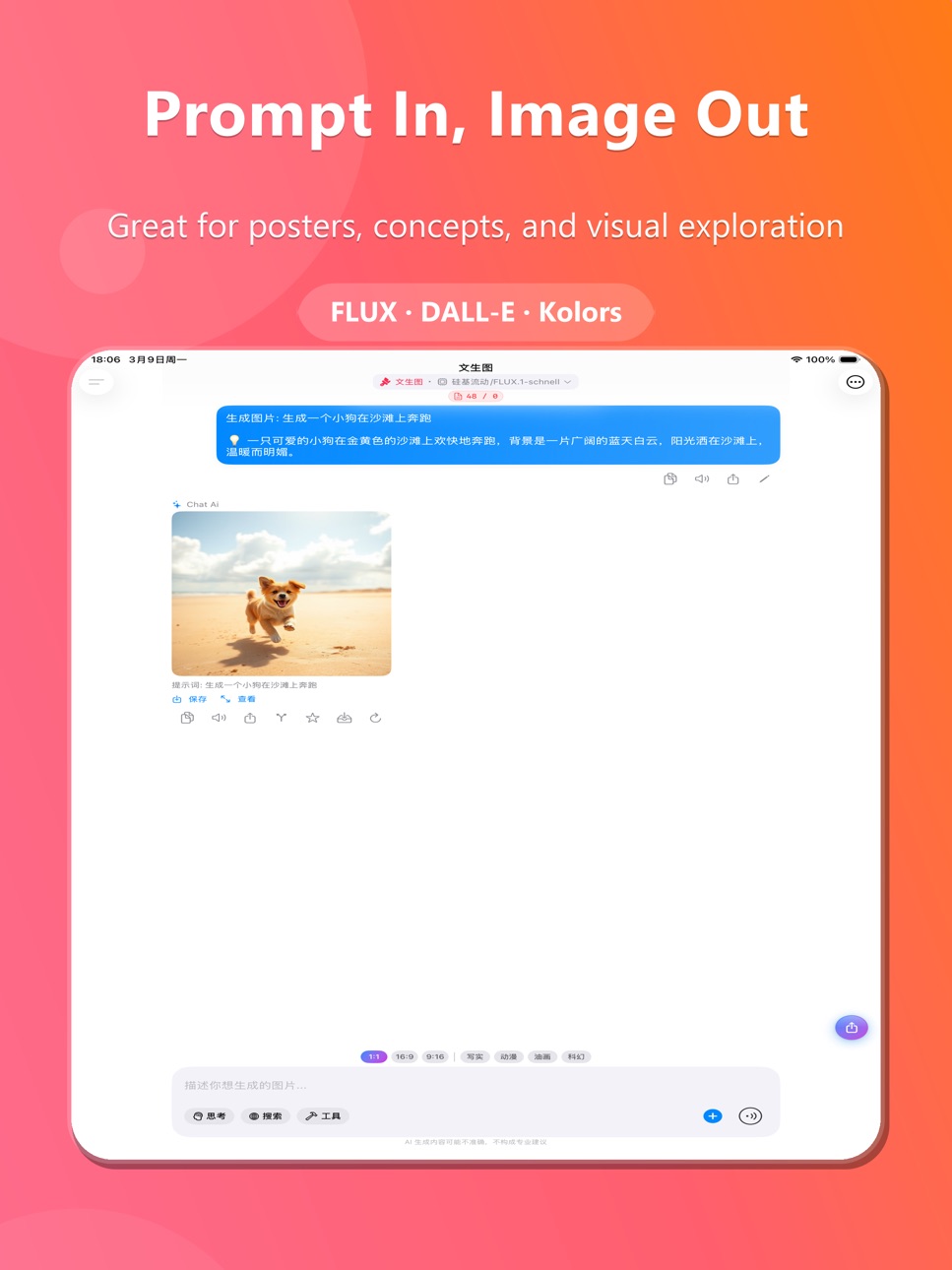
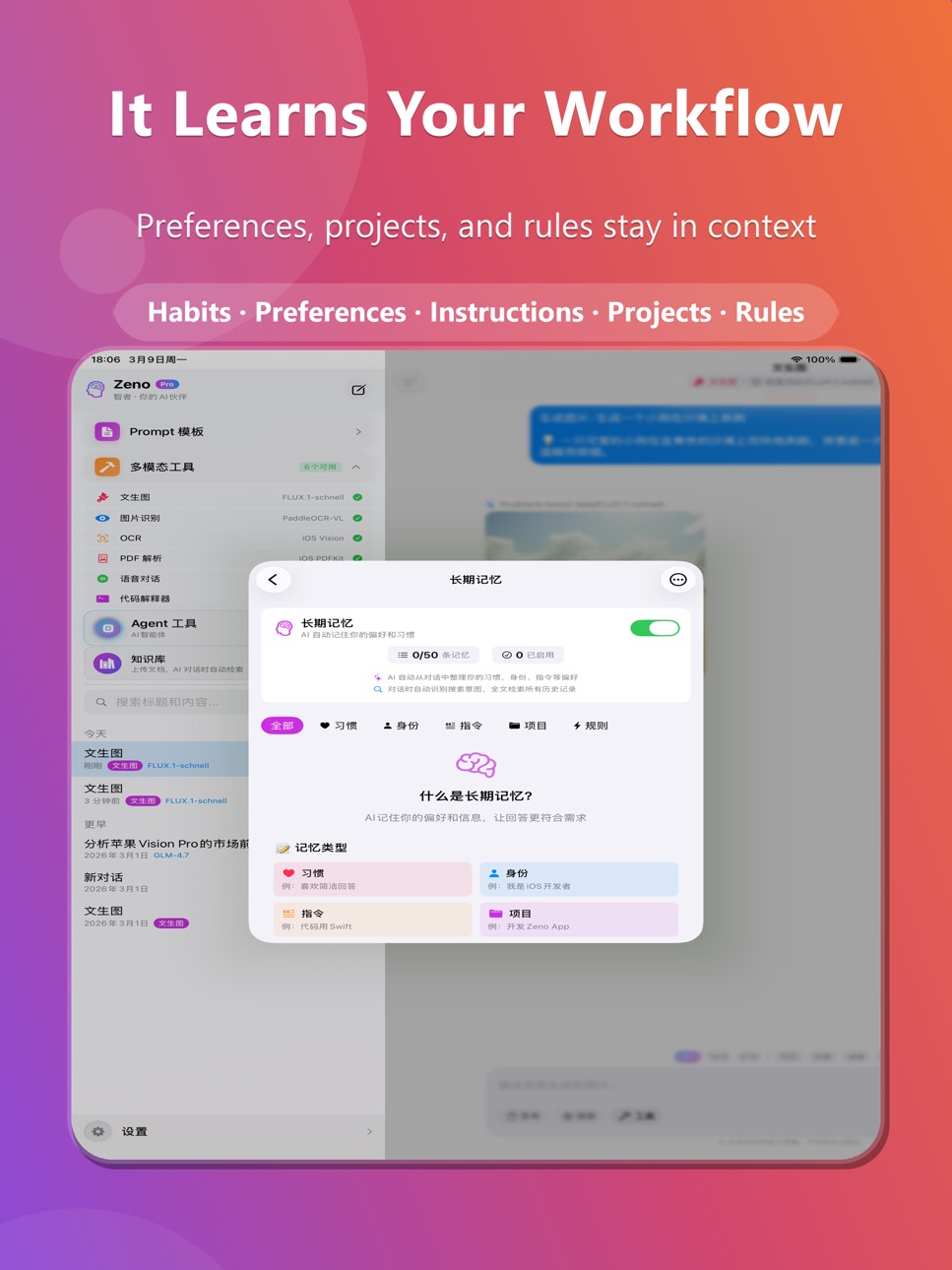
Quoly is an iPhone AI workspace for people who use AI every day. In one app, you can switch between leading models, write and translate, generate images, use voice, run deep research, manage knowledge, and access AI through built-in iOS integrations.◆ Multi-Model Smart ChatSupports GPT-5.4, Claude 4.6, Gemini 3.1, DeepSeek-R1, Qwen, and more. Switch models freely to match the task. Deep Thinking mode is available, with visible reasoning-style output when supported by the selected model.◆ Eight AI Agent Modes- Deep Research — Auto-decompose questions, multi-source retrieval, cross-validation, structured reports- Code Studio — Generate and preview HTML/CSS/JS code in real-time- Professional Writing — Draft, review, and refine writing iteratively- Smart Translation — Auto language detection with consistent terminology- Reasoning Expert — ReAct framework for step-by-step complex problem solving- Model Arena — Compare multiple models side-by-side
- Social Media Assistant — AI-powered trending content & poster creation for major platforms
- Legal Assistant — Structured legal analysis with law references and risk assessment◆ AI Art GenerationDescribe what you want and generate images instantly. Supports FLUX, DALL-E, Kolors, and more. Includes prompt optimization for faster, cleaner results.◆ Real-Time Voice ChatTalk to AI naturally, with a real conversational flow. Supports Chinese, English, and Japanese speech recognition with auto text-to-speech.◆ Image Recognition & OCRTake photos or choose from your library for AI-powered image description. Built-in OCR extracts text from documents instantly.◆ PDF & Document ParsingImport PDF files for automatic content extraction. Supports summarization, format conversion, and content Q&A for long documents.◆ Personal Knowledge BaseUpload documents, bookmark conversations, add notes — build your personal knowledge system. During conversations, Quoly can retrieve relevant content for more context-aware answers.◆ AI KeyboardUse AI in more input scenarios. Select text to translate, polish, continue writing, correct errors, or explain — with less app switching.◆ Web SearchIntegrated Tavily search engine enables real-time web retrieval during AI conversations for up-to-date information.◆ Deep iOS Integration- Siri Shortcuts — Launch AI actions quickly through Shortcuts- Share Extension — Share content from any app to Quoly- Home Screen Widgets — Quick access to recent conversations- Dynamic Island — Real-time AI generation progress◆ Privacy & SecurityChat history, knowledge data, and key settings are kept on device by default. API keys are encrypted in the iOS Keychain. When cloud models or web features are used, only the data required for that request is sent. Optional encrypted iCloud sync is supported.◆ Flexible Plans- Free — 30 cloud model calls per day- Pro — One-time purchase with BYOK support — use your own API keys with no app-imposed limits- Cloud — Subscription, 200 daily cloud calls, zero configurationDownload Quoly and bring your daily AI workflow into one focused app.
Terms of Use (EULA): https://www.apple.com/legal/internet-services/itunes/dev/stdeula/
Terms of Service: https://quoly.babiku.xyz/terms.html
Privacy Policy: https://quoly.babiku.xyz/privacy.html
In-App Purchases US pricing
Zeno Cloud Subscription
Cloud Yearly · Yearly$24.99
Cloud Monthly · Monthly$3.99
One-Time Purchases
Boost Pack$0.99
Pro Lifetime$9.99
Capabilities
In-App Purchases
Accessibility
ipadiphonemacrealityDevicetvoswatch
Version history 8 versions
Build 884939464v1.5.12026-04-26 19:59:18
v1.5.1 — Chinese App Store name fix
• Fixed: App name now correctly displays as "Quoly" in the Chinese App Store.
Build 884884648v1.5.02026-04-24 17:35:39
v1.5.0 — Brand Refresh & Quality Improvements
• Brand Update: App rebranded from Zeno to Quoly — new name, icon, and identity across the entire app.
• Widget Refresh: All widgets now refresh every 30 minutes for fresher data (weather, health, quotes).
• 3D Keyboard: Enhanced mechanical key effect with refined highlight arcs and smoother press animations.
• Transparent Widgets: Native iOS 26 Clear Mode support for truly transparent home screen widgets.
• Performance & Stability: Various bug fixes and optimizations throughout the app.
Build 884728118v1.4.02026-04-20 22:31:25
What's New in v1.4.0:
◆ Premium Home Widget
- All-new customizable home screen widget with car models, step count, heart rate, calendar greetings, and more
- Interactive car headlights: tap the car model on your widget to flash the headlights
- Multiple themes: Deep Space, Aurora, Ocean, Sunset, Sakura, Forest
- Three sizes (Small / Medium / Large) with full customization
◆ Expanded Car Collection
- Added new luxury car models for widget personalization
◆ UI & Experience Improvements
- New "What's New" screen on first launch after update
- Improved font rendering and layout adjustments
- Performance optimizations and bug fixes
Build 884642510v1.3.02026-04-17 20:17:02
What's New in v1.3.0
◆ NEW: Custom Name on Premium Widget
Display your name or any text on your Premium Widget. Freely drag to any position, fine-tune font size, opacity and color — make your widget truly yours.
◆ NEW: Xiaomi SU7 Ultra & YU7
Two brand-new Xiaomi models added to the Premium Widget car collection. SU7 and SU7 Pro have also been refreshed with higher-quality official imagery.
◆ Expanded Color Palette
Over 9 authentic car colors now supported, including Pioneer Yellow, Florence Green, Burgundy Purple, Cypress Green, Mint Blue and Interstellar Blue.
◆ Redesigned Small Widget Layout
Cleaner typography for greeting, date, schedule and weather forecast. More information at a glance.
◆ Improvements & Fixes
- Fixed car mirroring so every car faces the correct direction
- Reduced app size significantly by optimizing car assets
- Minor polish and stability improvements
Build 884421313v1.2.02026-04-12 20:19:12
What's New in v1.2.0
◆ NEW: Social Media Assistant
AI-powered social media content creation agent. Generate trending topics, copywriting, and poster designs for Xiaohongshu, Instagram, Twitter/X, and more. One-tap export to your photo library.
◆ NEW: Legal Assistant
AI legal analysis agent with multi-turn interactive consultation. Provides structured legal analysis reports with law article references, case citations, and risk assessments. Includes clear disclaimers — for reference only, not formal legal advice.
◆ Enhanced Voice Chat
Improved full-duplex voice conversation experience with better speech recognition accuracy and more natural text-to-speech output. Optimized audio session management for smoother real-time conversations.
◆ Security & Privacy Enhancements
- Strengthened credential protection
- Production logging hardened
- Updated privacy manifest
◆ Bug Fixes & Performance
- General stability improvements
- Minor UI refinements
Build 884014501v1.1.02026-04-01 19:09:12
What's New in Version 1.1.0:
◆ New Features
- AI Keyboard Extension: Use AI directly in any text field across iOS — translate, polish, continue writing, and more
- Home Screen Widgets: Quick access to recent conversations and AI features
- Share Extension: Share content from any app directly to Zeno for AI processing
- Siri Shortcuts Integration: Launch AI actions quickly through iOS Shortcuts
◆ Improvements
- Enhanced subscription management with clearer plan comparison
- Improved cloud model routing for faster response times
- Better error handling and user feedback for network issues
- Optimized memory usage for long conversation sessions
◆ Bug Fixes
- Fixed status display issues in subscription management
- Fixed premium feature access error messages
- Improved stability for voice chat sessions
- Various UI polish and performance improvements
Build 883502825v1.0.12026-03-19 18:50:55
- Smarter AI: Tools are now auto-triggered by AI intent recognition — no manual tool buttons needed
- Enhanced Share Extension: Improved sharing experience with better content handling
- AI Keyboard + Knowledge Base: Keyboard extension can now access your personal knowledge base for context-aware responses
- Refreshed App Store screenshots and promotional materials
- Bug fixes and performance improvements
Build 882889091v1.0.02026-03-17 06:46:08
Price history by region
Currency
Show
Columns
Search
Availability 1 of 1 storefronts
| Region | Language | Price | Ratings | Avg | Version |
|---|---|---|---|---|---|
| US | en-US | Free | 0 | — | 1.5.1 |
Change log 12 changes · US
✎
releaseNotes updated
v1.5.1 — Chinese App Store name fix
• Fixed: App name now correctly displays as "Quoly" in the Chinese App Store.
✎
description updated
Quoly is an iPhone AI workspace for people who use AI every day. In one app, you can switch between leading models, write and translate, generate images, use vo
✎
subtitle updated
AI Chat, Write, Create & More
✎
name updated
Quoly
◆
Version 1.5.1 released
v1.5.1 — Chinese App Store name fix
• Fixed: App name now correctly displays as "Quoly" in the Chinese App Store.
◆
Version 1.5.0 released
v1.5.0 — Brand Refresh & Quality Improvements
• Brand Update: App rebranded from Zeno to Quoly — new name, icon, and identity across the entire app.
• Widget Refresh: All widgets now refresh every 30 minutes for fresher data (weather, heal
◆
Version 1.4.0 released
What's New in v1.4.0:
◆ Premium Home Widget
- All-new customizable home screen widget with car models, step count, heart rate, calendar greetings, and more
- Interactive car headlights: tap the car model on your widget to flash the headlig
◆
Version 1.3.0 released
What's New in v1.3.0
◆ NEW: Custom Name on Premium Widget
Display your name or any text on your Premium Widget. Freely drag to any position, fine-tune font size, opacity and color — make your widget truly yours.
◆ NEW: Xiaomi SU7 Ultra &
◆
Version 1.2.0 released
What's New in v1.2.0
◆ NEW: Social Media Assistant
AI-powered social media content creation agent. Generate trending topics, copywriting, and poster designs for Xiaohongshu, Instagram, Twitter/X, and more. One-tap export to your photo libr
◆
Version 1.1.0 released
What's New in Version 1.1.0:
◆ New Features
- AI Keyboard Extension: Use AI directly in any text field across iOS — translate, polish, continue writing, and more
- Home Screen Widgets: Quick access to recent conversations and AI features
-
◆
Version 1.0.1 released
- Smarter AI: Tools are now auto-triggered by AI intent recognition — no manual tool buttons needed
- Enhanced Share Extension: Improved sharing experience with better content handling
- AI Keyboard + Knowledge Base: Keyboard extension can
◆
Version 1.0.0 released