Home › Education

 US
US
1 of 1 storefronts
Content in en-US
Content in en-US
Information
Preview 2 platforms
iPhone 10 images






iPad 4 images


What’s New Version 3.2.2
Bug Fix: Fixed a bug where kana and romaji were not being displayed properly on flashcards
Description
Master 2,000+ kanji. Learn Japanese the smart way — one day at a time.
Daily Kanji uses the FSRS spaced repetition algorithm to help you remember kanji permanently, not just for a test. Whether you're preparing for the JLPT or picking up Japanese for travel, Daily Kanji adapts to your level and schedule.
STUDY SMARTER, NOT HARDER
• Science-backed FSRS v5 algorithm schedules reviews at the perfect time for long-term retention
• Set a daily goal that fits your life — from 3 to 50 kanji per day
• Track your progress with a streak system and detailed learning stats
LEARN KANJI IN DEPTH
• 2,000+ kanji covering JLPT N5 through N1
• See readings (on'yomi & kun'yomi), meanings, and component breakdowns
• Study real example sentences to understand kanji in context
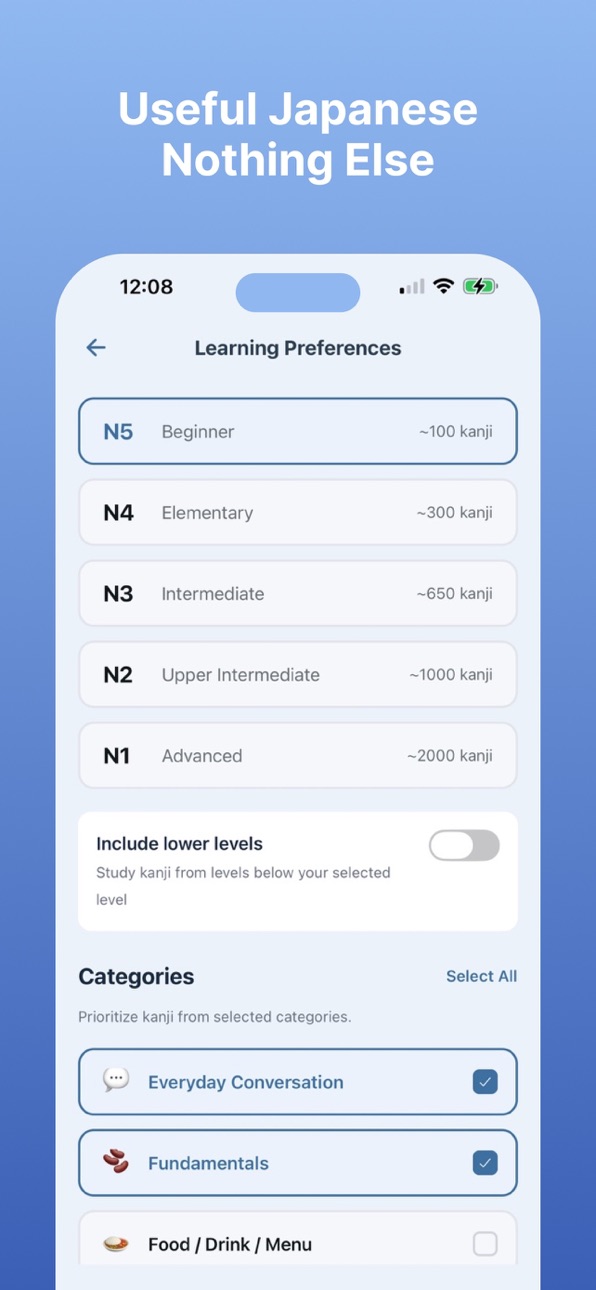
• Explore 15 topic categories: Everyday Conversation, Travel, Food & Drink, Business, Technology, and more
PRACTICE STROKE ORDER
• Trace every kanji stroke-by-stroke on a guided canvas
• Watch the correct order play back, then try it yourself
• Build muscle memory for every stroke from day one
SOUND JAPANESE
• Practice pitch accent on real readings with a clear visual contour
• Tap to record yourself and get instant feedback on your pitch
• Recognize atamadaka, heiban, nakadaka, and odaka patterns at a glance
HEAR NATIVE PRONUNCIATION
• Listen to kanji and example sentences read aloud by native Japanese speakers
• Choose from 2 different voices to find one you click with
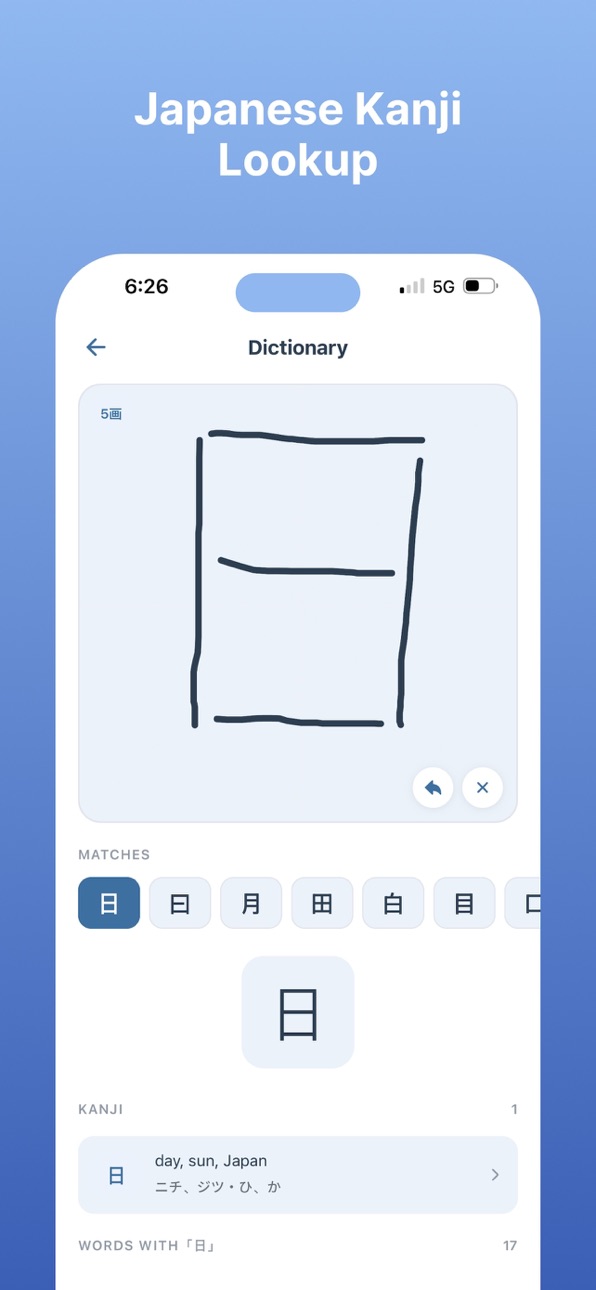
LOOK UP ANY KANJI
• Draw a kanji by hand and get instant matches with built-in handwriting recognition
• See meanings, readings, and related words for any kanji in the dictionary
• Look up kanji you encounter in the wild — no copy-paste or radicals needed
YOUR FAVOURITE ANKI DECKS, BUILT IN
• Study popular community decks including Kaishi 1.5k, Core 6k, Tango N4, and Tango N5
• JLPT-level word lists from N5 through N1 ready to go out of the box
• All decks use the same FSRS algorithm — no importing or syncing required
LEARN FROM YOUR LOCK SCREEN
• Add a kanji widget to your Home Screen or Lock Screen
• See a new kanji every time you check your phone — no app launch needed
• Customize refresh intervals and active hours to match your routine
• Get up to 10x more kanji exposure through passive review
STAY MOTIVATED
• Build a daily learning streak and watch your heatmap fill in over the year
• Get gentle daily reminders so you never miss a review
• See exactly how many kanji you've learned, saved, and still need to review
EASY ON THE EYES
• Full dark mode for your eyes and your battery
• Follows your system appearance automatically, or pick light or dark manually
PERSONALIZED TO YOU
• Select your JLPT level (N5–N1) and choose the categories that interest you
• Adjust your daily goal, voice preference, theme, and notification schedule anytime
Start building your kanji knowledge today — just a few minutes a day is all it takes. Master 2,000+ kanji with science-backed spaced repetition. Practice stroke order, train your pitch accent, look up any kanji by drawing it, study popular Anki decks, learn on your lock screen, and hear native pronunciation.
TERMS: https://dailykanji.io/terms
PRIVACY: https://dailykanji.io/privacy
In-App Purchases US pricing
Premium Subscription
Daily Kanji Premium · Yearly 7-day free trial$29.99
Daily Kanji Premium (Monthly) · Monthly$4.99
Capabilities
In-App Purchases
Accessibility
ipadiphonemacrealityDevicetvoswatch
Version history 16 versions
Build 887258338v3.2.22026-06-22 13:24:30
Bug Fix: Fixed a bug where kana and romaji were not being displayed properly on flashcards
Build 887121593v3.2.12026-06-18 17:59:06
New Feature: Users can now choose whether to show kunyomi or onyomi when displaying Kanji character either on home screen or lock screen
Build 886938508v3.2.02026-06-14 16:59:36
New Feature: Users can now have up to four different kanji / word timelines on their lock screen simultaneously (each managed by their own timeline settings).
New Feature: Users can now append notes to flashcards
Build 886846540v3.1.02026-06-12 01:39:18
You can now use Daily Kanji without an internet connection, just go to settings and toggle on "Offline Mode"
We also added the ability to search for Kanji and Words via the dictionary feature. To access this feature click the search icon in the top left and then click the "Search" button (located next to the "Draw" button)
Build 886330818v3.0.02026-06-03 19:07:24
Added Kanji Garden feature
Build 886081711v2.4.02026-05-27 16:44:12
Added ability to view widget timeline
Build 885990849v2.3.02026-05-24 19:26:21
Improved daily streak feature
Fixed minor bugs
Build 885842929v2.2.02026-05-21 17:19:28
Minor improvements
Build 885792659v2.1.02026-05-18 19:12:33
Added Kanji Lookup Feature
Added support for popular Anki decks
Updated onboarding
Updated app icon
Updated screenshots
Fixed some minor bugs
Build 884914345v2.0.02026-04-26 04:57:19
Added ability to practice stroke order
Added ability to practice pitch accent
Added dark mode
Further refined onboarding flow
Build 884679171v1.0.52026-04-20 19:10:55
Updated screenshots
Improved onboarding flow
Improved UI related to selecting widget kanji
Build 884421310v1.0.42026-04-12 20:21:09
Fixed another paywall bug
Added additional widget customization options
Build 884394612v1.0.32026-04-11 20:36:36
Fixed a paywall bug
Added new screenshots
Build 884250271v1.0.22026-04-10 18:49:51
Added subscription options
Build 884205682v1.0.12026-04-07 16:48:40
Added subscriptions
Build 882846683v1.02026-03-24 05:23:49
Price history by region
Currency
Show
Columns
Search
Availability 1 of 1 storefronts
| Region | Language | Price | Ratings | Avg | Version |
|---|---|---|---|---|---|
| US | en-US | Free | 22 | 4.5 | 3.2.2 |
Change log 20 changes · US
✎
releaseNotes updated
Bug Fix: Fixed a bug where kana and romaji were not being displayed properly on flashcards
✎
description updated
Master 2,000+ kanji. Learn Japanese the smart way — one day at a time.
Daily Kanji uses the FSRS spaced repetition algorithm to help you remember kanji permane
✎
subtitle updated
Kanji · JLPT · Lock Screen
✎
name updated
Daily Kanji - Learn Japanese
◆
Version 3.2.2 released
Bug Fix: Fixed a bug where kana and romaji were not being displayed properly on flashcards
◆
Version 3.2.1 released
New Feature: Users can now choose whether to show kunyomi or onyomi when displaying Kanji character either on home screen or lock screen
◆
Version 3.2.0 released
New Feature: Users can now have up to four different kanji / word timelines on their lock screen simultaneously (each managed by their own timeline settings).
New Feature: Users can now append notes to flashcards
◆
Version 3.1.0 released
You can now use Daily Kanji without an internet connection, just go to settings and toggle on "Offline Mode"
We also added the ability to search for Kanji and Words via the dictionary feature. To access this feature click the search icon i
◆
Version 3.0.0 released
Added Kanji Garden feature
◆
Version 2.4.0 released
Added ability to view widget timeline
◆
Version 2.3.0 released
Improved daily streak feature
Fixed minor bugs
◆
Version 2.2.0 released
Minor improvements
◆
Version 2.1.0 released
Added Kanji Lookup Feature
Added support for popular Anki decks
Updated onboarding
Updated app icon
Updated screenshots
Fixed some minor bugs
◆
Version 2.0.0 released
Added ability to practice stroke order
Added ability to practice pitch accent
Added dark mode
Further refined onboarding flow
◆
Version 1.0.5 released
Updated screenshots
Improved onboarding flow
Improved UI related to selecting widget kanji
◆
Version 1.0.4 released
Fixed another paywall bug
Added additional widget customization options
◆
Version 1.0.3 released
Fixed a paywall bug
Added new screenshots
◆
Version 1.0.2 released
Added subscription options
◆
Version 1.0.1 released
Added subscriptions
◆
Version 1.0 released