Home › Productivity

 US
US
1 of 1 storefronts
Content in en-US
Content in en-US
Information
Preview 1 platform
iPhone 10 images



What’s New Version 1.8.8
- New: share to Dull. Send a link to "Dull" from any app's share sheet and it opens in the filtered browser, even if a browser is already open.
- Instagram: Explore entry points are now blocked when the Explore filter is on. The bare Explore page no longer slips through.
- Fixed: "edit blocked apps" refused changes while notifications were off. Editing your blocked list no longer needs notification permission.
- Fixed: unticking every app in the blocked-apps picker silently did nothing. It now offers to turn Redirect off.
- New: a heads-up when your selection includes whole categories, since a category blocks every app inside it, including ones you install later.
- Fixed: editing blocked apps right after launch could fail with "screen time access wasn't granted" even though it was.
- Polish: settings search now finds Redirect when you type "blocked" or "unblock", and error messages say what actually went wrong.
Description
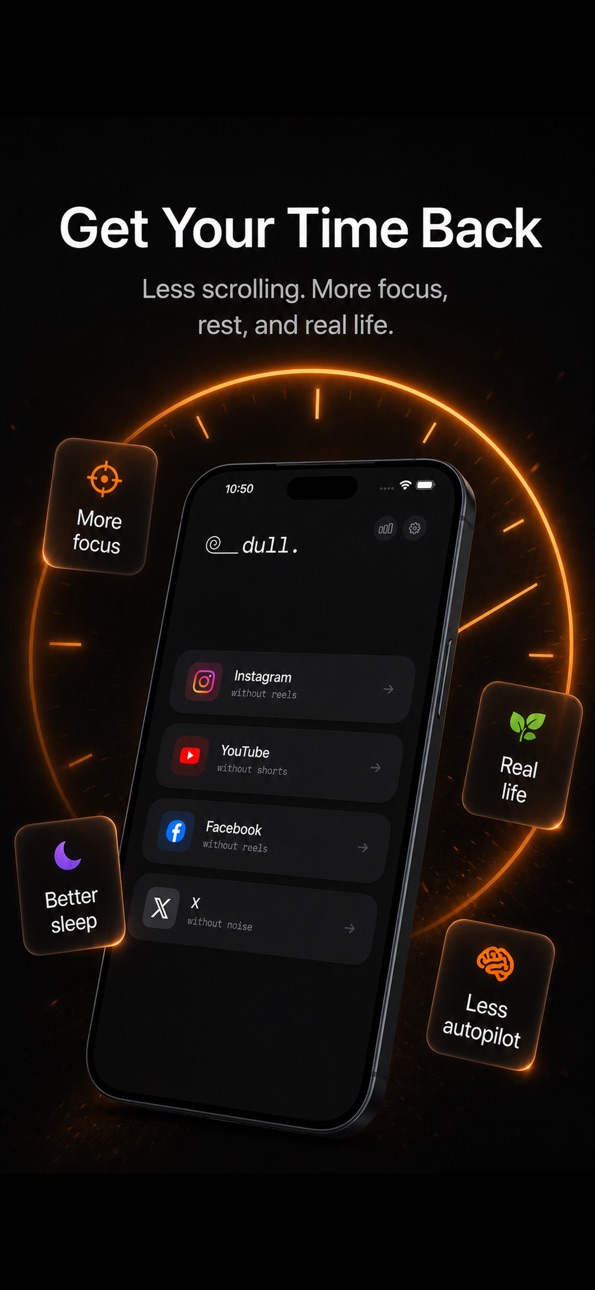
Instagram without Reels. YouTube without Shorts. Facebook without short-form video. X without the For You feed. Reddit without the algorithm.
Open a platform, and the infinite-scroll content is already gone. Posts, Stories, DMs, subscriptions — all still there. The addictive parts aren't.
WHY DULL WORKS
— Removes Reels, Shorts & short-form video
— Kills algorithmic "For You" and "Explore" feeds
— Daily time limits with hard gates
— Quiet hours — social goes dark on your schedule
— Friction gates — a speed bump before opening (57% fewer impulsive app opens*)
— Grayscale mode — cuts ~38 minutes of daily screen time*
— Usage tracking by platform
ON YOUR TERMS
No guilt pop-ups. No "you've been scrolling for 20 minutes." Dull strips out the stuff designed to keep you stuck — and gives you the tools to set your own rules.
WHAT STAYS
— Posts from people you follow
— Stories and DMs
— Channels and creators you subscribe to
— Long-form videos you chose to watch
— Everything you actually opened the app for
LOCK IT IN (OPTIONAL)
— Commitment delay: changes that loosen your filters take 24 hours to apply. Stops you from rage-disabling everything at 11pm.
— PIN lock: put settings behind a PIN so you can't easily undo your own rules.
— Both are opt-in. Dull doesn't tell you what to do. It just makes it easier to do what you already decided.
5 PLATFORMS
Instagram · YouTube · Facebook · X · Reddit
Each filtered independently. Choose what to remove per platform.
PRIVACY
No accounts. No browsing data leaves your device. The only third-party services are RevenueCat for subscription management and Apple's AdServices for anonymous ad attribution.
Social media on your terms.
*Holte & Ferraro, Soc. Sci. J., 2020; Grüning et al., PNAS, 2023
———
SUBSCRIPTION
Dull requires a subscription (Dull Pro) to use. A 7-day free trial is included. After the trial: $3.99/month or $14.99/year. A one-time Lifetime Access purchase ($59.99, non-renewing, valid for the lifetime of the Dull app/service) is also available. Payment is charged to your Apple ID. Subscription auto-renews unless cancelled at least 24 hours before the end of the billing period. You can manage or cancel your subscription in your Apple ID account settings.
Terms of Use (EULA): https://getdull.app/terms
Privacy Policy: https://getdull.app/privacy
Apple Standard EULA: https://www.apple.com/legal/internet-services/itunes/dev/stdeula/
In-App Purchases US pricing
Pro Subscription
Yearly pro · Yearly 3-day free trial$14.99
Dull Pro · Yearly$19.99
Dull Pro · Yearly 7-day free trial$29.99
Dull Pro Monthly · Monthly$3.99
One-Time Purchases
Dull Pro Lifetime$59.99
Dull Pro Lifetime$79.99
Dull Pro Lifetime$129.99
Capabilities
In-App Purchases
Accessibility
ipadiphonemacrealityDevicetvoswatch
Version history 24 versions
Build 887965482v1.8.82026-07-08 10:12:06
- New: share to Dull. Send a link to "Dull" from any app's share sheet and it opens in the filtered browser, even if a browser is already open.
- Instagram: Explore entry points are now blocked when the Explore filter is on. The bare Explore page no longer slips through.
- Fixed: "edit blocked apps" refused changes while notifications were off. Editing your blocked list no longer needs notification permission.
- Fixed: unticking every app in the blocked-apps picker silently did nothing. It now offers to turn Redirect off.
- New: a heads-up when your selection includes whole categories, since a category blocks every app inside it, including ones you install later.
- Fixed: editing blocked apps right after launch could fail with "screen time access wasn't granted" even though it was.
- Polish: settings search now finds Redirect when you type "blocked" or "unblock", and error messages say what actually went wrong.
Build 887507942v1.8.72026-06-28 10:04:50
— Fixed: users who'd already activated a subscription before completing onboarding were shown the paywall. Now skipped automatically.
— New: web buyers get a shorter onboarding — language, intro, then straight to setup (platforms, features to enable). No persuasion screens you've already been through.
— Fixed: Restore now shows a clear explanation when no in-app purchase is found, rather than failing silently.
— Polish: shorter, plainer copy across the commitment setup and settings screens.
— Fixed: onboarding could show a blank screen on iPad.
— Fixed (iOS 26): shield bounce sometimes landed on iOS's "Restricted" page inside Dull. Dull now waits for the block to clear before opening the platform.
— Fixed: Redirect could stay stuck on "paused" after re-enabling Screen Time access in iOS Settings.
— Fixed: shield bounce notification now opens the right platform even when the app name contains a space.
— New: brief in-app explainer before iOS asks about ad attribution.
Build 886598409v1.8.62026-06-26 18:58:54
— Fixed: onboarding could show a blank screen on iPad. Setup now completes correctly, and notifications stay fully optional throughout.
— Fixed (critical): tapping the shield bounce from a blocked native app sometimes landed on iOS's "Restricted" page inside Dull instead of the filtered platform (iOS 26). Apple's in-app web filter was holding the block a few hundred ms longer than the redirect's clear. Dull now waits for the system to release before opening the platform, with automatic retry as a backstop.
— Fixed: Redirect could get stuck on "paused" even after re-enabling Screen Time access in iOS Settings. iOS doesn't tell apps when that toggle flips back on, so Dull now asks iOS directly on every foreground.
— Fixed: tapping the shield bounce notification now lands you on the right platform inside Dull again, even when the shielded app's name contains a space (Instagram Lite, etc).
— Fixed: rare case where Hard Block could shield the in-app Instagram/YouTube feed itself if you'd selected the matching web domain from the picker. Redirect now never touches your in-app browsing — only the native apps.
— New: in-app explainer before iOS asks about ad attribution, so you know what the system dialog is for and that it's separate from the Screen Time access prompt.
— Clearer copy across all Redirect surfaces — the app now says "screen time access" everywhere, matching what iOS Settings labels it.
Build 886114589v1.8.32026-05-28 16:42:04
— Fixed (critical): tapping the shield bounce from a blocked native app sometimes landed on iOS's "Restricted" page inside Dull instead of the filtered platform (iOS 26). Apple's in-app web filter was holding the block a few hundred ms longer than the redirect's clear. Dull now waits for the system to release before opening the platform, with automatic retry as a backstop.
— Fixed: Redirect could get stuck on "paused" even after re-enabling Screen Time access in iOS Settings. iOS doesn't tell apps when that toggle flips back on, so Dull now asks iOS directly on every foreground.
— Fixed: tapping the shield bounce notification now lands you on the right platform inside Dull again, even when the shielded app's name contains a space (Instagram Lite, etc).
— Fixed: rare case where Hard Block could shield the in-app Instagram/YouTube feed itself if you'd selected the matching web domain from the picker. Redirect now never touches your in-app browsing — only the native apps.
— New: in-app explainer before iOS asks about ad attribution, so you know what the system dialog is for and that it's separate from the Screen Time access prompt.
— Clearer copy across all Redirect surfaces — the app now says "screen time access" everywhere, matching what iOS Settings labels it.
Build 886045463v1.8.12026-05-25 06:34:32
— Fixed (critical): tapping the shield bounce from a blocked native app sometimes landed on iOS's "Restricted" page inside Dull instead of the filtered platform (iOS 26). Apple's in-app web filter was holding the block a few hundred ms longer than the redirect's clear. Dull now waits for the system to release before opening the platform, with automatic retry as a backstop.
— Fixed: Redirect could get stuck on "paused" even after re-enabling Screen Time access in iOS Settings. iOS doesn't tell apps when that toggle flips back on, so Dull now asks iOS directly on every foreground.
— Fixed: tapping the shield bounce notification now lands you on the right platform inside Dull again, even when the shielded app's name contains a space (Instagram Lite, etc).
— Fixed: rare case where Hard Block could shield the in-app Instagram/YouTube feed itself if you'd selected the matching web domain from the picker. Redirect now never touches your in-app browsing — only the native apps.
— New: in-app explainer before iOS asks about ad attribution, so you know what the system dialog is for and that it's separate from the Screen Time access prompt.
— Clearer copy across all Redirect surfaces — the app now says "screen time access" everywhere, matching what iOS Settings labels it.
Build 885722346v1.8.02026-05-22 16:37:16
— Hard Block: lock the native Instagram, YouTube, Facebook, X apps at the OS level using Family Controls. Selection survives reinstalls.
— Posting Mode: when you actually need to post, hold to confirm and unlock one app for 10 minutes — then it shields back up. Daily quota you set.
— Full German and Spanish localization for everything Hard Block and Posting Mode related.
— Shield handoff cleaned up: clearer subtitle, "Send me to Dull" button, and a how-it-works guide in Settings with troubleshooting steps if iOS swallows the notification.
— Onboarding reshuffle for a cleaner first-run.
— Home hub: "+" icon in the top bar opens Posting Mode. One-time coach marks point out the settings gear and the +.
— Weekly receipt card on the home hub is now dismissable and auto-clears after 3 days.
— Fixed the in-app browser rendering wider than the screen on Instagram (the issue 1.7.4 tried but missed).
— Fixed: tapping the Hard Block shield notification now opens the right platform inside Dull. Used to land you on the home hub instead.
— Fixed: home hub coach mark title no longer gets clipped on iPhone.
— Settings: one-tap toggle next to Hard Block — no need to open the detail screen to enable or disable.
Build 885672992v1.7.32026-05-15 03:41:36
— New: Session Timer. Pick how long you want before opening a platform. When time's up, dull closes the visit and walks you back through the open-flow. Optional, per-platform, off by default.
— First time you open Instagram, YouTube, Facebook or X, a short walkthrough now explains what's filtered out, what stays, and how to sign in or delete the account natively. Replay from Settings.
— Once a day, the home screen plays a small moment: your day count flips up with a brief observation, then quietly marks today on a calendar grid. Auto-dismisses, tap to skip.
— The day card is a smaller chip. Tap to open your history.
— Settings has a "see today's moment" option to replay it without waiting.
— New on YouTube: optional Subscriptions lockdown filter that strips the top bar and recommended-channel rails.
— Tightened onboarding screens. Fixed unreadable footer text in dark mode.
— Reliability fixes for filters that occasionally needed a reload to apply.
Build 885495271v1.7.22026-05-11 20:36:07
— First time you open Instagram, YouTube, Facebook or X, a short walkthrough now explains what's filtered out, what stays, and how to sign in or delete the account natively. Replay any of them from Settings.
— Once a day, the home screen plays a small moment: your day count flips up with a brief observation, then quietly marks today on a calendar grid. Auto-dismisses, tap to skip.
— The day card on the home screen is now a smaller chip. Tap it to open your full history.
— Settings has a "see today's moment" option, in case you want to replay it without waiting for tomorrow.
— New on YouTube: an optional Subscriptions lockdown filter that strips the top bar and recommended-channel rails on the Subscriptions tab, leaving just the people you actually subscribe to.
— Tightened a couple of onboarding screens. Fixed unreadable footer text on the home screen in dark mode.
— Reliability fixes for filters that occasionally needed a reload to apply.
Build 885447075v1.7.12026-05-10 13:40:52
Bug fixes and reliability improvements.
— Friends-Only on Instagram now keeps a peek of friends who recently posted at the top of the Following feed, so you can still tap into their stories.
— New "reset filters to defaults" option in filter settings, in case anything ever feels stuck.
— Filter changes now apply right away without needing to leave and re-open a platform.
Build 885404678v1.6.12026-05-08 08:13:38
Bug fixes and reliability improvements.
— Tightened Instagram filtering across feed and reels surfaces.
— Polished settings layout — quicker to find what you're looking for.
— Smoother app lifecycle handling — fewer hiccups when switching between platforms or returning from background.
Build 885424749v1.7.02026-05-08 19:22:38
Bug fixes and reliability improvements.
— Tightened Instagram filtering across feed and reels surfaces.
— Polished settings layout — quicker to find what you're looking for.
— Smoother app lifecycle handling — fewer hiccups when switching between platforms or returning from background.
Build 885400322v1.6.02026-05-07 23:03:20
Multi-account switching for Instagram, Friends-Only Mode, a YouTube watch-page recommendations filter, an old.reddit.com option, and a refreshed wordmark. Plus filter tightening around 2FA, the Explore page, and keyboard handling.
— New: Instagram multi-account. Sign into more than one account and switch between them without logging in and out. Tap the profile icon next to back/forward in the Instagram toolbar to add, switch, rename, or remove accounts. Each account is fully isolated — its cookies and session never touch the others. Existing logins are preserved on upgrade.
— New YouTube filter: hide every recommended video on the watch page. The player, title, channel, like/share row, and comments stay; the suggestions wall and infinite scroll go. Off by default; opt in from Filter Settings → YouTube.
— Friends-Only Mode for Instagram: replaces the algorithmic home feed with Following, so you only see posts from accounts you actually follow. Off by default for existing users; opt in from the Instagram filter settings.
— Reddit can now load old.reddit.com instead of the redesign. Toggle lives under Filter Settings → Reddit → Advanced.
— Explore page filter rewritten so it only hides the algorithmic post grid. Search, recent searches, and suggested accounts stay.
— Fixed the keyboard dismissing while you're typing your Instagram 2FA code.
— Rebuilt the Instagram story-reply and DM keyboard fix on a meta-tag override instead of shrinking the WebView. The reply box now lifts cleanly with the keyboard and other inputs (search, login, comments, Facebook birthday composer) stop breaking.
— Onboarding now resumes where you left off if you kill the app on the paywall.
— Refreshed the dull wordmark across welcome, home, and about screens.
Build 885289430v1.5.12026-05-06 03:31:09
Adds Instagram Friends-Only Mode, an old.reddit.com option, and a refreshed wordmark. Plus filter tightening around 2FA, the Explore page, and keyboard handling.
— Friends-Only Mode for Instagram: replaces the algorithmic home feed with Following, so you only see posts from accounts you actually follow. Off by default for existing users; opt in from the Instagram filter settings.
— Reddit can now load old.reddit.com instead of the redesign. Toggle lives under Filter Settings → Reddit → Advanced.
— Explore page filter rewritten so it only hides the algorithmic post grid. Search, recent searches, and suggested accounts stay.
— Fixed the keyboard dismissing while you're typing your Instagram 2FA code.
— Story-reply and DM keyboard fix narrowed so it no longer breaks other inputs (Facebook birthday composer, Instagram search, login forms, comments).
— Onboarding now resumes where you left off if you kill the app on the paywall.
— Refreshed the dull wordmark across welcome, home, and about screens.
Build 885261268v1.5.02026-05-05 12:16:31
Rebuilt onboarding so you understand what Dull does before you commit. Same Instagram, YouTube, Facebook, X, and Reddit — without Reels, Shorts, and the For You feed.
— Redesigned onboarding: clear comparison of what Dull removes vs. keeps. Reels, Shorts, and algorithmic feeds out. DMs, posts, subscriptions stay.
— Calmer privacy and tracking explanations.
— Smoother trial entry. Nothing is preselected for you.
— Fixed Instagram 2FA keyboard dismissing mid-entry.
— Fixed keyboard covering the input on story replies.
— Filter reliability and polish across all 5 platforms.
Build 884431149v1.4.62026-04-24 11:45:05
Weekly Receipt: Every Sunday Dull hands you a dry, itemized receipt of your week on social — minutes per platform, week-over-week delta, nothing else. Share it to Instagram Stories or Snapchat in one tap.
Restraint Tally: A quiet ledger of days you used the internet on your own terms. No fire emojis, no panicked alerts, no "day 7 — keep going!" guilt trips. One grace day per month, applied silently.
Home Screen Swap: A new onboarding step that helps you drop Dull into the slot on your home screen where Instagram used to live. Your thumb already knows the spot.
Smart Feature Drip: Helpful tips at day 3, 7, 14, and 21 pointing to features you probably haven't found yet — grayscale, time limits, quiet hours, PIN lock.
Gentle Re-engagement: If you disappear for five days, Dull sends one dry notification. Once, per install, ever. No nags, no guilt, no second attempts.
Filter reliability and general polish across all platforms.
Build 884200723v1.4.52026-04-08 05:05:54
Intent Launcher: Choose where you're headed (DMs, Subscriptions, Search) before opening a platform — skip the feed entirely.
Customizable Widgets: Pick which platforms show on your widget, now with daily usage on each tile.
Home Screen Setup Guide: Step-by-step instructions to replace native social media apps with one-tap Dull widgets.
Smarter Onboarding: Set up your speed bump and quiet hours right during setup, plus opt in to reminders.
Improved Filters: More reliable content filtering across all platforms, especially on login pages. Reddit now preserves your scroll position.
Fixed links accidentally opening native apps instead of staying in Dull.
Build 883947149v1.4.42026-04-02 05:19:17
Intent Launcher: Choose a destination (like DMs or Subscriptions) before opening a platform to bypass the feed completely.
Customizable Widgets: Pick which platforms appear on your widget, now with daily usage shown on each tile.
Home Screen Setup: A new guide to replace native social media apps with one-tap Dull widgets.
Better Onboarding: Configure your opening challenge and quiet hours right during setup.
Fixed links accidentally opening native apps instead of staying in Dull.
Build 883899860v1.4.32026-03-30 10:12:01
Critical Instagram fix:
- Instagram login works again for affected existing users.
- If Messages Only turned itself on after an update, this release turns it back off.
- Platform navigation bars now visible by default for new users.
- You can still enable Messages Only anytime in Settings.
Build 883815448v1.4.22026-03-27 13:25:14
Critical Instagram fix:
- Instagram login works again for affected existing users.
- If Messages Only turned itself on after an update, this release turns it back off.
- You can still enable Messages Only anytime in Settings.
Build 883812981v1.4.12026-03-26 23:43:41
Critical fixes:
— Instagram login no longer gets stuck in a redirect loop. If you couldn't sign in, this is the one.
— Reddit shows all posts again (was incorrectly hiding content for non-logged-in users).
— X/Twitter search is back. Bottom nav was being hidden entirely — now only hides Home, Notifications, Messages, Grok.
— YouTube Google sign-in works properly again.
Also new:
— 24h filter delay is now opt-in (Settings > Bypass Prevention). Was on by default before — that was a mistake.
— Cleaner settings layout. Same controls, less visual noise.
— Better "open in app" banner blocking across all five platforms.
— Home screen shows one card at a time instead of stacking them.
Build 883714787v1.4.02026-03-25 16:06:56
What's new in Dull — the social media browser that filters out the noise:
Reddit support is here. Browse your subscribed subreddits without the algorithmic Popular feed, promoted posts, or suggested communities. No doomscrolling, just your subs.
Instagram Messages Only mode — skip the feed entirely and just check your DMs. Less screen time, more intention.
Improved home screen and lock screen widgets — per-platform usage breakdown, session count, and quiet hours schedule right on your lock screen.
Smarter Facebook content filtering — reduced false positives so your feed stays clean without hiding things you actually want to see.
Dull filters short-form content from Instagram, YouTube, Facebook, X, and now Reddit. Set time limits, enable grayscale mode, add friction gates, or schedule quiet hours — all on your terms.
Build 883421083v1.0.32026-03-19 14:37:20
What's new:
PIN-locked settings feel smoother — PIN entry now overlays the destination directly, no extra steps.
Haptic feedback on time limit gates and bypass toggle. You'll feel it.
Time limit settings auto-expand the first platform on first visit so you're not staring at a blank screen.
Feature nudges moved to a more visible spot on the home screen.
"Check again" button on scheduled block gates — tap to dismiss instantly when a block is about to expire.
Build 883193680v1.0.12026-03-12 21:26:06
What's new:
Time limits, quiet hours, and friction gates are now more configurable — tweak per platform exactly the way you want.
Redesigned paywall with cleaner trial flow.
Improved haptic feedback throughout the app.
Refreshed support and help links.
Performance and stability improvements.
Build 882825688v1.0.02026-03-09 06:55:35
Price history by region
Currency
Show
Columns
Search
Availability 1 of 1 storefronts
| Region | Language | Price | Ratings | Avg | Version |
|---|---|---|---|---|---|
| US | en-US | Free | 23 | 3.4 | 1.8.8 |
Change log 28 changes · US
✎
releaseNotes updated
- New: share to Dull. Send a link to "Dull" from any app's share sheet and it opens in the filtered browser, even if a browser is already open.
- Instagram: Exp
✎
description updated
Instagram without Reels. YouTube without Shorts. Facebook without short-form video. X without the For You feed. Reddit without the algorithm.
Open a platform,
✎
subtitle updated
Social Media Screen Time Limit
✎
name updated
Dull: No Reels, No Shorts
◆
Version 1.8.8 released
- New: share to Dull. Send a link to "Dull" from any app's share sheet and it opens in the filtered browser, even if a browser is already open.
- Instagram: Explore entry points are now blocked when the Explore filter is on. The bare Explor
◆
Version 1.8.7 released
— Fixed: users who'd already activated a subscription before completing onboarding were shown the paywall. Now skipped automatically.
— New: web buyers get a shorter onboarding — language, intro, then straight to setup (platforms, features
◆
Version 1.8.6 released
— Fixed: onboarding could show a blank screen on iPad. Setup now completes correctly, and notifications stay fully optional throughout.
— Fixed (critical): tapping the shield bounce from a blocked native app sometimes landed on iOS's "Rest
◆
Version 1.8.3 released
— Fixed (critical): tapping the shield bounce from a blocked native app sometimes landed on iOS's "Restricted" page inside Dull instead of the filtered platform (iOS 26). Apple's in-app web filter was holding the block a few hundred ms long
◆
Version 1.8.1 released
— Fixed (critical): tapping the shield bounce from a blocked native app sometimes landed on iOS's "Restricted" page inside Dull instead of the filtered platform (iOS 26). Apple's in-app web filter was holding the block a few hundred ms long
◆
Version 1.8.0 released
— Hard Block: lock the native Instagram, YouTube, Facebook, X apps at the OS level using Family Controls. Selection survives reinstalls.
— Posting Mode: when you actually need to post, hold to confirm and unlock one app for 10 minutes — the
◆
Version 1.7.3 released
— New: Session Timer. Pick how long you want before opening a platform. When time's up, dull closes the visit and walks you back through the open-flow. Optional, per-platform, off by default.
— First time you open Instagram, YouTube, Faceb
◆
Version 1.7.2 released
— First time you open Instagram, YouTube, Facebook or X, a short walkthrough now explains what's filtered out, what stays, and how to sign in or delete the account natively. Replay any of them from Settings.
— Once a day, the home screen pl
◆
Version 1.7.1 released
Bug fixes and reliability improvements.
— Friends-Only on Instagram now keeps a peek of friends who recently posted at the top of the Following feed, so you can still tap into their stories.
— New "reset filters to defaults" option in filt
◆
Version 1.7.0 released
Bug fixes and reliability improvements.
— Tightened Instagram filtering across feed and reels surfaces.
— Polished settings layout — quicker to find what you're looking for.
— Smoother app lifecycle handling — fewer hiccups when switching
◆
Version 1.6.1 released
Bug fixes and reliability improvements.
— Tightened Instagram filtering across feed and reels surfaces.
— Polished settings layout — quicker to find what you're looking for.
— Smoother app lifecycle handling — fewer hiccups when switching
◆
Version 1.6.0 released
Multi-account switching for Instagram, Friends-Only Mode, a YouTube watch-page recommendations filter, an old.reddit.com option, and a refreshed wordmark. Plus filter tightening around 2FA, the Explore page, and keyboard handling.
— New: I
◆
Version 1.5.1 released
Adds Instagram Friends-Only Mode, an old.reddit.com option, and a refreshed wordmark. Plus filter tightening around 2FA, the Explore page, and keyboard handling.
— Friends-Only Mode for Instagram: replaces the algorithmic home feed with Fo
◆
Version 1.5.0 released
Rebuilt onboarding so you understand what Dull does before you commit. Same Instagram, YouTube, Facebook, X, and Reddit — without Reels, Shorts, and the For You feed.
— Redesigned onboarding: clear comparison of what Dull removes vs. keeps
◆
Version 1.4.6 released
Weekly Receipt: Every Sunday Dull hands you a dry, itemized receipt of your week on social — minutes per platform, week-over-week delta, nothing else. Share it to Instagram Stories or Snapchat in one tap.
Restraint Tally: A quiet ledger of
◆
Version 1.4.5 released
Intent Launcher: Choose where you're headed (DMs, Subscriptions, Search) before opening a platform — skip the feed entirely.
Customizable Widgets: Pick which platforms show on your widget, now with daily usage on each tile.
Home Screen Setu
◆
Version 1.4.4 released
Intent Launcher: Choose a destination (like DMs or Subscriptions) before opening a platform to bypass the feed completely.
Customizable Widgets: Pick which platforms appear on your widget, now with daily usage shown on each tile.
Home Scree
◆
Version 1.4.3 released
Critical Instagram fix:
- Instagram login works again for affected existing users.
- If Messages Only turned itself on after an update, this release turns it back off.
- Platform navigation bars now visible by default for new users.
- You
◆
Version 1.4.2 released
Critical Instagram fix:
- Instagram login works again for affected existing users.
- If Messages Only turned itself on after an update, this release turns it back off.
- You can still enable Messages Only anytime in Settings.
◆
Version 1.4.1 released
Critical fixes:
— Instagram login no longer gets stuck in a redirect loop. If you couldn't sign in, this is the one.
— Reddit shows all posts again (was incorrectly hiding content for non-logged-in users).
— X/Twitter search is back. Botto
◆
Version 1.4.0 released
What's new in Dull — the social media browser that filters out the noise:
Reddit support is here. Browse your subscribed subreddits without the algorithmic Popular feed, promoted posts, or suggested communities. No doomscrolling, just your
◆
Version 1.0.3 released
What's new:
PIN-locked settings feel smoother — PIN entry now overlays the destination directly, no extra steps.
Haptic feedback on time limit gates and bypass toggle. You'll feel it.
Time limit settings auto-expand the first platform on f
◆
Version 1.0.1 released
What's new:
Time limits, quiet hours, and friction gates are now more configurable — tweak per platform exactly the way you want.
Redesigned paywall with cleaner trial flow.
Improved haptic feedback throughout the app.
Refreshed support an
◆
Version 1.0.0 released