Home › Games

 US
US
1 of 1 storefronts
Content in en-US
Content in en-US
Information
Preview 4 platforms
iPhone 7 images


iPad 1 image

Mac 1 image

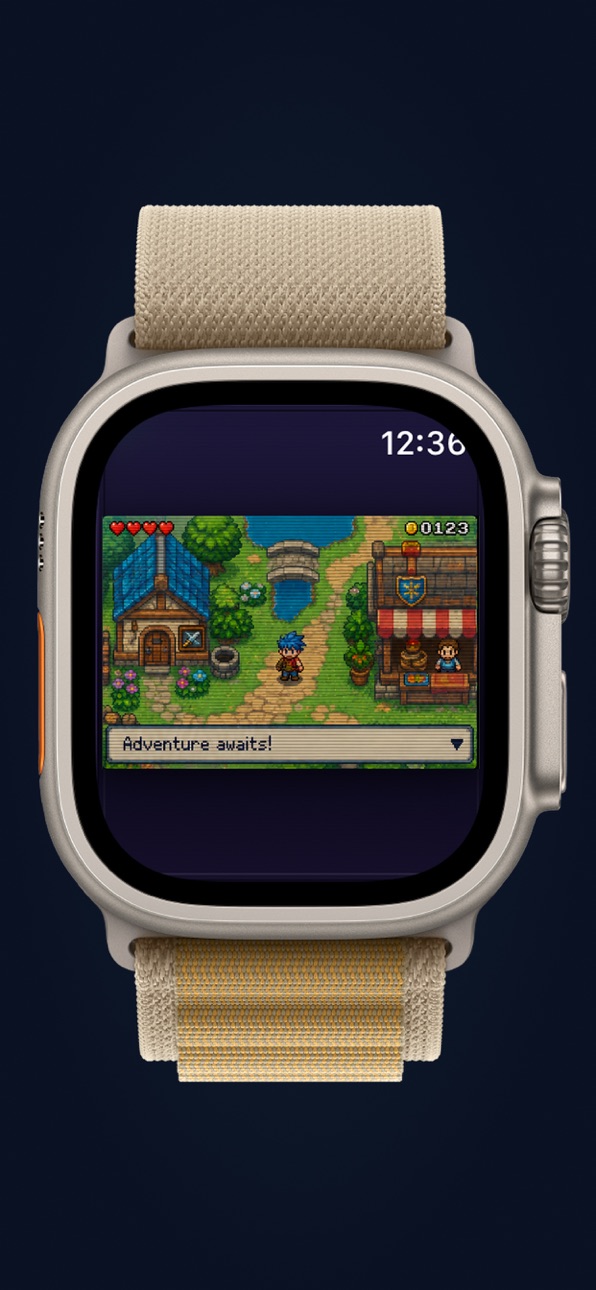
Apple Watch 1 image

What’s New Version 2.6
Landscape mode & watch updates
Description
Phosphor is a premium retro handheld emulator for iPhone, iPad, and Apple Watch, built for classic .gba, .gbc, and .gb game files with fast-forward, rewind, save states, iCloud saves, controller support, and a glowing CRT-style interface.
Play your ROMs in a way that feels fast, polished, and made for modern Apple devices. Phosphor brings classic portable games back to life with sharp emulation, smooth controls, instant resume, and a signature cathode-ray tube look inspired by old arcade monitors, glowing scanlines, and phosphor-lit screens.
No ads. No subscriptions. No accounts. No tracking. Just your games, your saves, and one of the most beautiful retro emulator experiences on iOS.
Why Phosphor?
Most emulators feel like utilities. Phosphor feels like a device.
Every detail is designed around the feeling of turning on a classic handheld: the deep black screen well, the glowing CRT filter, the chrome controls, the scanlines, the color skins, the fast controls, and the instant return to your last session.
Import your own compatible ROM files through Files, iCloud Drive, or AirDrop, then build your library and play anywhere.
Features
Play classic handheld ROMs
Run compatible .gba, .gbc, and .gb game files from your own legally obtained collection.
Fast-forward up to 15×
Speed through slow battles, long intros, grinding, travel, and repeated sections with true fast-forward at 1×, 2×, 3×, 5×, 10×, and 15×.
Live rewind
Made a mistake? Hold rewind, roll back gameplay, and release exactly where you want to continue.
Save states
Create quick save states any time, so you can stop, experiment, retry, and resume without losing progress.
Quick resume
Close the app and come back later. Phosphor automatically saves your session so you can jump back into the exact moment you left.
iCloud battery saves
Keep compatible in-game saves synced across your Apple devices using the same Apple ID.
CRT visual engine
Play with glowing scanlines, dot-grid texture, radial vignette, phosphor bloom, and deep arcade-style contrast. Choose from cyan, green, amber, on-air red, and racing-inspired CRT themes.
External controller support
Use compatible MFi controllers for a console-like experience, with customizable haptics and an interface that gets out of the way when a controller is connected.
Cheat support
Use supported GameShark-style codes for compatible games.
Apple Watch handoff
Move your session to Apple Watch and keep playing when your phone is charging or out of reach.
Live Activity support
See your current game, play time, and quick-resume status from the Lock Screen.
Built for serious retro play
Phosphor is not just a pretty skin. Under the hood, it uses custom emulator cores written from scratch in C, with deterministic playback, validated save states, stable rewind buffers, and careful timing behavior for smooth, reliable play.
The CRT effect is rendered live, not pasted on as a flat image. Scanlines, glow, dot grid, vignette, and color tint all work together to make classic games feel like they are running inside a tiny powered-on arcade monitor.
Bring your own games
Phosphor does not include games, ROMs, BIOS files, or copyrighted content. You must provide your own legally obtained game files.
Import compatible files through Files, iCloud Drive, or AirDrop.
Compatibility
Compatible with iPhone, iPad, and Apple Watch.
Requires iOS 17 or later.
Phosphor is free, private, and built for players who want a beautiful retro emulator that feels at home on iOS.
Accessibility
ipadiphonemacrealityDevicetvoswatch
Version history 17 versions
Build 887967220v2.62026-07-07 19:37:20
Landscape mode & watch updates
Build 887755751v2.52026-07-02 21:25:01
Layout improvements
Watch stability improvements
Build 886846174v2.42026-06-11 19:17:24
Visual updates
Build 886738374v2.32026-06-09 18:16:41
Stability improvements
Build 886590763v2.22026-06-05 20:04:31
Bug fixes
Build 886494058v2.02026-06-03 20:50:23
Improvements to standalone watch play.
Build 886499203v2.12026-06-03 22:28:53
Updated frame rate.
Build 886446141v1.92026-06-02 23:49:44
Updated watch experience, allowing both streaming watch experience for older watch models, and watch only gaming for newer models.
Build 886393832v1.82026-06-01 19:23:08
Smoother gameplay and corrected speeds.
Build 885592067v1.72026-05-14 00:15:36
Improved trade system between games
Added skins
Build 885170323v1.62026-05-11 22:05:16
UI overhaul, the aesthetic of the emulator has been completely rebranded.
Everything is free! Paid features, are now free. Trade with friends, use touch navigation, backup saves in iCloud etc.
Build 884025837v1.52026-04-02 21:48:42
1. Improved performance mode for older phones
2. Improved experimental AI
Build 882998407v1.42026-03-06 22:33:33
- Updated ui skins
- Experimental touch nav
- Link cable improvements
Build 882993916v1.32026-03-03 21:59:20
1. UI overhaul for in game mode
2. Many new skins available
3. Slowed down rewind speed 50%
Build 882943753v1.22026-03-02 13:42:11
1. Experimental touch navigation mode
2. Bug fixes for GBC titles
Build 882795923v1.02026-02-27 15:24:06
Build 882870886v1.12026-02-27 17:27:12
1. Immersive View Mode
Expands the game viewport and minimizes UI chrome.
2. Cinematic Layout
Screen-first, controls secondary.
3. EdgeView Rendering
Implies the game owns the display.
4. Full-Bleed Game Mode
Very clear. Designers understand it instantly.
5. General performance upgrades
No pricing data captured yet — comparisons appear once the app has paid storefronts or in-app purchases.
Availability 1 of 1 storefronts
| Region | Language | Price | Ratings | Avg | Version |
|---|---|---|---|---|---|
| US | en-US | Free | 8 | 4.8 | 2.6 |
Change log 21 changes · US
✎
releaseNotes updated
Landscape mode & watch updates
✎
description updated
Phosphor is a premium retro handheld emulator for iPhone, iPad, and Apple Watch, built for classic .gba, .gbc, and .gb game files with fast-forward, rewind, sav
✎
subtitle updated
Premium GBC & GBA Emulator
✎
name updated
Phosphor Emulator
◆
Version 2.6 released
Landscape mode & watch updates
◆
Version 2.5 released
Layout improvements
Watch stability improvements
◆
Version 2.4 released
Visual updates
◆
Version 2.3 released
Stability improvements
◆
Version 2.2 released
Bug fixes
◆
Version 2.1 released
Updated frame rate.
◆
Version 2.0 released
Improvements to standalone watch play.
◆
Version 1.9 released
Updated watch experience, allowing both streaming watch experience for older watch models, and watch only gaming for newer models.
◆
Version 1.8 released
Smoother gameplay and corrected speeds.
◆
Version 1.7 released
Improved trade system between games
Added skins
◆
Version 1.6 released
UI overhaul, the aesthetic of the emulator has been completely rebranded.
Everything is free! Paid features, are now free. Trade with friends, use touch navigation, backup saves in iCloud etc.
◆
Version 1.5 released
1. Improved performance mode for older phones
2. Improved experimental AI
◆
Version 1.4 released
- Updated ui skins
- Experimental touch nav
- Link cable improvements
◆
Version 1.3 released
1. UI overhaul for in game mode
2. Many new skins available
3. Slowed down rewind speed 50%
◆
Version 1.2 released
1. Experimental touch navigation mode
2. Bug fixes for GBC titles
◆
Version 1.1 released
1. Immersive View Mode
Expands the game viewport and minimizes UI chrome.
2. Cinematic Layout
Screen-first, controls secondary.
3. EdgeView Rendering
Implies the game owns the display.
4. Full-Bleed Game Mode
Very clear. Designers understan
◆
Version 1.0 released