Home › Utilities

 US
US
1 of 1 storefronts
Content in en-US
Content in en-US
Information
Preview 2 platforms
iPhone 3 images


iPad 3 images


What’s New Version 1.4.11
v1.4.11 Update
New
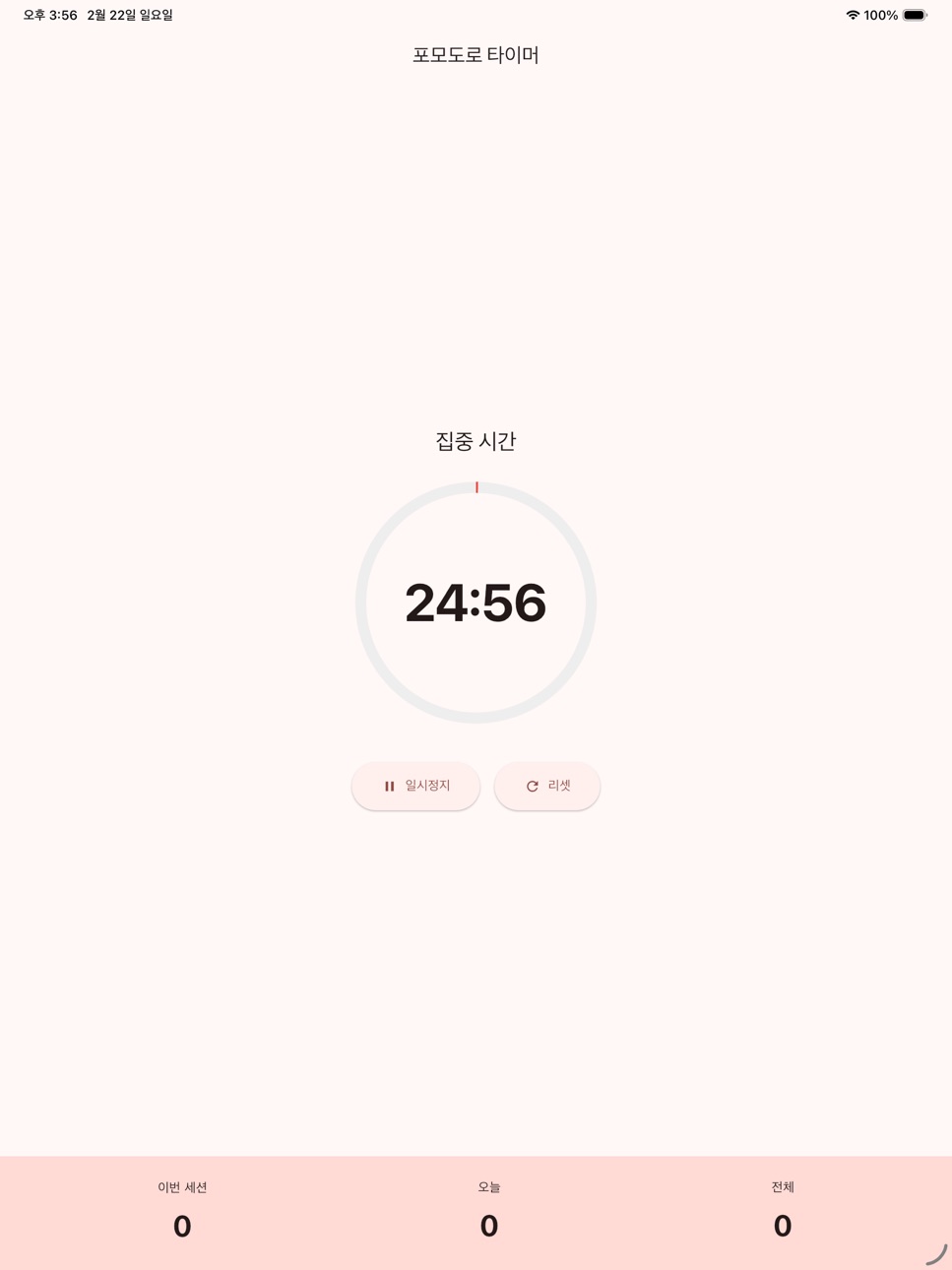
• Today's focus time — see your total focused time for the day, in hours and minutes, right in the stats panel based on completed sessions.
Description
Pomodoro Timer - Master Your Time, Boost Your Productivity
Enhance your focus and maximize productivity with the scientifically proven Pomodoro Technique!
Key Features
- 25-5-15 Work-Break Cycles
- Focus Time: 25-minute timer
- Short Break: 5-minute timer
- Long Break: 15-minute timer (after 4 sessions)
- Large circular timer for easy time tracking
- Start/Pause/Reset controls
- Track completed Pomodoro sessions
- View today's stats and total session count
- Smart notifications when session completes
Perfect For
- Students seeking better focus
- Professionals improving work efficiency
- Freelancers managing their time
- Anyone wanting to stay concentrated
What is the Pomodoro Technique?
A time management method developed by Francesco Cirillo in the 1980s. Work in 25-minute focused intervals followed by 5-minute breaks to maintain concentration and prevent burnout.
No complicated setup - just an intuitive interface anyone can use right away.
Accessibility
ipadiphonemacrealityDevicetvoswatch
Version history 16 versions
Build 886930146v1.4.112026-06-13 21:31:24
v1.4.11 Update
New
• Today's focus time — see your total focused time for the day, in hours and minutes, right in the stats panel based on completed sessions.
Build 886481241v1.4.102026-06-03 19:04:11
v1.4.10 Update
New
• Session presets — switch work/break lengths in one tap (25/5, 50/10, 90-min deep work, and more)
Build 886314592v1.4.92026-05-30 15:56:16
v1.4.9 Update
New Feature
• Share your focus log — share completed sessions, total focus time, and your streak from the history screen
Previous Updates
• Home screen widget — see today's completed focus sessions and your streak
• Completion sound — choose bell, vibration only, or silent when a session ends
Build 885905610v1.4.72026-05-20 17:14:34
v1.4.7 Update
New Features
- Completion sound - choose bell, vibration only, or silent when a session ends (change in Settings)
Previous Updates
- Improved error diagnostics - easier troubleshooting when data fails to load
- Interstitial ad - smooth transition ad after every 3 completed pomodoro sessions
Build 885737201v1.4.52026-05-16 22:38:28
v1.4.5 Update
New Features
• Interstitial ad - smooth transition ad after every 3 completed pomodoro sessions
Previous Updates
• Focus tags added - categorize sessions as Work, Study, Personal, or Other
• View cumulative tag stats in the history screen
Build 885470739v1.4.42026-05-09 18:48:42
v1.4.4 Update
New Features
• Focus tags added - categorize sessions as Work, Study, Personal, or Other
• View cumulative tag stats in the history screen
Build 885422964v1.4.32026-05-08 16:07:05
v1.4.3 Update
New Features
• Weekly goal achievement in History screen
- See days achieved and achievement rate at a glance
- Goal-met days highlighted with green badge and chart bars
Improvements
• Adaptive Banner ad optimization
Build 885272086v1.4.22026-05-05 13:22:44
v1.4.2 Update
Improvement
• Adaptive banner ads - Banner now adjusts to screen width for better display
Build 885198773v1.4.12026-05-03 17:00:07
v1.4.1 Update
Improvements
• History screen now supports 7-day and 30-day view toggle
v1.4.0
UI Complete Redesign
• Deep Work Dark theme — black background with warm amber accent
• Larger monospace timer numerals for better readability
• Background subtly shifts color temperature between focus and break
• Consistent redesign across history and settings screens
Build 884921083v1.4.02026-04-26 17:16:57
v1.4.0 Update
UI Complete Redesign
• Deep Work Dark theme — black background with warm amber accent
• Larger monospace timer numerals for better readability
• Background subtly shifts color temperature between focus and break
• Consistent redesign across history and settings screens
Build 884697757v1.3.32026-04-20 16:13:23
v1.3.3 Update
Improvements
- Fixed background noise selector UI display issue
Build 884677318v1.3.22026-04-19 16:01:19
v1.3.2 Update
New Features
- Background noise: play white, pink, or brown noise during focus sessions
- Volume slider to set your preferred noise level
Improvements
- Stability improvements
Build 883146924v1.3.12026-03-13 00:45:58
v1.3.0 Update
New Features
- Deep Work Mode: Long focus timer from 30 to 90 minutes
- Eye Health Timer: Automatic 20-20-20 rule reminders
- Focus History: 7-day bar chart of your sessions
- Daily goal setting and progress tracking
- Stretching Guide: Auto popup when break starts
- Posture Correction Reminder: Custom interval alerts during focus
- Share today's focus time with others
- Built-in white noise (white, pink, brown)
- Streak tracking for consecutive focus sessions
- Haptic feedback when timer completes
Build 883001585v1.2.12026-03-06 23:47:16
v1.2.1 Update
Bug Fix
- Fixed an issue where the App Tracking Transparency permission prompt was not appearing in the correct order on iOS
Build 882913406v1.1.02026-03-03 15:31:23
v1.1.0 Update
New
- English language support added (auto-switches based on device language)
Improvements
- Stability improvements
Build 882675986v1.0.12026-02-28 14:13:59
No pricing data captured yet — comparisons appear once the app has paid storefronts or in-app purchases.
Availability 1 of 1 storefronts
| Region | Language | Price | Ratings | Avg | Version |
|---|---|---|---|---|---|
| US | en-US | Free | 0 | — | 1.4.11 |
Change log 20 changes · US
✎
releaseNotes updated
v1.4.11 Update
New
• Today's focus time — see your total focused time for the day, in hours and minutes, right in the stats panel based on completed sessions.
✎
description updated
Pomodoro Timer - Master Your Time, Boost Your Productivity
Enhance your focus and maximize productivity with the scientifically proven Pomodoro Technique!
Key
✎
subtitle updated
25min focus, 5min break timer
✎
name updated
뽀모도로 - 집중 타이머
◆
Version 1.4.11 released
v1.4.11 Update
New
• Today's focus time — see your total focused time for the day, in hours and minutes, right in the stats panel based on completed sessions.
◆
Version 1.4.10 released
v1.4.10 Update
New
• Session presets — switch work/break lengths in one tap (25/5, 50/10, 90-min deep work, and more)
◆
Version 1.4.9 released
v1.4.9 Update
New Feature
• Share your focus log — share completed sessions, total focus time, and your streak from the history screen
Previous Updates
• Home screen widget — see today's completed focus sessions and your streak
• Completi
◆
Version 1.4.7 released
v1.4.7 Update
New Features
- Completion sound - choose bell, vibration only, or silent when a session ends (change in Settings)
Previous Updates
- Improved error diagnostics - easier troubleshooting when data fails to load
- Interstitial
◆
Version 1.4.5 released
v1.4.5 Update
New Features
• Interstitial ad - smooth transition ad after every 3 completed pomodoro sessions
Previous Updates
• Focus tags added - categorize sessions as Work, Study, Personal, or Other
• View cumulative tag stats in the
◆
Version 1.4.4 released
v1.4.4 Update
New Features
• Focus tags added - categorize sessions as Work, Study, Personal, or Other
• View cumulative tag stats in the history screen
◆
Version 1.4.3 released
v1.4.3 Update
New Features
• Weekly goal achievement in History screen
- See days achieved and achievement rate at a glance
- Goal-met days highlighted with green badge and chart bars
Improvements
• Adaptive Banner ad optimization
◆
Version 1.4.2 released
v1.4.2 Update
Improvement
• Adaptive banner ads - Banner now adjusts to screen width for better display
◆
Version 1.4.1 released
v1.4.1 Update
Improvements
• History screen now supports 7-day and 30-day view toggle
v1.4.0
UI Complete Redesign
• Deep Work Dark theme — black background with warm amber accent
• Larger monospace timer numerals for better readability
•
◆
Version 1.4.0 released
v1.4.0 Update
UI Complete Redesign
• Deep Work Dark theme — black background with warm amber accent
• Larger monospace timer numerals for better readability
• Background subtly shifts color temperature between focus and break
• Consistent
◆
Version 1.3.3 released
v1.3.3 Update
Improvements
- Fixed background noise selector UI display issue
◆
Version 1.3.2 released
v1.3.2 Update
New Features
- Background noise: play white, pink, or brown noise during focus sessions
- Volume slider to set your preferred noise level
Improvements
- Stability improvements
◆
Version 1.3.1 released
v1.3.0 Update
New Features
- Deep Work Mode: Long focus timer from 30 to 90 minutes
- Eye Health Timer: Automatic 20-20-20 rule reminders
- Focus History: 7-day bar chart of your sessions
- Daily goal setting and progress tracking
- Stretc
◆
Version 1.2.1 released
v1.2.1 Update
Bug Fix
- Fixed an issue where the App Tracking Transparency permission prompt was not appearing in the correct order on iOS
◆
Version 1.1.0 released
v1.1.0 Update
New
- English language support added (auto-switches based on device language)
Improvements
- Stability improvements
◆
Version 1.0.1 released