Home › Entertainment

 US
US
1 of 1 storefronts
Content in en-US
Content in en-US
Information
Preview 2 platforms
iPhone 6 images



iPad 7 images


What’s New Version 1.6.1
Major improvements to AI image generation.
• You can now save generated images to the Photos app
• Fixed a bug where the prompt was cleared when regenerating with the same prompt
• Added a hint button to the image generation screen
• Various other UX improvements
Description
Put your own aquarium on your Home Screen.
WidgetTank lets you place any emoji into a tank
and watch it swim in your Home Screen widget.
Fish, pizza, ghosts, and faces can all swim.
Decorate the background with coral, leaves, stars,
or any emoji you like.
Build a tank that is entirely your own.
Tap the widget and the fish scatter.
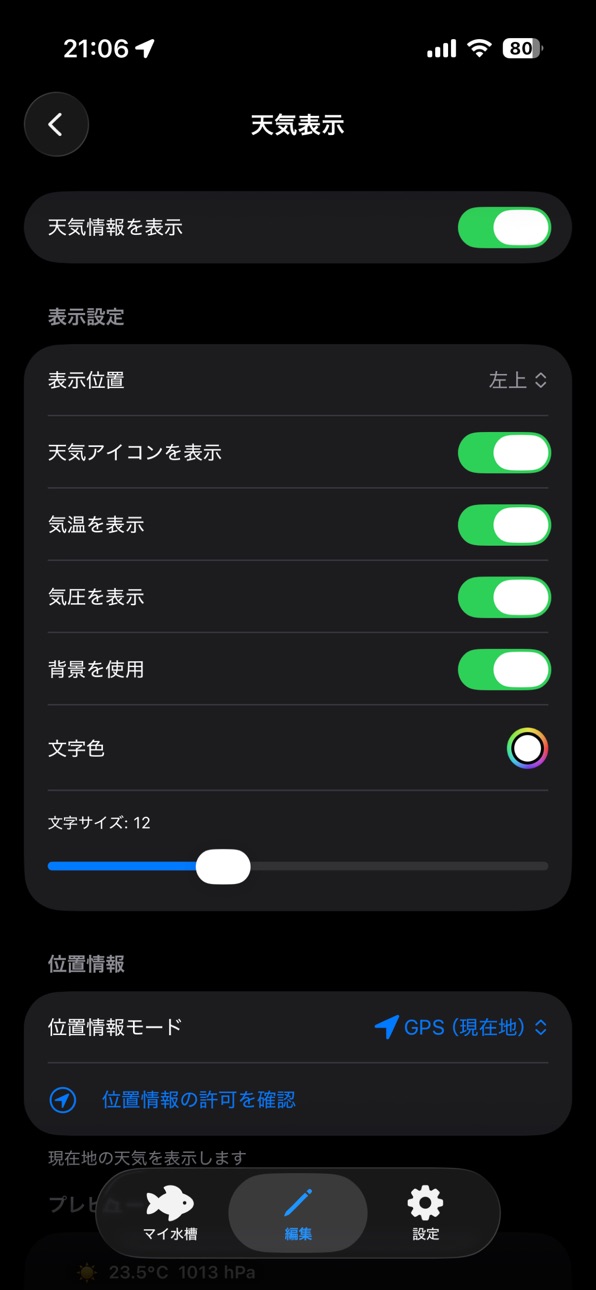
Weather-Linked Backgrounds
The tank background changes automatically based on
your current or selected area's weather.
Sunny / Cloudy / Rainy / Clear Night / Rainy Night
Every glance at your Home Screen can reflect
the sky outside.
Features
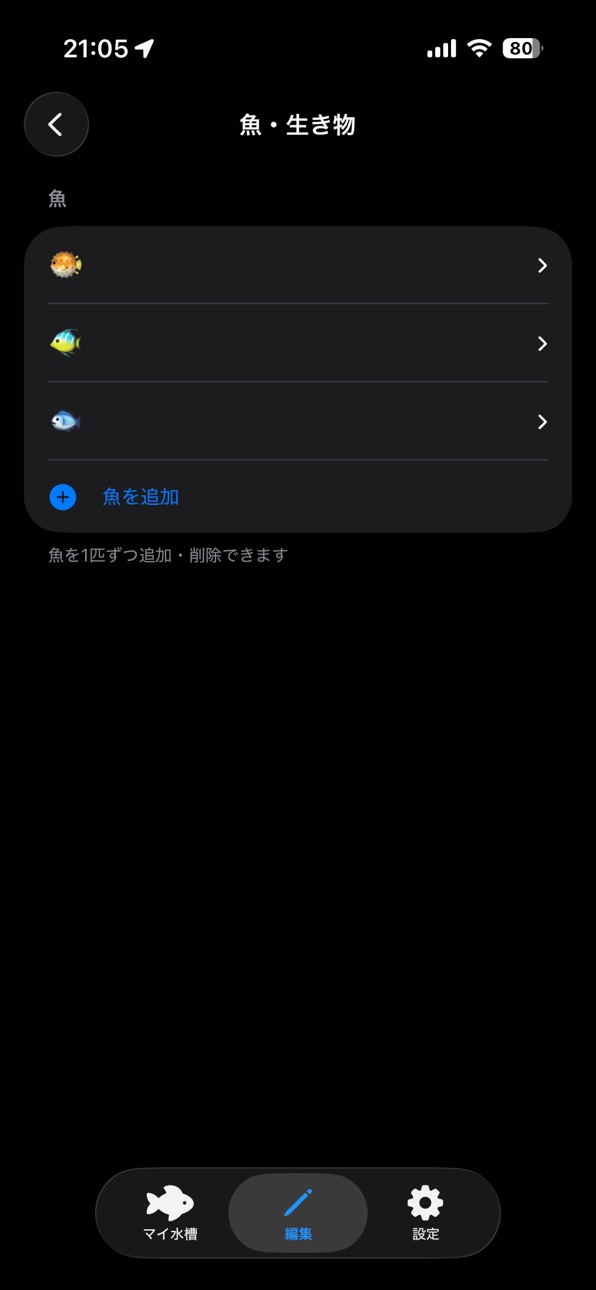
• Add as many emoji as you want to your tank
• Any emoji can swim: faces, food, animals, and more
• Place emoji as background decorations too
• Weather-linked backgrounds (5 patterns)
• Tap to scatter the fish
• All widget sizes supported: Small / Medium / Large / Extra Large
• No feature gates - everything is free
Pricing
One tank with full functionality is completely free.
No paywalls. No locked features.
Want more tanks on your Home Screen?
• Tank Pack (+3 tanks): ¥1.99
• Tank Expansion (+6 tanks): $2.99
Line up multiple tanks and turn your
Home Screen into an aquarium.
Perfect for you if...
• You want a Home Screen that feels more alive
• You love customizing widgets with personality
• You want a tank app with creative freedom
• You are interested in weather-reactive widgets
• You want your friends to ask "what is that?"
• You like things that are calming and a little funny
WidgetTank is made by an independent developer.
Feedback and bug reports are welcome via App Store reviews.
In-App Purchases US pricing
One-Time Purchases
Aquarium Slots +3$1.99
Aquarium Slots +6$2.99
Capabilities
In-App Purchases
Accessibility
ipadiphonemacrealityDevicetvoswatch
Version history 9 versions
Build 886536005v1.6.02026-06-06 01:32:05
■ New
• Use AI-generated images for fish and backgrounds (Apple Intelligence supported devices)
• Save generated images to a gallery for reuse
■ Improvements
• Improved widget save UX
Build 886616796v1.6.12026-06-06 18:03:36
Major improvements to AI image generation.
• You can now save generated images to the Photos app
• Fixed a bug where the prompt was cleared when regenerating with the same prompt
• Added a hint button to the image generation screen
• Various other UX improvements
Build 886420752v1.4.32026-06-03 02:04:43
■ Improvements
• Added a banner ad to the Settings screen
Build 886471228v1.5.02026-06-03 16:46:11
■ New
• You can now name each fish (up to 8 characters)
• Feed your fish from the preview screen — watch ads to refill your food stock
• Each fish now shows how many times it has been fed and when it last ate
■ Improvements
• Added Korean language support
• iPhone display is now locked to portrait
Build 886348266v1.4.22026-06-01 23:30:51
■ New Features
• Choose a widget size (Small, Medium, or Large) when creating a new aquarium
• Reorder your aquariums freely from the My Aquariums screen
• Crop your background image to fit the widget display area before saving
■ Improvements & Fixes
• Decoration emoji now support simultaneous pinch-to-scale and two-finger rotation
• Fixed a bug where the background image could disappear after being set
• Reorder sheet now shows correctly sized icons for each widget size
Build 886273243v1.4.12026-05-30 01:16:50
Revamped Decoration Editing
Emoji decorations can now be dragged and repositioned directly on the canvas. Instead of editing through a per-item sheet, just tap and drag to place them intuitively.
Hint Buttons Added
Each editor screen now has a "?" button so you can check how to use it at any time.
Build 886223705v1.4.02026-05-29 02:53:28
5 New Aquarium Templates
Coral Reef, Tropical, Jellyfish, Space, and Rabbit & Tortoise — choose a theme that matches your style.
Korean Language Support
WidgetTank is now available in Korean (한국어).
Faster, More Accurate Weather Display
Weather data is now synced instantly between the app and widget. No more stale weather in your widget.
Stability Improvements
Improved fish data handling.
Build 882664860v1.3.02026-05-25 00:48:07
Build 886114969v1.3.12026-05-25 20:36:28
- Fixed an issue where the emoji would move at unintended high speed when the emoji animation was set to "Dolphin."
- Added UFO and Alien as preset emojis.
- Other minor fixes.
Price history by region
Currency
Show
Columns
Search
Availability 1 of 1 storefronts
| Region | Language | Price | Ratings | Avg | Version |
|---|---|---|---|---|---|
| US | en-US | Free | 0 | — | 1.6.1 |
Change log 13 changes · US
✎
releaseNotes updated
Major improvements to AI image generation.
• You can now save generated images to the Photos app
• Fixed a bug where the prompt was cleared when regenerating w
✎
description updated
Put your own aquarium on your Home Screen.
WidgetTank lets you place any emoji into a tank
and watch it swim in your Home Screen widget.
Fish, pizza, ghosts,
✎
subtitle updated
Aquarium for your Home Screen
✎
name updated
Widget Tank
◆
Version 1.6.1 released
Major improvements to AI image generation.
• You can now save generated images to the Photos app
• Fixed a bug where the prompt was cleared when regenerating with the same prompt
• Added a hint button to the image generation screen
• Vario
◆
Version 1.6.0 released
■ New
• Use AI-generated images for fish and backgrounds (Apple Intelligence supported devices)
• Save generated images to a gallery for reuse
■ Improvements
• Improved widget save UX
◆
Version 1.5.0 released
■ New
• You can now name each fish (up to 8 characters)
• Feed your fish from the preview screen — watch ads to refill your food stock
• Each fish now shows how many times it has been fed and when it last ate
■ Improvements
• Added Korean
◆
Version 1.4.3 released
■ Improvements
• Added a banner ad to the Settings screen
◆
Version 1.4.2 released
■ New Features
• Choose a widget size (Small, Medium, or Large) when creating a new aquarium
• Reorder your aquariums freely from the My Aquariums screen
• Crop your background image to fit the widget display area before saving
■ Improveme
◆
Version 1.4.1 released
Revamped Decoration Editing
Emoji decorations can now be dragged and repositioned directly on the canvas. Instead of editing through a per-item sheet, just tap and drag to place them intuitively.
Hint Buttons Added
Each editor screen now h
◆
Version 1.4.0 released
5 New Aquarium Templates
Coral Reef, Tropical, Jellyfish, Space, and Rabbit & Tortoise — choose a theme that matches your style.
Korean Language Support
WidgetTank is now available in Korean (한국어).
Faster, More Accurate Weather Display
We
◆
Version 1.3.1 released
- Fixed an issue where the emoji would move at unintended high speed when the emoji animation was set to "Dolphin."
- Added UFO and Alien as preset emojis.
- Other minor fixes.
◆
Version 1.3.0 released