Home › Productivity

 US
US
1 of 1 storefronts
Content in en-US
Content in en-US
Information
Preview 3 platforms
iPhone 6 images


iPad 6 images


Mac 6 images


What’s New Version 1.14.0
Set a maximum line width to keep outlines readable on large screens.
New
- Line Width setting limits the maximum text width; wide windows center the outline
Improved
- Find palette lists Home at the top of the hierarchy
- Drag rows from the Find palette preview into the main editor
Fixed
- Keyboard shortcut assignments now allow combinations other than Command
- Fixed inability to apply Bold, Italic, and other formatting while rows are selected
- Fixed the caret moving to unintended positions during row selection and Undo
- Fixed multi-row Tab indent going too deep
- Fixed Settings not opening from the iPad sidebar gear button or Command+,
- Fixed Undo and Redo keyboard shortcuts on iPad
Description
Kosshi is a fast, native outliner. Simple and smooth on large outlines.
Available on Mac, iPhone, and iPad — one purchase covers all three.
Outliner
Hit Tab to indent and build a hierarchy. Collapse what you don't need, drag to move things around.
Zoom In / Zoom Out
Zoom into any row and only its contents are shown. Breadcrumbs tell you where you are, and you can jump home anytime.
Markdown
Bold, italic, highlight, links, checkboxes, code blocks, and LaTeX math all render right where you type. Formatting markers only appear while editing — move away and they're gone.
Images & Files
Add images by pasting or dragging, and resize however you want. PDFs and videos show as inline previews too.
Apple Pencil Sketches
Draw sketches with Apple Pencil on iPad. They sync to Mac and iPhone through iCloud.
Search
Cmd+F to search your whole outline. Matches get highlighted. Replace works too.
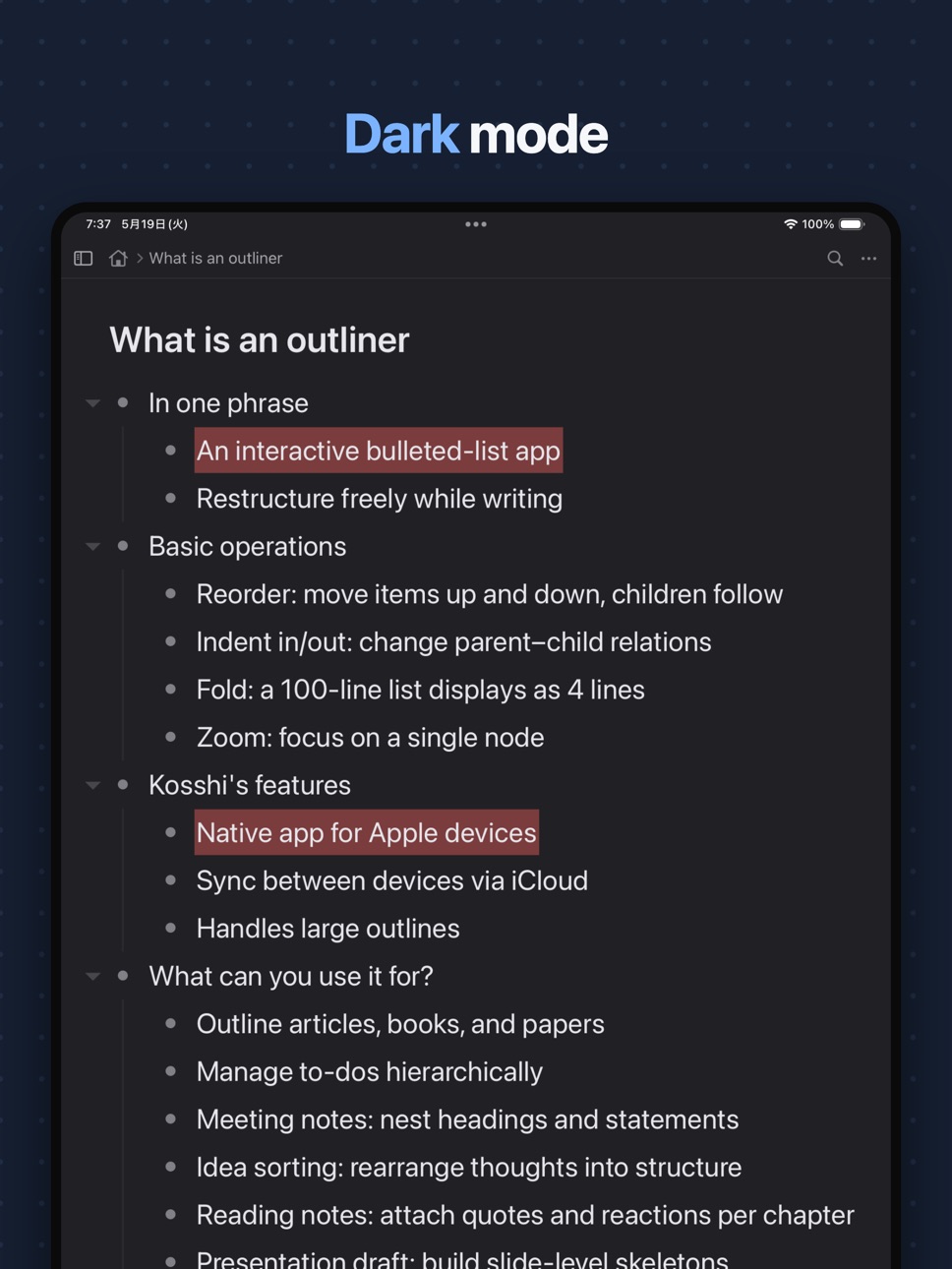
Dark Mode
Switch between light and dark themes. Automatically follows your system setting.
Tags
Use #tags to categorize and @tags for dates or status. Filter from the sidebar.
Internal Links
Type [[ to search and link to another row. Build a web of connected outlines.
Bookmarks
Press Cmd+D to bookmark a row. Bookmarks appear at the top of the sidebar.
Prose Mode
Switch a row to Prose Mode for long-form writing. Bullets disappear and children stay expanded.
Reminders & Calendar
Any @tag with a date syncs to Apple Reminders or Calendar. Use @todo(3/15), @meeting(every monday 10:00), and so on.
Keyboard Shortcuts
Collapse, move, indent — all without reaching for the mouse.
Export
Export as Markdown, OPML, or plain text. Your data is never locked in.
Auto Backup
Restore past outlines from daily backups. Feel free to delete outlines you no longer need.
iCloud Sync
When iCloud is available, your outlines sync across Apple devices via CloudKit. Data is stored in your iCloud account, and the developer cannot access its contents.
Pay Once
Built natively for speed. Launches quickly and works offline. One-time purchase covers Mac, iPhone, and iPad — no subscription, no account required. A 7-day free trial is available.
Feedback
Feature requests and bug reports are always welcome. Reach us via the contact form at https://kosshi.app/contact or on X at @shirokumamake.
In-App Purchases US pricing
One-Time Purchases
Kosshi Outliner$24.99
Capabilities
In-App Purchases
Accessibility
ipadiphonemacrealityDevicetvoswatch
Version history 20 versions
Build 887831340v1.14.02026-07-05 18:23:58
Set a maximum line width to keep outlines readable on large screens.
New
- Line Width setting limits the maximum text width; wide windows center the outline
Improved
- Find palette lists Home at the top of the hierarchy
- Drag rows from the Find palette preview into the main editor
Fixed
- Keyboard shortcut assignments now allow combinations other than Command
- Fixed inability to apply Bold, Italic, and other formatting while rows are selected
- Fixed the caret moving to unintended positions during row selection and Undo
- Fixed multi-row Tab indent going too deep
- Fixed Settings not opening from the iPad sidebar gear button or Command+,
- Fixed Undo and Redo keyboard shortcuts on iPad
Build 887643122v1.13.12026-07-01 15:38:34
This update includes improvements and bug fixes.
Improved
- The iPad sidebar resize handle is easier to grab and smoother while dragging
- Bullets in the main editor align more naturally with the first line
Fixed
- Fixed an issue where text selection was hard to read in Dark Mode
- Fixed Cmd+Shift+Up/Down row moves not keeping the moved row in view
- Fixed the caret staying offscreen while editing long wrapped lines
- Fixed line-start Backspace not scrolling to the focused row after merging or deleting a row
Build 887357550v1.13.02026-06-30 13:36:00
Keyboard shortcuts are now customizable and easier to discover, with settings that sync through iCloud. This release also adds faster palettes for moving, finding, linking, and running actions.
New
- Customize keyboard shortcuts from Settings, including navigation, editing, formatting, and app commands
- Use Move to, Find, and Find Action palettes from a hardware keyboard
- Search with filters for tags, internal links, and outline level
Improved
- Insert and edit links to rows more easily, with cleaner search results for internal links and attachments
- Drag rows in the sidebar and between the sidebar and editor on iPad
- Multiple windows now stay in sync while you edit the same document
- Undo a backup restore from Settings
Fixed
- Fixed export preview not updating while you edit the document
- Fixed edits on iPhone and iPad not syncing to iCloud while you type
- Fixed backup restore reliability with iCloud sync and attachments
- Fixed Find/Replace not scrolling to the current match after Replace or Next/Previous
- Fixed code block layout when moving the cursor upward into a block
- Fixed Settings appearance when switching between System and Light theme
- Fixed the welcome screen reappearing after purchase
- Fixed Shift+arrow selection leaving a stale highlight after normal arrow movement
- Fixed the keyboard staying visible over Settings and Export on iPad
- Fixed checkbox completion staying in sync with [ ] / [x] text, IME suggestion commits, and Enter behavior at the start of code blocks
- Fixed zoom and move display glitches, including rows briefly appearing in the wrong place
Build 886949260v1.12.02026-06-15 02:16:32
This release makes editing more dependable: quote blocks, splitting rows, moving the caret across wrapped lines, and zooming all behave the way you expect.
New
- Collapse and jump to a row's parent with Cmd+↑ on a hardware keyboard
- Open release notes and subscribe to the newsletter from Settings
Improved
- The keyboard toolbar now matches the rounded iOS keyboard and follows light and dark mode
Fixed
- Fixed the cursor disappearing and the keyboard becoming unusable after zooming in or out of a focused row
- Fixed pressing Return in the middle of a row reverting it to its pre-split text
- Rebuilt caret movement across wrapped lines, so pressing ↑/↓ from the end of a line no longer jumps to the start
- Many quote block editing fixes: splitting a multi-line block into independent rows, highlight alignment, and more
- Fixed deeply indented rows compressing to one character per line
- Fixed extra line spacing on rows containing [ ] in Japanese, Chinese, and Korean
- Fixed double-drawn text during zoom transitions
- Fixed Export to OPML dropping line breaks and completed state
- Fixed edits to the same row on two devices losing one side's change, and deleted rows not converging across devices
- Many other improvements and bug fixes
Build 886330579v1.11.02026-06-01 00:25:33
Editing on iPad with a mouse or hardware keyboard now feels much closer to the Mac.
New
- Drag a bullet to reorder rows; drag in the margin to select rows (iPad with mouse/trackpad)
- Select text across multiple rows with a pointer
- Duplicate rows with Cmd+Shift+D
- Move selected rows with Cmd+Shift+↑/↓ on a hardware keyboard
- Choose where each @tag syncs (a Reminders list or a calendar)
- Open the user guide from Settings (kosshi.app/guide)
Improved
- More responsive hardware keyboard, with the caret following along and proper key repeat
- Faster arrow-key and Shift-selection navigation
- Large outlines open, scroll, and edit much faster
Fixed
- Fixed scrolling that could turn into text selection
- Fixed arrow keys not scrolling the cursor into view at the screen edge
- Fixed the selection cursor lingering after releasing Shift
- Fixed row order breaking when moving a multi-row selection to the edges
- Fixed pasting that left an empty first line
- Fixed bookmarks that sometimes needed several presses
- Fixed the sidebar not updating right away when you edit a heading
- Fixed search text remaining in the box after clearing a filter
- Fixed Reminders sync creating duplicates when a reminder was moved between lists
- Fixed row height shifting while editing a row with a link
- Updated the Welcome guide's zoom-out instructions to match current behavior
Build 885887564v1.10.12026-05-20 17:14:22
Small improvements and bug fixes.
- OPML import now preserves completion state from WorkFlowy and Dynalist OPML exports
- Fixed missing #tag / @tag prefix on parent rows in the sidebar
- Fixed @tag parsing for tag kinds with non-ASCII characters
- Fixed duplicate inserts when using Expand All
Build 885762909v1.10.02026-05-17 20:22:30
Search just got more powerful. Filter your outlines by status, date, or attachments — type `is:bookmarked`, `created:today`, or `has:image`, or pick them from the new funnel menu in the search bar.
And Kosshi now speaks 9 languages: in addition to English, the app is fully translated into Japanese, Simplified Chinese, Traditional Chinese, Korean, German, French, Spanish, and Italian.
New
- Filter search results by status (is:), date (created: / updated:), or attachments (has:)
- Funnel menu in the search bar for picking filters
- Full UI translation in 8 new languages, plus the Welcome guide
Improved
- Date filter syntax simplified to `-after:` and `-before:`
Many other improvements and bug fixes
Build 885404594v1.9.02026-05-11 05:39:45
Row insertions, deletions, and collapse / expand feel more natural. Scrolling and the cursor follow each other more smoothly while you edit. iPhone launch and sketch rendering are noticeably snappier.
Improved
- More natural animations for row insert / delete and collapse / expand
- Smoother cursor-follow scrolling while editing
- The cursor is now shown on image and file attachment rows
- Faster launch and smoother scrolling on iPhone, especially with sketch-heavy documents
Fixes
- Fixed a bug where you could not scroll to the bottom after resizing an image or inserting a new sketch
- Fixed the keyboard toolbar overlapping the safe area when using the floating keyboard
- Fixed Undo from the keyboard toolbar or an external keyboard not reverting in-progress edits
- Fixed sketches shrinking when edited on iPhone after being created on iPad
- Fixed sketch edits being overwritten by an incoming sync update during drawing
- Fixed marked text being duplicated on the new row when switching rows during Japanese IME composition
- Fixed the underline appearing too thick during Japanese IME composition
- Additional fixes for surrounding rows jumping after confirming Japanese IME or pressing Enter (continuing follow-ups from earlier releases)
- Fixed sibling rows briefly disappearing when expanding a folded row
Build 885306273v1.8.02026-05-07 05:19:56
External keyboards now support Home / End / PageUp / PageDown, with a few fixes around text selection and Japanese input.
New
- Added Home / End / PageUp / PageDown support for external keyboards
- Improved dark mode selection color for better readability
Backup retention
- Added a retention setting for backups (default: 1 year; choices: 30 / 90 / 365 days / Unlimited).
Fixes
- Fixed empty space below the floating keyboard on iPad after re-showing
- Fixed text not appearing when zooming into a leaf row mid-edit with Cmd+.
- Fixed cursor jumping when typing Japanese on wrapped lines (a follow-up to the previous release, which missed some cases)
- Fixed delete shortcuts and arrow keys not behaving correctly during text selection
Build 885141779v1.7.22026-05-01 16:24:12
Fixed text disappearing while typing in Japanese, plus a few rough edges around the cursor row.
- Fixed text loss during Japanese IME composition (characters could vanish without pressing delete)
- Fixed flickering of marked text mid-composition
- Fixed the row below the editing line jumping when a line wraps to a new visual line
Build 885016735v1.7.02026-04-30 04:34:48
Sketch with Apple Pencil, smarter text checking, and a redesigned edit menu.
- Added a pencil button to the keyboard toolbar to draw sketches with Apple Pencil.
- Added a Writing tab in Settings to enable spell check, Smart Quotes, and Smart Dashes.
- Redesigned the edit menu to match Apple standards.
- Added Website and Contact Support links to Settings.
- Fixed a crash when dropping multi-row selections with rows at different indent levels.
Build 885135532v1.7.12026-04-30 22:26:17
Long-press text to drag the cursor with the system loupe. Hold near the top or bottom to keep scrolling past the visible rows.
Build 884907331v1.6.12026-04-26 03:20:46
Fixes and small refinements.
- Theme changes now refresh the editor and sidebar immediately.
- Fixed a rendering gap at the right edge when selecting across rows that include block items.
- Updated the welcome document with highlight markup and shortcuts.
Build 884844874v1.6.02026-04-24 03:06:43
Highlight markup and smaller refinements.
New
- ==text== highlight markup, with ⇧⌘H to toggle it on the selection.
- Long-press an image in the lightbox to open an image-specific menu.
Improvements
- Selected text stays fully readable — the selection highlight no longer washes out the letters underneath.
- Japanese IME conversion segments are shown with subtle underline shading, making the current clause easier to see.
- Zoom now keeps row moves inside the zoomed scope — ⌘↑ / ⌘↓ no longer jump out of the focused branch.
Many other small fixes and improvements.
Build 884791031v1.5.02026-04-23 02:39:15
LaTeX math and inline image resizing.
New
- LaTeX math support with $…$ and $$…$$.
- Resize images inline on iOS and iPad.
- Configurable sidebar font size in Settings.
- Select / Select All in the iOS edit menu.
Thanks for the feedback and requests that led to LaTeX math and the sidebar font size setting.
You can also send feedback through the contact form at https://kosshi.app/contact or on X at @shirokumamake — feature requests and bug reports are always welcome.
Behavior change
- Dates written without a year inside @tag values (e.g. @due(3/15), @remind(3/15)) are now always interpreted as this year. Previously, once the date had passed, it silently rolled over to next year on every restart, which was never the intended behavior. To schedule something next year, write the full date (e.g. 2027/1/5 or 2027-01-05).
Other improvements
- Smoother iPad sidebar open / close animation.
- Attachments open the system share sheet instantly on first tap.
- Image resize handles now show only while the image is selected.
- Fixed cursor flicker during arrow-key navigation.
- Fixed the edit menu staying open after a single tap in the editor.
- The editing row now scrolls up with the keyboard so it stays visible.
- Fixed attachments without a preview not responding to tap on iOS / iPad.
- Fixed bookmarks added while the sidebar was hidden not showing up when the sidebar was reopened on iPhone.
- Fixed selection becoming stale after edits.
Build 884303362v1.4.02026-04-22 04:06:27
Large outlines run faster. Keyboard shortcuts and UI have been cleaned up.
Performance
- Faster open and render for documents with 100K+ rows.
- Faster indent, move, bulk delete, and search on large outlines.
New
- Added Import and Export to iOS Settings (OPML, Backup).
- Older iCloud backups can be downloaded inline, grouped by year and month.
- Cmd+Shift+↑↓ moves rows across parents.
- Option+Delete and Option+Fn+Delete delete by word on macOS.
Changes
- Renamed "Focus" to Zoom In / Zoom Out.
- Cmd+Delete now deletes to the start of the line (matches macOS standard).
- Cmd+Shift+Delete deletes the row and its descendants.
- Backspace on an empty row with children now behaves like WorkFlowy and Dynalist.
- Backspace, Enter, and arrow keys behave more consistently around code fences.
Fixes
- Various small fixes.
Build 884216352v1.3.12026-04-08 04:29:23
- Added Cmd+Shift+. to go back from focused view
Build 884287844v1.3.22026-04-08 22:58:33
- Italic now works on Japanese and other CJK text
- Added checkbox button to the iOS keyboard toolbar
- Fixed checkbox not showing on focused title rows
Build 884084616v1.3.02026-04-03 21:21:32
- Print support on macOS (Cmd+P)
- You can now open any row in its own window from the sidebar
- Copying now preserves images and formatting
- Tighter row spacing
- Sidebar now auto-hides on narrow windows
- Fixed Tab/Enter interrupting text composition on iOS
- Fixed iCloud sync overwriting newer local edits
- Many other improvements and bug fixes
Build 883148351v1.2.22026-04-02 18:27:37
Price history by region
Currency
Show
Columns
Search
Availability 1 of 1 storefronts
| Region | Language | Price | Ratings | Avg | Version |
|---|---|---|---|---|---|
| US | en-US | Free | 3 | 5.0 | 1.14.0 |
Change log 24 changes · US
✎
releaseNotes updated
Set a maximum line width to keep outlines readable on large screens.
New
- Line Width setting limits the maximum text width; wide windows center the outline
I
✎
description updated
Kosshi is a fast, native outliner. Simple and smooth on large outlines.
Available on Mac, iPhone, and iPad — one purchase covers all three.
Outliner
Hit Tab to
✎
subtitle updated
Markdown, images, device sync
✎
name updated
Kosshi Outliner
◆
Version 1.14.0 released
Set a maximum line width to keep outlines readable on large screens.
New
- Line Width setting limits the maximum text width; wide windows center the outline
Improved
- Find palette lists Home at the top of the hierarchy
- Drag rows from t
◆
Version 1.13.1 released
This update includes improvements and bug fixes.
Improved
- The iPad sidebar resize handle is easier to grab and smoother while dragging
- Bullets in the main editor align more naturally with the first line
Fixed
- Fixed an issue where te
◆
Version 1.13.0 released
Keyboard shortcuts are now customizable and easier to discover, with settings that sync through iCloud. This release also adds faster palettes for moving, finding, linking, and running actions.
New
- Customize keyboard shortcuts from Setti
◆
Version 1.12.0 released
This release makes editing more dependable: quote blocks, splitting rows, moving the caret across wrapped lines, and zooming all behave the way you expect.
New
- Collapse and jump to a row's parent with Cmd+↑ on a hardware keyboard
- Open
◆
Version 1.11.0 released
Editing on iPad with a mouse or hardware keyboard now feels much closer to the Mac.
New
- Drag a bullet to reorder rows; drag in the margin to select rows (iPad with mouse/trackpad)
- Select text across multiple rows with a pointer
- Dupli
◆
Version 1.10.1 released
Small improvements and bug fixes.
- OPML import now preserves completion state from WorkFlowy and Dynalist OPML exports
- Fixed missing #tag / @tag prefix on parent rows in the sidebar
- Fixed @tag parsing for tag kinds with non-ASCII char
◆
Version 1.10.0 released
Search just got more powerful. Filter your outlines by status, date, or attachments — type `is:bookmarked`, `created:today`, or `has:image`, or pick them from the new funnel menu in the search bar.
And Kosshi now speaks 9 languages: in add
◆
Version 1.9.0 released
Row insertions, deletions, and collapse / expand feel more natural. Scrolling and the cursor follow each other more smoothly while you edit. iPhone launch and sketch rendering are noticeably snappier.
Improved
- More natural animations for
◆
Version 1.8.0 released
External keyboards now support Home / End / PageUp / PageDown, with a few fixes around text selection and Japanese input.
New
- Added Home / End / PageUp / PageDown support for external keyboards
- Improved dark mode selection color for be
◆
Version 1.7.2 released
Fixed text disappearing while typing in Japanese, plus a few rough edges around the cursor row.
- Fixed text loss during Japanese IME composition (characters could vanish without pressing delete)
- Fixed flickering of marked text mid-compo
◆
Version 1.7.1 released
Long-press text to drag the cursor with the system loupe. Hold near the top or bottom to keep scrolling past the visible rows.
◆
Version 1.7.0 released
Sketch with Apple Pencil, smarter text checking, and a redesigned edit menu.
- Added a pencil button to the keyboard toolbar to draw sketches with Apple Pencil.
- Added a Writing tab in Settings to enable spell check, Smart Quotes, and Sma
◆
Version 1.6.1 released
Fixes and small refinements.
- Theme changes now refresh the editor and sidebar immediately.
- Fixed a rendering gap at the right edge when selecting across rows that include block items.
- Updated the welcome document with highlight marku
◆
Version 1.6.0 released
Highlight markup and smaller refinements.
New
- ==text== highlight markup, with ⇧⌘H to toggle it on the selection.
- Long-press an image in the lightbox to open an image-specific menu.
Improvements
- Selected text stays fully readable — t
◆
Version 1.5.0 released
LaTeX math and inline image resizing.
New
- LaTeX math support with $…$ and $$…$$.
- Resize images inline on iOS and iPad.
- Configurable sidebar font size in Settings.
- Select / Select All in the iOS edit menu.
Thanks for the feedback a
◆
Version 1.4.0 released
Large outlines run faster. Keyboard shortcuts and UI have been cleaned up.
Performance
- Faster open and render for documents with 100K+ rows.
- Faster indent, move, bulk delete, and search on large outlines.
New
- Added Import and Export
◆
Version 1.3.2 released
- Italic now works on Japanese and other CJK text
- Added checkbox button to the iOS keyboard toolbar
- Fixed checkbox not showing on focused title rows
◆
Version 1.3.1 released
- Added Cmd+Shift+. to go back from focused view
◆
Version 1.3.0 released
- Print support on macOS (Cmd+P)
- You can now open any row in its own window from the sidebar
- Copying now preserves images and formatting
- Tighter row spacing
- Sidebar now auto-hides on narrow windows
- Fixed Tab/Enter interrupting tex
◆
Version 1.2.2 released