Home › Finance

 US
US
1 of 1 storefronts
Content in en-US
Content in en-US
Information
Preview 1 platform
iPhone 8 images


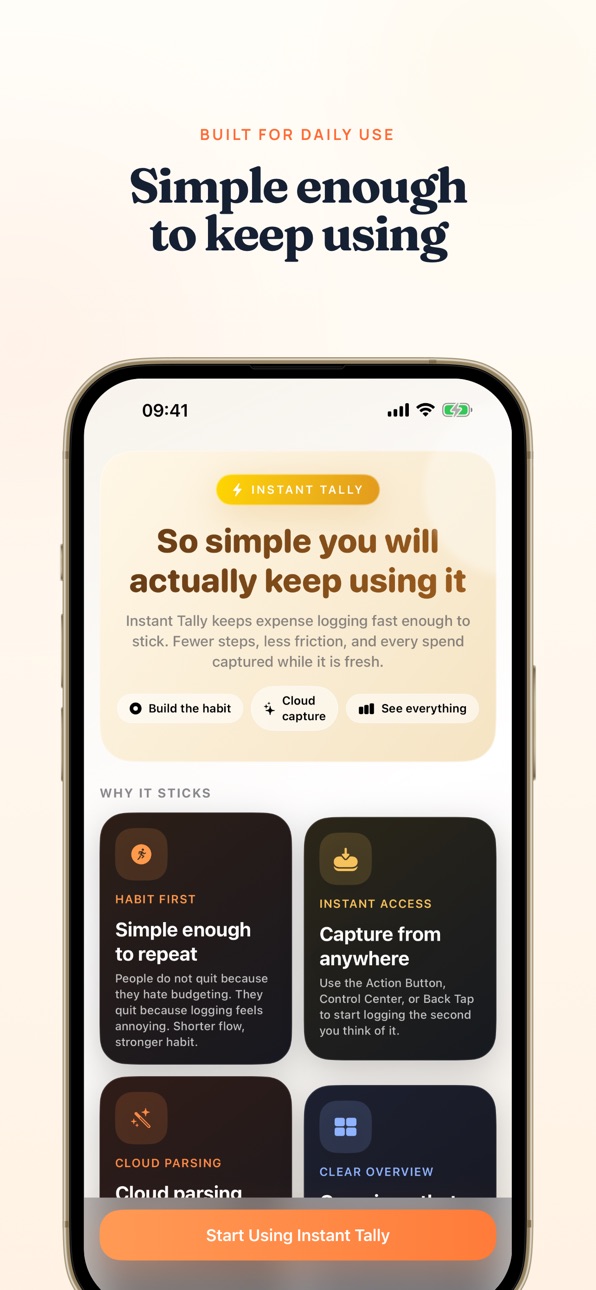


What’s New Version 1.3.1
• NEW: Tap any day on the calendar heatmap to see that day's expenses at a glance
• NEW: After saving an expense, the toast now shows the date — tap it to jump right to the entry
• NEW: Reach us directly from the More page — we read every message
• Redesigned onboarding experience
• Translation and text display improvements across all languages
Description
You've tried expense trackers before. Started strong, gave up within a week.
The problem isn't you—it's the process. Open the app, pick a category, type an amount, add a note. Thirty seconds to log a $4 coffee. Nobody keeps that up.
Instant Tally takes a different approach: don't make you do anything extra. No budgets, no balance sheets. Just one job—track what you spend.
SNAP & LOG
• Snap a receipt — AI reads the amount, merchant, and category
• Long receipt or bank statement? Auto-split into separate entries
• Say “coffee 4.50” — voice capture does the rest
• Paste a note or email — AI extracts every expense
• Or just type it manually — always works, even offline
ORGANIZE & TRACK
• Separate ledgers for daily spending, business trips, and projects
• Tag expenses as reimbursable, track what's pending, mark them done
• 14 currencies with live exchange rates and automatic conversion
• Built-in dashboard with spending breakdowns, trends, and calendar heatmap
ALWAYS WITHIN REACH
iOS 18 Control Center widget, Siri Shortcuts, Share Extension, Action Button, and Back Tap — log expenses from anywhere on your phone.
PRIVACY FIRST
All expenses stored locally on your device. Receipt images never leave your phone. No ads, no behavioral tracking. iCloud backup and full JSON export.
Free with 10 AI recognitions/month. Pro unlocks 1,000/month, unlimited ledgers, reimbursement tracking, and backup features. Subscriptions auto-renew; manage anytime in Settings.
Privacy Policy: https://instanttally.com/privacy#en
Terms of Service: https://instanttally.com/terms#en
Capabilities
In-App Purchases
Accessibility
ipadiphonemacrealityDevicetvoswatch
Version history 5 versions
Build 884306988v1.3.12026-04-10 02:03:38
• NEW: Tap any day on the calendar heatmap to see that day's expenses at a glance
• NEW: After saving an expense, the toast now shows the date — tap it to jump right to the entry
• NEW: Reach us directly from the More page — we read every message
• Redesigned onboarding experience
• Translation and text display improvements across all languages
Build 884028124v1.3.02026-04-03 08:31:37
• Siri's "Scan Receipt" shortcut now works smoothly when no screenshot is available — opens your photo library instead
• Siri tip suggestions rotate each time you open the expense screen, helping you discover more shortcuts
• Improved iCloud backup reliability and clearer status messages
• Bug fixes and stability improvements
Build 883915488v1.2.12026-04-01 12:51:36
• Redesigned voice input — real-time waveform feedback shows your speech is being captured, with clear status for recording and recognition stages
• Smarter receipt scanning — automatically retries with image recognition when text extraction fails (handwritten receipts, blurry photos)
• Siri Shortcuts now speak your language — shortcut phrases fully localized in English, Chinese, Japanese, and Korean
• Bug fixes and stability improvements
Build 883626059v1.12026-03-24 16:55:57
• Japanese language support — full app localization, receipt and payment recognition in Japanese
• Korean language support — full app localization, KakaoPay/Toss screenshot recognition in Korean
• Improved voice capture shortcuts
• Bug fixes and stability improvements
Build 882645796v1.02026-03-14 20:02:08
No pricing data captured yet — comparisons appear once the app has paid storefronts or in-app purchases.
Availability 1 of 1 storefronts
| Region | Language | Price | Ratings | Avg | Version |
|---|---|---|---|---|---|
| US | en-US | Free | 1 | 5.0 | 1.3.1 |
Change log 9 changes · US
✎
releaseNotes updated
• NEW: Tap any day on the calendar heatmap to see that day's expenses at a glance
• NEW: After saving an expense, the toast now shows the date — tap it to jump
✎
description updated
You've tried expense trackers before. Started strong, gave up within a week.
The problem isn't you—it's the process. Open the app, pick a category, type an amo
✎
subtitle updated
Finally, One That Sticks
✎
name updated
Instant Tally - AI Expense Log
◆
Version 1.3.1 released
• NEW: Tap any day on the calendar heatmap to see that day's expenses at a glance
• NEW: After saving an expense, the toast now shows the date — tap it to jump right to the entry
• NEW: Reach us directly from the More page — we read every m
◆
Version 1.3.0 released
• Siri's "Scan Receipt" shortcut now works smoothly when no screenshot is available — opens your photo library instead
• Siri tip suggestions rotate each time you open the expense screen, helping you discover more shortcuts
• Improved iClou
◆
Version 1.2.1 released
• Redesigned voice input — real-time waveform feedback shows your speech is being captured, with clear status for recording and recognition stages
• Smarter receipt scanning — automatically retries with image recognition when text extractio
◆
Version 1.1 released
• Japanese language support — full app localization, receipt and payment recognition in Japanese
• Korean language support — full app localization, KakaoPay/Toss screenshot recognition in Korean
• Improved voice capture shortcuts
• Bug fixe
◆
Version 1.0 released