Home › Utilities

 US
US
 AGen-GB
 AIen-GB
 AOen-GB
 ARes-MX
 ATde-DE
 AUen-AU
 BBen-GB
 BEen-GB
 BFen-GB
 BGen-GB
 BJen-GB
 BOes-MX
 BRpt-BR
 BSen-GB
 BWen-GB
 BZen-GB
 CAen-CA
 CDen-GB
 CGen-GB
 CHde-CH
 CIfr-FR
 CLes-MX
 CMfr-FR
 COes-MX
 CRes-MX
 CVen-GB
 CZen-GB
 DEde-DE
 DKen-GB
 DMen-GB
 DOes-MX
 DZen-GB
 ECes-MX
 EEen-GB
 ESes-ES
 FIen-GB
 FRfr-FR
 GAfr-FR
 GBen-GB
 GDen-GB
 GHen-GB
 GMen-GB
 GRen-GB
 GTes-MX
 GWen-GB
 GYen-GB
 HNes-MX
 HRen-GB
 HUen-GB
 IEen-GB
 ISen-GB
 ITit
ITit JMen-GB
 KEen-GB
 KNen-GB
 KYen-GB
 LCen-GB
 LRen-GB
 LUen-GB
 LYen-GB
 MAen-GB
 MGen-GB
 MLen-GB
 MSen-GB
 MUen-GB
 MWen-GB
 MXes-MX
 MZen-GB
 NAen-GB
 NEen-GB
 NGen-GB
 NIes-MX
 NLnl
NLnl NOen-GB
 NZen-AU
 PAes-MX
 PEes-MX
 PLen-GB
 PTpt-PT
 PYes-MX
 ROen-GB
 RWen-GB
 SCen-GB
 SEsv
SEsv SIen-GB
 SKen-GB
 SLen-GB
 SNen-GB
 SRen-GB
 STen-GB
 SVes-MX
 SZen-GB
 TCen-GB
 TDen-GB
 TNen-GB
 TTen-GB
 TZen-GB
 UGen-GBUSen-US
 UYen-GB
 VCen-GB
 VEes-MX
 VGen-GB
 ZMen-GB
 ZWen-GB
105 of 105 storefronts
Content in en-US
Content in en-US
Information
Preview 2 platforms
iPhone 7 images





iPad 7 images




What’s New Version 2.1
- Added bilinear interpolation smoothing for the spectrogram display
Description
■ FNam FFT Spectrogram Analyzer
Engineers need tools that are ready to use — anytime, anywhere.
FNam FFT Spectrogram Analyzer turns your smartphone into a
professional audio analysis tool. Unlike typical sound meter apps,
it delivers advanced features like Dual File Comparison and CSV
Export for precise post-analysis
* completely free, no ads.
Real-time FFT & Spectrogram / All processing runs on-device /
No audio data uploaded externally.
[Video Guide - See it in action]
https://youtu.be/72SYLTG0l_8
■ NEW FEATURES
1. FNam FFT Spectrogram Analyzer
• Landscape mode provides a larger screen for detailed analysis.
■ KEY FEATURES
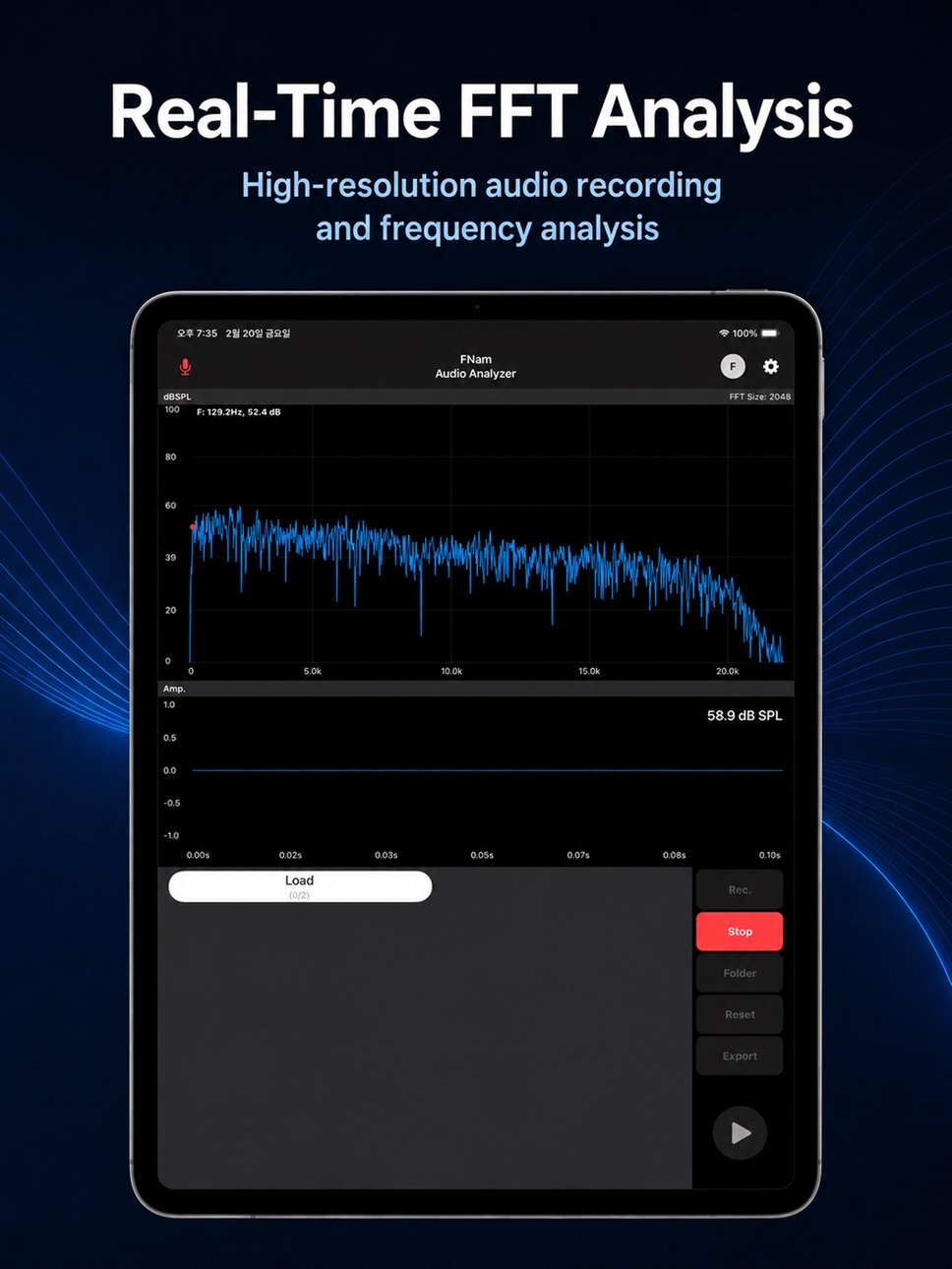
1. Real-time Audio Analysis
• High-precision FFT (Fast Fourier Transform) Graph.
• Time Domain Waveform (Oscilloscope) view.
• Fluid Spectrogram for visualizing frequency changes over time.
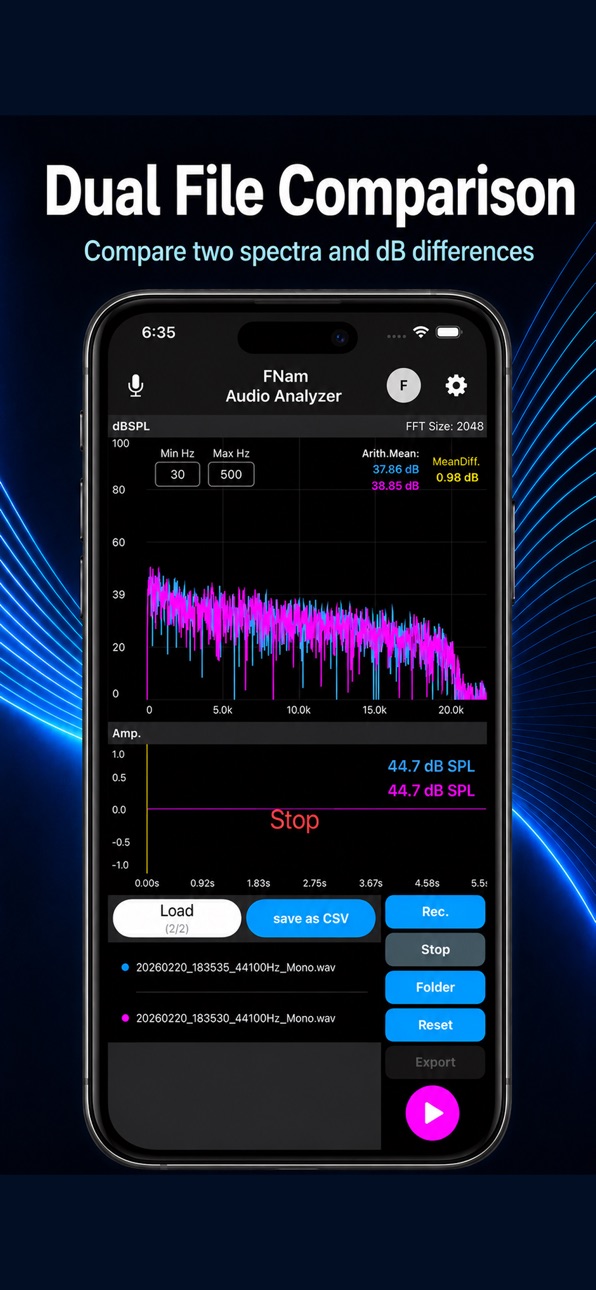
2. Dual File Comparison (Exclusive Feature)
• Simultaneous loading of two WAV files for comparative analysis.
• Spectrum Overlay: Visually compare differences using color-coded traces (Blue vs. Magenta).
• Instant Calculation: Provides Arithmetic Mean and Mean Difference between signals.
3. Data Logging & Export
• Flexible Sampling Rates: Supports various rates (4000Hz, 8000Hz, 16000Hz, 22050Hz, 44100Hz).
• High-quality Recording: Audio is recorded and saved as WAV files, strictly matching the selected sampling rate.
• Raw Data Export: Exports raw PCM data to CSV format. The exported data maintains the exact sampling rate and duration, making it optimized for post-processing in Excel, MATLAB, or Python.
• File Management: Files are stored in the 'On My iPhone\FFT Analyzer' directory.
- WAV naming format: Date_Time_SampleRate_Channel.wav
ex) 20260219_164715_44100Hz_Mono.wav
- CSV naming format: Selected WAV file name_SampleRate_Duration(s).csv
ex) 20260219_164715_44100Hz_Mono_44100_5.2s.csv
4. Professional Configuration
• Window Functions: Selectable Rectangular, Hann, Hamming, and Blackman windows.
• Frequency Weighting: Supports A, B, C, and Z (Linear) standard weighting filters.
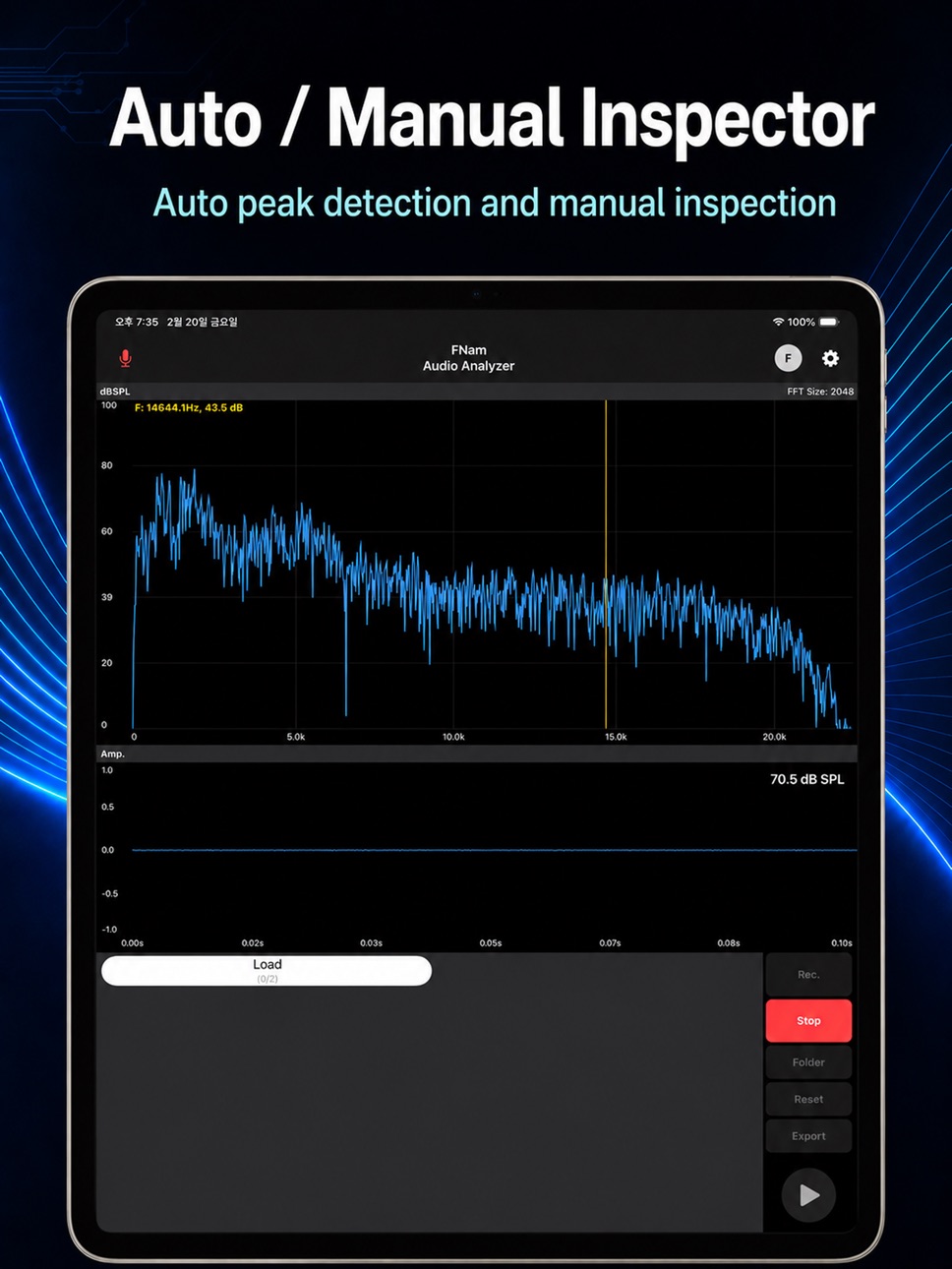
• Axis Control: Supports both Auto-scaling and Manual range settings (Hz / dB) for precise graph inspection.
• Calibration: Independent offset controls for FFT and Time Domain to ensure alignment with professional reference equipment.
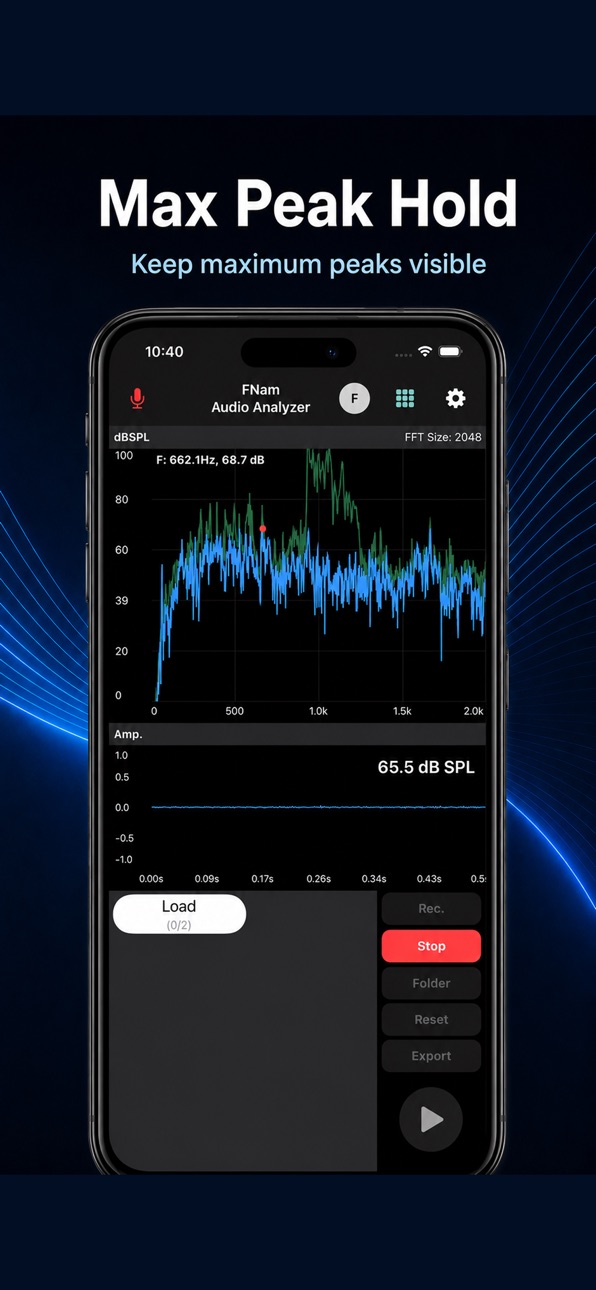
• Max Peak Hold: Displays and holds the maximum amplitude values across the frequency spectrum.
■ TECHNICAL SPECIFICATIONS
• Signal Processing: Anti-aliasing filters are automatically applied during downsampling to ensure measurement accuracy.
• Sampling Rate: Supports standard rates up to 44.1kHz (device dependent).
• Standards: Implements IEC 61672 frequency-weighting formulas for A/B/C weighting calculations.
Note: This app implements IEC 61672 frequency-weighting formulas. Measurement discrepancies compared to professional equipment may occur due to the hardware frequency response limitations of the built-in smartphone microphone. For critical measurements, the use of a calibrated external microphone is recommended.
Accessibility
ipadiphonemacrealityDevicetvoswatch
Version history 10 versions
Build 887269387v2.12026-06-24 08:57:48
- Added bilinear interpolation smoothing for the spectrogram display
Build 886416354v2.02026-06-05 07:25:41
- Fixed an issue where the screen could lock while the app was in use
- Added an anonymous feedback link in settings
- Improved file load/save and control logic stability
- Fixed minor bugs
Build 885802793v1.92026-05-18 19:08:59
- Fixed minor bugs
- Added Landscape mode for wider graph view
- Added 'FNam Armory' (Experimental sandbox for advanced tools)
Build 885697319v1.82026-05-15 18:23:53
- Fixed an issue where user calibration presets were deleted when resetting settings to default.
Build 884056601v1.72026-04-03 10:04:51
- Fixed an issue with FFT compensation during file playback.
- Resolved auto peak inspector errors when playing loaded audio files.
Build 883837641v1.62026-03-27 19:59:50
Fixed Auto Peak Inspector to detect peak frequency based on the selected weighting mode.
Build 883501818v1.52026-03-18 20:29:06
- Added preset feature and reference device presets
Build 882940543v1.22026-03-04 11:24:06
- Updated default offsets (FFT: 115, Time: 110)
- Fixed minor bugs
Build 882744023v1.12026-02-25 20:02:13
- Improved SPL calculation bug
- Added tutorial feature
Build 882625285v1.02026-02-23 11:14:54
No pricing data captured yet — comparisons appear once the app has paid storefronts or in-app purchases.
Availability 105 of 105 storefronts
| Region | Language | Price | Ratings | Avg | Version |
|---|---|---|---|---|---|
| AG | en-GB | Free | 0 | — | 2.1 |
| AI | en-GB | Free | 0 | — | 2.1 |
| AO | en-GB | Free | 0 | — | 2.1 |
| AR | es-MX | Free | 0 | — | 2.1 |
| AT | de-DE | Free | 0 | — | 2.1 |
| AU | en-AU | Free | 0 | — | 2.1 |
| BB | en-GB | Free | 0 | — | 2.1 |
| BE | en-GB | Free | 0 | — | 2.1 |
| BF | en-GB | Free | 0 | — | 2.1 |
| BG | en-GB | Free | 0 | — | 2.1 |
| BJ | en-GB | Free | 0 | — | 2.1 |
| BO | es-MX | Free | 0 | — | 2.1 |
| BR | pt-BR | Free | 0 | — | 2.1 |
| BS | en-GB | Free | 0 | — | 2.1 |
| BW | en-GB | Free | 0 | — | 2.1 |
| BZ | en-GB | Free | 0 | — | 2.1 |
| CA | en-CA | Free | 0 | — | 2.1 |
| CD | en-GB | Free | 0 | — | 2.1 |
| CG | en-GB | Free | 0 | — | 2.1 |
| CH | de-CH | Free | 0 | — | 2.1 |
| CI | fr-FR | Free | 0 | — | 2.1 |
| CL | es-MX | Free | 0 | — | 2.1 |
| CM | fr-FR | Free | 0 | — | 2.1 |
| CO | es-MX | Free | 0 | — | 2.1 |
| CR | es-MX | Free | 0 | — | 2.1 |
| CV | en-GB | Free | 0 | — | 2.1 |
| CZ | en-GB | Free | 0 | — | 2.1 |
| DE | de-DE | Free | 0 | — | 2.1 |
| DK | en-GB | Free | 0 | — | 2.1 |
| DM | en-GB | Free | 0 | — | 2.1 |
| DO | es-MX | Free | 0 | — | 2.1 |
| DZ | en-GB | Free | 0 | — | 2.1 |
| EC | es-MX | Free | 0 | — | 2.1 |
| EE | en-GB | Free | 0 | — | 2.1 |
| ES | es-ES | Free | 0 | — | 2.1 |
| FI | en-GB | Free | 0 | — | 2.1 |
| FR | fr-FR | Free | 0 | — | 2.1 |
| GA | fr-FR | Free | 0 | — | 2.1 |
| GB | en-GB | Free | 0 | — | 2.1 |
| GD | en-GB | Free | 0 | — | 2.1 |
| GH | en-GB | Free | 0 | — | 2.1 |
| GM | en-GB | Free | 0 | — | 2.1 |
| GR | en-GB | Free | 0 | — | 2.1 |
| GT | es-MX | Free | 0 | — | 2.1 |
| GW | en-GB | Free | 0 | — | 2.1 |
| GY | en-GB | Free | 0 | — | 2.1 |
| HN | es-MX | Free | 0 | — | 2.1 |
| HR | en-GB | Free | 0 | — | 2.1 |
| HU | en-GB | Free | 0 | — | 2.1 |
| IE | en-GB | Free | 0 | — | 2.1 |
| IS | en-GB | Free | 0 | — | 2.1 |
| IT | it | Free | 0 | — | 2.1 |
| JM | en-GB | Free | 0 | — | 2.1 |
| KE | en-GB | Free | 0 | — | 2.1 |
| KN | en-GB | Free | 0 | — | 2.1 |
| KY | en-GB | Free | 0 | — | 2.1 |
| LC | en-GB | Free | 0 | — | 2.1 |
| LR | en-GB | Free | 0 | — | 2.1 |
| LU | en-GB | Free | 0 | — | 2.1 |
| LY | en-GB | Free | 0 | — | 2.1 |
| MA | en-GB | Free | 0 | — | 2.1 |
| MG | en-GB | Free | 0 | — | 2.1 |
| ML | en-GB | Free | 0 | — | 2.1 |
| MS | en-GB | Free | 0 | — | 2.1 |
| MU | en-GB | Free | 0 | — | 2.1 |
| MW | en-GB | Free | 0 | — | 2.1 |
| MX | es-MX | Free | 0 | — | 2.1 |
| MZ | en-GB | Free | 0 | — | 2.1 |
| NA | en-GB | Free | 0 | — | 2.1 |
| NE | en-GB | Free | 0 | — | 2.1 |
| NG | en-GB | Free | 0 | — | 2.1 |
| NI | es-MX | Free | 0 | — | 2.1 |
| NL | nl | Free | 0 | — | 2.1 |
| NO | en-GB | Free | 0 | — | 2.1 |
| NZ | en-AU | Free | 0 | — | 2.1 |
| PA | es-MX | Free | 0 | — | 2.1 |
| PE | es-MX | Free | 0 | — | 2.1 |
| PL | en-GB | Free | 0 | — | 2.1 |
| PT | pt-PT | Free | 0 | — | 2.1 |
| PY | es-MX | Free | 0 | — | 2.1 |
| RO | en-GB | Free | 0 | — | 2.1 |
| RW | en-GB | Free | 0 | — | 2.1 |
| SC | en-GB | Free | 0 | — | 2.1 |
| SE | sv | Free | 0 | — | 2.1 |
| SI | en-GB | Free | 0 | — | 2.1 |
| SK | en-GB | Free | 0 | — | 2.1 |
| SL | en-GB | Free | 0 | — | 2.1 |
| SN | en-GB | Free | 0 | — | 2.1 |
| SR | en-GB | Free | 0 | — | 2.1 |
| ST | en-GB | Free | 0 | — | 2.1 |
| SV | es-MX | Free | 0 | — | 2.1 |
| SZ | en-GB | Free | 0 | — | 2.1 |
| TC | en-GB | Free | 0 | — | 2.1 |
| TD | en-GB | Free | 0 | — | 2.1 |
| TN | en-GB | Free | 0 | — | 2.1 |
| TT | en-GB | Free | 0 | — | 2.1 |
| TZ | en-GB | Free | 0 | — | 2.1 |
| UG | en-GB | Free | 0 | — | 2.1 |
| US | en-US | Free | 0 | — | 2.1 |
| UY | en-GB | Free | 0 | — | 2.1 |
| VC | en-GB | Free | 0 | — | 2.1 |
| VE | es-MX | Free | 0 | — | 2.1 |
| VG | en-GB | Free | 0 | — | 2.1 |
| ZM | en-GB | Free | 0 | — | 2.1 |
| ZW | en-GB | Free | 0 | — | 2.1 |
Change log 13 changes · US
✎
releaseNotes updated
- Added bilinear interpolation smoothing for the spectrogram display
✎
description updated
■ FNam FFT Spectrogram Analyzer
Engineers need tools that are ready to use — anytime, anywhere.
FNam FFT Spectrogram Analyzer turns your smartphone into a
profe
✎
name updated
FNam FFT Spectrogram Analyzer
◆
Version 2.1 released
- Added bilinear interpolation smoothing for the spectrogram display
◆
Version 2.0 released
- Fixed an issue where the screen could lock while the app was in use
- Added an anonymous feedback link in settings
- Improved file load/save and control logic stability
- Fixed minor bugs
◆
Version 1.9 released
- Fixed minor bugs
- Added Landscape mode for wider graph view
- Added 'FNam Armory' (Experimental sandbox for advanced tools)
◆
Version 1.8 released
- Fixed an issue where user calibration presets were deleted when resetting settings to default.
◆
Version 1.7 released
- Fixed an issue with FFT compensation during file playback.
- Resolved auto peak inspector errors when playing loaded audio files.
◆
Version 1.6 released
Fixed Auto Peak Inspector to detect peak frequency based on the selected weighting mode.
◆
Version 1.5 released
- Added preset feature and reference device presets
◆
Version 1.2 released
- Updated default offsets (FFT: 115, Time: 110)
- Fixed minor bugs
◆
Version 1.1 released
- Improved SPL calculation bug
- Added tutorial feature
◆
Version 1.0 released