Home › Productivity

 US
US
1 of 1 storefronts
Content in en-US
Content in en-US
Information
Preview 1 platform
iPhone 10 images



What’s New Version 2.7
Solve To Snooze is now free to download!
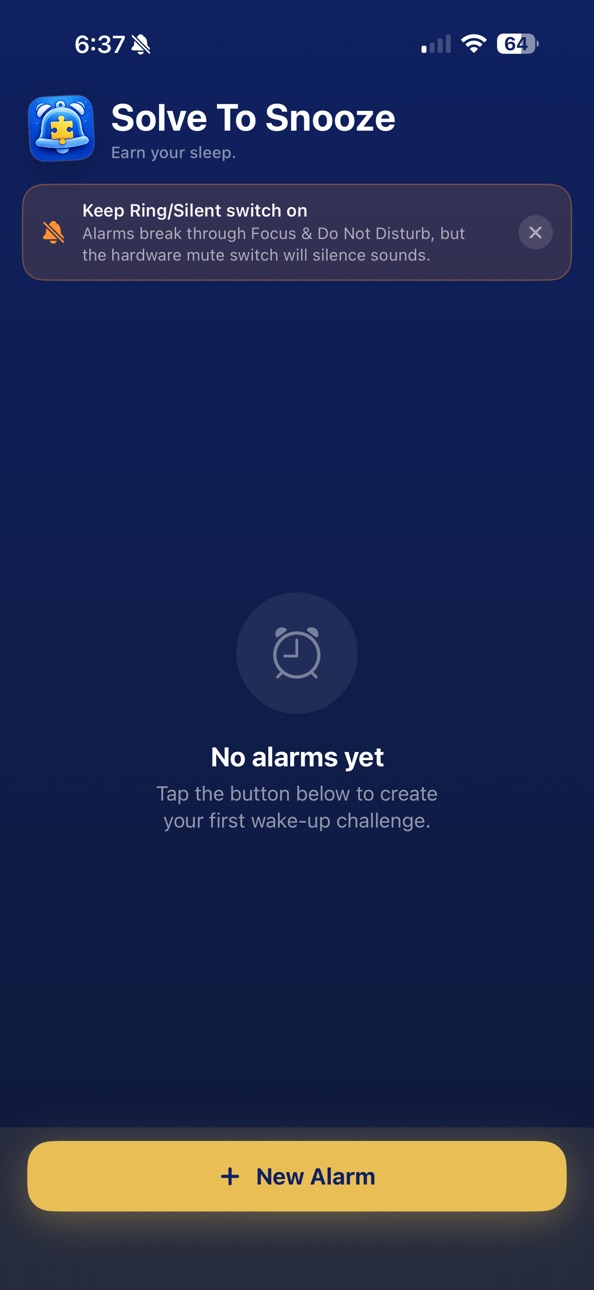
A one-time in-app purchase unlocks the full feature set: unlimited alarms, recurring schedules, all challenge types, difficulty control, all sounds, and escalation mode. The core alarm — one alarm, math challenge, Rise sound — is free forever with no catch.
If you paid for the app previously, thank you. You already have everything and will not see a paywall.
Description
Stop snoozing blindly. Solve To Snooze makes you earn every snooze and dismiss by completing a challenge first — math problems, memory patterns, typed phrases, barcode scans, or step counting.
WAKE UP FOR REAL
- Full system alarms that ring through Do Not Disturb and on the lock screen
- 6 built-in alarm sounds with crescendo volume that starts quiet and builds to full
- Reliability center walks you through setup so your alarm works first try
CHALLENGES THAT ACTUALLY WAKE YOU UP
- Math — addition, subtraction, multiplication scaled to 3 difficulty levels
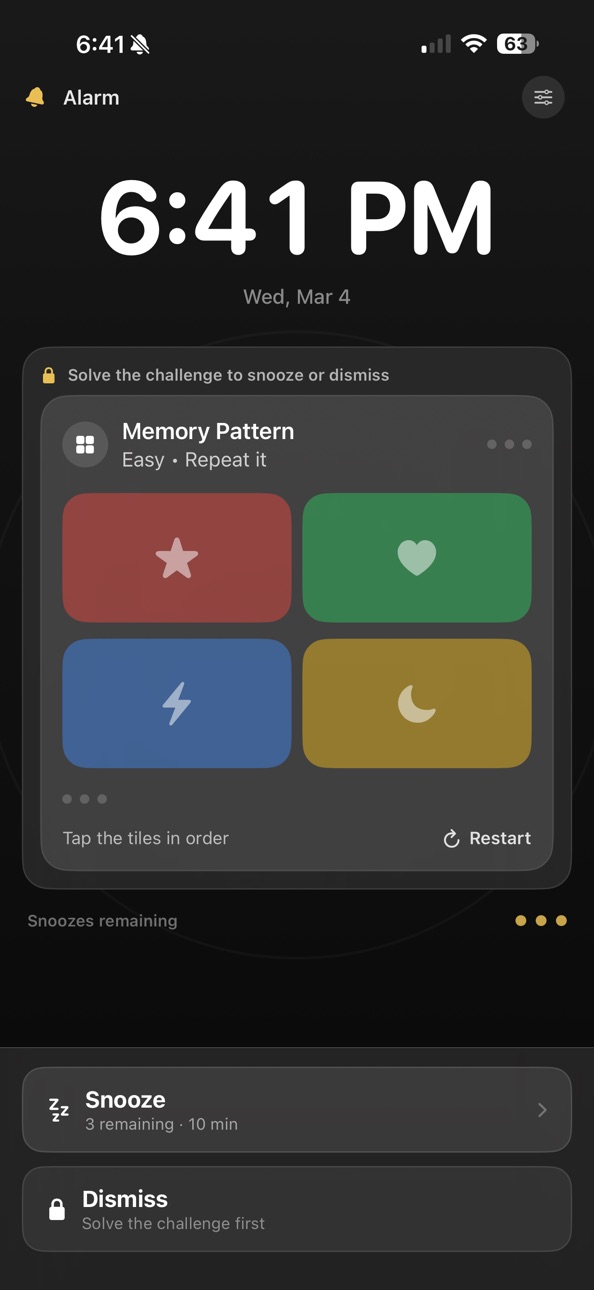
- Memory Pattern — Simon Says-style color grid you have to repeat
- Typed Phrase — type an exact phrase to prove you're awake
- Barcode Scan — scan a specific barcode (put it in the bathroom)
- Step Count — take real steps before you can dismiss
SMART SNOOZE CONTROL
- Set a max number of snoozes per alarm
- Escalation mode kicks in after repeated snoozes — louder sound, harder challenge, shorter interval
- Track your wake-up streak, average snoozes, and on-time score in Insights
AVAILABLE IN 7 LANGUAGES
- English, French, German, Spanish, Italian, Dutch, and Portuguese
- The entire app adapts to your device language
In-App Purchases US pricing
One-Time Purchases
Full Unlock$0.99
Capabilities
In-App Purchases
Accessibility
ipadiphonemacrealityDevicetvoswatch
Version history 6 versions
Build 886333431v2.72026-06-04 00:25:17
Solve To Snooze is now free to download!
A one-time in-app purchase unlocks the full feature set: unlimited alarms, recurring schedules, all challenge types, difficulty control, all sounds, and escalation mode. The core alarm — one alarm, math challenge, Rise sound — is free forever with no catch.
If you paid for the app previously, thank you. You already have everything and will not see a paywall.
Build 884899870v2.52026-04-25 17:40:34
What's New (Release Notes)
Now available in French, German, Spanish, Italian, Dutch, and Portuguese. Every screen, challenge, and setting adapts to your language automatically.
Build 883849858v2.22026-03-28 16:26:53
This update makes mornings harder to ignore and easier to manage.
• New wake-up challenges: Typed Phrase, Barcode Scan, and Step Count
• New Reliability Check Center to test alarm access, sound, challenge flow, and lock-screen readiness
• Smarter scheduling with exact one-time alarms
• New Today, Tomorrow, and Later alarm grouping
• New Next Up card with a countdown to your next alarm
• Quick presets for Weekdays, Weekends, Every Day, Tomorrow Only, and Skip Next
• New escalation mode that makes alarms tougher after repeated snoozes
• Stronger snooze controls with real max-snooze enforcement
• New Insights dashboard with wake-up streaks, wake score, average snoozes, and recent alarm history
• Refreshed alarm editor and ringing experience with a more polished flow throughout the app
Build 883036705v22026-03-11 00:53:31
Version 2.0 — What’s New
Redesigned from the ground up.
Solve To Snooze has been rebuilt with a cleaner, more polished experience from the alarm list to the moment your alarm fires.
Now powered by Apple’s AlarmKit
Alarms now use Apple’s AlarmKit system alarm experience, so they can ring more reliably while your phone is locked. AlarmKit is built for true alarm behavior, with system-level presentation and alarm access handled directly by iOS.
New alarm experience
When your alarm goes off, you’re greeted with a bold full-screen solve experience showing the time, your remaining snoozes, and your challenge all in one place. The screen stays awake so you never fumble in the dark.
Better wake-up flow
Alarm access is now managed through the system alarm permission flow, and alarms are rescheduled and synced more reliably when you return to the app.
Better memory challenge
The memory pattern challenge has been redesigned with vivid Simon Says-style colors, unique icons per tile, and a clearer visual sequence so it’s easier to follow when you’ve just woken up.
Alarm list overhaul
Your alarms now show the time, repeat schedule, and sound at a glance, with quick toggles to enable or disable without opening each alarm. You can also delete alarms directly from the list.
Important note
Solve To Snooze now uses Apple’s system alarm framework. Some parts of the lock-screen alarm UI are controlled by iOS and may appear differently from the in-app solve screen.
Build 882755012v1.12026-02-25 21:39:10
What's New in This Update
Memory Challenge — Completely Redesigned
The memory pattern game has been rebuilt from the ground up to be far easier to follow:
Each tile now has a bold, distinct color (red, green, blue, yellow) and a unique icon — no more guessing which square lit up
Active tiles flash brightly with a colored glow so you can't miss them
A row of progress dots tracks exactly where you are in the sequence as you tap
Tiles dim during playback so the active one stands out dramatically
All-New Alarm Sounds
Six new sounds built specifically to wake you up — not just notify you:
Rise — An aggressive frequency sweep that climbs from low to high, five times in a row
Siren — A smooth emergency oscillation between two tones
Pulse — Rapid-fire two-tone beeping, fire-alarm intensity
Blare — Harsh dissonant bursts for heavy sleepers
March — A punchy short-long rhythmic pattern that cuts through sleep
Chime — Ascending bell tones for lighter sleepers who want a gentler wake
Gradual Volume (Crescendo)
Alarms now start at low volume and gradually ramp up to full over 45 seconds — less jarring, but guaranteed to reach full volume if you don't wake up early.
Build 882580235v1.02026-02-24 07:43:24
Price history by region
Currency
Show
Columns
Search
Availability 1 of 1 storefronts
| Region | Language | Price | Ratings | Avg | Version |
|---|---|---|---|---|---|
| US | en-US | Free | 1 | 5.0 | 2.7 |
Change log 10 changes · US
✎
releaseNotes updated
Solve To Snooze is now free to download!
A one-time in-app purchase unlocks the full feature set: unlimited alarms, recurring schedules, all challenge types, d
✎
description updated
Stop snoozing blindly. Solve To Snooze makes you earn every snooze and dismiss by completing a challenge first — math problems, memory patterns, typed phrases
✎
subtitle updated
Your alarm just got smarter.
✎
name updated
Solve To Snooze
◆
Version 2.7 released
Solve To Snooze is now free to download!
A one-time in-app purchase unlocks the full feature set: unlimited alarms, recurring schedules, all challenge types, difficulty control, all sounds, and escalation mode. The core alarm — one alarm,
◆
Version 2.5 released
What's New (Release Notes)
Now available in French, German, Spanish, Italian, Dutch, and Portuguese. Every screen, challenge, and setting adapts to your language automatically.
◆
Version 2.2 released
This update makes mornings harder to ignore and easier to manage.
• New wake-up challenges: Typed Phrase, Barcode Scan, and Step Count
• New Reliability Check Center to test alarm access, sound, challenge flow, and lock-screen readiness
•
◆
Version 2 released
Version 2.0 — What’s New
Redesigned from the ground up.
Solve To Snooze has been rebuilt with a cleaner, more polished experience from the alarm list to the moment your alarm fires.
Now powered by Apple’s AlarmKit
Alarms now use Apple’s
◆
Version 1.1 released
What's New in This Update
Memory Challenge — Completely Redesigned
The memory pattern game has been rebuilt from the ground up to be far easier to follow:
Each tile now has a bold, distinct color (red, green, blue, yellow) and a unique ic
◆
Version 1.0 released