Home › Utilities

 US
US
1 of 1 storefronts
Content in en-US
Content in en-US
Information
Preview 3 platforms
iPhone 8 images


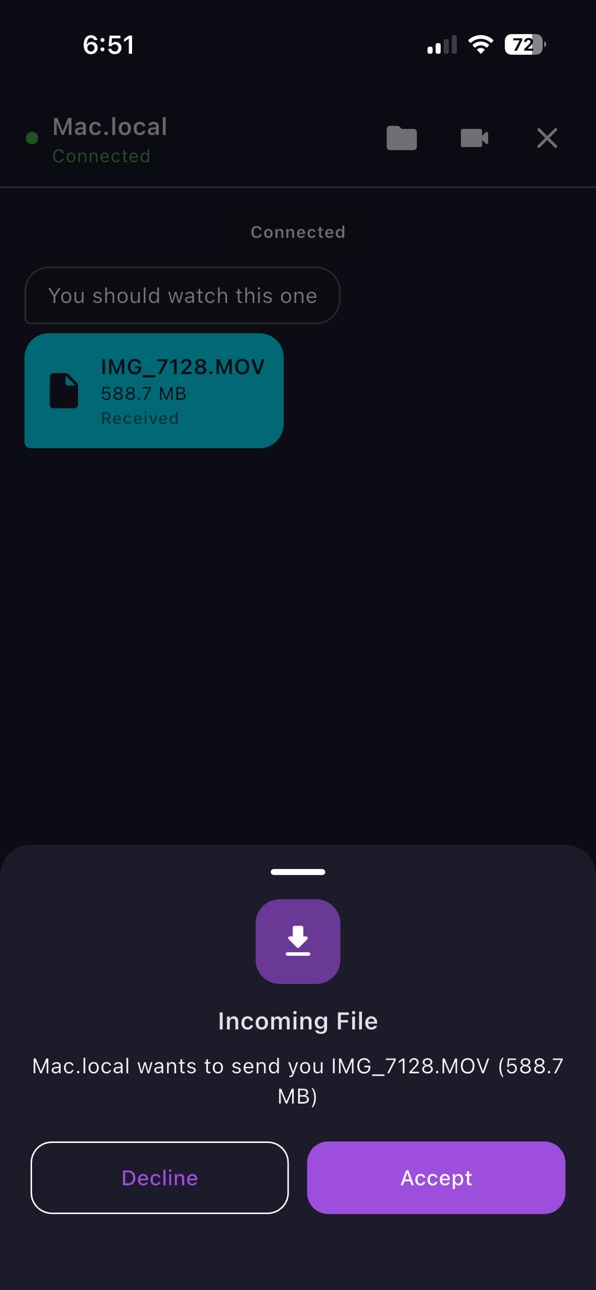


iPad 7 images


Mac 6 images


What’s New Version 1.4
— Added a lightning-fast Web Client! You can now connect to CrossDrop from any web browser to chat, transfer large files, and watch remote camera streams without installing the app.
Description
CrossDrop is the ultimate peer-to-peer connection app designed to let you share files, chat, and stream live video between devices on your local network — with absolutely zero internet or cloud dependency.
Whether you're sending large documents to a colleague, moving photos to your computer, or streaming your mobile camera to a tablet, CrossDrop makes it instant and secure. Because everything happens locally over your WiFi network, there are no file size limits and speeds are incredibly fast.
Key Features:
• Instant Auto-Discovery: Devices find each other automatically on your network. No IP addresses to type (unless you want to!).
• Cross-Platform Sharing: Send files of any size between phones, tablets, and computers instantly.
• Video Streaming: Stream your device's camera live to another screen over WebRTC.
• Local Chat: Send instant, secure messages directly between connected devices.
• QR Connect: Simply point your camera at a peer's QR code to link up instantly.
• Multiple Themes: Customize your experience with 6 beautiful themes (including Dark, Neon, and Coffee).
No cables. No internet required. Just launch CrossDrop and connect.
Capabilities
In-App Purchases
Accessibility
ipadiphonemacrealityDevicetvoswatch
Version history 3 versions
Build 884590048v1.42026-04-16 20:44:35
— Added a lightning-fast Web Client! You can now connect to CrossDrop from any web browser to chat, transfer large files, and watch remote camera streams without installing the app.
Build 883088643v1.32026-03-06 21:19:37
Improved stability and performance.
Build 882579203v1.22026-02-24 14:41:37
No pricing data captured yet — comparisons appear once the app has paid storefronts or in-app purchases.
Availability 1 of 1 storefronts
| Region | Language | Price | Ratings | Avg | Version |
|---|---|---|---|---|---|
| US | en-US | Free | 0 | — | 1.4 |
Change log 7 changes · US
✎
releaseNotes updated
— Added a lightning-fast Web Client! You can now connect to CrossDrop from any web browser to chat, transfer large files, and watch remote camera streams withou
✎
description updated
CrossDrop is the ultimate peer-to-peer connection app designed to let you share files, chat, and stream live video between devices on your local network — with
✎
subtitle updated
Offline Share & Camera Stream
✎
name updated
CrossDrop: Camera & File Share
◆
Version 1.4 released
— Added a lightning-fast Web Client! You can now connect to CrossDrop from any web browser to chat, transfer large files, and watch remote camera streams without installing the app.
◆
Version 1.3 released
Improved stability and performance.
◆
Version 1.2 released