Home › Health & Fitness

 US
US
1 of 1 storefronts
Content in en-US
Content in en-US
Information
Apple ID6759326042
Bundle IDcom.lithium.sleep
SellerSeller
Min iOS18.6
Min macOS15.6
Device familiesiphone
Released2026-02-24
Copyright© Lithium ehf
Privacy policyLink ↗
Preview 1 platform
iPhone 5 images


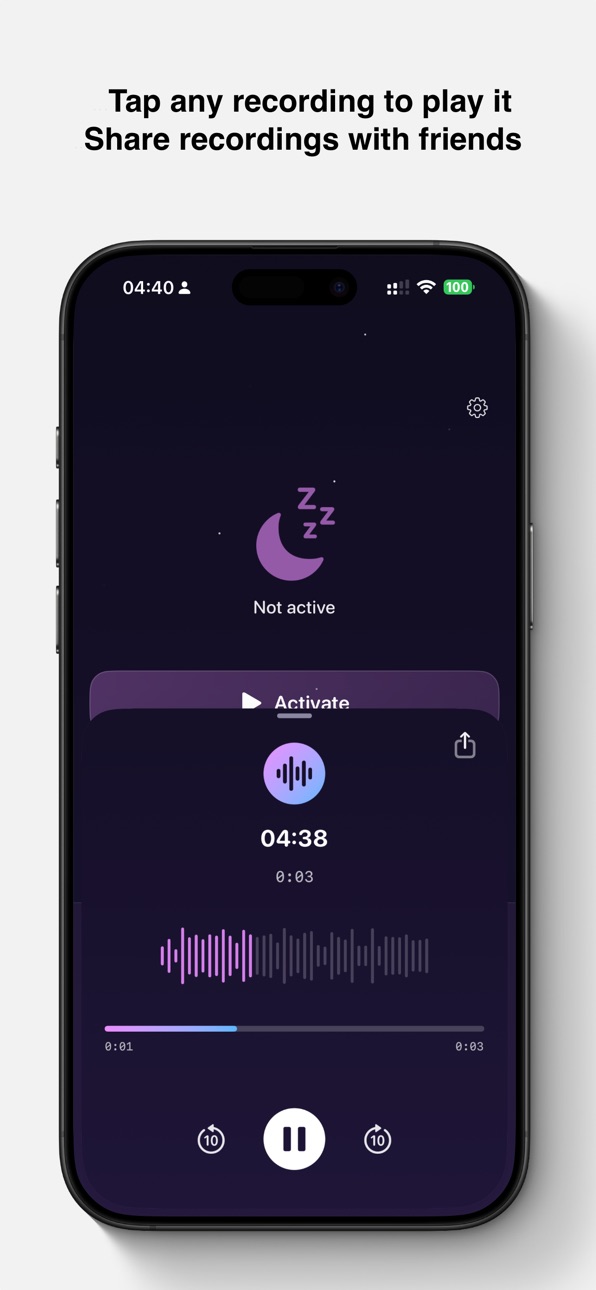
What’s New Version 1.2
Swipe between recordings
You can now swipe left and right in the audio player to quickly browse through your sleep recordings — no need to close and reopen each one.
Morning reminder
DreamVoice detects when you pick up your phone and sends a gentle notification if a recording session is still running, so you never forget to stop.
Delayed start
Choose when DreamVoice begins listening — now, 15, 30, 60, or 90 minutes. Perfect for winding down before bed.
You can now delete all recordings from Settings.
Description
DreamVoice records the sounds you make while you sleep—snoring, sleep talking, mumbling, and more. Place your phone by your bed, tap Activate, and let it capture those moments you'd otherwise never hear.
HOW IT WORKS
• Tap Activate and choose when to start — now or after 15–90 minutes
• Automatically records when it detects sound
• Stops after 2 seconds of silence
• Sound analysis labels your clips (Snoring, Sleep Talking, etc.)
SENSITIVITY
Adjust sensitivity (Low, Medium, High) to capture quieter sounds or reduce false triggers. Medium works great for most people.
7 FREE RECORDINGS
Start with 7 recording sessions. Each time you tap Activate counts as one session. When you're ready for unlimited recordings, upgrade to Premium.
PREMIUM
• Unlimited recordings
• Monthly or annual subscription
• Cancel anytime
Perfect for the curious, the snorers, the sleep talkers—and anyone who wants to know what really happens after the lights go out.
https://lithium.is/privacy-policy/
https://lithium.is/terms-of-use/
Capabilities
In-App Purchases
Accessibility
ipadiphonemacrealityDevicetvoswatch
Version history 2 versions
Build 882920256v1.22026-03-14 14:00:42
Swipe between recordings
You can now swipe left and right in the audio player to quickly browse through your sleep recordings — no need to close and reopen each one.
Morning reminder
DreamVoice detects when you pick up your phone and sends a gentle notification if a recording session is still running, so you never forget to stop.
Delayed start
Choose when DreamVoice begins listening — now, 15, 30, 60, or 90 minutes. Perfect for winding down before bed.
You can now delete all recordings from Settings.
Build 882568373v1.02026-02-24 09:49:10
No pricing data captured yet — comparisons appear once the app has paid storefronts or in-app purchases.
Availability 1 of 1 storefronts
| Region | Language | Price | Ratings | Avg | Version |
|---|---|---|---|---|---|
| US | en-US | Free | 0 | — | 1.2 |
Change log 6 changes · US
✎
releaseNotes updated
Swipe between recordings
You can now swipe left and right in the audio player to quickly browse through your sleep recordings — no need to close and reopen each
✎
description updated
DreamVoice records the sounds you make while you sleep—snoring, sleep talking, mumbling, and more. Place your phone by your bed, tap Activate, and let it captur
✎
subtitle updated
Discover what you say in sleep
✎
name updated
DreamVoice
◆
Version 1.2 released
Swipe between recordings
You can now swipe left and right in the audio player to quickly browse through your sleep recordings — no need to close and reopen each one.
Morning reminder
DreamVoice detects when you pick up your phone and sends
◆
Version 1.0 released