Home › Utilities

 US
US
1 of 1 storefronts
Content in en-US
Content in en-US
Information
Preview 2 platforms
iPhone 5 images


iPad 5 images



What’s New Version 1.5.1
fix bug when opening then closing QuickBar [...] panel left terminal unresponsive to taps and scrolling.
Description
TermOnMac puts your Mac terminal on your iPhone and iPad — through a built-in relay server, zero setup, end-to-end encrypted.
FREE TO GET STARTED
The free plan lets you connect up to 4 Macs with 4 sessions — perfect for checking builds, running quick commands, and trying out the full experience.
VIBE CODING FROM ANYWHERE — JUST $0.99/MO
Run Claude Code, Codex, or Cursor sessions for hours from your iPhone or iPad. Pro at $0.99/month gives you the headroom for real AI coding workflows. Heavy users: Premium at $2.99/month is still cheaper than a coffee.
SIMPLE, TRANSPARENT PRICING
Usage is measured by relay traffic — data sent through the relay including commands, output, heartbeats, and system requests. No hidden fees. You only pay for what you use.
RELAY SERVER — WORKS BEHIND ANY FIREWALL
No SSH keys. No Tailscale. No port forwarding. No public IP needed. Install the Mac agent, scan a QR code on your iPhone or iPad, and you're connected — even behind corporate firewalls, NATs, or VPNs.
BUILT FOR AI CODING AGENTS
TermOnMac is a relay terminal — bring your own AI. Run Claude Code, Codex, Gemini CLI, Cursor, or any terminal-based tool on your Mac, then control it remotely from your iPhone or iPad. No vendor lock-in, no extra cost — just your tools, from anywhere.
NEVER LOSE YOUR SESSION
Network switches, device sleep, subway tunnels — your session stays alive. Auto-reconnect picks up right where you left off. Input is buffered while disconnected.
SESSION HANDOFF — IPHONE ↔ IPAD ↔ MAC
Start a terminal session on your iPhone, continue on your iPad, and pick it up on your Mac — or any direction. Same session, zero interruption. Like Apple Handoff, but for your terminal.
TOUCH KEYBOARD — BUILT FOR TERMINAL
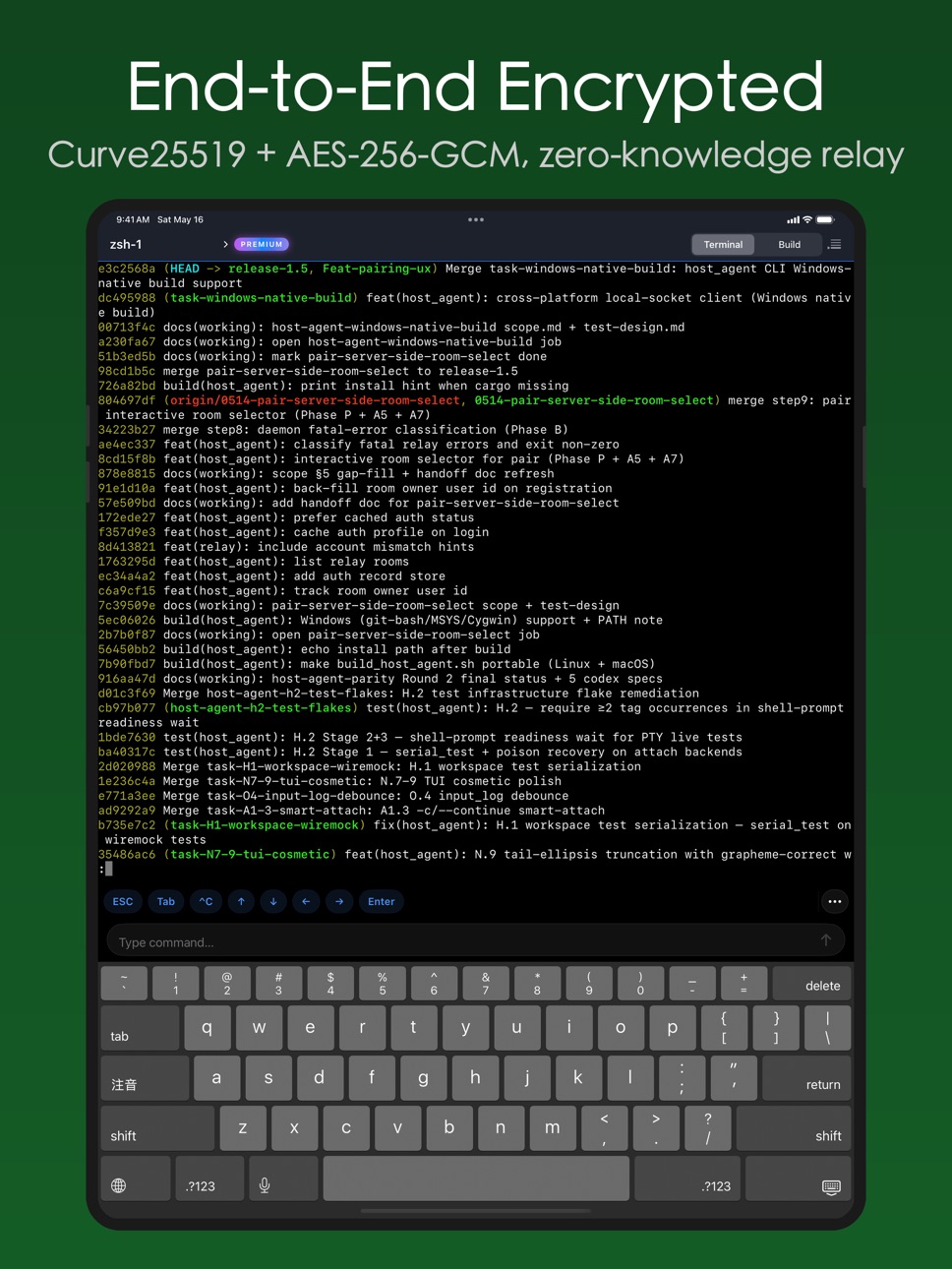
A custom toolbar above the on-screen keyboard gives you Ctrl, Esc, Tab, arrow keys, and modifier toggles — the keys iOS doesn't have. Search your shortcuts by name and trigger them with a tap.
HARDWARE KEYBOARD — FULL CONTROL
Connect a Magic Keyboard or any Bluetooth keyboard to your iPad. 12 dedicated shortcuts (⌘⌥ prefix): toggle sidebar, switch sessions, run builds, and more. Full terminal control without touching the screen.
CUSTOM SHORTCUTS
Create reusable commands as one-tap shortcuts. Build your own mobile developer toolbar. Export as JSON for backup or sharing with teammates.
END-TO-END ENCRYPTED
Curve25519 key exchange, AES-256-GCM encryption, ephemeral keys for forward secrecy. The relay only forwards ciphertext — it cannot read your terminal content.
PLANS
• Free — 4 Macs, generous daily usage
• Pro ($0.99/mo) — 32 Macs, higher usage limits
• Premium ($2.99/mo) — 32 Macs, maximum usage limits
Payment is charged to your Apple ID. Subscriptions auto-renew unless canceled 24 hours before the current period ends.
REQUIREMENTS
• iOS/iPadOS 17.0 or later
• TermOnMac Agent on Mac (macOS 13+)
LEARN MORE
• Documentation: https://termonmac.com/docs
• How It Works: https://termonmac.com/how-it-works
• Engineering Blog: https://termonmac.com/blog
Privacy: https://termonmac.com/privacy
Terms: https://termonmac.com/terms
In-App Purchases US pricing
TermOnMac Pro Subscription
Premium Monthly · Monthly$2.99
Premium Yearly · Yearly$29.99
Pro Monthly · Monthly$0.99
Pro Yearly · Yearly$8.99
Capabilities
In-App Purchases
Accessibility
ipadiphonemacrealityDevicetvoswatch
Version history 6 versions
Build 885872550v1.5.12026-05-19 22:24:32
fix bug when opening then closing QuickBar [...] panel left terminal unresponsive to taps and scrolling.
Build 885738977v1.52026-05-17 18:57:58
- Redesign shortcut system
- fix bugs
Build 884459856v1.32026-04-13 22:11:31
• Full iPad support — optimized layout and responsive UI
• 12 new keyboard shortcuts (⌘⌥ prefix) for power users with hardware keyboards
• Multi-device pairing — connect from both iPhone and iPad to the same Mac
• Improved session reconnection reliability
• Bug fixes and performance improvements
Build 884167903v1.22026-04-12 14:38:24
• New onboarding — step-by-step wizard guides you through setup and pairing
• Reconnect existing Mac — re-pair without re-scanning the QR code
• Prominent "Scan to Add Mac" button — easier to discover
• Sign-out no longer disconnects your Mac agent
• Terminal resize and keyboard layout fixes
Build 883928438v1.12026-04-01 19:24:25
What's New in v1.1.0
• Session detach & attach — disconnect and reconnect to sessions without losing your work
• Searchable shortcut picker with filtering
Build 882485793v1.02026-03-30 00:55:58
Price history by region
Currency
Show
Columns
Search
Availability 1 of 1 storefronts
| Region | Language | Price | Ratings | Avg | Version |
|---|---|---|---|---|---|
| US | en-US | Free | 0 | — | 1.5.1 |
Change log 10 changes · US
✎
releaseNotes updated
fix bug when opening then closing QuickBar [...] panel left terminal unresponsive to taps and scrolling.
✎
description updated
TermOnMac puts your Mac terminal on your iPhone and iPad — through a built-in relay server, zero setup, end-to-end encrypted.
FREE TO GET STARTED
The free plan
✎
subtitle updated
Mac Terminal, Vibe Coding
✎
name updated
TermOnMac: remote terminal
◆
Version 1.5.1 released
fix bug when opening then closing QuickBar [...] panel left terminal unresponsive to taps and scrolling.
◆
Version 1.5 released
- Redesign shortcut system
- fix bugs
◆
Version 1.3 released
• Full iPad support — optimized layout and responsive UI
• 12 new keyboard shortcuts (⌘⌥ prefix) for power users with hardware keyboards
• Multi-device pairing — connect from both iPhone and iPad to the same Mac
• Improved session reconnect
◆
Version 1.2 released
• New onboarding — step-by-step wizard guides you through setup and pairing
• Reconnect existing Mac — re-pair without re-scanning the QR code
• Prominent "Scan to Add Mac" button — easier to discover
• Sign-out no longer disconnects your M
◆
Version 1.1 released
What's New in v1.1.0
◆
Version 1.0 released