Home › Business

 US
US
1 of 1 storefronts
Content in en-US
Content in en-US
Information
Apple ID6759208005
Bundle IDkevinouellette.propertyplex.PropertyPlex
SellerSeller
Min iOS16.0
Min macOS13.0
Device familiesiphone, ipad
Released2026-02-24
Copyright© 2026 Kevin Ouellette
Privacy policyLink ↗
Preview 2 platforms
iPhone 10 images





iPad 10 images




What’s New Version 1.6.7
Minor bug fixes.
Description
PropertyPlex is the all-in-one property maintenance and operations platform built for hotels, resorts, and commercial properties.
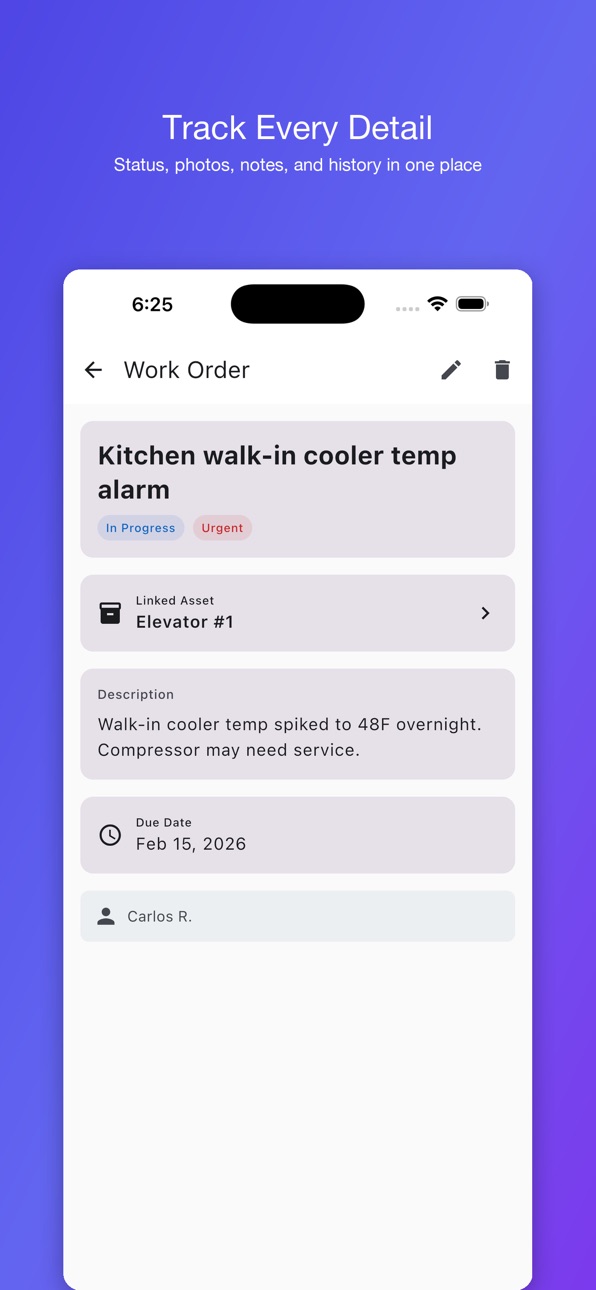
WORK ORDER MANAGEMENT
Create, assign, and track work orders from anywhere. Set priorities, attach photos, link assets, and monitor progress from open to verified. Never lose track of a
maintenance request again.
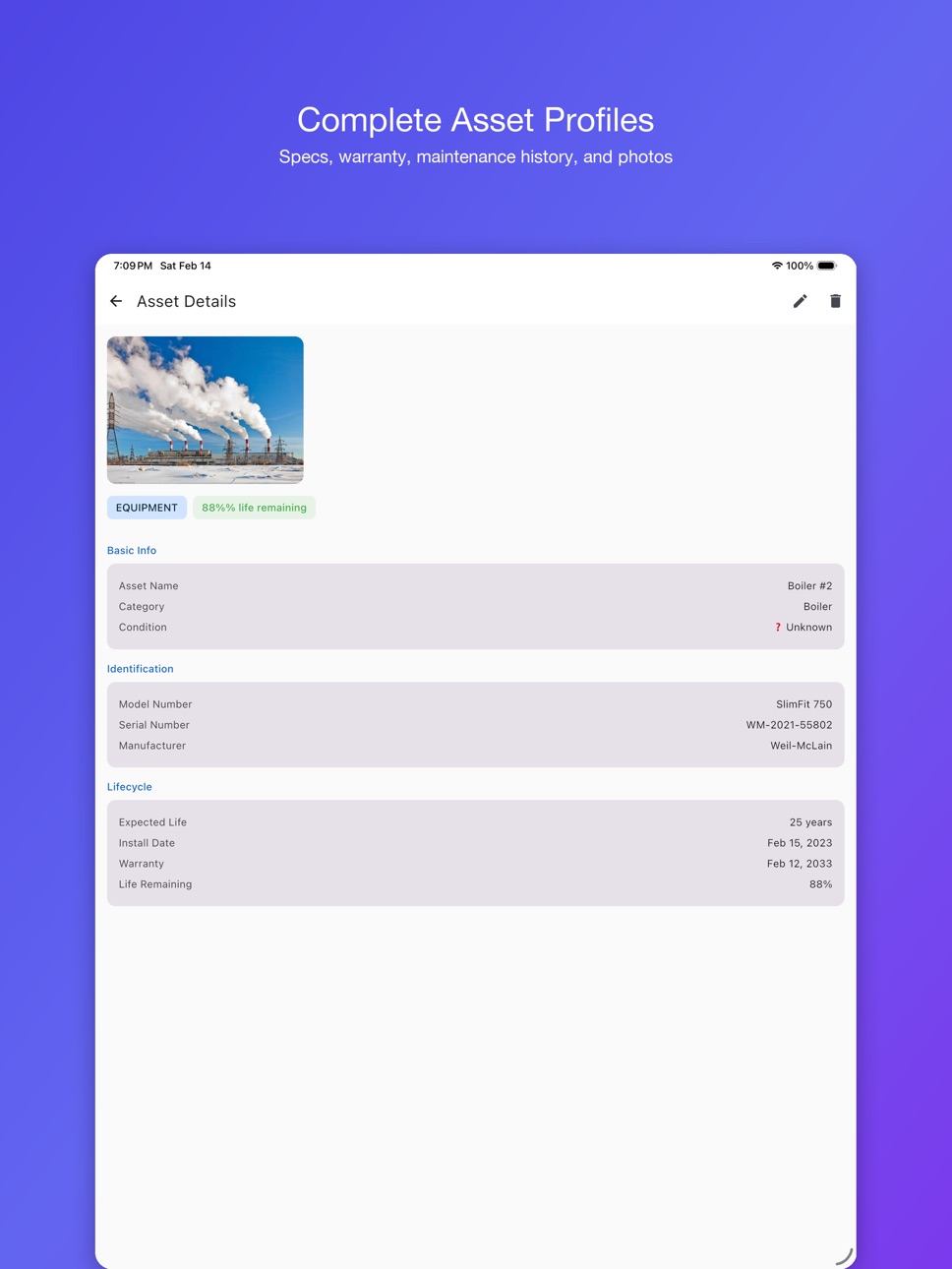
ASSET TRACKING
Maintain a complete inventory of every piece of equipment on your property. Track model numbers, serial numbers, warranty dates, maintenance history, and expected
lifecycle — so you can plan replacements before failures happen.
AI-POWERED SCANNER
Point your camera at any equipment label and let AI read the details. Model numbers, serial numbers, and specs are extracted automatically — no manual data entry
required.
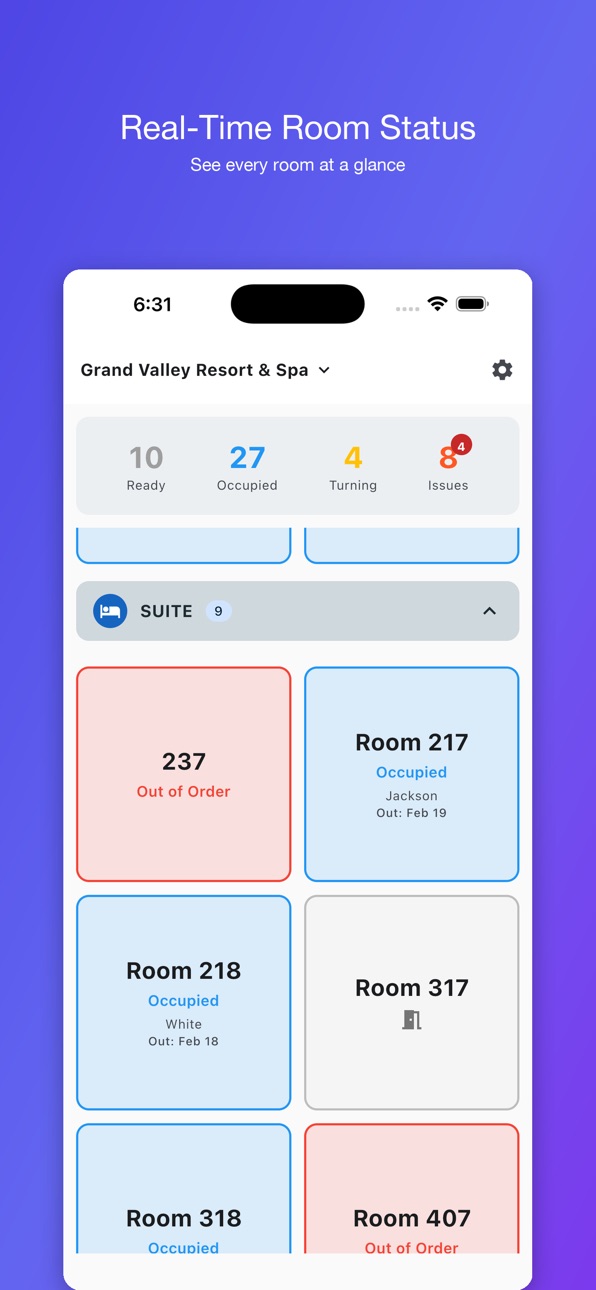
ROOM STATUS BOARD
See every room at a glance with a color-coded status grid. Track occupied, ready, turning, and out-of-order rooms in real time. Tap any room to report an issue
instantly.
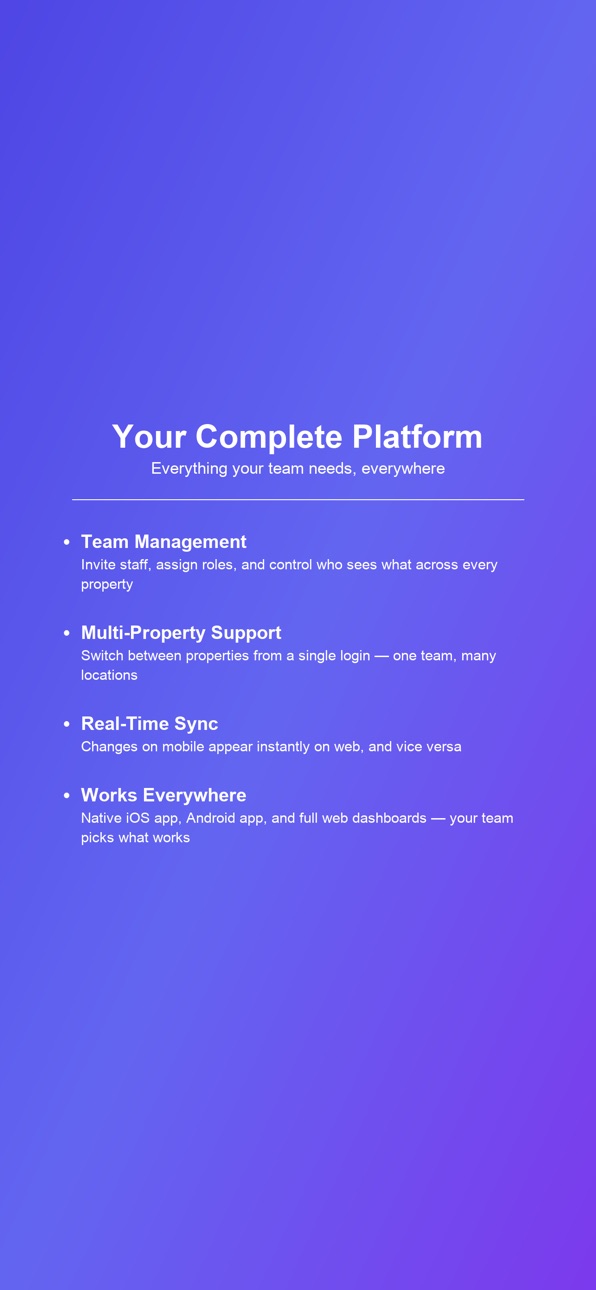
TEAM COLLABORATION
Assign work orders to technicians, track who's working on what, and keep your entire maintenance team on the same page. Role-based access ensures everyone sees exactly
what they need.
POWERFUL WEB DASHBOARDS
PropertyPlex includes web dashboards for maintenance management, hospitality operations, and administration. Build custom reports, export to Excel, and manage your
properties, teams, and operations from any browser.
MULTI-PROPERTY SUPPORT
Managing more than one property? Switch between locations from a single login. One team, one platform, every property.
BUILT FOR YOUR LANGUAGE
Available in English and Spanish, with more languages coming soon.
PropertyPlex works in the field for your team and on the web for managers and administrators.
Accessibility
ipadiphonemacrealityDevicetvoswatch
Version history 18 versions
Build 887246697v1.6.72026-06-21 22:41:53
Minor bug fixes.
Build 886756242v1.6.62026-06-10 17:01:19
Updated biometric sign-in.
Build 886407889v1.6.52026-06-02 18:06:16
Bug fixes. Mainly how PPX handles HMS connector room status updates. Fixes to biometric sign in.
Build 885598201v1.6.42026-05-13 17:31:14
Added action buttons for service work orders. Alice Support.
Build 885501527v1.6.32026-05-12 03:17:08
Redesigned navigation bar with property selector. Supply request improvements: pull to refresh, cascading supplier/item dropdowns, archive
workflow. Biometric sign in with Face ID and fingerprint. App icon badges for new work orders. Dark mode fixes. Localization updates across all
languages.
Build 884570608v1.6.02026-04-17 06:47:36
Supply request system for maintenance, housekeeping, and grounds teams. Request parts and supplies directly from work orders. Swipe cards to
edit or delete. Redesigned navigation bar with hamburger menu. Auto-translate work orders between all languages. App language now matches your
phone language on first launch.
Build 884627764v1.6.22026-04-17 18:20:51
Force Update Fix.
Build 884434528v1.5.92026-04-13 17:04:09
Fixed Token Expiring Bug.
Build 884404499v1.5.82026-04-11 21:37:01
UI cleanup and localization improvements.
Build 884232694v1.5.52026-04-08 00:24:38
New: PDF files on assets
- Upload PDF service manuals to assets from the web maintenance dashboard (50MB max, PDF only)
- "Files" section on the mobile asset detail screen — view file list with sizes, tap to open in device PDF viewer
- All files are tenant-isolated
Build 884277580v1.5.72026-04-08 16:06:07
NEW: Before & After photos — capture starting-state photos when creating a task and completion photos when marking it done. Photos display in
clearly labeled Before / After sections in both the mobile app and on the web.
NEW: Grounds Manager and Groundskeeper roles with appropriate default permissions.
The maintenance dashboard now flags work orders reported by the grounds team with a "From Grounds" badge so you always know where a request
originated.
Build 883701051v1.5.32026-03-25 16:36:17
- OOO room status (red, set via work orders only, clears to dirty)
- Work orders from rooms show on both dashboards
- Counters/filters exclude service requests properly
- Completed WOs hidden on mobile
- CANCELLED status removed
- Voice input on work order descriptions
- Guest check-in/checkout dates + next reservation on room cards
- Room asset photos fixed
- Completed By added to reports
- Permission fix for claiming/completing others' work orders
- Settings tabs removed from dashboards
- Default filter changed to OPEN
- Room nicknames
- Work order created by + date
- Service/Report Issue buttons on all room detail tabs
- Room detail cleanup (no duplicate room number)
- Next reservation dates on mobile detail screen
- Inspection status restored in web picker
- Blank screen fix (missing Tabs import)
Build 883620457v1.52026-03-22 18:02:31
- Comprehensive permission system with 3 separate order types (maintenance, room issues, services)
- Role templates ("Copy from" when creating custom roles)
- Notification preferences split into 4 groups
- Fix: update dialog now has "Update Now" button linking to store
- Fix: correct app version reporting (was hardcoded as 1.3 in v1.4 build)
Build 883605987v1.42026-03-21 19:03:42
- Room model split into occupancy + condition (supports stayover tracking)
- Service request system with configurable service types
- Offline mode — cached data, queued changes, auto-sync on reconnect
- Offline work order creation with photo queuing
- Permission system overhaul — all role checks use permissions, dependency auto-enable
- OUT_OF_ORDER work order priority level
- Stayover auto-generation for non-HMS properties
- MAINTENANCE auto-set/clear from work orders
- Cloudbeds inspection-aware status mapping
- Network connectivity monitoring (auto-refresh on reconnect)
- Bug fixes across integration API, reports, and connector sync
Build 883565357v1.32026-03-20 15:21:19
- Redesigned room status system
- New service request feature
- Stayover tracking for occupied rooms
- Bug fixes and performance improvements
Build 883399262v1.22026-03-16 17:34:27
- Added Spanish, French, and Jamaican Patois (Patwa) language support
- Redesigned top bar navigation
- Camera layout improvements
- Bug fixes and performance improvements
Build 883363343v1.12026-03-14 19:26:34
Bug fixes and performance improvements.
Build 882477764v1.02026-02-24 21:18:15
No pricing data captured yet — comparisons appear once the app has paid storefronts or in-app purchases.
Availability 1 of 1 storefronts
| Region | Language | Price | Ratings | Avg | Version |
|---|---|---|---|---|---|
| US | en-US | Free | 1 | 5.0 | 1.6.7 |
Change log 21 changes · US
✎
releaseNotes updated
Minor bug fixes.
✎
description updated
PropertyPlex is the all-in-one property maintenance and operations platform built for hotels, resorts, and commercial properties.
✎
name updated
PropertyPlex
◆
Version 1.6.7 released
Minor bug fixes.
◆
Version 1.6.6 released
Updated biometric sign-in.
◆
Version 1.6.5 released
Bug fixes. Mainly how PPX handles HMS connector room status updates. Fixes to biometric sign in.
◆
Version 1.6.4 released
Added action buttons for service work orders. Alice Support.
◆
Version 1.6.3 released
Redesigned navigation bar with property selector. Supply request improvements: pull to refresh, cascading supplier/item dropdowns, archive
workflow. Biometric sign in with Face ID and fingerprint. App icon badges for new work orders. Dark
◆
Version 1.6.2 released
Force Update Fix.
◆
Version 1.6.0 released
Supply request system for maintenance, housekeeping, and grounds teams. Request parts and supplies directly from work orders. Swipe cards to
edit or delete. Redesigned navigation bar with hamburger menu. Auto-translate work orders between
◆
Version 1.5.9 released
Fixed Token Expiring Bug.
◆
Version 1.5.8 released
UI cleanup and localization improvements.
◆
Version 1.5.7 released
NEW: Before & After photos — capture starting-state photos when creating a task and completion photos when marking it done. Photos display in
clearly labeled Before / After sections in both the mobile app and on the web.
NEW: Grounds
◆
Version 1.5.5 released
New: PDF files on assets
- Upload PDF service manuals to assets from the web maintenance dashboard (50MB max, PDF only)
- "Files" section on the mobile asset detail screen — view file list with sizes, tap to open in device PDF viewer
◆
Version 1.5.3 released
- OOO room status (red, set via work orders only, clears to dirty)
- Work orders from rooms show on both dashboards
- Counters/filters exclude service requests properly
- Completed WOs hidden on mobile
- CANCELLED status removed
-
◆
Version 1.5 released
- Comprehensive permission system with 3 separate order types (maintenance, room issues, services)
- Role templates ("Copy from" when creating custom roles)
- Notification preferences split into 4 groups
- Fix: update dialog now has "
◆
Version 1.4 released
- Room model split into occupancy + condition (supports stayover tracking)
- Service request system with configurable service types
- Offline mode — cached data, queued changes, auto
◆
Version 1.3 released
- Redesigned room status system
- New service request feature
◆
Version 1.2 released
- Added Spanish, French, and Jamaican Patois (Patwa) language support
- Redesigned top bar navigation
- Camera layout improvements
- Bug fixes and performance improvements
◆
Version 1.1 released
Bug fixes and performance improvements.
◆
Version 1.0 released