Home › Photo & Video

 US
US
1 of 1 storefronts
Content in en-US
Content in en-US
Information
Apple ID6759152199
Bundle IDcom.smart.screen.cast.tv.ios
SellerSeller
Min iOS16.0
Min macOS13.0
Device familiesiphone
Released2026-02-24
Copyright© Vang Hedegaard
Privacy policyLink ↗
Preview 1 platform
iPhone 4 images



What’s New Version 1.0.3
Minor Improvements
Description
Turn your phone into a big-screen experience with Mirror Share.
Mirror your iPhone to a compatible Smart TV or streaming device, and easily cast your favorite media in seconds.
What you can do with Mirror Share
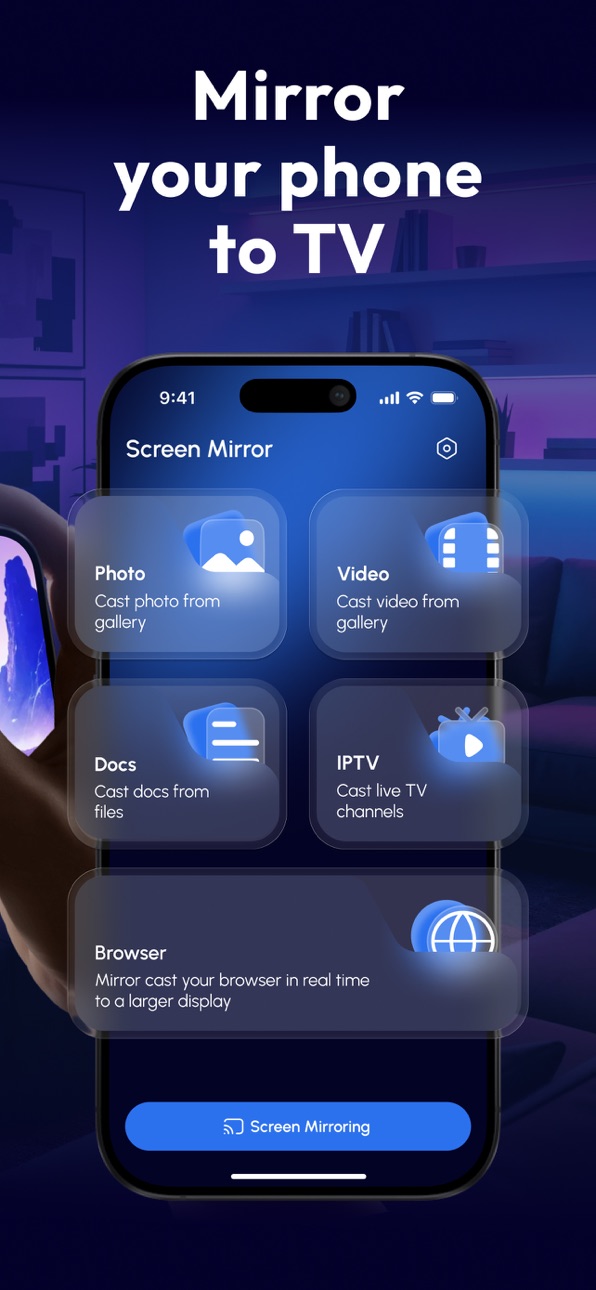
Screen Mirroring: share your screen to a TV for presentations, browsing, apps, and more.
Cast Photos & Videos: enjoy your gallery on a larger display with smooth playback.
Stream IPTV (M3U): add an M3U playlist link and watch live TV channels.
Cast Documents: display files from your device for work or study.
Browser Mirroring: open websites on your phone and watch them on the TV in real time.
Simple & fast setup
Connect your phone and TV to the same Wi-Fi network.
Open Mirror Share and choose what you want to cast.
Tap to start mirroring or streaming.
Notes
Performance depends on your Wi-Fi network, TV model, and supported protocols.
Some apps may restrict mirroring due to content protection (DRM).
Subscription Information:
- Payment. Charges apply to your iTunes Account at purchase confirmation.
- Auto-Renewal. Subscriptions renew automatically unless canceled at least 24 hours before the current period ends.
- Renewal Charges. Your account will be charged for renewal within 24 hours prior to the end of the current period, based on the selected plan.
- Manage Your Subscription. Go to your Account Settings after purchase to handle auto-renewal and other preferences.
Privacy Policy - https://telegra.ph/Privacy-Policy-02-13-130
Terms Of Use -https://telegra.ph/Terms-of-use-02-13-3
Download Mirror Share and start sharing your screen to TV anytime.
In-App Purchases US pricing
Premium Access Subscription
Weekly · 7 days 3-day free trial$6.99
Monthly · Monthly$19.99
Yearly · Yearly$49.99
Capabilities
In-App Purchases
Accessibility
ipadiphonemacrealityDevicetvoswatch
Version history 4 versions
Build 883212097v1.0.32026-03-11 17:50:14
Minor Improvements
Build 882852803v1.0.22026-03-03 10:25:15
Minor Improvement
Build 882735715v1.0.12026-02-26 22:29:21
Minor Bug Fixes
Build 882435957v1.0.02026-02-24 08:27:13
Price history by region
Currency
Show
Columns
Search
Availability 1 of 1 storefronts
| Region | Language | Price | Ratings | Avg | Version |
|---|---|---|---|---|---|
| US | en-US | Free | 0 | — | 1.0.3 |
Change log 8 changes · US
✎
releaseNotes updated
Minor Improvements
✎
description updated
Turn your phone into a big-screen experience with Mirror Share.
Mirror your iPhone to a compatible Smart TV or streaming device, and easily cast your favorite m
✎
subtitle updated
Smart View: Share & Mirror All
✎
name updated
Screen Mirroring: Air Cast TV
◆
Version 1.0.3 released
Minor Improvements
◆
Version 1.0.2 released
Minor Improvement
◆
Version 1.0.1 released
Minor Bug Fixes
◆
Version 1.0.0 released