Home › Photo & Video

 US
US
1 of 1 storefronts
Content in en-US
Content in en-US
Information
Preview 2 platforms
iPhone 5 images


Mac 3 images


What’s New Version 2026.6.1
New in this update:
• Rotate Video — Rotate the picture left or right. It applies to the preview, your recordings, and the virtual camera.
• Choose Your Audio — Pick any audio input, from your iPhone's microphones to a mic connected to your Mac.
• Instant Reconnect — Video now resumes automatically the moment a dropped connection comes back.
We also improved recording reliability and aligned the preview so it matches your recordings and virtual camera output.
Description
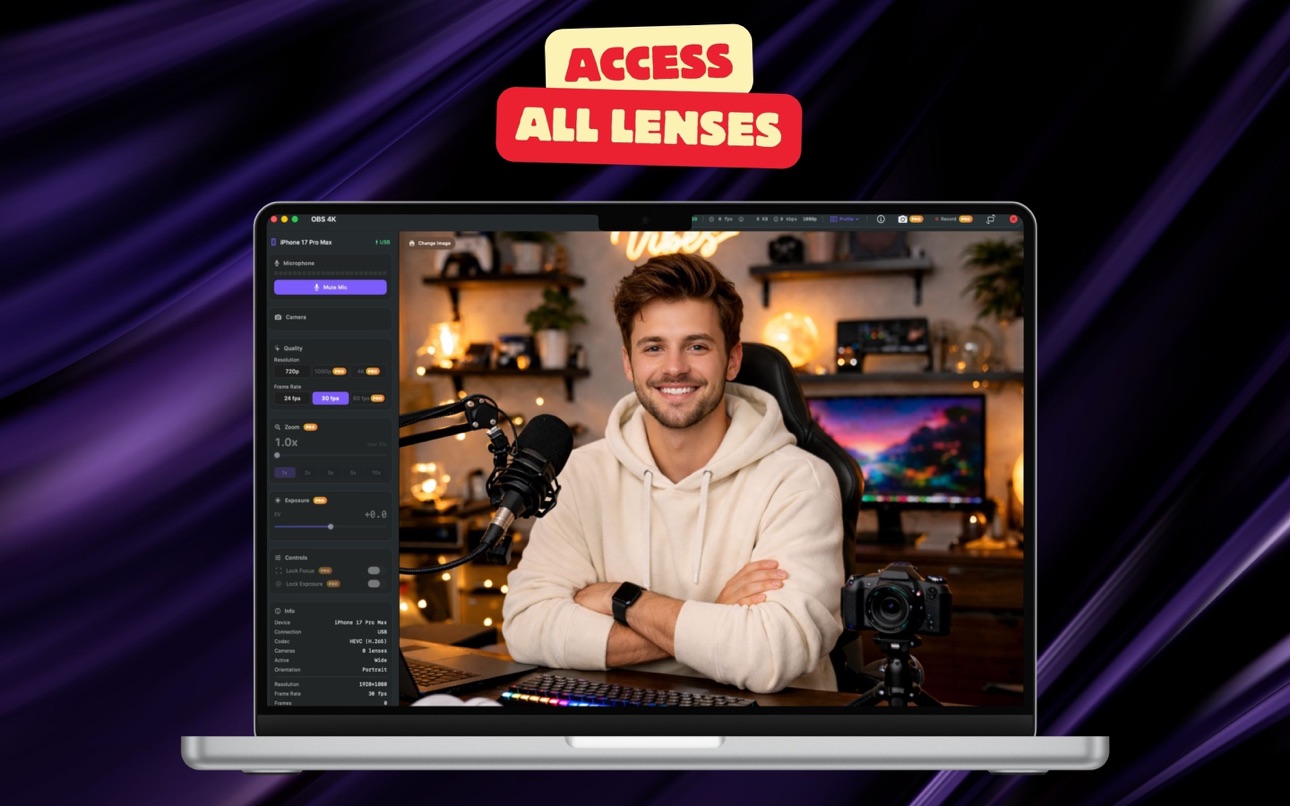
Turn your iPhone into a professional 4K camera for your Mac. OBS 4K streams your iPhone camera in stunning 4K resolution over USB or WiFi, with ultra-low latency H.265 hardware encoding.
KEY FEATURES:
• 4K, 1080p, and 720p streaming over USB or WiFi
• H.265 hardware encoding for crystal-clear quality at minimal bandwidth
• Ultra-low latency — see your camera feed in real time
• Multiple lens support — switch between Ultra Wide, Wide, and Telephoto
• Screen curtain mode to save battery while streaming
PRO FEATURES:
• 60 fps smooth capture for professional-quality video
• Full zoom and exposure control with real-time adjustments
• Focus and exposure lock for consistent shots
• Custom stream profiles for quick setup
• Advanced ISO, white balance, and torch controls
PERFECT FOR:
• Video conferencing (Zoom, Google Meet, Microsoft Teams)
• Live streaming (OBS Studio, Streamlabs)
• Content creation and YouTube recording
• FaceTime calls in stunning quality
• Professional video production
OBS 4K creates a virtual camera on your Mac, so any app that uses a webcam can use your iPhone’s powerful camera system. Connect via USB for the best quality, or go wireless with WiFi.
Download now and transform your iPhone into the ultimate webcam.
Terms of Use (EULA): https://www.apple.com/legal/internet-services/itunes/dev/stdeula/
Privacy Policy: https://ioscorner.com/privacy.html
Capabilities
In-App Purchases
Accessibility
ipadiphonemacrealityDevicetvoswatch
Version history 5 versions
Build 886103886v2026.6.12026-05-26 05:30:11
New in this update:
• Rotate Video — Rotate the picture left or right. It applies to the preview, your recordings, and the virtual camera.
• Choose Your Audio — Pick any audio input, from your iPhone's microphones to a mic connected to your Mac.
• Instant Reconnect — Video now resumes automatically the moment a dropped connection comes back.
We also improved recording reliability and aligned the preview so it matches your recordings and virtual camera output.
Build 883619442v2026.6.02026-03-22 02:49:54
Virtual camera fix: resolved an issue where the macOS app couldn't discover the camera extension. Improved connection reliability with automatic reconnection.
Build 883318363v2026.5.02026-03-13 17:16:15
• Added connection instructions for iOS and macOS apps
• Free users: 2-minute streaming preview per session
• Pro users: unlimited streaming with no time limit
• Bug fixes and improvements
Build 883165390v2026.4.02026-03-09 20:43:18
- Added free trial support for subscriptions
- Improved subscription display
Build 882420756v2026.3.02026-03-03 13:35:50
No pricing data captured yet — comparisons appear once the app has paid storefronts or in-app purchases.
Availability 1 of 1 storefronts
| Region | Language | Price | Ratings | Avg | Version |
|---|---|---|---|---|---|
| US | en-US | Free | 14 | 4.7 | 2026.6.1 |
Change log 9 changes · US
✎
releaseNotes updated
New in this update:
• Rotate Video — Rotate the picture left or right. It applies to the preview, your recordings, and the virtual camera.
• Choose Your Audio
✎
description updated
Turn your iPhone into a professional 4K camera for your Mac. OBS 4K streams your iPhone camera in stunning 4K resolution over USB or WiFi, with ultra-low latenc
✎
subtitle updated
4K Pro Wireless Camera Stream
✎
name updated
OBS 4K
◆
Version 2026.6.1 released
New in this update:
• Rotate Video — Rotate the picture left or right. It applies to the preview, your recordings, and the virtual camera.
• Choose Your Audio — Pick any audio input, from your iPhone's microphones to a mic connected to you
◆
Version 2026.6.0 released
Virtual camera fix: resolved an issue where the macOS app couldn't discover the camera extension. Improved connection reliability with automatic reconnection.
◆
Version 2026.5.0 released
• Added connection instructions for iOS and macOS apps
• Free users: 2-minute streaming preview per session
• Pro users: unlimited streaming with no time limit
• Bug fixes and improvements
◆
Version 2026.4.0 released
- Added free trial support for subscriptions
- Improved subscription display
◆
Version 2026.3.0 released