Home › Utilities

 US
US
1 of 1 storefronts
Content in en-US
Content in en-US
Information
Preview 2 platforms
iPhone 6 images



iPad 6 images


What’s New Version Capture 2.5
New in 2.5
Edit your photos before you file them. A brand-new built-in editor lets you crop, straighten, rotate, and flip images — either right after scanning or on any note you've already saved. Cleaner images mean better text recognition, too.
Choose your transcription language. Pick the language for your voice recordings in Settings, with smart fallback when an exact match isn't available. And if a speech model is still downloading, your recording is always saved — just tap Retry or Transcribe Later.
Clearer, more reliable scanning. Better guidance when a scan can't find readable text, plus fixes to note loading and the scan preview.
Polish throughout. Refreshed audio controls, a bigger tag color palette, clearer labels, and a fix so adding an existing photo no longer duplicates it in your library.
Description
Capture turns photos and voice memos into searchable, organized text — entirely on your device.
CAPTURE FASTER THAN YOU CAN TYPE
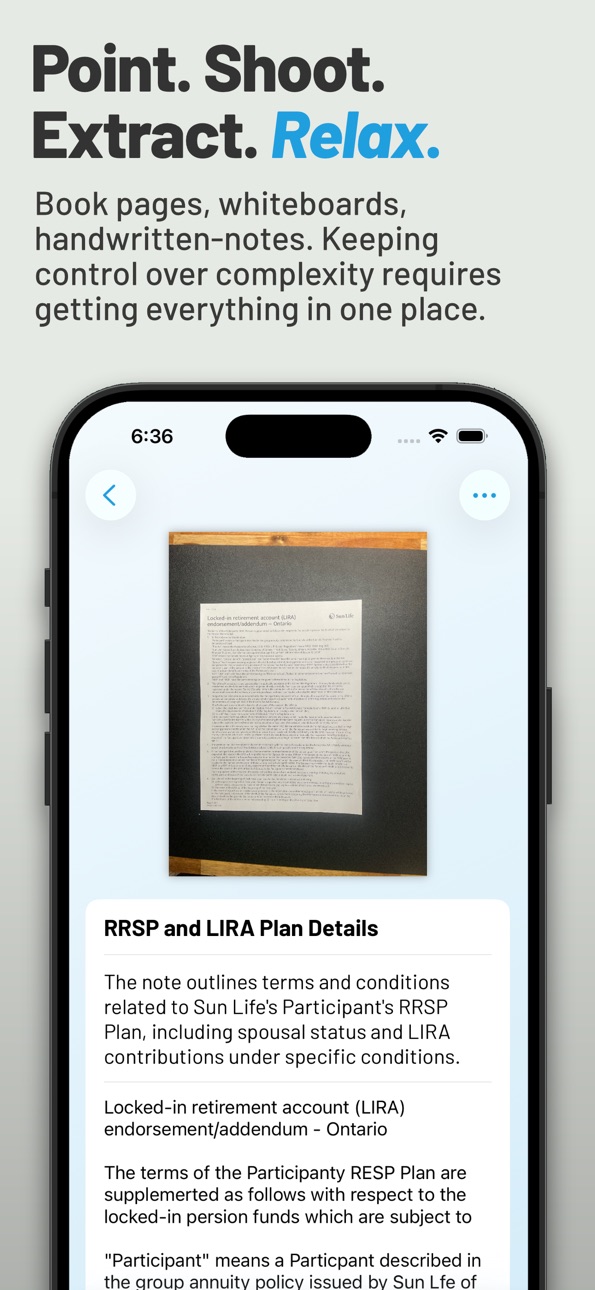
Point your camera at a book page, whiteboard, or handwritten note. Capture extracts the text automatically. Or record a voice memo and get a full transcript with timecodes — pause, resume, and tap any timestamp to jump back to that moment.
POWERED BY APPLE INTELLIGENCE
On-device AI suggests tags, generates titles, and summarizes your notes automatically. It adapts to your own categories and gets more useful over time. No cloud required. No waiting.
YOUR DATA STAYS ON YOUR PHONE
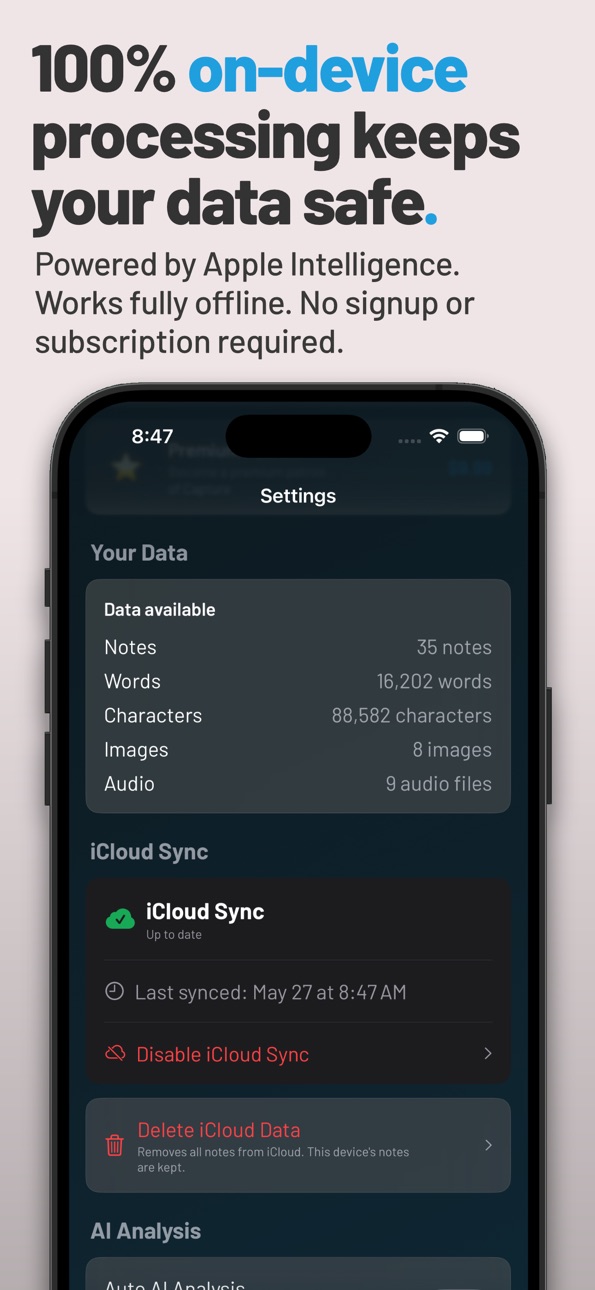
OCR, transcription, and AI all run locally using Apple's built-in frameworks — Vision, Speech Analyzer, and Foundation Models. Nothing is uploaded to external servers. No signup required. Works fully offline.
ORGANIZE YOUR WAY
The Organize tab gives you full control of your library. Search and sort your tags, group notes into categories, assign colors in bulk, and sync everything across your devices with iCloud.
SHARE ANYWHERE
The native iOS share sheet sends your notes to any app — Obsidian, Notion, Apple Notes, email, wherever your workflow lives. No proprietary formats. No lock-in.
BUILT FOR
- Personal journaling and private notes
- Capturing ideas during walks, meetings, or reading
- Knowledge workers using Obsidian, Notion, or Apple Notes
- Journalists, researchers, and anyone with confidentiality needs
Apple Intelligence features require a compatible device running iOS 26. Apple, Apple Intelligence, and Foundation Models are trademarks of Apple Inc.
Capabilities
In-App Purchases
Accessibility
ipadiphonemacrealityDevicetvoswatch
Version history 8 versions
Build 887802881vCapture 2.52026-07-04 05:14:27
New in 2.5
Edit your photos before you file them. A brand-new built-in editor lets you crop, straighten, rotate, and flip images — either right after scanning or on any note you've already saved. Cleaner images mean better text recognition, too.
Choose your transcription language. Pick the language for your voice recordings in Settings, with smart fallback when an exact match isn't available. And if a speech model is still downloading, your recording is always saved — just tap Retry or Transcribe Later.
Clearer, more reliable scanning. Better guidance when a scan can't find readable text, plus fixes to note loading and the scan preview.
Polish throughout. Refreshed audio controls, a bigger tag color palette, clearer labels, and a fix so adding an existing photo no longer duplicates it in your library.
Build 886927340vCapture 2.42026-06-13 21:30:55
Version 2 — a complete redesign and major new features.
New Home tab: your most recent notes and favorite tags, one tap away.
New Organize tab: manage categories and tags in one place, with bulk recoloring and full search.
Liquid Glass design: Capture now uses Apple's iOS 26 visual language throughout — translucent cards, refined typography, and an updated look on iPhone and iPad.
Smarter iCloud sync: more reliable across devices, with friendly status messages so you always know when your notes are current.
Improved AI analysis: on-device Apple Intelligence now adapts tag and category suggestions to your own library, not a fixed list.
Better iPad support: layouts and typography scale properly across all screen sizes.
Error reporting, on your terms. If Capture encounters a problem, you'll now see the full diagnostic report before anything leaves your device — and sending is always your choice. No automatic telemetry. No background uploads. You see exactly what we'd see.
Build 886835891vCapture 2.32026-06-11 21:23:42
Version 2 — a complete redesign and major new features.
New Home tab: your most recent notes and favorite tags, one tap away.
New Organize tab: manage categories and tags in one place, with bulk recoloring and full search.
Liquid Glass design: Capture now uses Apple's iOS 26 visual language throughout — translucent cards, refined typography, and an updated look on iPhone and iPad.
Smarter iCloud sync: more reliable across devices, with friendly status messages so you always know when your notes are current.
Improved AI analysis: on-device Apple Intelligence now adapts tag and category suggestions to your own library, not a fixed list.
Better iPad support: layouts and typography scale properly across all screen sizes.
Error reporting, on your terms. If Capture encounters a problem, you'll now see the full diagnostic report before anything leaves your device — and sending is always your choice. No automatic telemetry. No background uploads. You see exactly what we'd see.
Build 886745836vCapture 2.22026-06-10 01:50:27
Version 2 — a complete redesign and major new features.
New Home tab: your most recent notes and favorite tags, one tap away.
New Organize tab: manage categories and tags in one place, with bulk recoloring and full search.
Liquid Glass design: Capture now uses Apple's iOS 26 visual language throughout — translucent cards, refined typography, and an updated look on iPhone and iPad.
Smarter iCloud sync: more reliable across devices, with friendly status messages so you always know when your notes are current.
Improved AI analysis: on-device Apple Intelligence now adapts tag and category suggestions to your own library, not a fixed list.
Better iPad support: layouts and typography scale properly across all screen sizes.
Error reporting, on your terms. If Capture encounters a problem, you'll now see the full diagnostic report before anything leaves your device — and sending is always your choice. No automatic telemetry. No background uploads. You see exactly what we'd see.
Build 886584465vCapture 2.12026-06-05 23:33:49
Version 2 — a complete redesign and major new features.
New Home tab: your most recent notes and favorite tags, one tap away.
New Organize tab: manage categories and tags in one place, with bulk recoloring and full search.
Liquid Glass design: Capture now uses Apple's iOS 26 visual language throughout — translucent cards, refined typography, and an updated look on iPhone and iPad.
Smarter iCloud sync: more reliable across devices, with friendly status messages so you always know when your notes are current.
Improved AI analysis: on-device Apple Intelligence now adapts tag and category suggestions to your own library, not a fixed list.
Better iPad support: layouts and typography scale properly across all screen sizes.
Error reporting, on your terms. If Capture encounters a problem, you'll now see the full diagnostic report before anything leaves your device — and sending is always your choice. No automatic telemetry. No background uploads. You see exactly what we'd see.
Build 886197042vCapture iOS App Version 2.02026-05-27 16:40:04
Version 2 — a complete redesign and major new features.
New Home tab: your most recent notes and favorite tags, one tap away.
New Organize tab: manage categories and tags in one place, with bulk recoloring and full search.
Liquid Glass design: Capture now uses Apple's iOS 26 visual language throughout — translucent cards, refined typography, and an updated look on iPhone and iPad.
Smarter iCloud sync: more reliable across devices, with friendly status messages so you always know when your notes are current.
Improved AI analysis: on-device Apple Intelligence now adapts tag and category suggestions to your own library, not a fixed list.
Better iPad support: layouts and typography scale properly across all screen sizes.
Build 883878587vCapture iOS App Version 1.12026-03-29 05:46:51
This update focuses on reliability and polish under the hood.
iCloud Sync - improved reliability, including better handling of media files and automatic recovery for notes that previously didn't sync.
Tags - added an active filter bar to the Notebook, fixed duplicate tags in lists and filters, and improved sorting.
Transcription — Live transcription now produces the same quality output as post-recording transcription.
Build 882407580v1.02026-02-17 13:35:51
No pricing data captured yet — comparisons appear once the app has paid storefronts or in-app purchases.
Availability 1 of 1 storefronts
| Region | Language | Price | Ratings | Avg | Version |
|---|---|---|---|---|---|
| US | en-US | Free | 0 | — | Capture 2.5 |
Change log 12 changes · US
✎
releaseNotes updated
New in 2.5
Edit your photos before you file them. A brand-new built-in editor lets you crop, straighten, rotate, and flip images — either right after scanning o
✎
description updated
Capture turns photos and voice memos into searchable, organized text — entirely on your device.
CAPTURE FASTER THAN YOU CAN TYPE
Point your camera at a book pa
✎
subtitle updated
AI-Powered, 100% On-Device
✎
name updated
Capture - Voice & Photo Notes
◆
Version Capture 2.5 released
New in 2.5
Edit your photos before you file them. A brand-new built-in editor lets you crop, straighten, rotate, and flip images — either right after scanning or on any note you've already saved. Cleaner images mean better text recognition,
◆
Version Capture 2.4 released
Version 2 — a complete redesign and major new features.
New Home tab: your most recent notes and favorite tags, one tap away.
New Organize tab: manage categories and tags in one place, with bulk recoloring and full search.
Liquid Glass d
◆
Version Capture 2.3 released
Version 2 — a complete redesign and major new features.
New Home tab: your most recent notes and favorite tags, one tap away.
New Organize tab: manage categories and tags in one place, with bulk recoloring and full search.
Liquid Glass d
◆
Version Capture 2.2 released
Version 2 — a complete redesign and major new features.
New Home tab: your most recent notes and favorite tags, one tap away.
New Organize tab: manage categories and tags in one place, with bulk recoloring and full search.
Liquid Glass d
◆
Version Capture 2.1 released
Version 2 — a complete redesign and major new features.
New Home tab: your most recent notes and favorite tags, one tap away.
New Organize tab: manage categories and tags in one place, with bulk recoloring and full search.
Liquid Glass d
◆
Version Capture iOS App Version 2.0 released
Version 2 — a complete redesign and major new features.
New Home tab: your most recent notes and favorite tags, one tap away.
New Organize tab: manage categories and tags in one place, with bulk recoloring and full search.
Liquid Glass d
◆
Version Capture iOS App Version 1.1 released
This update focuses on reliability and polish under the hood.
iCloud Sync - improved reliability, including better handling of media files and automatic recovery for notes that previously didn't sync.
Tags - added an active filter bar to th
◆
Version 1.0 released