Home › Productivity

 US
US
1 of 1 storefronts
Content in en-US
Content in en-US
Information
Preview 2 platforms
iPhone 7 images


iPad 7 images


What’s New Version 1.8
This regular update (1.8), we have fixed minor issues and UX improvements, includes:
- Minor UI/UX improvements and bug fixes.
Description
NineNotes is a simple and elegant note-taking app that helps you organize your thoughts with color. Create text notes and checklists, organize them into folders, and set reminders—all with a touch of color.
ORGANIZE WITH 9 COLORS
Assign one of nine vibrant colors to each note and folder. Instantly find what you need by filtering notes by color. Whether for work (blue), personal (green), or urgent (red)—your notes are always easy to identify.
TEXT NOTES AND CHECKLISTS
Write quick text notes or create checklists for your daily tasks. Check off items as you go, and your progress is automatically saved—even if you close the app.
SMART FOLDERS
Group related notes into folders with custom icons and colors. Notes automatically inherit folder colors, keeping everything visually consistent and organized.
CALENDAR AND REMINDERS
View all your reminders in an integrated calendar. Tap any day to see what's coming up or create a new reminder directly in the calendar view. Supports lunar calendar display for Chinese, Vietnamese, Korean, and Japanese dates.
POWERFUL SEARCH
Find any note instantly with full-text search. Works with Vietnamese accents and highlights matching text in results. Search titles, note content, and checklist items.
SECURE BACKUP AND RESTORE
Back up all your notes with automatic and manual backup options. Backups are always encrypted for your security. Export backups as files or restore from a previous backup at any time.
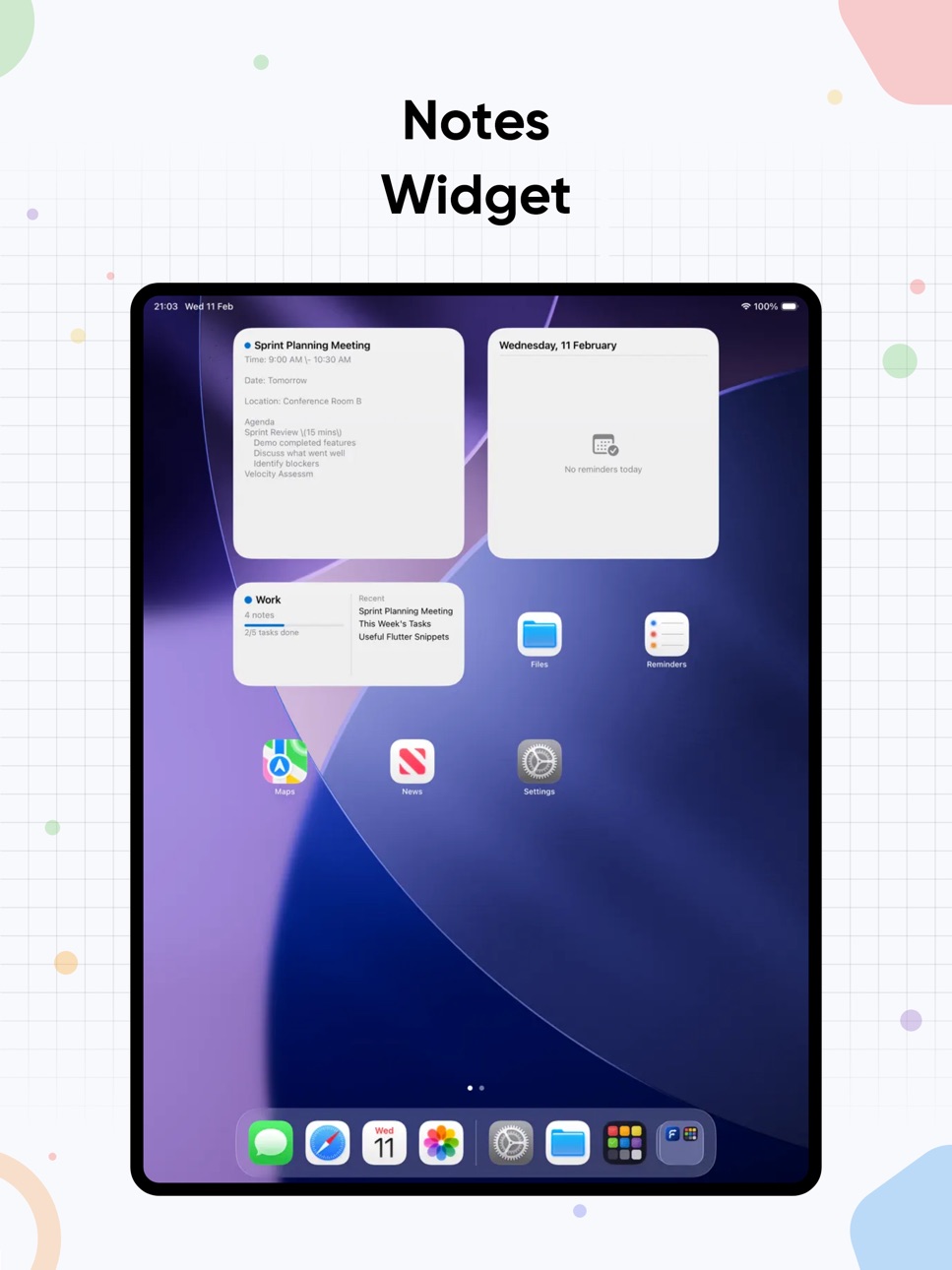
HOME SCREEN WIDGETS
- Quick Capture widget to instantly create notes
- Pin your favorite note to the Home Screen
- See today's reminders at a glance with the Calendar Agenda widget
CUSTOMIZABLE EXPERIENCE
Choose from 20 color themes, select your favorite fonts for titles and body text, and personalize your note-taking environment. Set your preferred first day of the week, default note color, and more.
Payment will be charged to your Apple ID account at confirmation of purchase. Subscription automatically renews unless canceled at least 24 hours before the end of the current period. You can manage and cancel your subscriptions in your App Store account settings. Any unused free trial period will be forfeited when you purchase a subscription.
Terms of Service: https://corlorizednotes.top/app/terms-of-uses/ninenotes/
Privacy Policy: https://corlorizednotes.top/app/privacy-policy/ninenotes/
In-App Purchases US pricing
Premium Membership Subscription
Weekly · 7 days$1.99
Monthly · Monthly$4.99
Yearly · Yearly$29.99
Capabilities
In-App Purchases
Accessibility
ipadiphonemacrealityDevicetvoswatch
Version history 8 versions
Build 884682945v1.82026-04-20 18:03:08
This regular update (1.8), we have fixed minor issues and UX improvements, includes:
- Minor UI/UX improvements and bug fixes.
Build 884664430v1.72026-04-19 06:39:41
This regular update (1.7), we have fixed minor issues and UX improvements, includes:
- New feature: Lunar calendar now support: Korean, Japanese (you can show alternative calendar in Settings > Calendar > Lunar Calendar).
- Accessibility: improve app stability while enabled reduce motion.
- Minor UI/UX improvements and bug fixes.
Build 884493754v1.62026-04-18 02:16:09
This regular update (1.6), we have fixed minor issues and UX improvements, includes:
- Accessibility: improve app stability while enabled reduce motion.
- Fix widget action issue (deep linking issues).
- Minor UI/UX improvements and bug fixes.
Build 884130477v1.52026-04-04 17:19:03
This regular update (1.5), we have fixed minor issues and UX improvements, includes:
- Accessibility: improve app stability while enabled reduce motion.
- Add Vietnamese language supports, including noun suggestion and spellcheck support in editor area.
- Minor UI/UX improvements and bug fixes.
Build 883989563v1.32026-04-03 08:31:11
This update brings support for multiple languages:
- Accessibility: Support for reduced movement in onboarding transitions.
- Dark mode: Illustrations optimized for dark mode.
- Minor interface improvements and bug fixes.
Build 882439483v1.22026-02-15 14:25:46
In update 1.2, we fixed several bugs and improved performance:
- Fixed: the badge always appeared on the app icon.
- Editor: Improve editor toolbar (UI consistency).
- Minor UI bug fixes and performance improvements.
Build 882410527v1.12026-02-13 02:18:12
In update 1.1, we fixed several bugs and improved performance:
- Fixed: the badge always appeared on the app icon.
- Minor UI bug fixes and performance improvements.
Build 882381453v1.02026-02-12 13:03:20
Price history by region
Currency
Show
Columns
Search
Availability 1 of 1 storefronts
| Region | Language | Price | Ratings | Avg | Version |
|---|---|---|---|---|---|
| US | en-US | Free | 0 | — | 1.8 |
Change log 11 changes · US
✎
releaseNotes updated
This regular update (1.8), we have fixed minor issues and UX improvements, includes:
- Minor UI/UX improvements and bug fixes.
✎
description updated
NineNotes is a simple and elegant note-taking app that helps you organize your thoughts with color. Create text notes and checklists, organize them into folders
✎
name updated
NineNotes
◆
Version 1.8 released
This regular update (1.8), we have fixed minor issues and UX improvements, includes:
- Minor UI/UX improvements and bug fixes.
◆
Version 1.7 released
This regular update (1.7), we have fixed minor issues and UX improvements, includes:
- New feature: Lunar calendar now support: Korean, Japanese (you can show alternative calendar in Settings > Calendar > Lunar Calendar).
- Accessibility: i
◆
Version 1.6 released
This regular update (1.6), we have fixed minor issues and UX improvements, includes:
- Accessibility: improve app stability while enabled reduce motion.
- Fix widget action issue (deep linking issues).
- Minor UI/UX improvements and bug fix
◆
Version 1.5 released
This regular update (1.5), we have fixed minor issues and UX improvements, includes:
- Accessibility: improve app stability while enabled reduce motion.
- Add Vietnamese language supports, including noun suggestion and spellcheck support in
◆
Version 1.3 released
This update brings support for multiple languages:
- Accessibility: Support for reduced movement in onboarding transitions.
- Dark mode: Illustrations optimized for dark mode.
- Minor interface improvements and bug fixes.
◆
Version 1.2 released
In update 1.2, we fixed several bugs and improved performance:
- Fixed: the badge always appeared on the app icon.
- Editor: Improve editor toolbar (UI consistency).
- Minor UI bug fixes and performance improvements.
◆
Version 1.1 released
In update 1.1, we fixed several bugs and improved performance:
- Fixed: the badge always appeared on the app icon.
- Minor UI bug fixes and performance improvements.
◆
Version 1.0 released