Home › Photo & Video

Video Compressor Video Cutter
Video to GIF & MP3 Extractor
 US
US
1 of 1 storefronts
Content in en-US
Content in en-US
Information
Preview 2 platforms
iPhone 5 images



iPad 3 images


What’s New Version 2.0.0
Introducing Vidkit!
We've expanded the app beyond video splitting and added powerful new tools.
NEW FEATURES
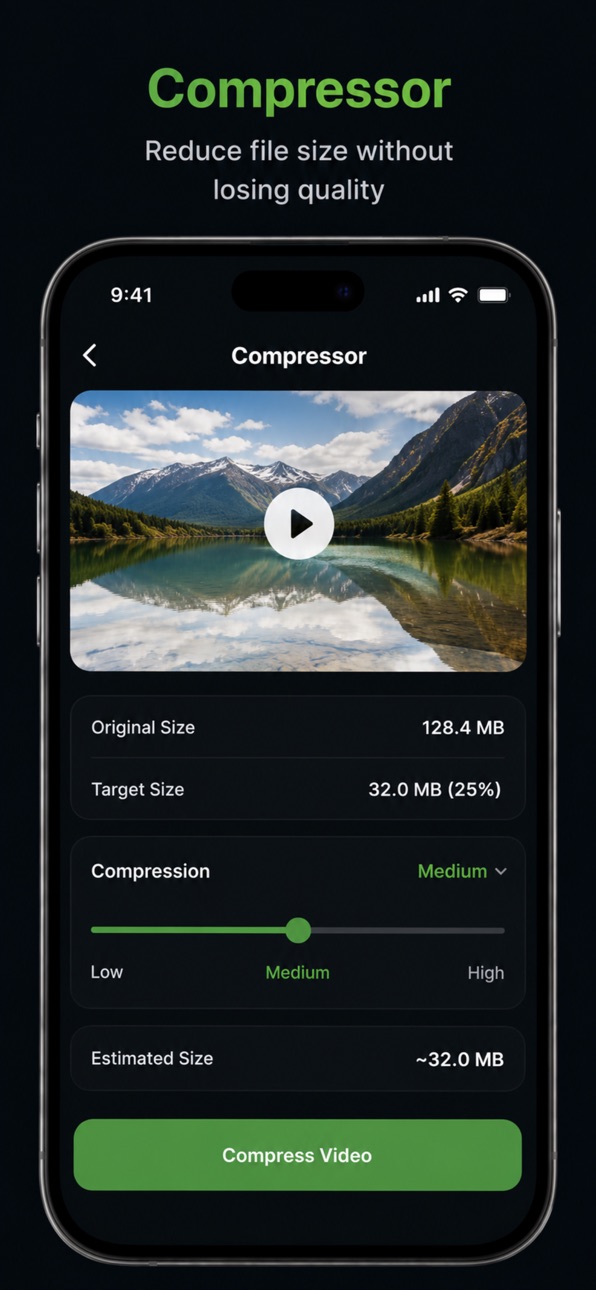
Video Compressor
• Reduce video file sizes while maintaining quality
• Multiple compression options available
Video to GIF
• Convert videos into shareable GIFs
• Select the exact section you want to convert
Audio Extractor
Extract audio from your video files quickly and easily
IMPROVEMENTS
• Improved user interface and navigation
• Faster processing performance
• Better export experience
• Enhanced stability and reliability
FIXES
Various bug fixes and performance improvements
Thank you for using Video Compressor & Splitter! More features are coming soon.
Description
Video Compressor & Splitter is an all-in-one video utility designed to help you manage, optimize, and share your videos with ease.
Whether you need to reduce file size, split long videos into smaller clips, create GIFs, or extract audio from your favorite videos, everything is just a few taps away.
FEATURES:
Video Compressor:
• Reduce video file size quickly
• Choose from multiple compression levels
• Save storage space without sacrificing quality
• Perfect for sharing videos online
Video Splitter:
• Split videos into smaller clips
• Create 30-second, 60-second, or custom segments
• deal for social media and status updates
• Fast and easy processing
Video to GIF:
• Convert your favorite video moments into GIFs
• Select the exact portion you want
• Share GIFs with friends and family
• Simple quality options for every use case
Audio Extractor:
• Extract audio from video files
• Save audio for listening anytime
• Quick and reliable conversion
Fast & Easy:
• Simple, modern interface
• Lightweight and efficient
• Works directly on your device
• No complicated editing tools
PERFECT FOR:
• Reducing large video files
• Creating social media clips
• Making GIFs from videos
• Extracting audio from videos
• Saving storage space
• Sharing videos faster
Download Video Compressor & Splitter today and take control of your videos.
Privacy Policy: https://www.codecreationstudio.co.za/privacy-policy/vidkit
Terms of use: https://www.apple.com/legal/internet-services/itunes/dev/stdeula/
In-App Purchases US pricing
Pro features Subscription
VidKit Monthly Sub · Monthly$1.99
One-Time Purchases
Video Splitter Lifetime Purchase$14.99
Capabilities
In-App Purchases
Accessibility
ipadiphonemacrealityDevicetvoswatch
Version history 6 versions
Build 886493689v2.0.02026-06-16 07:47:42
Introducing Vidkit!
We've expanded the app beyond video splitting and added powerful new tools.
NEW FEATURES
Video Compressor
• Reduce video file sizes while maintaining quality
• Multiple compression options available
Video to GIF
• Convert videos into shareable GIFs
• Select the exact section you want to convert
Audio Extractor
Extract audio from your video files quickly and easily
IMPROVEMENTS
• Improved user interface and navigation
• Faster processing performance
• Better export experience
• Enhanced stability and reliability
FIXES
Various bug fixes and performance improvements
Thank you for using Video Compressor & Splitter! More features are coming soon.
Build 883593360v1.1.22026-03-20 22:39:46
Faster Video Loading: Optimized the video selection process. Long videos (5+ minutes) now load significantly faster thanks to improved file handling and pre-initialization of the video player.
Clip Playback: You can now play back individual clips directly from the processing screen. No more waiting until the end to see your results!
Under-the-Hood Improvements: Switched to a more efficient file-picking method to reduce memory usage and improve app stability during large video imports.
These changes make the app feel much faster and give you more control over your video splitting workflow.
Build 883365783v1.1.12026-03-14 21:19:00
Faster Video Loading: Optimized the video selection process. Long videos (5+ minutes) now load significantly faster thanks to improved file handling and pre-initialization of the video player.
Clip Playback: You can now play back individual clips directly from the processing screen. No more waiting until the end to see your results!
Under-the-Hood Improvements: Switched to a more efficient file-picking method to reduce memory usage and improve app stability during large video imports.
These changes make the app feel much faster and give you more control over your video splitting workflow.
Build 882948842v1.1.02026-03-04 17:47:04
Faster Video Loading: Optimized the video selection process. Long videos (5+ minutes) now load significantly faster thanks to improved file handling and pre-initialization of the video player.
Clip Playback: You can now play back individual clips directly from the processing screen. No more waiting until the end to see your results!
Under-the-Hood Improvements: Switched to a more efficient file-picking method to reduce memory usage and improve app stability during large video imports.
These changes make the app feel much faster and give you more control over your video splitting workflow.
Build 882609840v1.0.12026-02-20 20:34:28
Housekeeping, anyone? We’re dusting off the cobwebs and tightening a few screws to make your experience smoother.
Build 882380329v1.02026-02-18 15:56:24
Price history by region
Currency
Show
Columns
Search
Availability 1 of 1 storefronts
| Region | Language | Price | Ratings | Avg | Version |
|---|---|---|---|---|---|
| US | en-US | Free | 0 | — | 2.0.0 |
Change log 10 changes · US
✎
releaseNotes updated
Introducing Vidkit!
We've expanded the app beyond video splitting and added powerful new tools.
NEW FEATURES
Video Compressor
• Reduce video file sizes while
✎
description updated
Video Compressor & Splitter is an all-in-one video utility designed to help you manage, optimize, and share your videos with ease.
Whether you need to reduce f
✎
subtitle updated
Video to GIF & MP3 Extractor
✎
name updated
Video Compressor Video Cutter
◆
Version 2.0.0 released
Introducing Vidkit!
We've expanded the app beyond video splitting and added powerful new tools.
NEW FEATURES
Video Compressor
• Reduce video file sizes while maintaining quality
• Multiple compression options available
Video to GIF
• Co
◆
Version 1.1.2 released
Faster Video Loading: Optimized the video selection process. Long videos (5+ minutes) now load significantly faster thanks to improved file handling and pre-initialization of the video player.
Clip Playback: You can now play back individua
◆
Version 1.1.1 released
Faster Video Loading: Optimized the video selection process. Long videos (5+ minutes) now load significantly faster thanks to improved file handling and pre-initialization of the video player.
Clip Playback: You can now play back individua
◆
Version 1.1.0 released
Faster Video Loading: Optimized the video selection process. Long videos (5+ minutes) now load significantly faster thanks to improved file handling and pre-initialization of the video player.
Clip Playback: You can now play back individua
◆
Version 1.0.1 released
Housekeeping, anyone? We’re dusting off the cobwebs and tightening a few screws to make your experience smoother.
◆
Version 1.0 released