Home › Utilities

 US
US
1 of 1 storefronts
Content in en-US
Content in en-US
Information
Apple ID6759058003
Bundle IDcom.mifanerliang.fusebeads
SellerSeller
Min iOS17.0
Min macOS14.0
Device familiesiphone, ipad
Released2026-03-07
Copyright© 2026 小林
Privacy policyLink ↗
Preview 2 platforms
iPhone 7 images




iPad 7 images




What’s New Version 1.5.7
- Digital Blueprints: Color layers now support highlighting the currently selected color.
- Digital Blueprints: Color layers can now be sorted by legend order or alphabetically by color code.
- My Beadwork: Optimized loading speed for a smoother experience.
Description
Hi, bead lovers!
Ever stocked hundreds of beads but can’t find the right color? Ordered duplicates by mistake? Manually logging in Excel feels like a headache? I get it!
[Little Bead Buddy] is here to save your inventory stress. It’s more than a tracker—it’s your personal bead assistant.
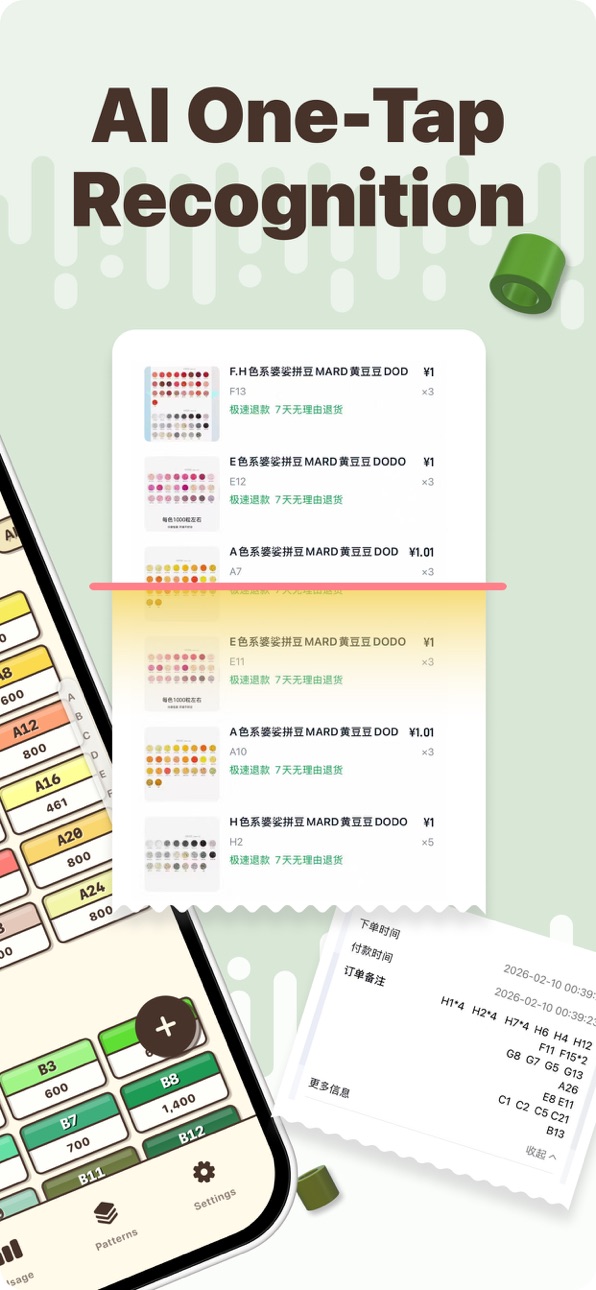
- AI Smart Recognition: Snap an order screenshot, and the app automatically detects colors and quantities.
- Clear Inventory at a Glance: See all colors neatly organized, get alerts for low stock, copy color codes, and refill with one tap.
- Track Consumption: Upload your designs, and the app calculates used beads, updating inventory automatically.
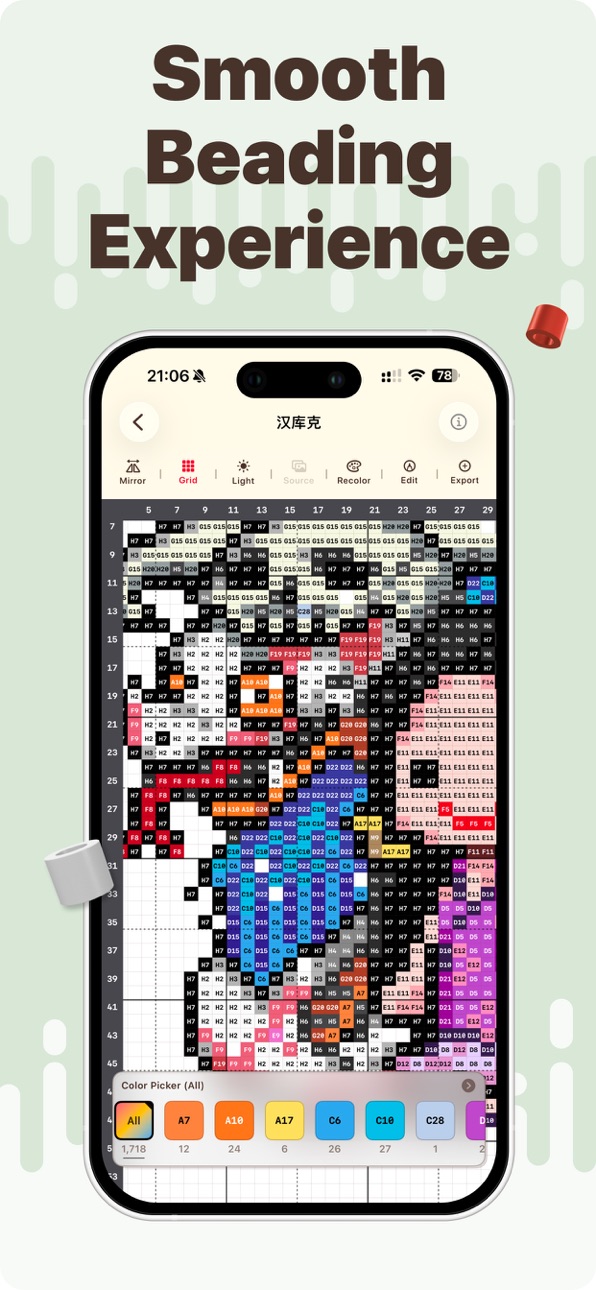
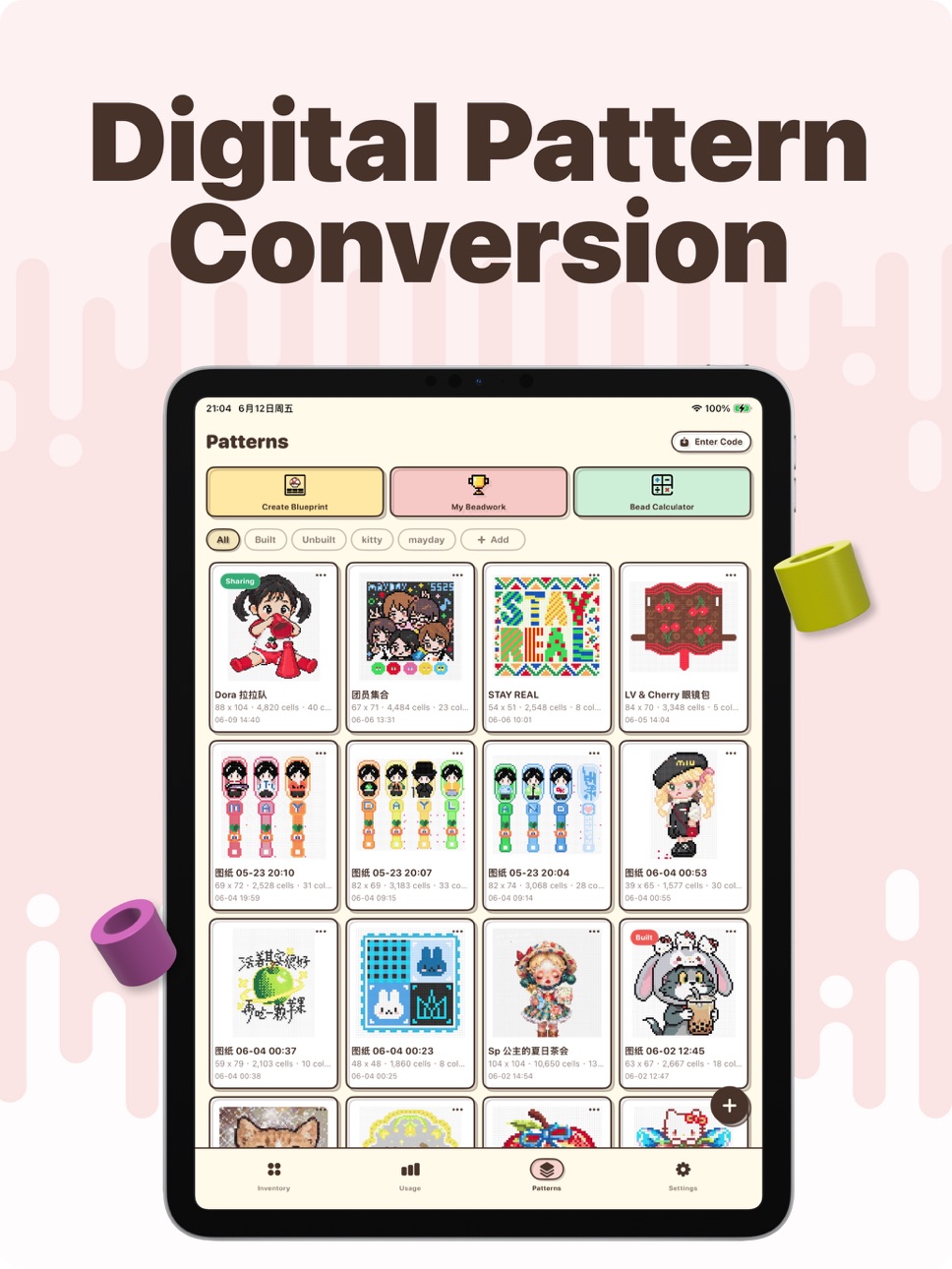
- Digital Patterns: Convert images into digital patterns, zoom losslessly, filter by color, recolor, and import consumption in one tap.
- Sync & Backup: iCloud sync and manual export keep your data safe, always under your control.
Little Bead Buddy helps you stay organized, track your progress, and enjoy beading without the stress.
Privacy Policy: https://docs.google.com/document/d/1e1wgsmQDMVkB9Zf2cqwbzBvR66-6txDcHxxted2ZvJA/edit?usp=sharing
Terms of Use: https://docs.google.com/document/d/1CaYXc1Zuz31iMjMRAL4IqnThFADjSvOqBxW4LiSPOUU/edit?usp=sharing
Capabilities
In-App Purchases
Accessibility
ipadiphonemacrealityDevicetvoswatch
Version history 17 versions
Build 887462405v1.5.72026-07-08 06:17:24
- Digital Blueprints: Color layers now support highlighting the currently selected color.
- Digital Blueprints: Color layers can now be sorted by legend order or alphabetically by color code.
- My Beadwork: Optimized loading speed for a smoother experience.
Build 887243294v1.5.62026-06-21 23:18:41
- Added a usage search feature. You can now search for specific blueprint usage by time, color code, or brand.
- Optimized iCloud sync status notifications.
Build 886947830v1.5.52026-06-14 23:22:59
- Added a new "Export as Blueprint" feature, allowing you to save digital drawings as high-res images.
- Polished up interaction details and overall user experience
Build 886882352v1.5.32026-06-12 23:23:49
- Added the "My Beadwork" page to collect and revisit your bead art in one place.
- The digital pattern page now features a "Measure" tool—no more counting beads one by one!
Build 886631444v1.5.22026-06-08 23:05:11
- Digital patterns now feature a "Bead Timer" to track your focused moments.
- New "Bead Showcase" is here, so your passion can be seen by all.
Build 886389580v1.5.12026-06-02 22:43:22
- Added 「Image to Blueprint」 feature
- Added 「Bead Calculator」: Check blueprint consumption in advance and generate a bean top-up list
- Digital Blueprints: Color fill in Advanced Edit now remembers your palette
- Digital Blueprints: Optimized preview speed
- My Consumption: Added Copy Consumption feature
Build 885517339v1.52026-05-21 23:33:24
- Added digital drawing sharing feature
- Added exact match mode for creating digital drawings
Build 885334476v1.4.62026-05-07 23:18:40
- Digital Blueprints: Added canvas settings.
- Digital Blueprints: Optimized color separation display.
- General interaction and user experience improvements.
Build 884924019v1.4.52026-04-27 01:54:49
Digital Blueprints: Supports custom categorization and management.
Digital Blueprints: Added region deletion functionality.
Digital Blueprints: Added blueprint simplification feature.
Optimized the speed and stability of creating digital blueprints.
Build 884741472v1.4.32026-04-21 16:30:02
- Improved blueprint conversion.
- Digital Pattern support non-standard layouts.
- Other experience improvements.
Build 884549365v1.4.22026-04-16 23:12:19
- Digital graph paper: Guide lines now support multiple colors.
- Help Center: Carefully curated feature introductions and usage tips.
- Creating digital graph paper now supports importing images via links.
- Various experience optimizations.
Build 883893060v1.4.12026-03-30 01:03:19
1. New MARD extended color numbers have been added: Y series (Y6-Y9) and Z series (Z1-Z8).
2. If a digtal blueprint has been consumed, a "Build" tag will be added to the digtal blueprint card.
3. Optimization of digital drawing creation has greatly improved the accuracy of large drawing recognition.
- On the endpoint setting page, after zooming in on the drawing, you can drag the endpoints to increase the accuracy of drawing positioning.
- For large drawings, after setting the endpoints, a 3x3 cell calibration check around the drawing center will be added.
Build 883633784v1.42026-03-22 23:17:03
What's New:
- Expanded Color Palette: Added support for MARD extended color codes across the P, Q, R, T, and Y series (62 new colors in total).
- Bulk Selection: Long-press any color in the inventory to enable bulk selection mode.
- One-Tap Fill: Added a "Paint Bucket" tool to Digital Charts that automatically detects and fills blank cells.
Improvements & Fixes:
- Fixed display issues in the chart view area after using the "Mirror" function on Digital Charts.
- In Advanced Edit Mode for Digital Charts, double-tapping the screen no longer resets the view to default.
Build 883133302v1.32026-03-13 14:57:49
New Feature – [Digital Pattern] + [iPad Support] !!!
- Convert any bead image into a digital pattern with one tap
- Lossless zoom, color-layer view, recolor freely, and one-tap consumption import
- iPad support — enjoy a larger workspace for a smoother bead crafting experience
Build 883060657v1.22026-03-05 23:21:38
- 优化iCloud 数据同步状态提示
Build 883002434v1.12026-03-04 23:20:50
- bug fix
Build 882379852v1.02026-02-28 00:10:10
No pricing data captured yet — comparisons appear once the app has paid storefronts or in-app purchases.
Availability 1 of 1 storefronts
| Region | Language | Price | Ratings | Avg | Version |
|---|---|---|---|---|---|
| US | en-US | Free | 0 | — | 1.5.7 |
Change log 21 changes · US
✎
releaseNotes updated
- Digital Blueprints: Color layers now support highlighting the currently selected color.
- Digital Blueprints: Color layers can now be sorted by legend order o
✎
description updated
Hi, bead lovers!
Ever stocked hundreds of beads but can’t find the right color? Ordered duplicates by mistake? Manually logging in Excel feels like a headache?
✎
subtitle updated
AI Bead Assistant
✎
name updated
Fuse Beads Studio - Assistant
◆
Version 1.5.7 released
- Digital Blueprints: Color layers now support highlighting the currently selected color.
- Digital Blueprints: Color layers can now be sorted by legend order or alphabetically by color code.
- My Beadwork: Optimized loading speed for a smo
◆
Version 1.5.6 released
- Added a usage search feature. You can now search for specific blueprint usage by time, color code, or brand.
- Optimized iCloud sync status notifications.
◆
Version 1.5.5 released
- Added a new "Export as Blueprint" feature, allowing you to save digital drawings as high-res images.
- Polished up interaction details and overall user experience
◆
Version 1.5.3 released
- Added the "My Beadwork" page to collect and revisit your bead art in one place.
- The digital pattern page now features a "Measure" tool—no more counting beads one by one!
◆
Version 1.5.2 released
- Digital patterns now feature a "Bead Timer" to track your focused moments.
- New "Bead Showcase" is here, so your passion can be seen by all.
◆
Version 1.5.1 released
- Added 「Image to Blueprint」 feature
- Added 「Bead Calculator」: Check blueprint consumption in advance and generate a bean top-up list
- Digital Blueprints: Color fill in Advanced Edit now remembers your palette
- Digital Blueprints: Optimi
◆
Version 1.5 released
- Added digital drawing sharing feature
- Added exact match mode for creating digital drawings
◆
Version 1.4.6 released
- Digital Blueprints: Added canvas settings.
- Digital Blueprints: Optimized color separation display.
- General interaction and user experience improvements.
◆
Version 1.4.5 released
Digital Blueprints: Supports custom categorization and management.
Digital Blueprints: Added region deletion functionality.
Digital Blueprints: Added blueprint simplification feature.
Optimized the speed and stability of creating digital bl
◆
Version 1.4.3 released
- Improved blueprint conversion.
- Digital Pattern support non-standard layouts.
- Other experience improvements.
◆
Version 1.4.2 released
- Digital graph paper: Guide lines now support multiple colors.
- Help Center: Carefully curated feature introductions and usage tips.
- Creating digital graph paper now supports importing images via links.
- Various experience optimization
◆
Version 1.4.1 released
1. New MARD extended color numbers have been added: Y series (Y6-Y9) and Z series (Z1-Z8).
2. If a digtal blueprint has been consumed, a "Build" tag will be added to the digtal blueprint card.
3. Optimization of digital drawing creation has
◆
Version 1.4 released
What's New:
- Expanded Color Palette: Added support for MARD extended color codes across the P, Q, R, T, and Y series (62 new colors in total).
- Bulk Selection: Long-press any color in the inventory to enable bulk selection mode.
- One-Tap
◆
Version 1.3 released
New Feature – [Digital Pattern] + [iPad Support] !!!
- Convert any bead image into a digital pattern with one tap
- Lossless zoom, color-layer view, recolor freely, and one-tap consumption import
- iPad support — enjoy a larger workspace fo
◆
Version 1.2 released
- 优化iCloud 数据同步状态提示
◆
Version 1.1 released
- bug fix
◆
Version 1.0 released