Home › Productivity

 US
US
 AGen-GB
 AOen-GB
 BBen-GB
 BFen-GB
 BJen-GB
 BOes-MX
 BSen-GB
 BWen-GB
 BZen-GB
 CDen-GB
 CGen-GB
 CIfr-FR
 CMfr-FR
 CRes-MX
 CVen-GB
 DMen-GB
 DOes-MX
 DZen-GB
 ECes-MX
 GAfr-FR
 GDen-GB
 GHen-GB
 GMen-GB
 GTes-MX
 GWen-GB
 GYen-GB
 HNes-MX
 JMen-GB
 KEen-GB
 KNen-GB
 KYen-GB
 LCen-GB
 LRen-GB
 LYen-GB
 MAen-GB
 MGen-GB
 MLen-GB
 MUen-GB
 MZen-GB
 NAen-GB
 NEen-GB
 NGen-GB
 NIes-MX
 PAes-MX
 PYes-MX
 RWen-GB
 SCen-GB
 SLen-GB
 SNen-GB
 SRen-GB
 STen-GB
 SVes-MX
 SZen-GB
 TDen-GB
 TNen-GB
 TTen-GB
 TZen-GB
 UGen-GBUSen-US
 UYen-GB
 VCen-GB
 ZMen-GB
 ZWen-GB
63 of 63 storefronts
Content in en-US
Content in en-US
Information
Preview 2 platforms
iPhone 6 images


iPad 4 images
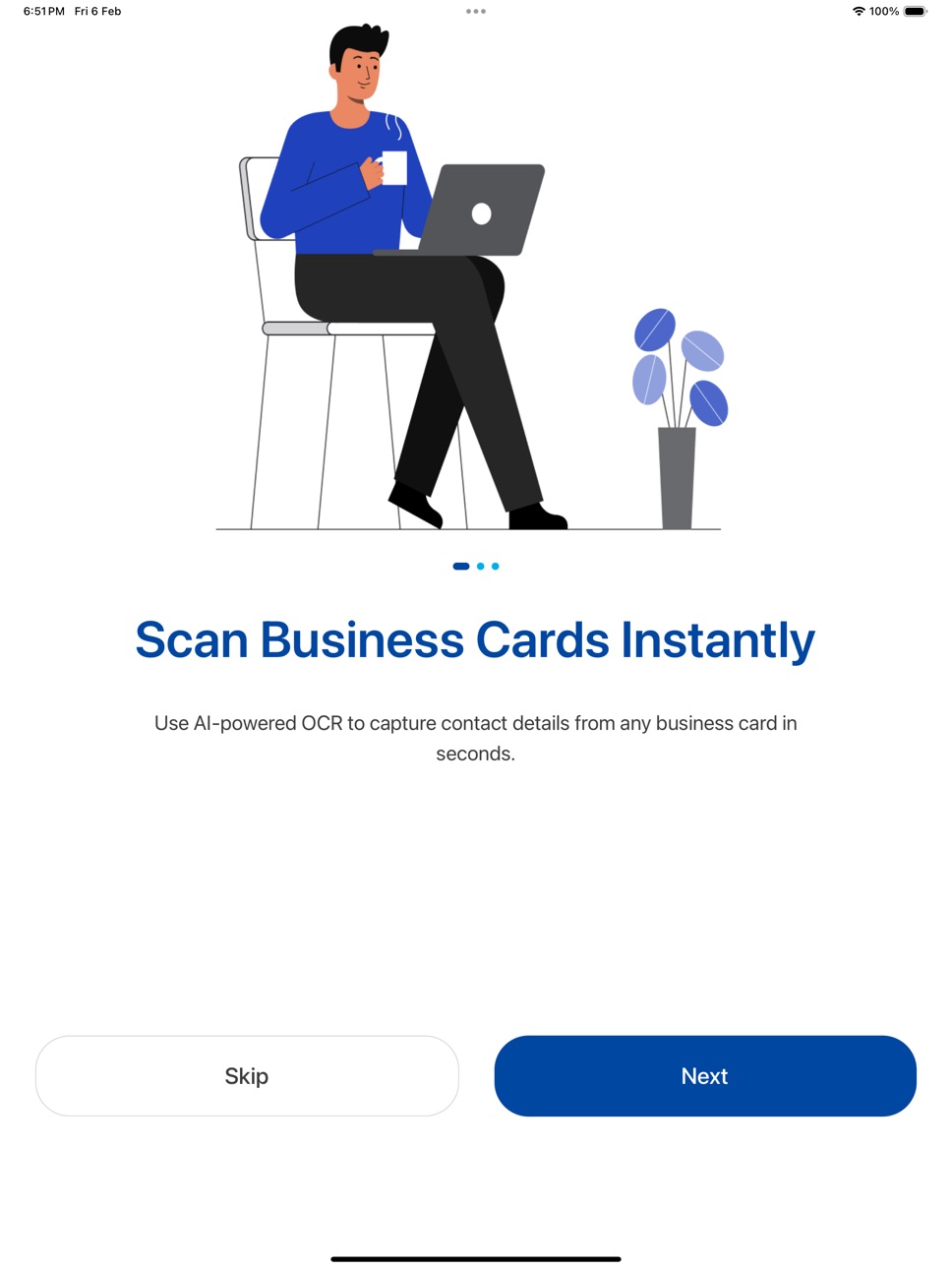


What’s New Version 1.6.9
- Faster scanning - business cards are now read instantly on your device.
- Works offline - capture cards at events even with no signal.
- No more duplicate contacts - re-scanning a card updates the one you already have.
- Sharper card detection and edge alignment.
- Refinements for Pro members.
Description
NexaLink Scanner — Business Card Scanner with AI Nudges
NexaLink Scanner turns your phone into a powerful business card scanner. Capture contact details from any card in seconds using AI-powered OCR, then let the app remind you when to follow up.
KEY FEATURES:
• Instant Card Scanning — point your camera at any business card and extract contact details automatically
• AI-Powered OCR — accurately reads names, emails, phone numbers, job titles, companies, and social handles
• Multi-Language Support — auto-detect and scan cards in 100+ languages including Hindi, Mandarin, Japanese, Arabic, Spanish, French, German, and more
• AI Nudges — smart follow-up reminders, picked at the right moment. Single scan? Reminded in 2 days. Five-plus scans in one day? Grouped as a conference burst, reminded next Wednesday morning — one nudge instead of eight
• Conference Burst Tagging — when you scan 5+ cards in one day, tag them all at once with the event name (e.g. "SaaStr 2026")
• Tag Chips — add custom tags like "Lead", "Investor", "Hot prospect" to organize contacts your way
• Contact Management — all your scanned contacts searchable, taggable, and always accessible
• Gallery Import — scan business card photos from your camera roll
• Auto-Save — automatically save scanned contacts to your address book
• Export Contacts — export your contact list anytime
• Cross-App Integration — open contacts in NexaLink Card, NexaLink CRM, or Personal CRM in one tap
FREE TRIAL:
• Scan your first card free to try it — no account needed
• Then unlock everything with a 7-day free trial of Premium: unlimited scanning, AI Nudges, and AI follow-ups
• Plans from $1.99/month after your trial — cancel anytime
PRO PLAN:
• Unlimited scans
• AI Nudges with smart timing
• Conference burst grouping + bulk tagging
• Tag chips and contact search
• 28-day analytics
• Priority support
PREMIUM PLAN:
Everything in Pro, plus:
• AI-drafted follow-up emails — Gemini writes personalized emails per contact
• Voice notes per contact — record context, transcribed and summarised by AI
• AI summaries across contacts and events
• Cross-app linking with NexaLink Card and CRM
• 365-day analytics with advanced breakdowns
Subscriptions automatically renew unless cancelled at least 24 hours before the end of the current period. You can manage or cancel your subscription in your device Settings > Apple ID > Subscriptions. Payment will be charged to your Apple ID account at confirmation of purchase.
Terms of Use (EULA):
https://www.apple.com/legal/internet-services/itunes/dev/stdeula/
Privacy Policy: https://nexalink.co/privacy
In-App Purchases US pricing
Nexalink Scanner Subscription
Scanner Pro · Monthly 7-day free trial$1.99
Scanner Pro Annual · Yearly 7-day free trial$14.99
Scanner Premium · Monthly 7-day free trial$2.99
Scanner Premium Annual · Yearly 7-day free trial$24.99
Capabilities
In-App Purchases
Accessibility
ipadiphonemacrealityDevicetvoswatch
Version history 13 versions
Build 887533323v1.6.92026-06-27 20:54:43
- Faster scanning - business cards are now read instantly on your device.
- Works offline - capture cards at events even with no signal.
- No more duplicate contacts - re-scanning a card updates the one you already have.
- Sharper card detection and edge alignment.
- Refinements for Pro members.
Build 887283721v1.6.72026-06-22 13:35:06
Fixed: the card photo now reliably saves with each scanned contact, so the business-card image shows up on the contact across the web and your other devices. Plus reliability and OCR accuracy improvements. Thanks for using NexaLink Scanner!
Build 887297439v1.6.82026-06-22 16:30:07
Reliability and onboarding improvements.
Build 886396908v1.6.62026-06-02 13:26:42
What's new in 1.6.6
• Smarter card detection — the scanner now locks onto the actual business card (not the table edge or your keyboard) and captures faster, even when the card is at an angle.
• Instant AI enrichment — every card you scan is automatically enriched with company, industry, size and a quick lead score, so you can tell at a glance who's worth following up.
• Smoother first run — a cleaner first-scan experience that flows straight into setup.
• Reliability — your free scan is never wasted on a failed capture, plus a batch of onboarding and stability fixes.
Thanks for using NexaLink Scanner.
Build 885784064v1.6.42026-05-18 16:31:58
What's new in 1.6.4
• Email my contacts as Excel — Settings → Email my contacts now sends your full scanned-contacts list to your email as a formatted .xlsx file. Premium.
• Camera permission pre-prime — a friendly explainer before iOS asks for camera access, so fewer people deny by accident.
• AI demo on first scan — see the AI follow-up flow run on a sample card before you scan your first real one.
• Apple Sign-In fix — new Apple SSO signups no longer get silently locked out before the first paywall.
• Stability — assorted fixes to the AI Nudges tab and the recording prep state.
Thanks for using NexaLink Scanner.
Build 885441017v1.6.32026-05-14 00:17:10
What's new in 1.6.3
• AI Nudges tab fixed — opening the tab no longer crashes the app. The fast-tap follow-up flow is back.
• Default light theme — the app now opens in light mode unless you pick System or Dark in Settings → Appearance.
• Dark mode legibility — every row in Settings is now properly readable in dark mode (the OCR Language, About, and account rows were unreadable before).
• Subscription accuracy — Premium status reflects RevenueCat instantly across the app.
• Voice notes — clearer placeholder text in the first two seconds while transcription warms up.
Thanks for using NexaLink Scanner.
Build 885425167v1.6.22026-05-08 14:03:59
What's new in 1.6.2
• Voice notes per contact — capture a quick thought, we transcribe and summarise on-device
• Instant AI follow-up drafts — scan a card, we write a personalised follow-up email for you to send
• Faster recording — starts in under a second on iPhone (was 5s)
• Scan accuracy ratings — tap thumbs-up or thumbs-down after each scan to help us improve
• Crash fix — squashed a bug that broke the contact detail screen on save
Thanks for using NexaLink Scanner.
Build 885299283v1.72026-05-06 01:42:13
• NEW: Voice Notes per contact — tap any scanned contact and record a voice note about your
conversation. On-device transcription kicks in instantly. No cloud cost, no waiting.
• NEW: AI Notetaker analysis (Premium) — every voice note gets an instant summary, action
items, topic tags, and sentiment. Skim the gist of a 5-minute meeting in 5 seconds.
• Paywall freeze fix — tapping Upgrade no longer freezes the app on iOS. Major bug squashed.
• Auto-updates — new versions apply on next launch. No force-quit dance.
• Stability — paywall layout fixes, mic permission deep-link to Settings, dozens of polish
improvements.
Build 885258802v1.62026-05-05 01:02:10
What's new in 1.5.2
• NEW: AI Nudges tab — see all your scheduled follow-ups in one place, with countdown timers and smart timing. Single scans get a reminder in 2 days; conference bursts get one grouped nudge on Wednesday morning.
• Conference burst tagging — when you scan 5+ cards in one day, tag them all at once with the event name. The reminder picks up the tag automatically.
• Per-contact tags — add chips like "Lead", "Investor", "Hot prospect" directly on any contact. Search and filter your address book your way.
• Smarter scanning — capture preview shows up while AI extracts contact fields. Faster field detection, multi-language auto-detect across 100+ languages.
• Cross-app integration — open a contact in NexaLink Card, NexaLink CRM, or Personal CRM in one tap.
• Auto-updates — new versions now apply on next app launch. No more force-quit dance.
• Stability — fixed paywall responsiveness, faster sign-in, and dozens of polish improvements.
Build 884679852v1.52026-04-20 01:24:12
Reliability fixes:
• Fixed: returning users were sometimes routed back through the welcome flow instead of straight to the scanner.
Your saved contacts now load correctly on every launch.
• Fixed: long scanning sessions occasionally expired mid-use. Session refresh now happens proactively in the
background.
Build 883436727v1.22026-04-18 19:43:51
New Onboarding Experience
- "Scan. Save. Follow Up." — 3-word hero
- Use case selection (Conferences, Meetings, Networking, Daily)
- Camera permission priming with privacy badges
OCR Improvements
- Multi-language support — 10 languages wired to OCR prompt
- Image compression before OCR (90% memory reduction)
- AI Smart Notes — auto-generate context after scan
Smart Monetization
- Soft paywall after AI demo with "Continue with 5 Free Scans"
- Scan counter badge on camera (X/5, color-coded)
- Server-side scan quota enforcement via Supabase RPC
- Conversion triggers: scan limit modal, conference nudge, language fail, export block
vCard Export (Pro)
- Single contact export as .vcf file
- Bulk export all contacts
- Share via native share sheet
Cross-App Integration
- "Open in CRM" uses real deep links (Linking.openURL)
- Fallback to App Store if CRM not installed
- CRM button on post-scan success screen
Pro Experience
- Batch mode toggle + language selector on camera
- Duplicate merge banner on contacts
- CRM sync status dots
- AI accuracy stats + language breakdown in analytics
Analytics
- Full onboarding funnel (started → use case → camera → demo → paywall)
- Scan core loop (started, completed, saved, discarded)
- Quota events (warning, limit hit, upgrade)
- Conversion trigger tracking
Build 882469917v1.12026-02-15 19:07:22
Analytics Dashboard — Track total scans, contacts, save rate, favorites, and weekly activity trends at a glance
• Contact Filters — Filter contacts by source: All, Scanned, or Imported
• CSV Export (Pro) — Export your full contact list as a CSV file to share or save
• Rate the App — Quick one-tap rating from Settings
IMPROVEMENTS:
• Faster loading with smart offline caching — app opens instantly with cached data
• Auto-refresh on return — contacts, subscriptions, and session refresh
automatically when you reopen the app
• Fixed: App updates now reflect immediately without needing to force-quit
• Improved subscription purchase reliability with automatic retry
• Pro and Premium features now clearly labeled with badges
• Contact query performance improved for larger libraries (up to 500 contacts)
Build 882173742v1.02026-02-12 17:39:25
Price history by region
Currency
Show
Columns
Search
Availability 63 of 63 storefronts
| Region | Language | Price | Ratings | Avg | Version |
|---|---|---|---|---|---|
| AG | en-GB | Free | 0 | — | 1.6.9 |
| AO | en-GB | Free | 0 | — | 1.6.9 |
| BB | en-GB | Free | 0 | — | 1.6.9 |
| BF | en-GB | Free | 0 | — | 1.6.9 |
| BJ | en-GB | Free | 0 | — | 1.6.9 |
| BO | es-MX | Free | 0 | — | 1.6.9 |
| BS | en-GB | Free | 0 | — | 1.6.9 |
| BW | en-GB | Free | 0 | — | 1.6.9 |
| BZ | en-GB | Free | 0 | — | 1.6.9 |
| CD | en-GB | Free | 0 | — | 1.6.9 |
| CG | en-GB | Free | 0 | — | 1.6.9 |
| CI | fr-FR | Free | 0 | — | 1.6.9 |
| CM | fr-FR | Free | 0 | — | 1.6.9 |
| CR | es-MX | Free | 0 | — | 1.6.9 |
| CV | en-GB | Free | 0 | — | 1.6.9 |
| DM | en-GB | Free | 0 | — | 1.6.9 |
| DO | es-MX | Free | 0 | — | 1.6.9 |
| DZ | en-GB | Free | 0 | — | 1.6.9 |
| EC | es-MX | Free | 0 | — | 1.6.9 |
| GA | fr-FR | Free | 0 | — | 1.6.9 |
| GD | en-GB | Free | 0 | — | 1.6.9 |
| GH | en-GB | Free | 0 | — | 1.6.9 |
| GM | en-GB | Free | 0 | — | 1.6.9 |
| GT | es-MX | Free | 0 | — | 1.6.9 |
| GW | en-GB | Free | 0 | — | 1.6.9 |
| GY | en-GB | Free | 0 | — | 1.6.9 |
| HN | es-MX | Free | 0 | — | 1.6.9 |
| JM | en-GB | Free | 0 | — | 1.6.9 |
| KE | en-GB | Free | 0 | — | 1.6.9 |
| KN | en-GB | Free | 0 | — | 1.6.9 |
| KY | en-GB | Free | 0 | — | 1.6.9 |
| LC | en-GB | Free | 0 | — | 1.6.9 |
| LR | en-GB | Free | 0 | — | 1.6.9 |
| LY | en-GB | Free | 0 | — | 1.6.9 |
| MA | en-GB | Free | 0 | — | 1.6.9 |
| MG | en-GB | Free | 0 | — | 1.6.9 |
| ML | en-GB | Free | 0 | — | 1.6.9 |
| MU | en-GB | Free | 0 | — | 1.6.9 |
| MZ | en-GB | Free | 0 | — | 1.6.9 |
| NA | en-GB | Free | 0 | — | 1.6.9 |
| NE | en-GB | Free | 0 | — | 1.6.9 |
| NG | en-GB | Free | 0 | — | 1.6.9 |
| NI | es-MX | Free | 0 | — | 1.6.9 |
| PA | es-MX | Free | 0 | — | 1.6.9 |
| PY | es-MX | Free | 0 | — | 1.6.9 |
| RW | en-GB | Free | 0 | — | 1.6.9 |
| SC | en-GB | Free | 0 | — | 1.6.9 |
| SL | en-GB | Free | 0 | — | 1.6.9 |
| SN | en-GB | Free | 0 | — | 1.6.9 |
| SR | en-GB | Free | 0 | — | 1.6.9 |
| ST | en-GB | Free | 0 | — | 1.6.9 |
| SV | es-MX | Free | 0 | — | 1.6.9 |
| SZ | en-GB | Free | 0 | — | 1.6.9 |
| TD | en-GB | Free | 0 | — | 1.6.9 |
| TN | en-GB | Free | 0 | — | 1.6.9 |
| TT | en-GB | Free | 0 | — | 1.6.9 |
| TZ | en-GB | Free | 0 | — | 1.6.9 |
| UG | en-GB | Free | 0 | — | 1.6.9 |
| US | en-US | Free | 0 | — | 1.6.9 |
| UY | en-GB | Free | 0 | — | 1.6.9 |
| VC | en-GB | Free | 0 | — | 1.6.9 |
| ZM | en-GB | Free | 0 | — | 1.6.9 |
| ZW | en-GB | Free | 0 | — | 1.6.9 |
Change log 17 changes · US
✎
releaseNotes updated
- Faster scanning - business cards are now read instantly on your device.
- Works offline - capture cards at events even with no signal.
- No more duplicate con
✎
description updated
NexaLink Scanner — Business Card Scanner with AI Nudges
NexaLink Scanner turns your phone into a powerful business card scanner. Capture contact details from a
✎
subtitle updated
Scan Cards & Save Contacts
✎
name updated
NexaLink Business Card Scanner
◆
Version 1.6.9 released
- Faster scanning - business cards are now read instantly on your device.
- Works offline - capture cards at events even with no signal.
- No more duplicate contacts - re-scanning a card updates the one you already have.
- Sharper card dete
◆
Version 1.6.8 released
Reliability and onboarding improvements.
◆
Version 1.6.7 released
Fixed: the card photo now reliably saves with each scanned contact, so the business-card image shows up on the contact across the web and your other devices. Plus reliability and OCR accuracy improvements. Thanks for using NexaLink Scanner!
◆
Version 1.6.6 released
What's new in 1.6.6
• Smarter card detection — the scanner now locks onto the actual business card (not the table edge or your keyboard) and captures faster, even when the card is at an angle.
• Instant AI enrichment — every card you scan
◆
Version 1.6.4 released
What's new in 1.6.4
• Email my contacts as Excel — Settings → Email my contacts now sends your full scanned-contacts list to your email as a formatted .xlsx file. Premium.
• Camera permission pre-prime — a friendly explainer before iOS ask
◆
Version 1.6.3 released
What's new in 1.6.3
• AI Nudges tab fixed — opening the tab no longer crashes the app. The fast-tap follow-up flow is back.
• Default light theme — the app now opens in light mode unless you pick System or Dark in Settings → Appearance.
•
◆
Version 1.6.2 released
What's new in 1.6.2
• Voice notes per contact — capture a quick thought, we transcribe and summarise on-device
• Instant AI follow-up drafts — scan a card, we write a personalised follow-up email for you to send
• Faster recording — starts
◆
Version 1.7 released
• NEW: Voice Notes per contact — tap any scanned contact and record a voice note about your
conversation. On-device transcription kicks in instantly. No cloud cost, no waiting.
• NEW: AI Notetaker analysis (Premium) — every voice n
◆
Version 1.6 released
What's new in 1.5.2
• NEW: AI Nudges tab — see all your scheduled follow-ups in one place, with countdown timers and smart timing. Single scans get a reminder in 2 days; conference bursts get one grouped nudge on Wednesday morning.
• Conf
◆
Version 1.5 released
Reliability fixes:
• Fixed: returning users were sometimes routed back through the welcome flow instead of straight to the scanner.
Your sa
◆
Version 1.2 released
New Onboarding Experience
- "Scan. Save. Follow Up." — 3-word hero
- Use case selection (Conferences, Meetings, Networking, Daily)
- Camera permission priming with privacy badges
OCR Improvements
- Multi-language support — 10 langu
◆
Version 1.1 released
Analytics Dashboard — Track total scans, contacts, save rate, favorites, and weekly activity trends at a glance
• Contact Filters — Filter contacts by source: All, Scanned, or Imported
• CSV Export (Pro) — Export your full contact list
◆
Version 1.0 released