Home › Utilities

 US
US
1 of 1 storefronts
Content in en-US
Content in en-US
Information
Preview 2 platforms
iPhone 5 images



iPad 5 images



What’s New Version 2.4
fixed bugs
Description
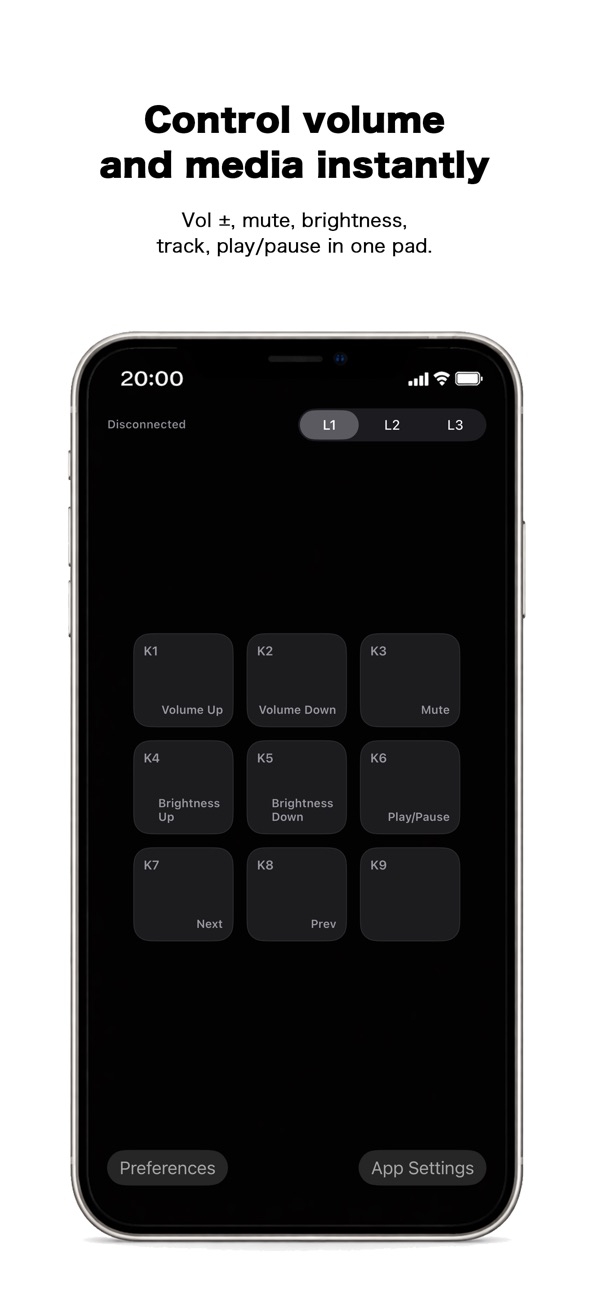
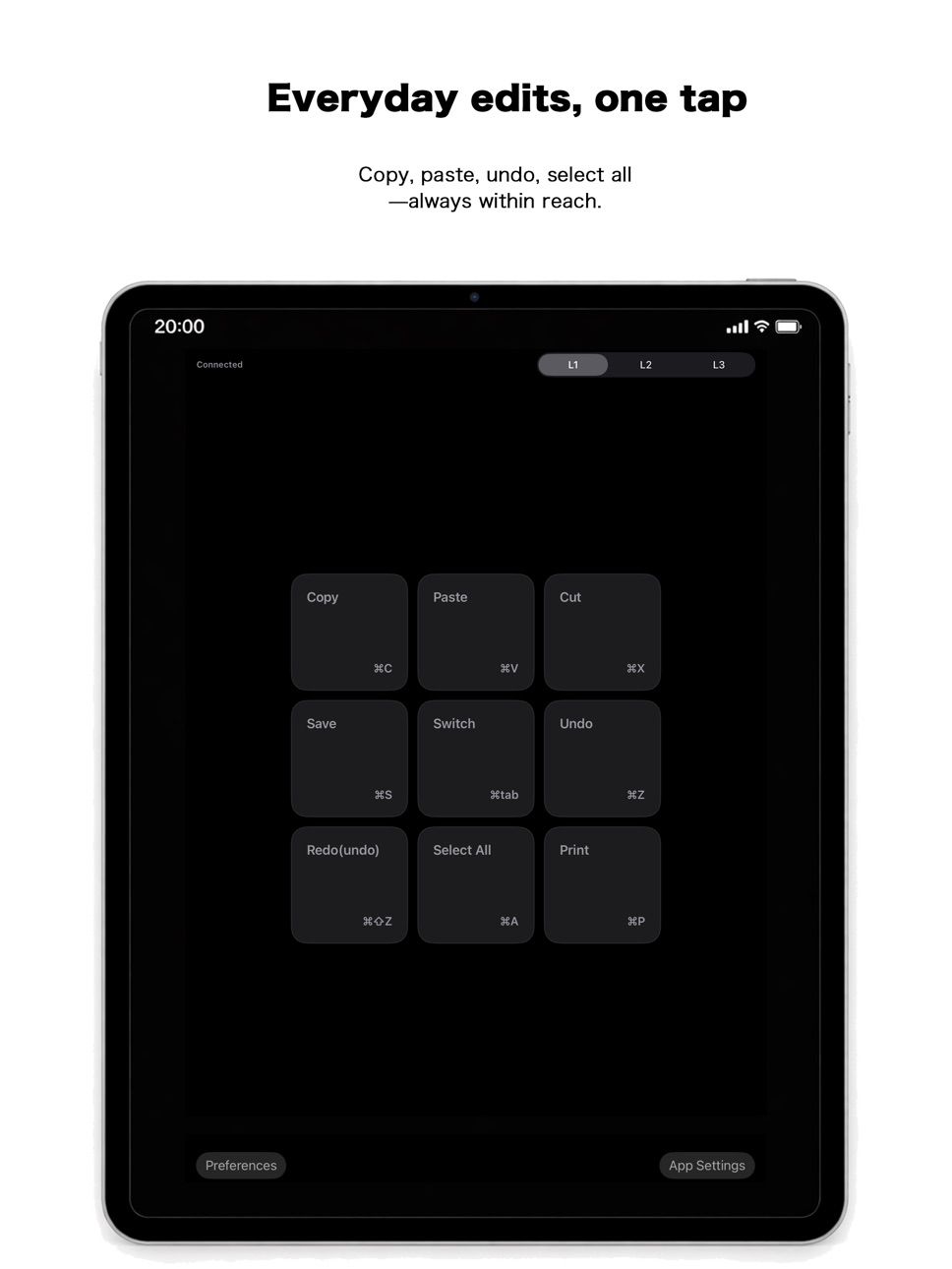
KeyBindControl is a macro pad app that lets you execute mac/windows shortcuts and keyboard actions from your iPhone or iPad.
By using your iOS device as a customizable control panel, you can trigger frequently used shortcuts, key combinations, and actions on your Mac/windows with a single tap. This helps streamline your workflow and reduces the need for complex keyboard input during work, presentations, or creative tasks.
KeyBindControl works together with a dedicated Helper app running on mac/windows.
https://www.atlascope.idatabase.info/app/keybindcontrol/en/how.html
Actions are executed only when explicitly triggered by the user from the iOS app. The Helper does not perform background automation or continuous monitoring.
Key Features
・Execute mac/windows shortcuts and keyboard actions from iOS
・Customizable macro pad layout for your workflow
・Secure connection with a mac/windows Helper app
・Local network communication only, no unnecessary external data transfer
Privacy
KeyBindControl is designed to operate solely for transmitting user-initiated commands to mac/windows.It does not collect personal information or send data to external servers.
Privacy Policy:https://www.keybindcontrol.idatabase.info/en/privacy.html
Terms of Use
Please review the Terms of Use below for details about usage conditions and disclaimers.
Terms of Use:https://www.keybindcontrol.idatabase.info/en/terms.html
Capabilities
In-App Purchases
Accessibility
ipadiphonemacrealityDevicetvoswatch
Version history 7 versions
Build 887243034v2.42026-06-21 18:37:11
fixed bugs
Build 884283265v2.32026-04-08 17:12:27
Sleep prevention has been implemented.
Build 883616453v2.22026-03-22 16:03:31
Fixed bugs and renewed the official website.
Build 882821645v2.12026-02-27 23:53:54
Expanded Language Support!
Language support has been broadened to welcome users from all over the world.
・Language Requests: Please feel free to request additional languages via the official website.
・Note: Since the developer is a native Japanese speaker, some translations may contain inaccuracies. Continuous improvements are being made.
・Keyboard Layouts: JIS and US layouts are currently supported. For other layout requests, please contact us through the official website's inquiry form.
Build 882370894v2.02026-02-12 21:33:44
Supports Windows
Build 882254461v1.12026-02-10 20:27:28
• Improved usability and stability
• Expanded support for key configuration
• Adjusted behavior for environment-dependent keys
• Added a lifetime Pro purchase option
Build 882152833v1.02026-02-06 23:39:54
No pricing data captured yet — comparisons appear once the app has paid storefronts or in-app purchases.
Availability 1 of 1 storefronts
| Region | Language | Price | Ratings | Avg | Version |
|---|---|---|---|---|---|
| US | en-US | Free | 0 | — | 2.4 |
Change log 11 changes · US
✎
releaseNotes updated
fixed bugs
✎
description updated
KeyBindControl is a macro pad app that lets you execute mac/windows shortcuts and keyboard actions from your iPhone or iPad.
By using your iOS device as a cust
✎
subtitle updated
Macro Pad for Shortcut Control
✎
name updated
KeyBindControl
◆
Version 2.4 released
fixed bugs
◆
Version 2.3 released
Sleep prevention has been implemented.
◆
Version 2.2 released
Fixed bugs and renewed the official website.
◆
Version 2.1 released
Expanded Language Support!
Language support has been broadened to welcome users from all over the world.
・Language Requests: Please feel free to request additional languages via the official website.
・Note: Since the developer is a native
◆
Version 2.0 released
Supports Windows
◆
Version 1.1 released
• Improved usability and stability
• Expanded support for key configuration
• Adjusted behavior for environment-dependent keys
• Added a lifetime Pro purchase option
◆
Version 1.0 released