Home › Finance

 US
US
1 of 1 storefronts
Content in en-US
Content in en-US
Information
Preview 3 platforms
iPhone 10 images



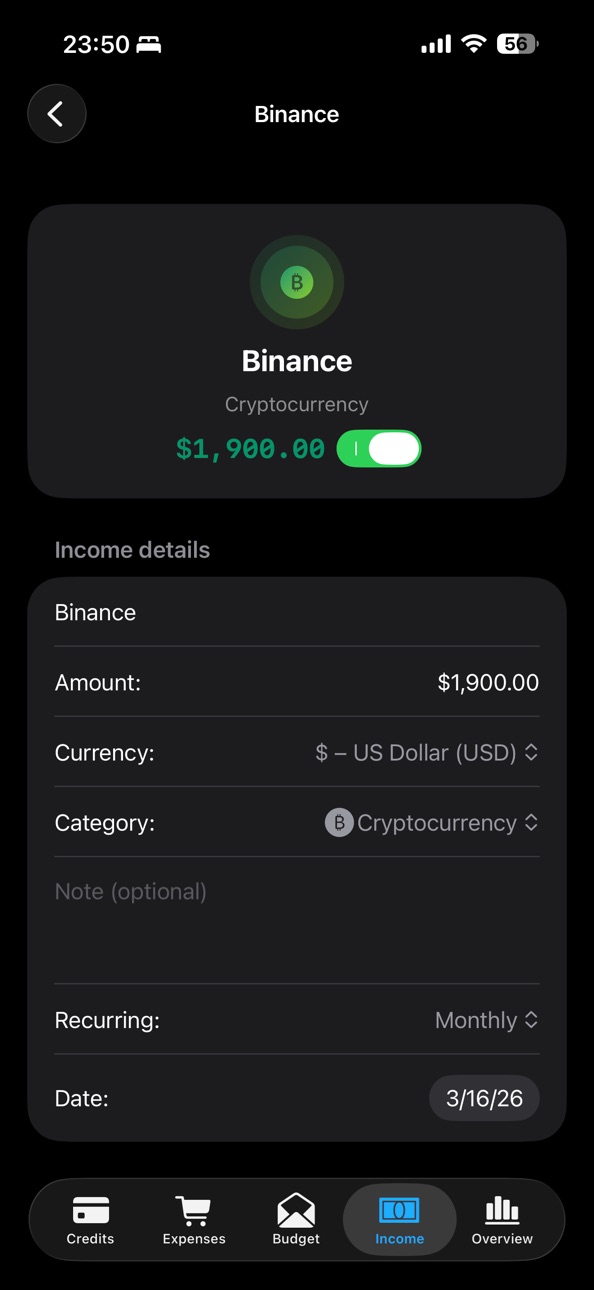
iPad 10 images


Mac 9 images


What’s New Version 3.2.0
In this version, we improved the Budget, Loans, and Backup sections.
What’s new:
• Improved savings jars in the Budget section.
Adding money to a savings jar is now automatically recorded as an expense, while withdrawing money from a savings jar is recorded as income. We also added protection to prevent a savings jar balance from going below zero.
• Added a full transaction history for savings jars.
You can now open the history of a selected savings jar and view all deposits and withdrawals.
• Improved budget envelopes.
You can now view all transactions for a selected envelope. We also added statistics with a chart for expense subcategories, if those subcategories are already used in the app.
• Added a new setting for credit cards.
For each credit card, you can now choose whether expenses made with that card should be included in budget envelopes. This setting is saved after restarting the app.
• Improved custom categories on macOS.
Custom categories are now displayed and managed correctly in the Budget section on macOS.
• Improved data backup and restore.
We fixed the saving and restoring of expense, income, budget, loan, category, and subcategory data when creating a backup of all profiles.
• Improved app stability.
Thank you for using the app! We continue to improve the stability, usability, and accuracy of financial tracking.
Description
MyFinance Pro is a private finance app for iPhone, iPad and Mac. It helps you manage loans, credit cards, borrowings, expenses, income, budgets and goals.
Your financial data stays under your control: no ads, no tracking, no registration. Use the app locally on your device or enable iCloud sync.
Loans, borrowings and credit cards
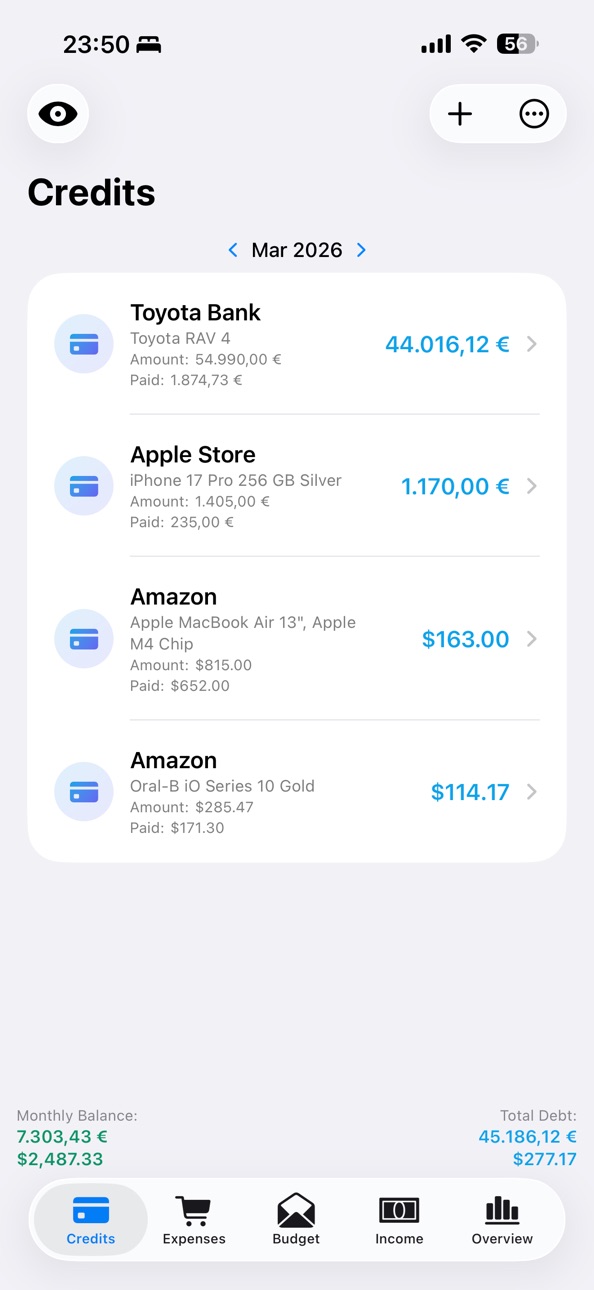
• Add loans, borrowings and credit cards with amount, interest rate, currency and notes
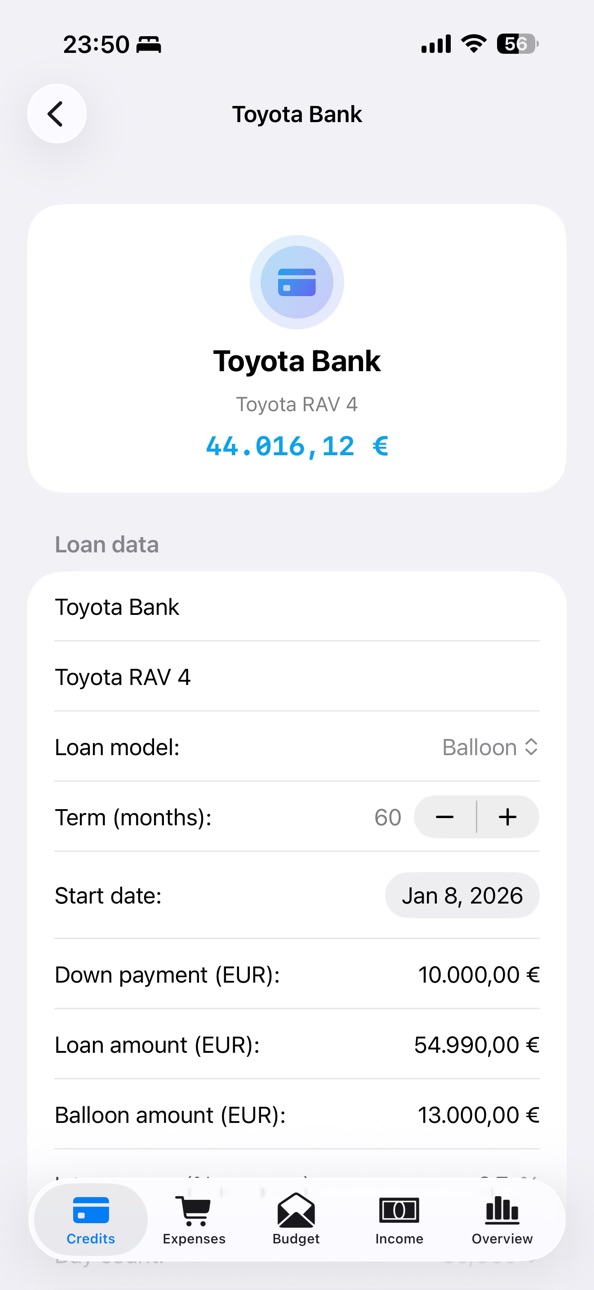
• Choose a model: installment plan, classic annuity, declining balance payments, interest with final repayment, balloon loan or credit cards
• Track remaining debt, payment history and billing month
• View interest by day, month and year, plus interest and repayment shares
• Add monthly payments automatically
• Create calendar reminders
Expenses and income
• Track monthly expenses and income
• Use ready-made categories or create your own with names, icons and subcategories
• Set recurrence: monthly, quarterly, semi-annually or annually
• Specify payment method: cash, transfer, account debit, debit card or credit card
• Temporarily disable items without deleting them
• Keep separate records for each profile
Budget and savings pots
• Create budget envelopes to control limits
• Plan expenses by category and track the remaining amount
• Create savings pots for goals such as vacation, tech, renovation, reserve fund or a major purchase
• Set a target, track progress and move money in or out
• View saved amount, remaining amount to the goal and goal status
• Analyze your budget with charts and breakdowns
Profiles
• Create profiles for personal finance, family, business, projects or other purposes
• Each profile has its own loans, credit cards, expenses, income, budgets, savings pots, opening balances, categories and subcategories
• Switch between profiles without mixing data
• Customize the profile name, icon and color
• Create, edit, rename and delete profiles
Financial overview
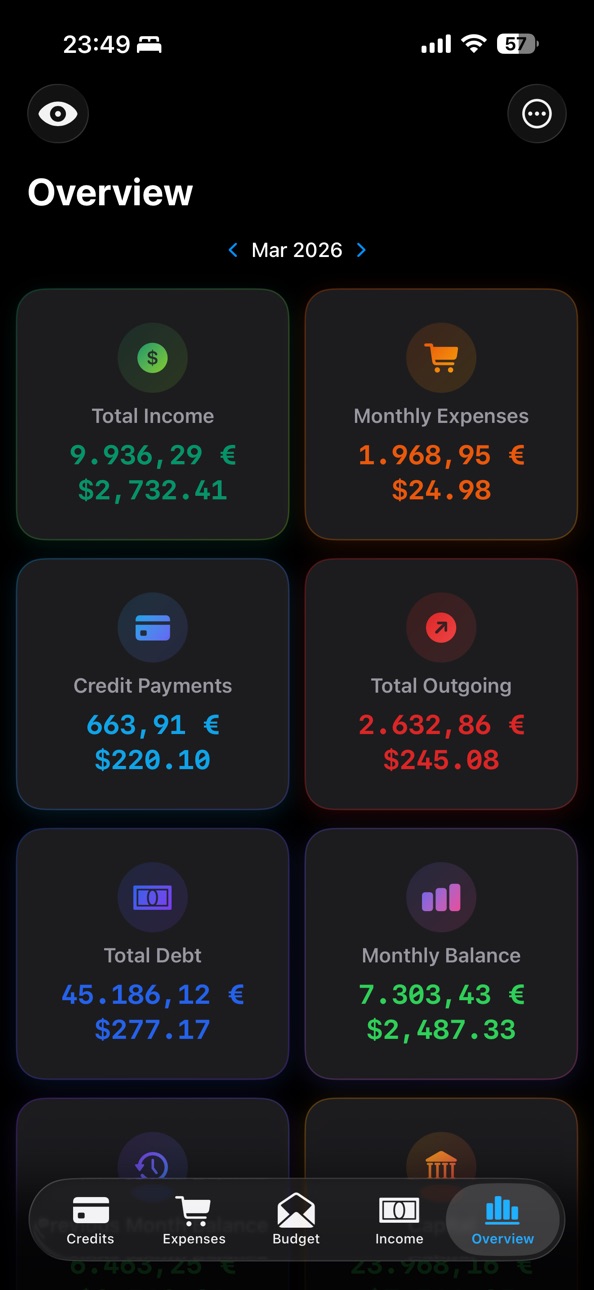
• Income, expenses, loan payments and monthly balance
• Remaining debt, capital and carry-over from the previous month
• Separate calculations by currency
• Opening balance and support for multiple currencies, including EUR, USD, GBP and others
• Active profile, quick profile access, budget cards and savings pot cards
Privacy and security
• No ads
• No tracking
• No registration
• Data can be stored only locally on the device
• Optional sync via your personal iCloud
• Separate data sync by profile
• Lock with Face ID, Touch ID, device passcode or app password
• Hide amounts for glance protection
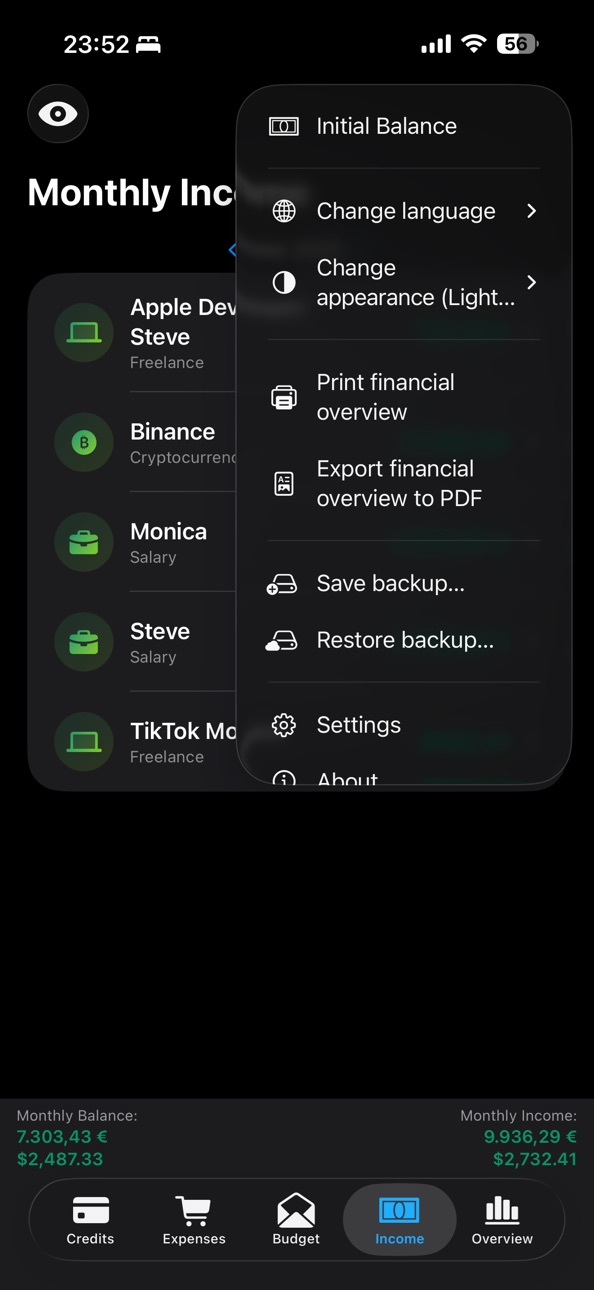
• Export and import local backups
• Import a backup into the active profile or a new profile
• Export to CSV, PDF and print
Interface
• Supports iPhone, iPad and Mac
• Convenient navigation on iPhone and sidebar on iPad
• Customizable profiles with icons and colors
• Supports 18 languages
Interface languages: Danish, German, English, Spanish, French, Italian, Hungarian, Dutch, Norwegian, Polish, Portuguese, Romanian, Finnish, Swedish, Russian, Turkish, Ukrainian and Czech.
Note: MyFinance Pro does not replace financial advice.
Legal notice: MyFinance Pro is a tool for information and organization. It does not provide financial, tax or legal advice, and its use does not create any advisory obligation. No liability is accepted for decisions made based on the app. Data and calculations are provided without warranty; only the documents and calculations of the relevant providers and contracting parties are legally binding.
In-App Purchases US pricing
One-Time Purchases
MyFinance Pro$6.99
Capabilities
In-App Purchases
Accessibility
ipadiphonemacrealityDevicetvoswatch
Version history 9 versions
Build 886661846v3.2.02026-06-11 19:16:48
In this version, we improved the Budget, Loans, and Backup sections.
What’s new:
• Improved savings jars in the Budget section.
Adding money to a savings jar is now automatically recorded as an expense, while withdrawing money from a savings jar is recorded as income. We also added protection to prevent a savings jar balance from going below zero.
• Added a full transaction history for savings jars.
You can now open the history of a selected savings jar and view all deposits and withdrawals.
• Improved budget envelopes.
You can now view all transactions for a selected envelope. We also added statistics with a chart for expense subcategories, if those subcategories are already used in the app.
• Added a new setting for credit cards.
For each credit card, you can now choose whether expenses made with that card should be included in budget envelopes. This setting is saved after restarting the app.
• Improved custom categories on macOS.
Custom categories are now displayed and managed correctly in the Budget section on macOS.
• Improved data backup and restore.
We fixed the saving and restoring of expense, income, budget, loan, category, and subcategory data when creating a backup of all profiles.
• Improved app stability.
Thank you for using the app! We continue to improve the stability, usability, and accuracy of financial tracking.
Build 886541688v3.1.92026-06-04 23:23:09
What’s new in this version:
• Profiles for different financial needs – keep your personal, family, and business finances separate in dedicated spaces.
• Completely separate data – each profile has its own loans, expenses, income, budgets, balances, categories, and subcategories.
• iCloud sync – your profiles are available across all your devices.
• Easy profile management – create, edit, select, and delete profiles in just a few taps.
• Savings pots and savings goals – plan your savings, set money aside, track your progress, and withdraw funds when needed.
• CSV export – save and analyze your financial data in a convenient format.
• More backup options – back up the active profile separately or create a complete backup of all profiles.
• Improved backup import – data restoration now takes profiles into account.
• More reliable iCloud sync – improved stability and better protection against accidentally overwriting up-to-date data.
• Improvements for iPad and macOS – selected interface flows have been optimized for a smoother experience.
Build 884736150v2.2.82026-04-21 18:20:03
In this version, you can create expense categories such as “Vacation,” “Celebration,” “Renovation,” and others, organize your spending into subcategories, and easily track it in statistics with a clear chart. In addition, bugs have been fixed and further improvements have been made.
Build 884674647v2.2.32026-04-19 19:11:36
A new credit model — “Credit Cards” — has been added to the “Loans” section. We’ve also fixed bugs and made further improvements to the app.
Build 883602860v2.0.92026-03-21 16:08:43
Bug fixes and performance improvements
Build 883525505v2.0.72026-03-19 18:50:48
Bug fixes and performance improvements
Build 883439584v2.0.52026-03-17 18:47:49
• The app’s design has been refreshed, making the interface more modern and user-friendly.
• A new “Budget” section has been added, where you can create envelopes to plan and track your spending.
• In the “Loans” section, monthly payments can now be added automatically.
• The “Loan Payments” widget now shows only the monthly payments that have actually been made.
• You can now set an opening balance.
• 30 additional new icons have been added to the app.
• Icons have been added to the “Payment Method” section, along with a new payment method — “Account Debit”.
• The app interface is now also available in Turkish.
• Bugs have been fixed and the app’s stability has been improved.
Build 883280204v1.3.42026-03-12 16:48:25
We updated the app icon, improved the design, and refreshed the description in the “About the App” section. We also fixed an issue where the loan amount could still be shown in stealth mode.
Build 882922490v1.3.32026-03-11 13:52:06
Price history by region
Currency
Show
Columns
Search
Availability 1 of 1 storefronts
| Region | Language | Price | Ratings | Avg | Version |
|---|---|---|---|---|---|
| US | en-US | Free | 0 | — | 3.2.0 |
Change log 13 changes · US
✎
releaseNotes updated
In this version, we improved the Budget, Loans, and Backup sections.
What’s new:
• Improved savings jars in the Budget section.
Adding money to a savings jar
✎
description updated
MyFinance Pro is a private finance app for iPhone, iPad and Mac. It helps you manage loans, credit cards, borrowings, expenses, income, budgets and goals.
Your
✎
subtitle updated
Budget & Kredite im Griff
✎
name updated
MyFinance Pro
◆
Version 3.2.0 released
In this version, we improved the Budget, Loans, and Backup sections.
What’s new:
• Improved savings jars in the Budget section.
Adding money to a savings jar is now automatically recorded as an expense, while withdrawing money from a savi
◆
Version 3.1.9 released
What’s new in this version:
• Profiles for different financial needs – keep your personal, family, and business finances separate in dedicated spaces.
• Completely separate data – each profile has its own loans, expenses, income, budgets, b
◆
Version 2.2.8 released
In this version, you can create expense categories such as “Vacation,” “Celebration,” “Renovation,” and others, organize your spending into subcategories, and easily track it in statistics with a clear chart. In addition, bugs have been fix
◆
Version 2.2.3 released
A new credit model — “Credit Cards” — has been added to the “Loans” section. We’ve also fixed bugs and made further improvements to the app.
◆
Version 2.0.9 released
Bug fixes and performance improvements
◆
Version 2.0.7 released
Bug fixes and performance improvements
◆
Version 2.0.5 released
• The app’s design has been refreshed, making the interface more modern and user-friendly.
• A new “Budget” section has been added, where you can create envelopes to plan and track your spending.
• In the “Loans” section, monthly payments c
◆
Version 1.3.4 released
We updated the app icon, improved the design, and refreshed the description in the “About the App” section. We also fixed an issue where the loan amount could still be shown in stealth mode.
◆
Version 1.3.3 released