Home › Finance

 US
US
1 of 1 storefronts
Content in en-US
Content in en-US
Information
Apple ID6758405166
Bundle IDcom.Albertigiorgio.Assets-Manager
SellerSeller
Min iOS26.0
Min macOS26.0
Device familiesiphone
Released2026-02-11
Copyright© 2026 Alberti Software
Privacy policyLink ↗
Preview 1 platform
iPhone 8 images


What’s New Version 1.7
• Saving Goals can now notify you when a goal is completed or missed.
•Saving goal buttons not working fixed
• Added support for many more currencies.
• Improved layouts and sheet sizing across iPhone mini and Max devices.
• General polish, stability improvements and localization updates.
• Comment positioning fixed.
Description
Moneta is a clean and private manual expense tracker built for people who want to understand where their money goes.
Track spending, income, budgets, accounts, recurring costs, and saving goals in one simple place.
No ads. No tracking. No bank login. No unnecessary complexity.
FAST MANUAL TRACKING
Moneta is designed for people who prefer entering their expenses by hand and staying in control of their data.
Add expenses and income, organize them with custom categories, track cash or multiple accounts, and keep a clear overview of your money.
BUDGETS, GOALS, AND PLANNING
Plan your month with budgets, saving goals, recurring transactions, and account balances.
Moneta helps you see what you spend, what you earn, and how your money changes over time, without forcing you into a complicated budgeting system.
FEATURES
FEATURES
• Clean Home overview with trend indicators and visual summaries
• Manual expense and income tracking with notes and custom categories
• Hide transactions without deleting them
• Multiple accounts with balance trends and full customization
• Account-to-account transfers
• Fully customizable categories and category transaction history
• Monthly budgets and Saving Goals
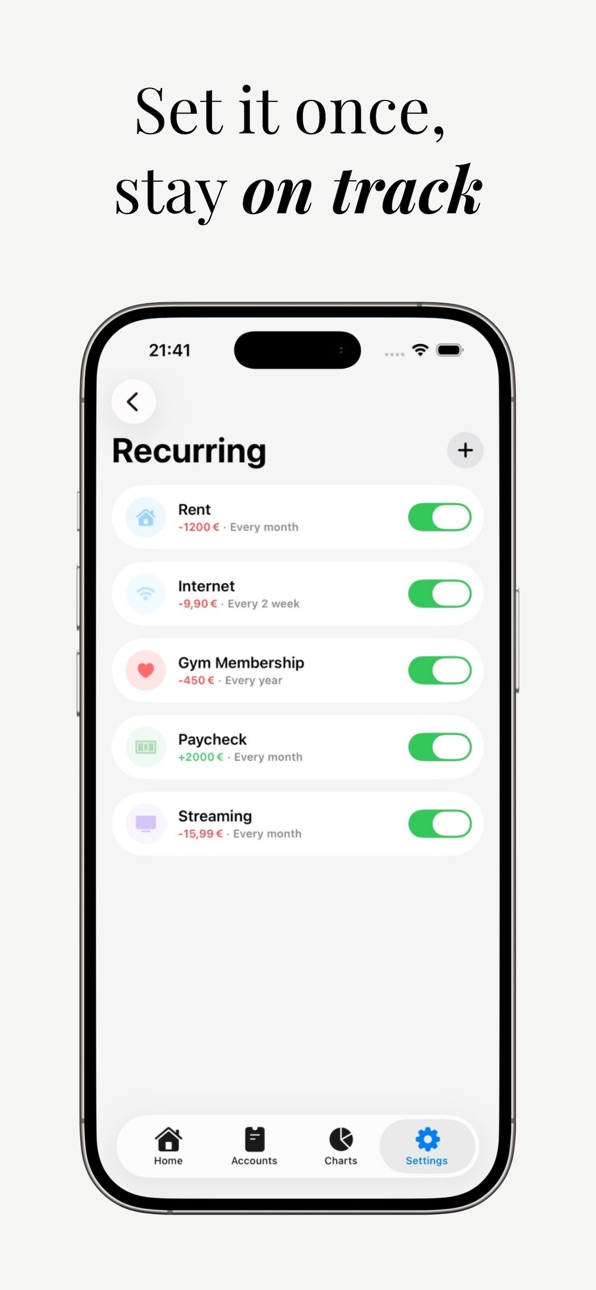
• Recurring transactions for subscriptions and fixed costs
• Calendar view with daily totals and detailed day breakdown
• Interactive charts for expenses, income, and overall distribution
• Focus and Full Range modes for deeper chart analysis
• Customizable reminders
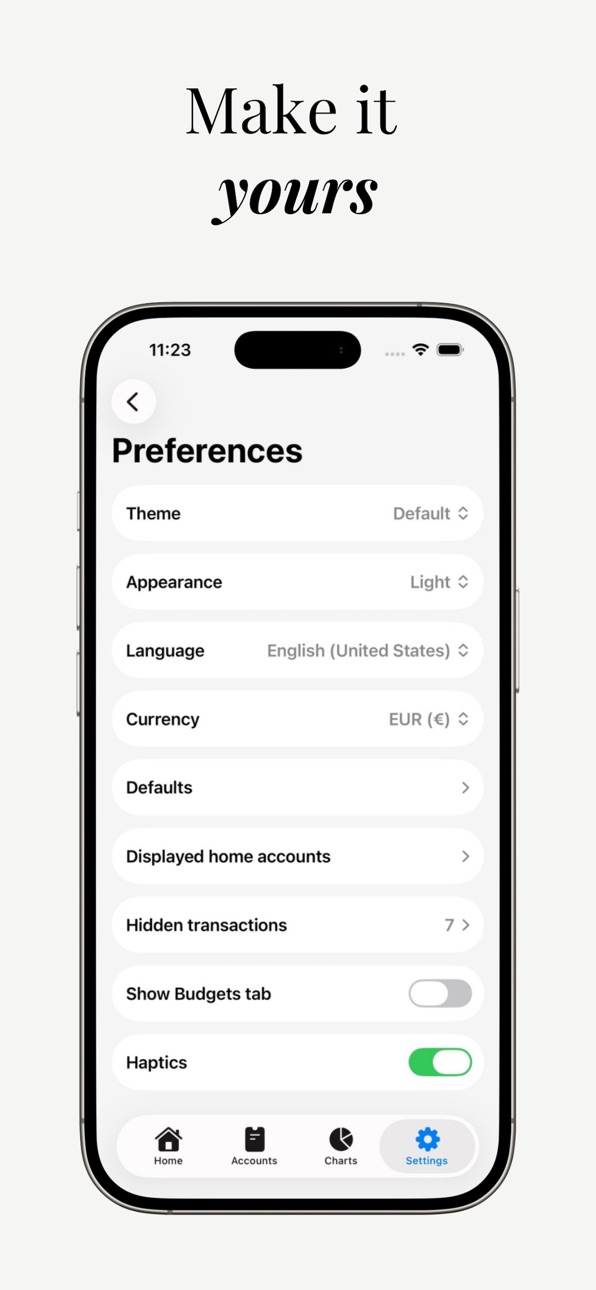
• Appearance, language, and currency customization
• PIN and Face ID protection
• Scheduled backups to Files
• Manual export and import
• CSV export for Excel
• iCloud Sync (Coming Soon)
DESIGNED FOR REAL LIFE
No complicated setup.
No forced financial philosophy.
No ads or unnecessary clutter.
Just fast manual tracking, flexible budgeting, and a clear way to understand your money.
PRIVACY
Your data stays on your device.
No ads. No tracking. No selling data.
Accessibility
ipadiphonemacrealityDevicetvoswatch
Version history 7 versions
Build 885469477v1.72026-07-09 05:05:44
• Saving Goals can now notify you when a goal is completed or missed.
•Saving goal buttons not working fixed
• Added support for many more currencies.
• Improved layouts and sheet sizing across iPhone mini and Max devices.
• General polish, stability improvements and localization updates.
• Comment positioning fixed.
Build 883551649v1.62026-05-03 21:15:08
• New category detail view to explore expenses and income by category and selected time period
• Refined Theme and Appearance customization (and added a new custom color picker)
• Transaction Calendar now supports account filtering
• Add-on to the recurring transactions sheet (Add today toggle)
• New and improved onboarding
• Improved automatic backups and refined the Data & Storage experience
• Improved animations and better support for iOS 26.4 changes in runtime
• Fixed chart minor issues affecting colors, transfers, menus, and transitions in specific situations
• Fixed some minor issues in the Budgets section
• Improved localization consistency
• General bug fixes and polish
• Better compatibility with iPhone Mini and Max
• Improved native menus and selectors across the app
Build 883126378v1.52026-03-16 14:56:39
• Improved and refined several animations
• You can now customize account colors
• Added a new chart to quickly compare expenses and income
• You can now show transaction accounts on the Home screen (enable in Preferences)
• Added a Budgets tab to the toolbar (enable in Preferences)
• Improved onboarding experience
• Added a new custom color picker
• Added a What’s New pop-up
• Improved CSV export
• Improved automatic local backups and compatibility
• Added new recurring transaction reminders
Build 882782403v1.32026-03-03 09:08:15
• New Budgets system — set category budgets and stay in control
• Saving Goals — track progress toward what matters
• Focus & Full Range modes for charts
• Three new interactive charts
• Manual Light and Dark mode selection
• Scheduled automatic backups to Files
• Polished global animations and smoother transitions
• Bug fixes and overall improvements
• Dark mode colors bug fixes
• Categories reorder modification
• Home scroll lag fix
Build 882605031v1.22026-02-20 00:05:01
Home animation fixes.
Build 882538250v1.12026-02-17 21:51:02
Minor bug fixes.
Build 881940899v1.02026-02-11 22:35:19
No pricing data captured yet — comparisons appear once the app has paid storefronts or in-app purchases.
Availability 1 of 1 storefronts
| Region | Language | Price | Ratings | Avg | Version |
|---|---|---|---|---|---|
| US | en-US | Free | 4 | 5.0 | 1.7 |
Change log 11 changes · US
✎
releaseNotes updated
• Saving Goals can now notify you when a goal is completed or missed.
•Saving goal buttons not working fixed
• Added support for many more currencies.
✎
description updated
Moneta is a clean and private manual expense tracker built for people who want to understand where their money goes.
Track spending, income, budgets, accounts,
✎
subtitle updated
Track spending and savings
✎
name updated
Moneta: Money Tracker & Budget
◆
Version 1.7 released
• Saving Goals can now notify you when a goal is completed or missed.
•Saving goal buttons not working fixed
• Added support for many more currencies.
• Improved layouts and sheet sizing across iPhone mini and Max devices.
• Gen
◆
Version 1.6 released
• New category detail view to explore expenses and income by category and selected time period
• Refined Theme and Appearance customization (and added a new custom color picker)
• Transaction Calendar now supports account filtering
• Add-on
◆
Version 1.5 released
• Improved and refined several animations
• You can now customize account colors
• Added a new chart to quickly compare expenses and income
• You can now show transaction accounts on the Home screen (enable in Preferences)
• Added a Budgets
◆
Version 1.3 released
• New Budgets system — set category budgets and stay in control
• Saving Goals — track progress toward what matters
• Focus & Full Range modes for charts
• Three new interactive charts
• Manual Light and Dark mode selection
• Scheduled auto
◆
Version 1.2 released
Home animation fixes.
◆
Version 1.1 released
Minor bug fixes.
◆
Version 1.0 released