Home › Productivity

 US
US
1 of 1 storefronts
Content in en-US
Content in en-US
Information
Preview 3 platforms
iPhone 10 images




iPad 6 images


Apple Watch 1 image

What’s New Version 1.7
NEW — Lock Screen Wallpaper
Turn your Lock Screen into a living calendar. Create a dynamic wallpaper that shows the year’s progress right behind your clock.
Also in this update:
• iOS 26 Tinted Widgets — Widgets now perfectly match tinted Home Screen icons
• The Heart style is now free for everyone
• Improved translations and smoother UI
Thanks for using Year Progress!
Description
Time is your most valuable asset.
See it. Feel it. Stay motivated.
Year Progress turns the passage of time into a beautiful visual experience. Track how much of the year has passed, how many days remain, and keep your goals in focus every single day.
Whether you care about productivity, mindfulness, or simply a clean aesthetic setup, Year Progress makes your iPhone feel intentional — not cluttered.
Lock Screen Background & Widgets
The feature users love most: you can now set your Year Progress as a Lock Screen background wallpaper.
Place the year progress directly behind your lock screen clock and watch time move forward every day.
It’s not just a widget anymore — your lock screen itself becomes a living calendar.
• Lock Screen background wallpaper generator
• Elegant Lock Screen widgets
• Multiple styles that match iOS themes
• Works perfectly with tinted and clear wallpapers
Home Screen Widgets
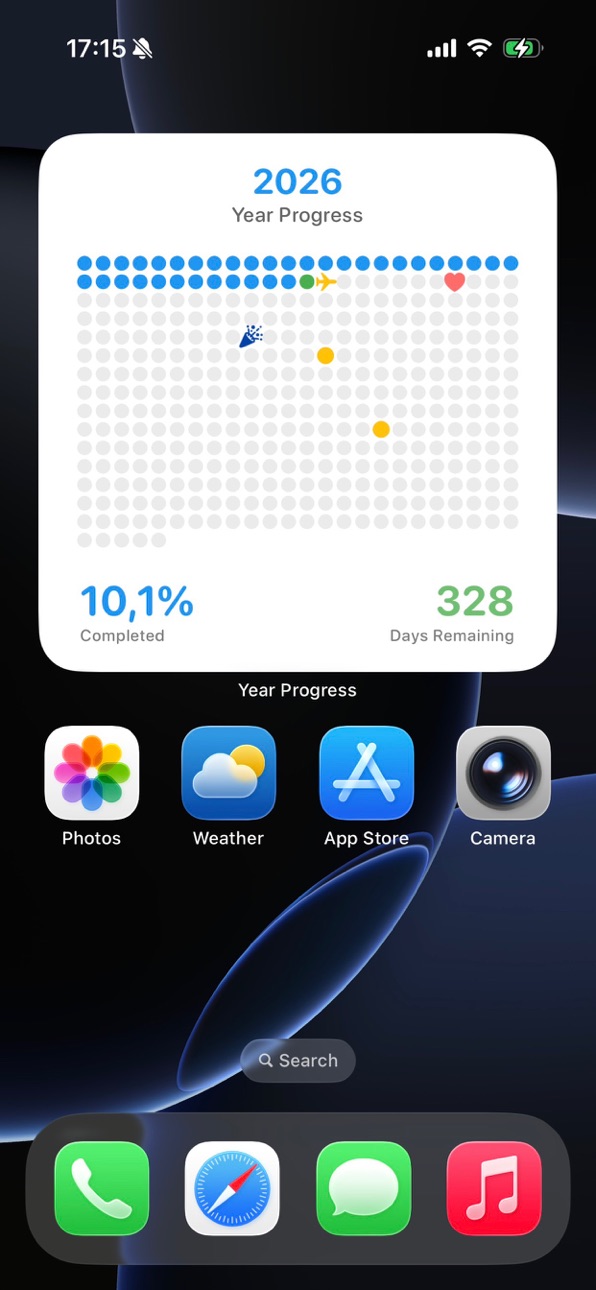
Transform your Home Screen with elegant progress widgets showing exactly how much of the year has passed.
Choose different sizes and layouts to fit your setup perfectly — minimalist, aesthetic, or productivity-focused.
Apple Watch App & Complications
Track the year right from your wrist.
Check the percentage completed and remaining days instantly without unlocking your phone. Custom complications keep your progress visible all day.
Deep Customization
Make it truly yours.
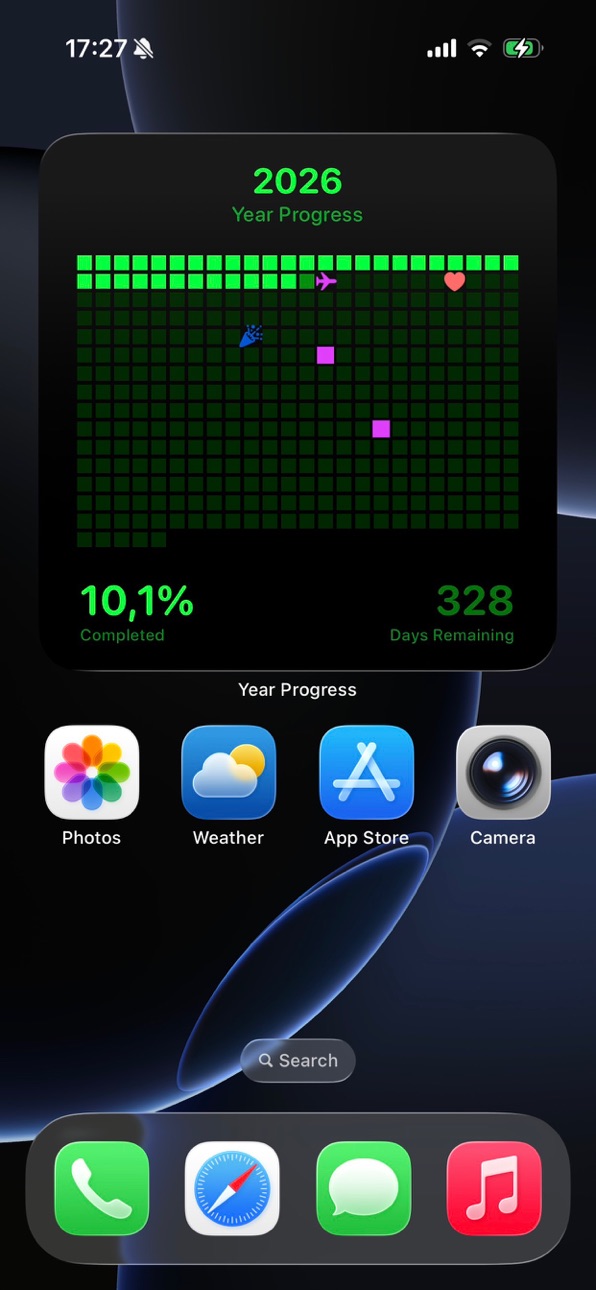
• Theme presets with curated color palettes
• Fully custom colors (Light & Dark mode)
• Unique symbols: stars, diamonds, yin-yang, roses, bees, donuts and more
• Different day indicators and grid styles.
Detailed Progress Tracking
Understand time in a clear, motivating way:
• Exact percentage of the year completed
• Remaining days countdown
• Visual day grid calendar
Share Your Progress
Create beautiful shareable cards for social media and inspire friends to use their time better.
Why People Love Year Progress
A year progress bar is a simple but powerful psychological motivator. Seeing time visually helps you stay consistent, avoid procrastination, and focus on what truly matters.
Students, professionals, creators, and goal-setters all use Year Progress as a daily reminder:
time is moving — use it intentionally.
Download Year Progress and make every day count!
In-App Purchases US pricing
Year Progress Premium Subscription Subscription
Year Progress Yearly Premium · Yearly 7-day free trial$1.99
One-Time Purchases
Year Progress Unlimited$0.99
Capabilities
In-App Purchases
Accessibility
ipadiphonemacrealityDevicetvoswatch
Version history 6 versions
Build 882684132v1.72026-02-28 18:25:14
NEW — Lock Screen Wallpaper
Turn your Lock Screen into a living calendar. Create a dynamic wallpaper that shows the year’s progress right behind your clock.
Also in this update:
• iOS 26 Tinted Widgets — Widgets now perfectly match tinted Home Screen icons
• The Heart style is now free for everyone
• Improved translations and smoother UI
Thanks for using Year Progress!
Build 882621966v1.62026-02-22 02:03:21
NEW — Lock Screen Wallpaper
Turn your Lock Screen into a living calendar. Create a dynamic wallpaper that shows the year’s progress right behind your clock.
Also in this update:
• iOS 26 Tinted Widgets — Widgets now perfectly match tinted Home Screen icons
• The Heart style is now free for everyone
• Improved translations and smoother UI
Thanks for using Year Progress!
Build 882587589v1.52026-02-19 17:05:19
NEW: Lock Screen Wallpaper! You can now create stunning, dynamic wallpapers that track the year’s progress directly on your Lock Screen.
Also in this update:
• iOS 18 Tinted Widgets: Your widgets now look amazing and adapt perfectly to your tinted Home Screen icons.
• Free Style Update: The "Heart" progress style is now available for free to everyone!
• Improvements: Updated translations and polished UI for a smoother experience.
Thanks for using Year Progress!
Build 882230489v1.32026-02-13 19:39:46
Special Days & Event Tracking You can now add important dates and milestones to your calendar. Assign custom colors to your special days and track upcoming plans at a glance via your widget. Set events to repeat monthly or yearly to stay on top of your schedule.
Expanded Language Support Year Progress is now localized in 14 major languages, providing a seamless native experience for our global community.
Enhanced Customization & Themes Level up your aesthetic with 36 new premium color presets, from Nature to Cyberpunk. We’ve also added dozens of new indicator icons and a "Sync to Dark" feature to effortlessly adapt your custom palettes for night mode.
iPad & UI Optimizations The interface is now fully optimized for iPad Split View and large screens. This update also includes layout refinements and performance improvements for a smoother, faster experience across all your devices.
Build 882028576v1.22026-02-06 12:24:27
Special Days are Here You can now add important dates to your calendar. Assign custom colors to special days and track your upcoming plans at a glance in your widget. Special days can be set to repeat monthly or yearly.
Expanded Language Support Year Progress is now localized in 14 major languages, providing a native experience for users around the world.
Enhanced Customization Choose from 36 new premium color presets, ranging from Nature to Cyberpunk. We have also added dozens of new indicator icons and a Sync to Dark feature to help you adapt your custom color palettes effortlessly.
iPad and UI Improvements The interface has been optimized for iPad Split View and large screens. This update also includes various layout refinements and performance improvements for a smoother experience across all devices.
Build 881868179v1.02026-01-30 14:33:01
Price history by region
Currency
Show
Columns
Search
Availability 1 of 1 storefronts
| Region | Language | Price | Ratings | Avg | Version |
|---|---|---|---|---|---|
| US | en-US | Free | 2 | 5.0 | 1.7 |
Change log 10 changes · US
✎
releaseNotes updated
NEW — Lock Screen Wallpaper
Turn your Lock Screen into a living calendar. Create a dynamic wallpaper that shows the year’s progress right behind your clock.
Al
✎
description updated
Time is your most valuable asset.
See it. Feel it. Stay motivated.
Year Progress turns the passage of time into a beautiful visual experience. Track how much of
✎
subtitle updated
Aesthetic time progress tools!
✎
name updated
Year Progress: Widget
◆
Version 1.7 released
NEW — Lock Screen Wallpaper
Turn your Lock Screen into a living calendar. Create a dynamic wallpaper that shows the year’s progress right behind your clock.
Also in this update:
• iOS 26 Tinted Widgets — Widgets now perfectly match tinted
◆
Version 1.6 released
NEW — Lock Screen Wallpaper
Turn your Lock Screen into a living calendar. Create a dynamic wallpaper that shows the year’s progress right behind your clock.
Also in this update:
• iOS 26 Tinted Widgets — Widgets now perfectly match tinted
◆
Version 1.5 released
NEW: Lock Screen Wallpaper! You can now create stunning, dynamic wallpapers that track the year’s progress directly on your Lock Screen.
Also in this update:
• iOS 18 Tinted Widgets: Your widgets now look amazing and adapt perfectly to you
◆
Version 1.3 released
Special Days & Event Tracking You can now add important dates and milestones to your calendar. Assign custom colors to your special days and track upcoming plans at a glance via your widget. Set events to repeat monthly or yearly to stay on
◆
Version 1.2 released
Special Days are Here You can now add important dates to your calendar. Assign custom colors to special days and track your upcoming plans at a glance in your widget. Special days can be set to repeat monthly or yearly.
Expanded Language S
◆
Version 1.0 released