Home › Utilities

2 of 2 storefronts
Content in en-US
Content in en-US
Information
Apple ID6758278823
Bundle IDcom.aybekege.retronotesapp
SellerSeller
Min iOS18.0
Min macOS15.0
Device familiesiphone, ipad
Released2026-04-30
Copyright© Ege Aybek
Privacy policyLink ↗
Preview 2 platforms
iPhone 6 images


iPad 7 images




What’s New Version 1.6
- Better text block functionality.
- Bug fixes.
- Improved UI & UX
Description
Retro Notes turns everyday note-taking into something you actually enjoy. Beautifully designed with vintage-inspired themes, it combines the simplicity of classic journals with the power of a modern organizer — all on your iPhone and iPad.
WRITE FREELY, ORGANIZE EFFORTLESSLY
Create notes with rich text blocks, checklists, and tags. Organize everything into folders and nested subfolders. On iPad, use full notebooks for long-form journaling and creative projects. Pin your favorites for quick access, and find anything instantly with powerful global search across all your notes, folders, tasks, and blocks.
A BLOCK FOR EVERYTHING
Retro Notes goes beyond plain text. Each note is built from blocks you mix and match:
• Text — Write with customizable per-note fonts. Choose from 15 beautiful typefaces including Typewriter, Georgia, Baskerville, Futura, and more.
• Tasks — Interactive checklists to track your to-dos right inside your notes.
• Photos & Videos — Capture memories with images and video clips. Trim videos before adding them.
• Voice Memos — Record audio notes when typing isn't an option.
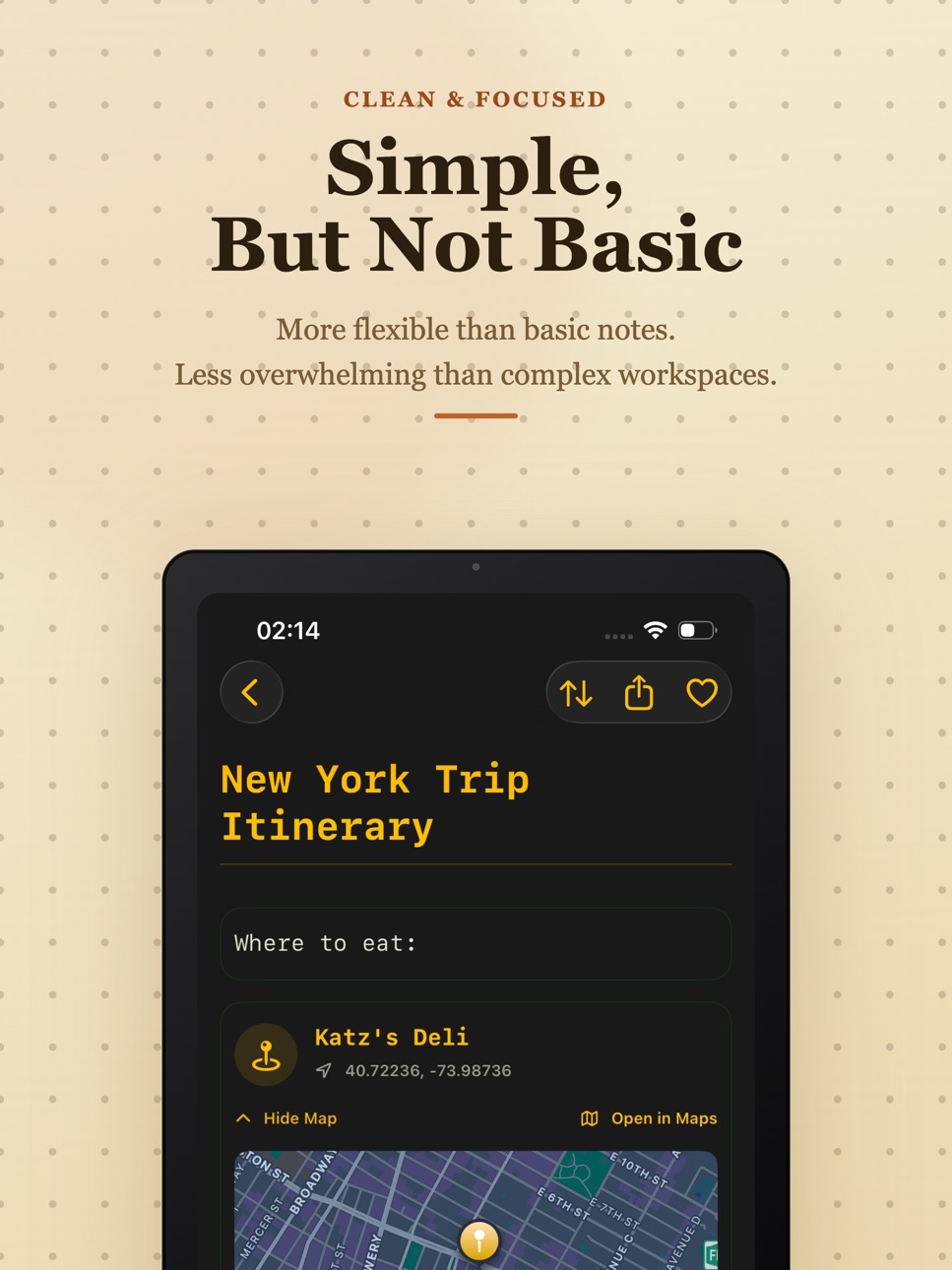
• Locations — Pin places to your notes with interactive maps.
• URLs — Save and preview web links with one tap.
• Scanner — Scan documents directly into your notes using your camera.
• PDF — Attach and view documents natively.
• Countdown — Set visual countdown timers for events, deadlines, and milestones.
• Music — Search and embed your favorite tracks from a massive catalog.
• Movies — Log films with posters, ratings, runtime, and director info.
• Books — Track your reading with covers, authors, and page counts.
• Flights — Look up real flights with route maps, terminals, aircraft details, and live status.
IMPORT FROM ANYWHERE
Use the Share Extension to send text, links, images, and checklists from Browser, Mail, Messages, or any app directly into Retro Notes. Content is automatically parsed into the right blocks — URLs become link blocks, bullet points become tasks, and images get their own photo blocks. No copy-pasting needed.
RETRO THEMES THAT FEEL JUST RIGHT
Customize your experience with handcrafted themes that give your notes real personality. Switch between classic, dark, and colorful palettes — every element from the toolbar to the blocks adapts to your chosen theme.
WIDGET SUPPORT
Pin your most important note to a home screen widget for instant access. See your content at a glance without even opening the app.
TIME CAPSULE
Seal a note and lock it until a future date — a week, a month, or a year from now. When the time comes, it unlocks automatically. Write letters to your future self, save birthday messages, or preserve memories for later.
PRIVACY FIRST
Your notes stay on your device. Retro Notes uses no cloud accounts, no sign-ups, and no tracking. What you write is yours alone.
BUILT FOR iPHONE AND iPAD
Fully optimized for both platforms. On iPad, take advantage of larger screens with the notebook editor for long-form writing, side-by-side organization, and an expanded block canvas.
AVAILABLE IN 7 LANGUAGES
Use Retro Notes in English, German, Spanish, French, Japanese, Turkish, or Simplified Chinese. The entire interface adapts to your language preference.
Privacy Policy: https://retro-notes-privacy-ege-aybek-dev.netlify.app/
Terms of Use: https://www.apple.com/legal/internet-services/itunes/dev/stdeula/
In-App Purchases US pricing
RN Pro Subscription
Weekly · 7 days$1.99
Annual · Yearly$39.99
Weekly · 7 days$0.99
Monthly · Monthly$4.99
Capabilities
In-App Purchases
Accessibility
ipadiphonemacrealityDevicetvoswatch
Version history 7 versions
Build 886498937v1.62026-06-08 14:02:57
- Better text block functionality.
- Bug fixes.
- Improved UI & UX
Build 886298147v1.52026-06-02 16:10:04
NEW IN 1.5
• Share Extension — Save text, links, images, and checklists from any app directly into Retro Notes. Content is automatically organized into the right blocks.
• Flight Blocks — Look up real flights by number and date. See route maps, departure and arrival times, terminals, aircraft details, baggage belt info, and live status.
• Video Blocks — Add video clips to your notes with a built-in trim editor and retro film-strip player.
• Per-note font now applies to all block types — countdowns, flights, music, movies, books, and more all respect your font choice.
• Smoother search animation — the search panel now expands from the button instead of sliding up.
• New translations across all supported languages.
Build 885737249v1.42026-05-25 06:53:20
- Scanner: Scan your files and turn them into PDF.
- Countdown: Add countdown to your notes.
- Date: Add due dates to your notes.
- Books: Add books to your notes.
- iPad Only: Notebooks: Create notebooks to capture ideas with your own handwriting.
Build 885625701v1.32026-05-13 22:50:13
- You can now add Series to your notes.
- You can now make global search across your Notes, Folders and Blocks.
- NEW BLOCK: URL. You can now add URL blocks to your notes to remember the important websites.
Build 885547249v1.22026-05-12 19:32:19
- You can now add Movies into your notes.
- Better UI&UX
- Bug fixes
Build 885429850v1.12026-05-09 00:53:43
You can now lock a folder with a password to secure your notes.
UI&UX Improvements
Bug Fixes
Build 881833425v1.02026-04-30 23:33:56
Price history by region
Currency
Show
Columns
Search
Availability 2 of 2 storefronts
| Region | Language | Price | Ratings | Avg | Version |
|---|---|---|---|---|---|
 GB GB | en-GB | Free | 1 | 5.0 | 1.6 |
 US US | en-US | Free | 0 | — | 1.6 |
Change log 11 changes · US
✎
releaseNotes updated
- Better text block functionality.
- Bug fixes.
- Improved UI & UX
✎
description updated
Retro Notes turns everyday note-taking into something you actually enjoy. Beautifully designed with vintage-inspired themes, it combines the simplicity of class
✎
subtitle updated
Journal, Tasks & Daily Planner
✎
name updated
Retro Notes - Notetaker
◆
Version 1.6 released
- Better text block functionality.
- Bug fixes.
- Improved UI & UX
◆
Version 1.5 released
NEW IN 1.5
• Share Extension — Save text, links, images, and checklists from any app directly into Retro Notes. Content is automatically organized into the right blocks.
• Flight Blocks — Look up real flights by number and date. See route m
◆
Version 1.4 released
- Scanner: Scan your files and turn them into PDF.
- Countdown: Add countdown to your notes.
- Date: Add due dates to your notes.
- Books: Add books to your notes.
- iPad Only: Notebooks: Create notebooks to capture ideas with your own h
◆
Version 1.3 released
- You can now add Series to your notes.
- You can now make global search across your Notes, Folders and Blocks.
- NEW BLOCK: URL. You can now add URL blocks to your notes to remember the important websites.
◆
Version 1.2 released
- You can now add Movies into your notes.
- Better UI&UX
- Bug fixes
◆
Version 1.1 released
You can now lock a folder with a password to secure your notes.
UI&UX Improvements
Bug Fixes
◆
Version 1.0 released