Home › Finance

 US
US
1 of 1 storefronts
Content in en-US
Content in en-US
Information
Apple ID6758148102
Bundle IDcom.wixpa.bankstatement
SellerSeller
Min iOS13.0
Min macOS11.0
Device familiesiphone, ipad, ipod
Released2026-02-23
Copyright© 2026 Bank Statement Converter AI
Privacy policyLink ↗
Preview 2 platforms
iPhone 5 images


iPad 8 images




What’s New Version 1.0.8
Introducing Google Sign-In! You can now log into your account instantly with just one tap using your Google account. • Under-the-hood bug fixes and performance improvements for a smoother conversion experience.
Description
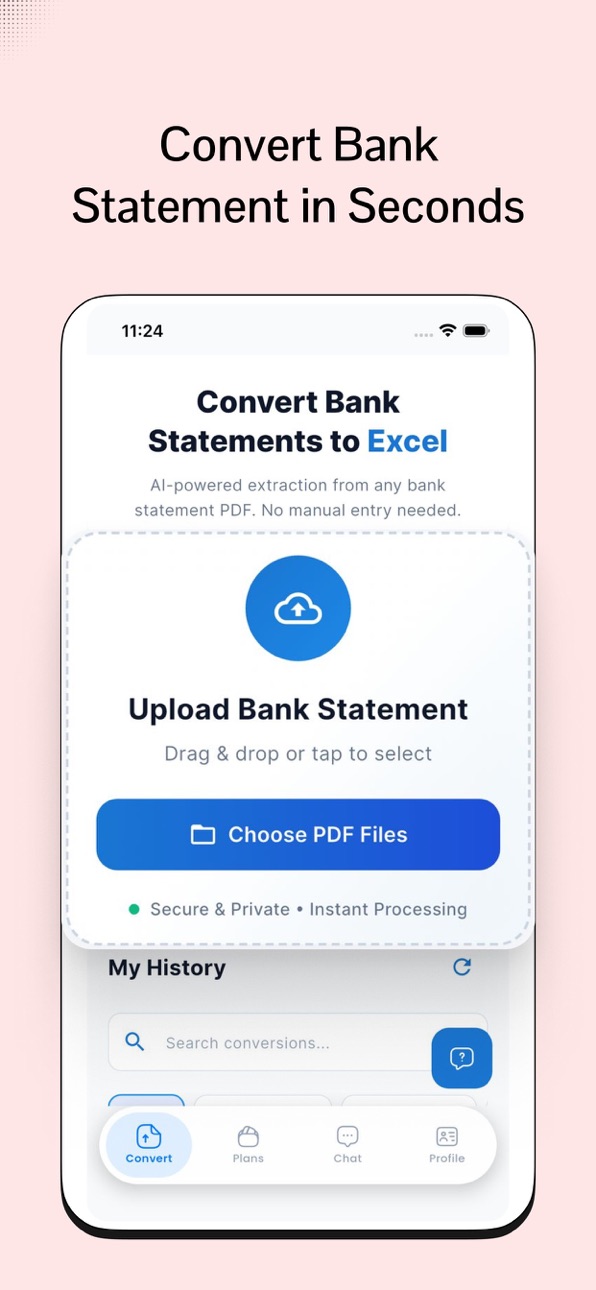
Transform chaotic bank statement PDFs into organized, editable Excel files effortlessly! My bank statement converter is the ultimate PDF to Excel converter app, powered by AI to extract transactions, dates, amounts, and balances with unmatched accuracy. Say goodbye to hours of manual data entry and hello to streamlined budgeting, tax prep, and accounting. Perfect for individuals, freelancers, and small businesses.
Whether you're dealing with statements from Chase, Bank of America, or international banks, our bank statement converter handles it all—scanned docs, multi-page PDFs, and even images via OCR technology. Convert on the go, securely on your device, without needing an internet connection.
--Top Features That Make My bank statement converter Stand Out:
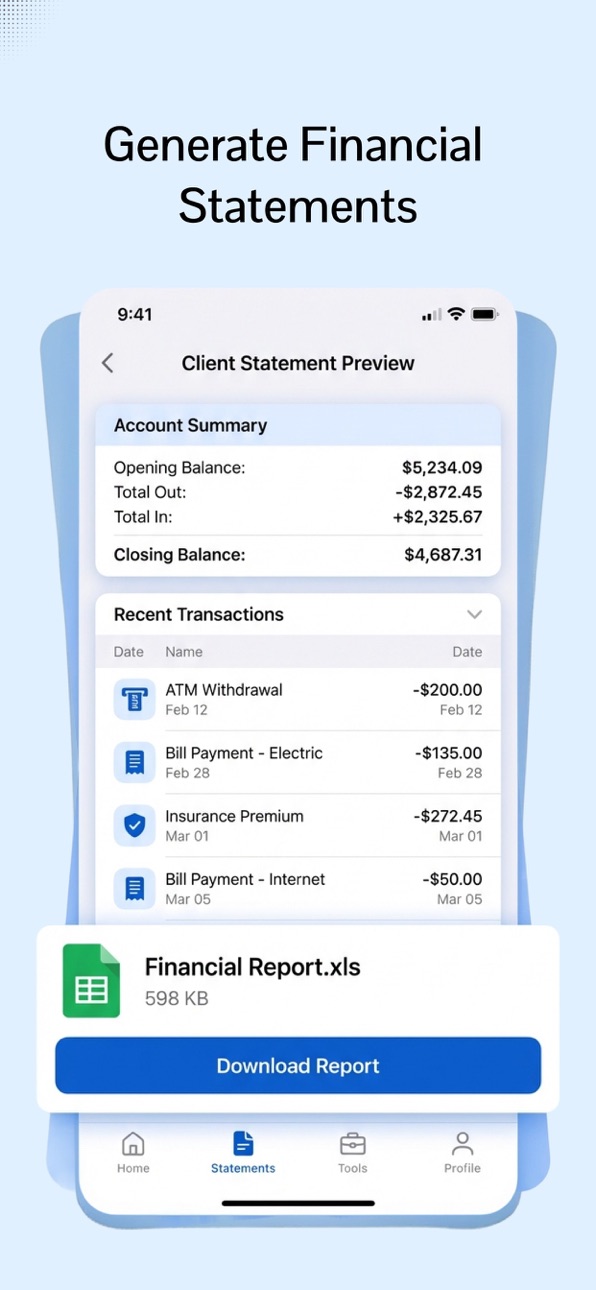
Smart AI Extraction: Automatically pulls data from PDFs into clean Excel sheets (.xlsx or .csv). Detects tables, categorizes expenses, and preserves formatting.
Lightning-Fast Conversions: Process single files or batches in seconds—ideal for monthly reviews or bulk uploads.
Fully Editable Exports: Customize your Excel files with formulas, charts, and filters. Seamlessly integrate with Microsoft Excel, Google Sheets, or accounting software like QuickBooks.
Privacy-First Design: All conversions happen locally on your device. No data is uploaded to servers, ensuring your financial info stays secure and encrypted.
User-Friendly Tools: Drag-and-drop interface, real-time previews, and one-tap sharing to email or cloud storage. Supports multiple languages and bank formats worldwide.
Advanced Options: OCR for scanned statements, custom templates for recurring conversions, and premium upgrades for unlimited use.
Why struggle with outdated tools? Users love how My bank statement converter saves time and reduces errors—join thousands who've simplified their finances! Whether for personal tracking, business reports, or tax filing, this PDF to Excel converter is your go-to app.
Getting Started is Easy:
Upload your bank PDF.
Let AI do the magic.
Export and edit in Excel.
Terms of Use (EULA):
https://docs.google.com/document/d/1qGxMck2DIn_rsYCLGQBHLYaVo1pQxEyCkAnPOZh30ik/edit
In-App Purchases US pricing
BSC Subscription Subscription
Business Plan · Monthly$39.99
Professional Plan · Monthly$19.99
Starter Plan · Monthly$9.99
Custom10k Plan · Monthly$99.99
Custom25k Plan · Monthly$250.00
Custom50k Plan · Monthly$500.00
Capabilities
In-App Purchases
Accessibility
ipadiphonemacrealityDevicetvoswatch
Version history 4 versions
Build 883511011v1.0.82026-03-19 00:38:46
Introducing Google Sign-In! You can now log into your account instantly with just one tap using your Google account. • Under-the-hood bug fixes and performance improvements for a smoother conversion experience.
Build 883050221v1.0.72026-03-17 22:36:31
--Completely redesigned user interface for a modern, polished look – easier navigation and smoother workflow.
--Improved performance across all conversions – faster processing and reduced load times.
--Enhanced accuracy for PDF to Excel extraction, especially for complex tables and scanned statements.
--Optimized memory usage and stability for a more reliable experience on all devices.
--Bug fixes and minor improvements for better overall app performance.
Build 882912426v1.0.32026-03-01 22:40:07
New Design: A fresh, premium look across all screens. • Faster Workflow: Removed clutter to make the conversion process even simpler. • Enhanced Stability: Fixed several minor issues for a better overall user experience. • UX Polish: Improved spacing and interactive elements for better usability.
Build 881744256v1.0.02026-02-24 00:34:17
Price history by region
Currency
Show
Columns
Search
Availability 1 of 1 storefronts
| Region | Language | Price | Ratings | Avg | Version |
|---|---|---|---|---|---|
| US | en-US | Free | 0 | — | 1.0.8 |
Change log 8 changes · US
✎
releaseNotes updated
Introducing Google Sign-In! You can now log into your account instantly with just one tap using your Google account. • Under-the-hood bug fixes and performance
✎
description updated
Transform chaotic bank statement PDFs into organized, editable Excel files effortlessly! My bank statement converter is the ultimate PDF to Excel converter app,
✎
subtitle updated
PDF to Excel Converter
✎
name updated
My Bank Statements Converter
◆
Version 1.0.8 released
Introducing Google Sign-In! You can now log into your account instantly with just one tap using your Google account. • Under-the-hood bug fixes and performance improvements for a smoother conversion experience.
◆
Version 1.0.7 released
--Completely redesigned user interface for a modern, polished look – easier navigation and smoother workflow.
--Improved performance across all conversions – faster processing and reduced load times.
--Enhanced accuracy for PDF to Excel ext
◆
Version 1.0.3 released
New Design: A fresh, premium look across all screens. • Faster Workflow: Removed clutter to make the conversion process even simpler. • Enhanced Stability: Fixed several minor issues for a better overall user experience. • UX Polish: Improv
◆
Version 1.0.0 released