Home › Productivity

 US
US
1 of 1 storefronts
Content in en-US
Content in en-US
Information
Preview 3 platforms
iPhone 10 images




iPad 10 images




Apple Watch 5 images


What’s New Version 3.7.2
VivaDicta 3.7.2 is a stability update.
Stability
Fixed a crash that could occur when your device ran low on memory. VivaDicta now frees on-device AI models under memory pressure as intended, so the app stays smooth and reliable even during long sessions.
Description
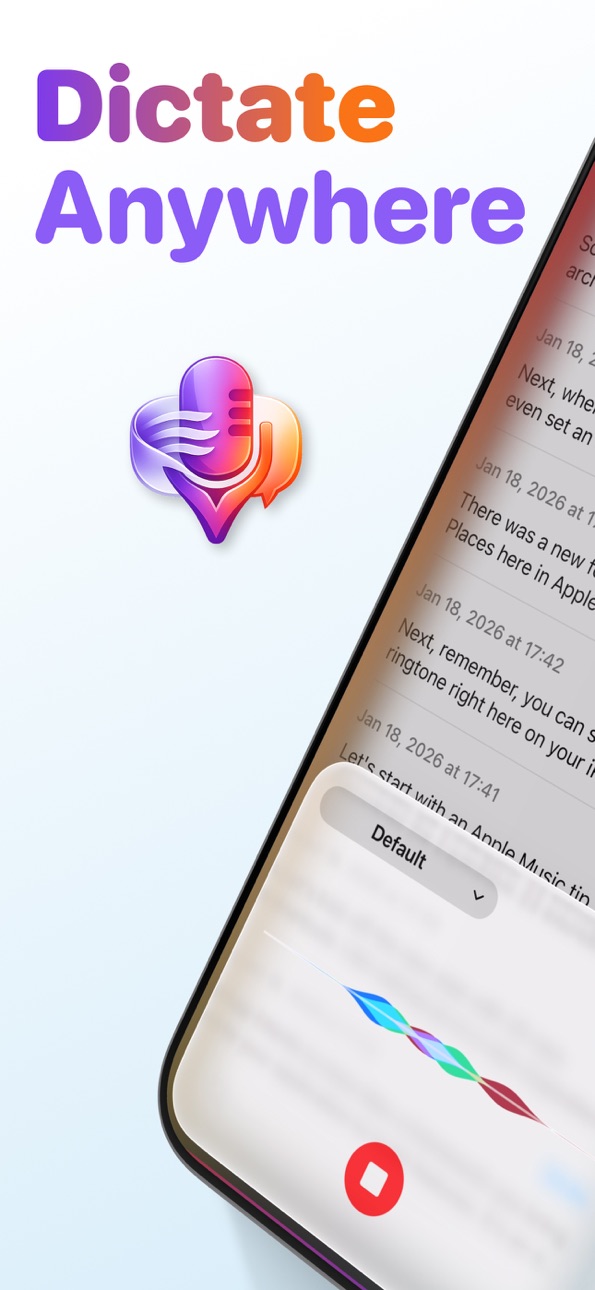
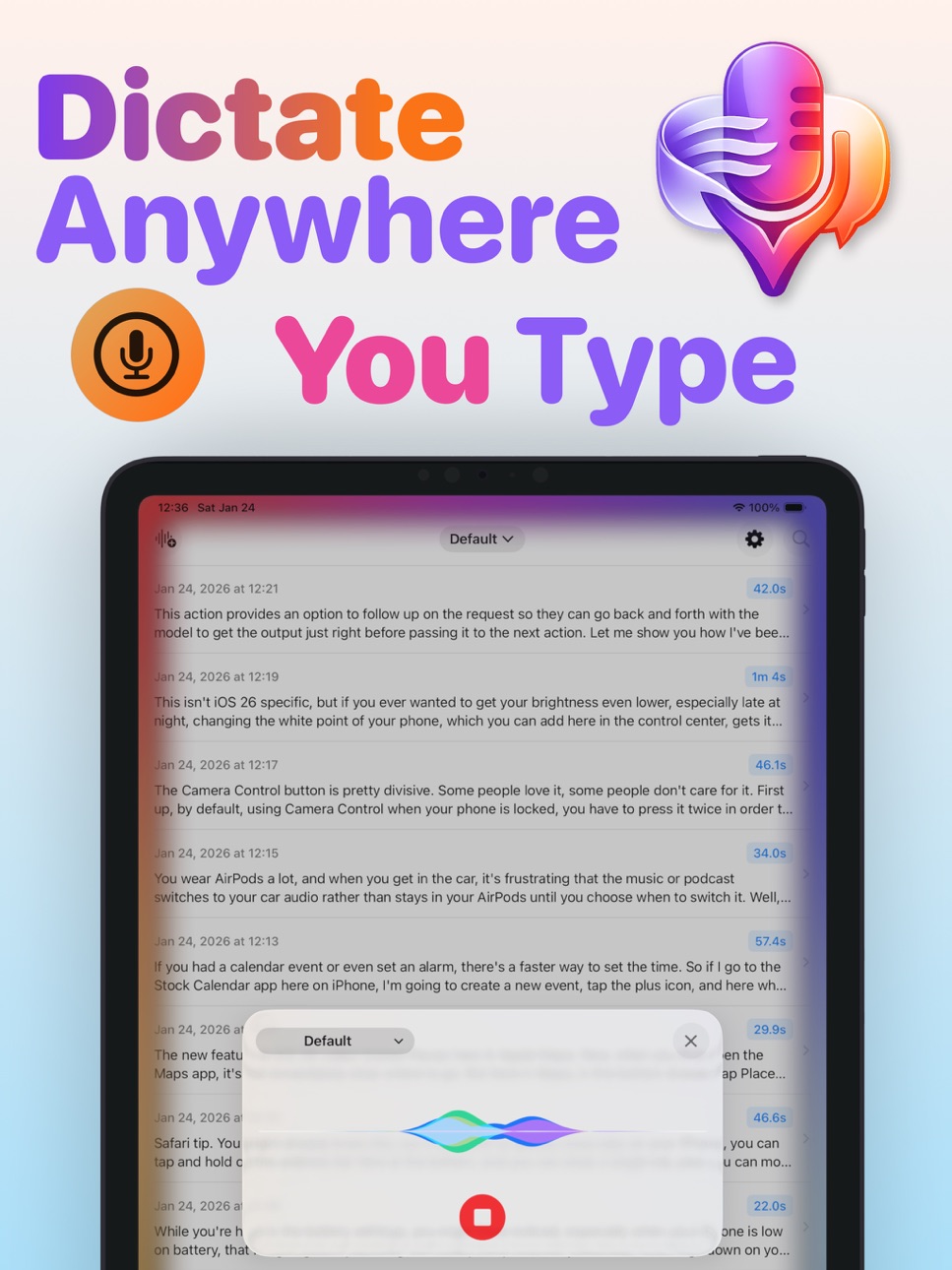
Dictate Anywhere You Type
Type 4x faster with your voice. Just speak, and AI turns your words into polished, ready-to-send text. Completely free.
WORKS EVERYWHERE YOU TYPE
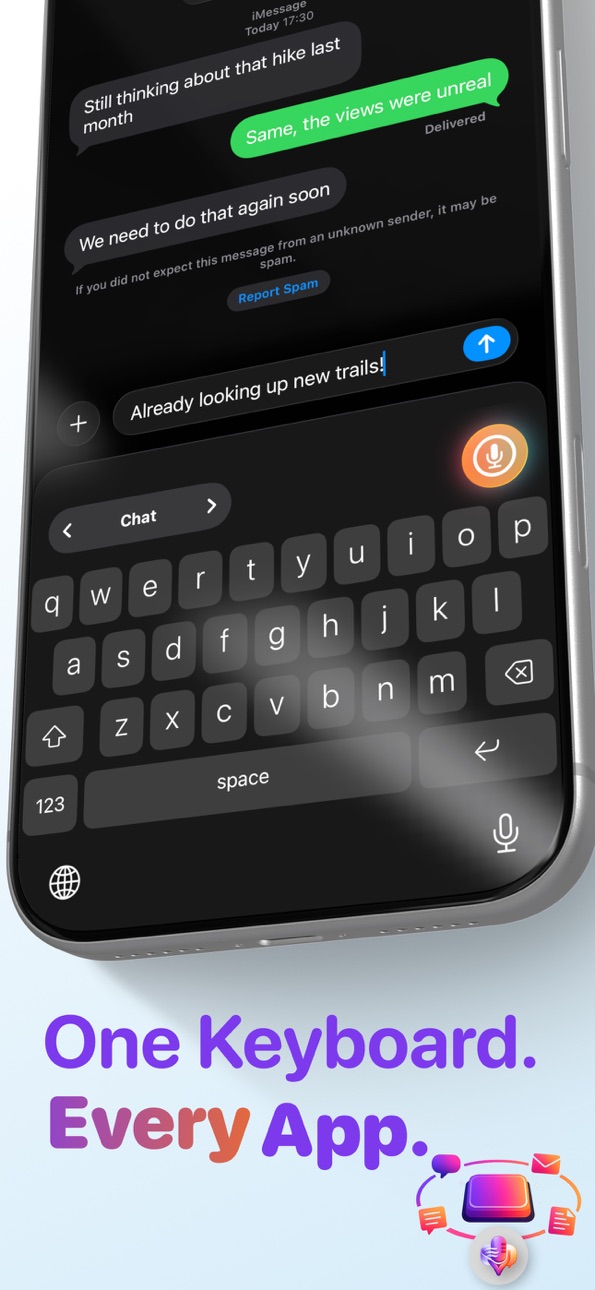
One keyboard for all your apps. Dictate into Messages, WhatsApp, Email, Notion, or anywhere else - no app switching required. Your voice becomes text instantly. Swipe to switch between modes right from the keyboard.
AI THAT PROCESSES YOUR SPEECH
Raw transcriptions become polished text automatically. AI removes filler words, fixes punctuation, and formats everything perfectly. Use your clipboard or selected text as additional context.
RUN AI ON YOUR DEVICE
Process your text with AI that runs entirely on your device. VivaDicta recommends Apple Foundation Model on devices that support Apple Intelligence. If yours doesn't, including many devices on iOS 18, you can now use other on-device AI models, fully offline. No API key, no internet, nothing leaving your device.
KEYBOARD AI PROCESSING
Select text or place your cursor, then pick an AI preset - translate, rewrite, summarize, and more. Works in any app, right from the keyboard.
COMPLETELY FREE, NO EXCEPTIONS
No subscriptions, no paywalls, no limits. On-device AI, custom keyboard, unlimited transcriptions - all free.
PRIVATE BY DESIGN
Your voice never leaves your iPhone:
- All transcription runs on your device
- AI processing can run on-device with Apple Foundation Model or a downloadable model
- Zero telemetry or tracking
- No accounts or sign-ups required
- Works in airplane mode
Cloud AI is optional and always under your control.
AI PRESETS
40+ built-in presets - rewrite, summarize, translate, and more. Create custom presets and mark favorites for quick access.
SPEAKER LABELS
Speaker-separated transcripts for meetings, interviews, and group chats - clear who said what.
VIVA MODES
Switch between AI-powered modes, each with its own AI settings. With Soniox, Gladia, or Speechmatics, transcripts can come back already translated.
LIVE TRANSLATION
Speak in one language and hear it back in another, in real time. Pick source and target, play it through your headphones, and adjust playback speed. 60+ languages, any-to-any.
CHAT WITH YOUR NOTES
Ask questions about one note, many, or across your entire library. Surface insights, action items, and key points.
SMART AI SEARCH
Find notes by meaning, not just keywords. Ask "what did I say about the pricing idea?" and VivaDicta finds it. Fully on-device.
REMINDER SUGGESTIONS
Turn notes into reminders in the original language. Review and send approved items straight to Apple Reminders.
APPLE WATCH APP
Record voice notes from your wrist. Tap and talk - they're transcribed on iPhone in the background.
FULLY CUSTOMIZABLE
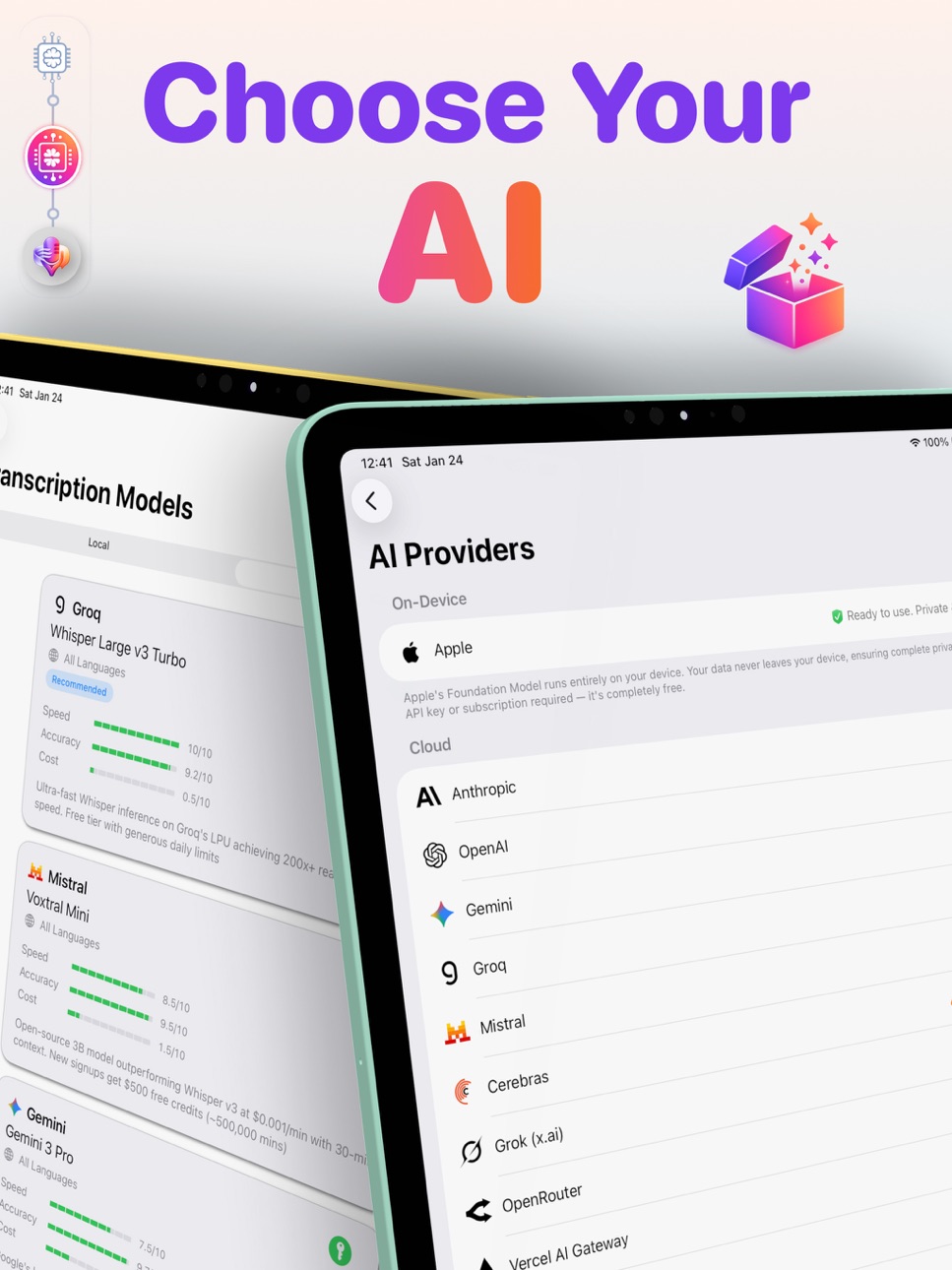
- 16 AI transcription providers (local and cloud)
- 20+ AI processing providers, including on-device models
- Bring your own AI via any compatible API
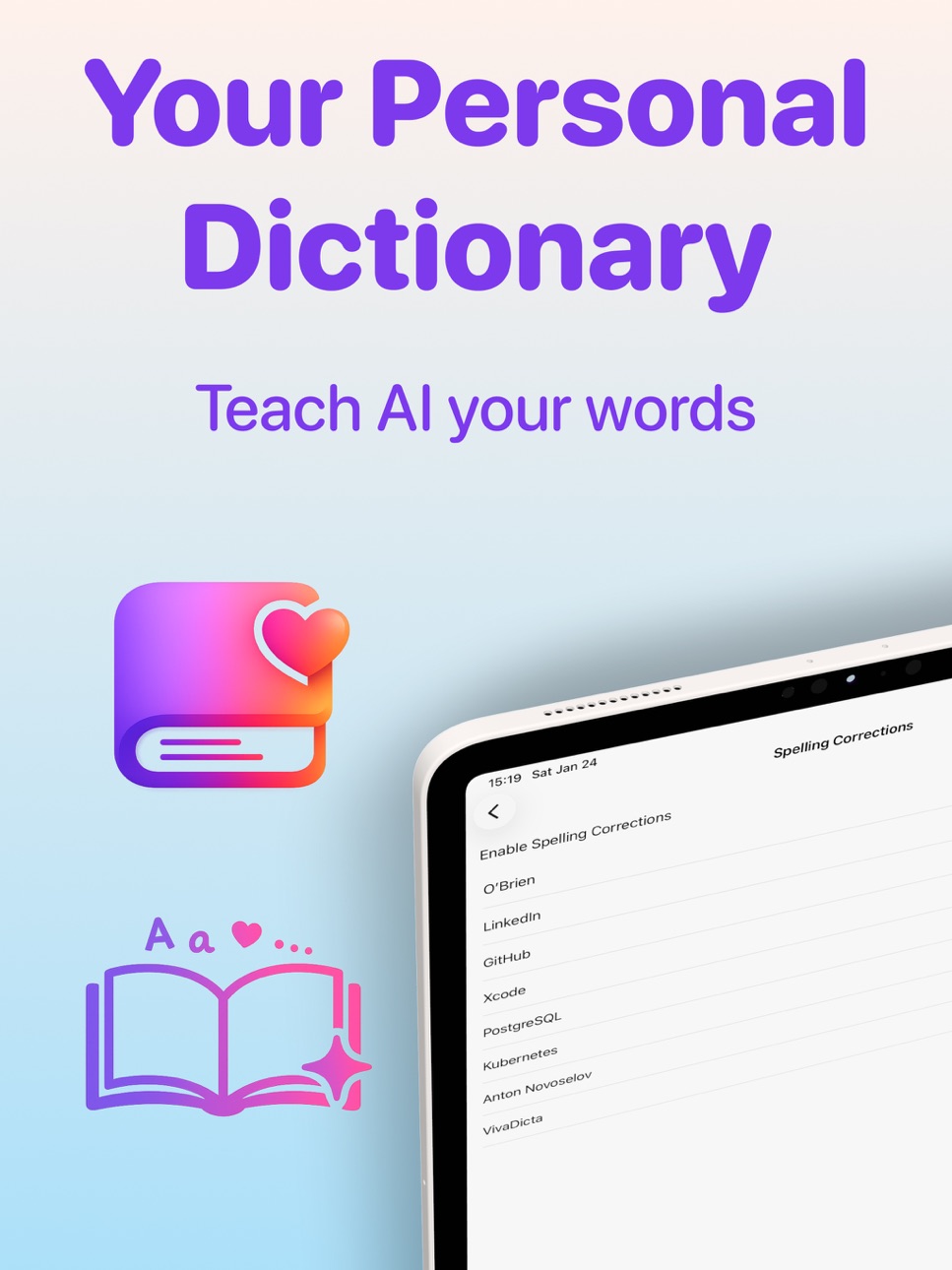
- Personal dictionary, word replacements, and custom tags
- Save transcriptions to Obsidian automatically
- Auto export to a folder of your choice
KEY FEATURES
- System-wide Voice keyboard with AI text processing
- On-device Whisper and NVIDIA Parakeet - professional-grade transcription
- On-device AI - Apple Foundation Model or a downloadable model you run offline
- Live Translation - real-time speech-to-speech across 60+ languages
- Chat with AI about one note or many, with Smart AI Search
- Reminder suggestions sent to Apple Reminders
- iCloud sync across iPhone, Apple Watch, and Mac
- Home screen widgets and Siri Shortcuts integration
- Multi-language keyboard: French, German, Spanish, Russian
- 100+ languages with auto-detection
- Open source on GitHub
PERFECT FOR
- Quick messages and emails
- Meeting notes and lectures
- Voice memos and ideas
- Journalists and writers
- Developers and students
- Anyone who thinks faster than they type
Download VivaDicta.
Your voice. Your words. Your device. Your privacy.
Accessibility
ipadiphonemacrealityDevicetvoswatch
Version history 16 versions
Build 887825343v3.7.22026-07-04 21:37:38
VivaDicta 3.7.2 is a stability update.
Stability
Fixed a crash that could occur when your device ran low on memory. VivaDicta now frees on-device AI models under memory pressure as intended, so the app stays smooth and reliable even during long sessions.
Build 887546865v3.7.12026-06-28 17:57:33
VivaDicta 3.7.1 brings on-device AI to the keyboard.
On-Device AI in the Keyboard
You can now clean up and rewrite your dictation with on-device AI right from the VivaDicta keyboard, fully offline, without opening the app. Download a small on-device AI model in AI Providers, choose it in a mode, and it runs entirely on your iPhone's Neural Engine. VivaDicta recommends Apple Foundation Model for on-device AI on devices that support Apple Intelligence; this adds an on-device option that also works from the keyboard, even on devices that do not have Apple Intelligence.
Faster, More Reliable On-Device AI
On-device AI now loads and runs more smoothly, starts faster, and manages memory more carefully so it stays reliable across the app and the keyboard.
Build 887478788v3.7.02026-06-26 20:41:21
Run AI on your iPhone, fully offline.
VivaDicta 3.7.0 brings on-device AI text processing, plus two new cloud AI providers and clearer model options.
On-Device AI
VivaDicta recommends Apple Foundation Model for on-device AI on devices that support Apple Intelligence. Now, if your device doesn't - including many on iOS 18 - you can use other on-device AI models too. Download a small AI language model (LLM) like Gemma, Qwen, or Phi, and VivaDicta can clean up, rewrite, and format your dictation completely offline - no API key, no internet, nothing leaving your device. Privacy is paramount in VivaDicta, so your words never have to reach the cloud.
OpenCode Zen and Go
Two new cloud AI providers join the lineup. OpenCode Zen includes free models you can use with just an API key, no payment method required, and OpenCode Go adds its subscription models. Add your key once and both work.
Clearer Ollama Cloud Models
Ollama Cloud now shows which models are free and which need a subscription, so there are no surprises when you pick one.
Performance and Polish
The custom AI provider screen now scrolls fully so every field is reachable, on-device generation is more reliable, and we fixed a handful of edge cases across AI processing.
Build 887061542v3.6.02026-06-22 07:38:16
Clearer transcripts, smoother dictation.
VivaDicta 3.6.0 brings speaker labels to two more cloud providers, a clearer keyboard return prompt, and one-tap copy in Live Translation. Plus performance and stability fixes.
Speaker Labels for ElevenLabs and xAI
Turn on Speaker Labels in your mode's transcription settings and ElevenLabs and xAI now return speaker-separated transcripts, so it's clear who said what in meetings, interviews, and group chats.
Clearer Keyboard Return
When the keyboard needs you to swipe back to the app to finish dictating, a new full-screen prompt makes the next step obvious, instead of a small toast that was easy to miss.
Copy from Live Translation
New copy buttons sit on each Live Translation column, so you can grab the original or the translated text with a single tap.
Performance and Polish
Filler words are now removed cleanly from translated notes, Live Translation starts faster, and we fixed a rare crash that could happen while transcribing in the background.
Build 886418192v3.5.02026-06-02 22:29:59
More ways to transcribe, process, and personalize.
VivaDicta 3.5.0 adds AssemblyAI as a new cloud transcription provider, two new AI processing providers (Ollama Cloud and MiniMax), and a new Recording Orb picker so the recording screen looks the way you like. Plus performance and polish.
AssemblyAI Transcription
A new cloud transcription provider with high accuracy, speaker labels (diarization), and broad language support. Add your AssemblyAI API key in Settings > AI Settings > Transcription to try it.
Ollama Cloud
Run Ollama's hosted AI models without running your own server. Add an API key from ollama.com and pick a model in your mode's AI settings. Separate from the existing local Ollama option, and the model list refreshes automatically once your key is added.
MiniMax AI
A new AI processing provider for cleaning up and rewriting your transcriptions. Add your MiniMax API key in Settings and choose any of its M-series models.
Recording Orb
Pick the visualization shown while you record: Particles, ASCII, or None. The orb is also lighter and smoother now, so it won't bog down on busy devices.
Quality of Life
The app version and build now show at the bottom of Settings, the recording orb uses far less power, and a round of polish across the app.
Build 886294035v3.4.02026-05-30 17:44:16
Tag as you talk. Make VivaDicta yours.
VivaDicta 3.4.0 lets you tag notes while you record, adds xAI Speech-to-Text as a new cloud transcription provider, gives Live Translation flexible save options, and brings new ways to tailor the app to how you work. Plus the latest AI models and a round of polish.
Tag While You Record
Add tags right from the recording sheet, so your notes land already organized. No need to open each note afterward. If you start a recording with a tag filter active on the main screen, that tag carries over automatically.
xAI Speech-to-Text
A new cloud transcription provider powered by Grok. Add your xAI API key in Settings > AI Settings > Transcription to try it.
Live Translation Save Options
When you save a Live Translation session as a note, you now choose what to keep: both languages side by side, just the original, or just the translation. Empty options are hidden so you never save a blank note.
Default AI Mode
Set a fallback AI mode for AI Actions. When the current note's mode has no AI processing set up, AI Actions now opens ready to use with your chosen default instead of an empty screen. You can still switch modes from the sheet.
Make It Yours
New Advanced toggles let you hide Chats and Live Translation if you don't use them, keeping the interface focused. Trim Trailing Period is now a single global setting instead of a per-mode toggle.
Latest AI Models
Added Anthropic Claude Opus 4.8, refreshed the Grok, Z.AI, Kimi, and Gemini model lineups, and removed models the providers have retired.
Quality of Life
Edit a note directly from the pencil button when the voice recording button is enabled, folder re-exports now overwrite the existing file instead of creating duplicates, a smoother notes list, and a livelier recording orb.
Build 885593766v3.3.02026-05-13 18:53:05
Dictation, in your language.
VivaDicta 3.3.0 adds multi-language keyboard layouts, a new Cartesia cloud transcription provider, automatic folder export for your notes, and a manual Send to Obsidian button. Plus a way to try a different AI mode for a single transcription without changing your default, and small polish across Settings.
Multi-Language Keyboard
Type in your language. New French, German, Spanish, and Russian layouts, with a toggle key to cycle between English and your active languages. Languages you already use on the iOS keyboard are enabled automatically the first time you open VivaDicta Keyboard settings.
Cartesia Transcription
New cloud transcription provider with fast, high-accuracy results. Add your Cartesia API key in Settings > AI Settings > Transcription to try it.
Auto Export to Selected Folder
Pick a folder once and every new transcription is exported there as markdown automatically. The new Export Settings screen lets you choose the destination and toggle auto-export, and there's a one-tap manual Export to Folder action on each transcription too.
Send to Obsidian Button
Send any single transcription to Obsidian on demand from the transcription detail view, even when auto-append is off. Useful for picking out only the notes you actually want in your vault.
Temporary Mode Override
Pick a different AI mode just for one transcription right from the AI Actions sheet. The override applies once and your default mode stays unchanged.
Quality of Life
Auto-enable keyboard languages from iOS preferences, the floating voice-append mic on the transcription detail screen no longer hides behind the bottom action bar, refined HUD contrast for the dark theme, and small polish across Settings.
Build 885155851v3.2.02026-05-01 16:18:26
Real-time translation, two new transcription providers, and cleaner casual messages.
VivaDicta 3.2 introduces Live Translation - speak in one language and hear it back in another in real time. Two new cloud transcription providers join the lineup, and Soniox, Gladia, and Speechmatics now translate as they transcribe in a single step. Plus automatic Obsidian saves, and a new toggle that strips trailing periods so casual messages don't read as cold.
Live Translation
Tap the new globe icon for a live interpreter. Pick a source and target language, choose whether to also hear the translation through your headphones, and adjust playback speed. 60+ languages, any-to-any, with your choice of voice. Save the session as a note when you're done. Powered by Soniox.
Translate While You Transcribe
With Soniox, Gladia, or Speechmatics selected, pick a target language in the new "Translate to" picker. Your transcription comes back already translated, in a single step. No extra AI processing required.
Two New Cloud Transcription Providers
- Gladia Solaria: 100+ languages, speaker labels, and inline translation.
- Speechmatics Enhanced: industry-leading accuracy on European languages, with speaker labels and built-in translation.
Trim Trailing Period
New per-mode toggle that strips a trailing "." or "..." from the final transcript. Helpful for casual messages where "Okay." can read as cold. Question marks and exclamation points are kept.
Cleaner Transcripts in More Languages
Filler words like "uh", "um", and "hmm" are now also stripped in Russian (ээ, э-э, эм), Spanish (ehm), German (äh, ähm), and French (euh) when the mode language is set or auto-detected.
Save to Obsidian Automatically
Turn on Append to Obsidian in any mode and each transcription opens Obsidian with a new note. Choose one note per transcription with timestamped filenames, or pile them into a daily note.
Reminders in the Original Language
Extract Reminders now keeps the original language of your note. German notes produce German reminders, Russian notes produce Russian reminders, instead of occasionally being translated to English.
Build 884858186v3.1.02026-04-23 23:29:43
Notes and AI, always one tap away.
VivaDicta 3.1 adds an AZERTY keyboard layout, home screen widgets, long-press Quick Actions, and new Shortcut actions so you can record, search, and chat without opening the app. Plus All Notes chat, Markdown export, and chat via OpenAI and Gemini sign-in.
AZERTY Keyboard
New French AZERTY layout with proper callouts and accented characters. Enable in Settings > Keyboard.
Home Screen Widgets
New Ask & Record and Quick Actions widgets put recording, chat, and search one tap away from your home screen.
Shortcut Actions & Spotlight
New Start, Stop, Cancel, and Record-and-return shortcut actions. Plus a Find Notes action and Spotlight integration so Search and Ask AI show up right in iOS search.
All Notes Chat
Chat across your entire library without picking individual notes. Ask broad questions and get answers grounded in everything you've recorded.
Chat with AI Accounts
Chat now works with OpenAI and Gemini sign-in - no API key needed. Copilot OAuth sessions stay alive across backgrounding.
Markdown Export
Export single notes as Markdown straight from the share menu, with a content setting to control what's included.
Quick Actions
Long-press the VivaDicta app icon for instant Search, Ask AI, and Need help shortcuts.
Build 884557287v3.0.02026-04-16 20:40:44
Dictate anywhere. Now talk to your notes.
VivaDicta 3.0 brings Chats, Smart AI Search, Speaker Labels, and Reminder Suggestions - ask questions across your notes, find ideas by meaning, and turn recordings into action items.
Chat With Your Notes
Ask questions about one note or many. Surface insights, action items, and key points, or connect ideas across dozens of recordings. Chat can reach into your whole library or pull live results from the web. Powered by Apple Foundation Model on-device, or your favorite cloud AI.
Smart AI Search
Find notes by meaning, not just keywords. Ask "what did I say about the pricing idea?" and VivaDicta finds it - even without those exact words. Fully on-device, so your data stays private.
Speaker Labels
Conversations finally make sense. Get speaker-separated transcripts for meetings, interviews, and group chats, so it's clear who said what.
Reminder Suggestions
Turn notes into reminder suggestions, review them, and send approved items straight to Apple Reminders.
Quality of Life
Export notes to Markdown for Obsidian, AI assistants, or any workflow. Append follow-up recordings to existing notes without breaking your flow. Hide presets you don't use to keep pickers focused.
Liquid Glass Design
Enjoy a polished iOS 26 interface with Liquid Glass, plus refreshed recording controls on the keyboard and Apple Watch.
Build 884188987v2.2.12026-04-06 18:22:50
Bug fixes and performance updates to help you capture ideas on the go.
Build 884145230v2.2.02026-04-05 19:08:06
Apple Watch App
Record voice notes directly on your Apple Watch. Tap the mic, speak, and your recording is automatically sent to your iPhone for transcription - even if your phone is in another room. Notes are transcribed in the background so they're ready when you open the app.
Watch Modes
Switch between Viva Modes right on the watch to use different transcription and AI processing settings per recording.
Complications & Action Button
Add VivaDicta to your watch face for one-tap recording. Assign the Action Button to start and stop with a single press. Quick Record also available in Control Center and Smart Stack.
iPhone Recording Control on Watch
Your iPhone recording control appears on Apple Watch under "From Your iPhone" - start and stop recording right from your wrist without the watch app.
Build 883964348v2.1.12026-04-02 06:01:15
Fixed an issue where the VivaDicta keyboard would not load on iOS 26.4. The keyboard now works reliably.
Build 883883756v2.1.02026-03-30 00:24:15
What's New in VivaDicta 2.1
Keyboard AI Processing
Select text or place your cursor, then pick an AI preset — translate, rewrite, summarize, and more. Works in any app, right from the keyboard. Toggle between Voice, Text Processing, and Recent Notes with one button.
Keyboard Recent Notes
Quickly insert recent transcriptions from the keyboard. Your last 5 notes are just a tap away — no app switching required. Multi-level undo lets you revert consecutive pastes one at a time.
AI Subscriptions
Already paying for ChatGPT, Gemini, Copilot, or Claude? Sign in and use your existing subscription directly — no API keys needed. GitHub Copilot users get access to Claude, GPT, and Gemini models, including the free tier. VivAgents Server routes AI processing through CLI agents on your Mac or VPS.
Cohere Transcription
New cloud transcription provider with best-in-class accuracy (5.4 WER) across 14 languages. Includes a free trial tier — no credit card required.
Tags & Organization
Organize your transcriptions with custom tags — pick a name, color, and SF Symbol icon. Source tracking automatically labels where each note came from: In-App, Keyboard, Share/Action Extension, or Mac. Filter your history by tags or source using the new chip bar. Bulk-assign tags in selection mode. Everything syncs across devices via iCloud.
New Translation Presets
Eight new built-in translation presets: Chinese, French, German, Portuguese, Japanese, Korean, Arabic, and Italian. Speak in one language, get text in another.
Edit Notes
Edit your transcription text directly from the note detail screen. Tap the edit button in the bottom toolbar to make changes.
Quality of Life
• Improved mode editing with validation feedback — save button scrolls to the first error with a shake animation
• Orange error badges on section headers help you spot issues quickly
• Various keyboard enhancements and polish
Build 882021544v2.0.02026-03-05 21:24:07
What's New in VivaDicta 2.0
AI Presets & Variations
Process your transcriptions with 40+ built-in AI presets — Summary, Action Points, Email, Coding, Assistant, and more. Each result is saved as a variation so you can compare outputs side by side. Create your own custom presets and mark favorites for quick access.
AI Assistant
A new Assistant preset that answers questions and transforms text. Fact-check, explain, reformat, change tone — just say what you need.
Auto-Translation
Speak in one language, get text in another. Dictate in English, receive output in Spanish — or any language. Set a Translate preset as your mode's default and every recording is automatically translated.
Clipboard & Selected Text Context
AI processing can now use your clipboard or selected text as additional context. Copy a message and dictate your reply, select a paragraph and ask the Assistant to rewrite it, or paste an email and voice-dictate your response. Configurable per mode.
Keyboard Improvements
• Swipe to switch between modes
• Recording timer replaces the orb for a cleaner look
• Improved processing status and animations
VivaDicta for Mac & iCloud Sync
VivaDicta is now available on macOS! Transcriptions, presets, custom dictionary, and API keys sync seamlessly across your iPhone, iPad, and Mac via iCloud.
New AI Providers
Added support for Z.AI and Kimi (Moonshot), plus updated model lists across all providers.
Quality of Life
• Auto-copy transcription to clipboard after recording
• Copy button on each transcription in the list
• Searchable AI model picker
• Multi-select for bulk deletion
• Improved Spotlight indexing
• Paragraph formatting for AI-processed text
• Redesigned detail view with bottom toolbar
Bug Fixes & Polish
• Fixed keyboard getting stuck in processing state
• Improved haptic feedback across extensions
• Many UI refinements throughout the app
Build 881743326v1.0.02026-01-28 16:27:27
No pricing data captured yet — comparisons appear once the app has paid storefronts or in-app purchases.
Availability 1 of 1 storefronts
| Region | Language | Price | Ratings | Avg | Version |
|---|---|---|---|---|---|
| US | en-US | Free | 12 | 4.8 | 3.7.2 |
Change log 20 changes · US
✎
releaseNotes updated
VivaDicta 3.7.2 is a stability update.
Stability
Fixed a crash that could occur when your device ran low on memory. VivaDicta now frees on-device AI models und
✎
description updated
Dictate Anywhere You Type
Type 4x faster with your voice. Just speak, and AI turns your words into polished, ready-to-send text. Completely free.
WORKS EVERYW
✎
subtitle updated
Voice Transcription with AI
✎
name updated
VivaDicta - Speech to Text
◆
Version 3.7.2 released
VivaDicta 3.7.2 is a stability update.
Stability
Fixed a crash that could occur when your device ran low on memory. VivaDicta now frees on-device AI models under memory pressure as intended, so the app stays smooth and reliable even during
◆
Version 3.7.1 released
VivaDicta 3.7.1 brings on-device AI to the keyboard.
On-Device AI in the Keyboard
You can now clean up and rewrite your dictation with on-device AI right from the VivaDicta keyboard, fully offline, without opening the app. Download a small
◆
Version 3.7.0 released
Run AI on your iPhone, fully offline.
VivaDicta 3.7.0 brings on-device AI text processing, plus two new cloud AI providers and clearer model options.
On-Device AI
VivaDicta recommends Apple Foundation Model for on-device AI on devices tha
◆
Version 3.6.0 released
Clearer transcripts, smoother dictation.
VivaDicta 3.6.0 brings speaker labels to two more cloud providers, a clearer keyboard return prompt, and one-tap copy in Live Translation. Plus performance and stability fixes.
Speaker Labels for E
◆
Version 3.5.0 released
More ways to transcribe, process, and personalize.
VivaDicta 3.5.0 adds AssemblyAI as a new cloud transcription provider, two new AI processing providers (Ollama Cloud and MiniMax), and a new Recording Orb picker so the recording screen lo
◆
Version 3.4.0 released
Tag as you talk. Make VivaDicta yours.
VivaDicta 3.4.0 lets you tag notes while you record, adds xAI Speech-to-Text as a new cloud transcription provider, gives Live Translation flexible save options, and brings new ways to tailor the app
◆
Version 3.3.0 released
Dictation, in your language.
VivaDicta 3.3.0 adds multi-language keyboard layouts, a new Cartesia cloud transcription provider, automatic folder export for your notes, and a manual Send to Obsidian button. Plus a way to try a different AI
◆
Version 3.2.0 released
Real-time translation, two new transcription providers, and cleaner casual messages.
VivaDicta 3.2 introduces Live Translation - speak in one language and hear it back in another in real time. Two new cloud transcription providers join the
◆
Version 3.1.0 released
Notes and AI, always one tap away.
VivaDicta 3.1 adds an AZERTY keyboard layout, home screen widgets, long-press Quick Actions, and new Shortcut actions so you can record, search, and chat without opening the app. Plus All Notes chat, Mark
◆
Version 3.0.0 released
Dictate anywhere. Now talk to your notes.
VivaDicta 3.0 brings Chats, Smart AI Search, Speaker Labels, and Reminder Suggestions - ask questions across your notes, find ideas by meaning, and turn recordings into action items.
Chat With You
◆
Version 2.2.1 released
Bug fixes and performance updates to help you capture ideas on the go.
◆
Version 2.2.0 released
Apple Watch App
Record voice notes directly on your Apple Watch. Tap the mic, speak, and your recording is automatically sent to your iPhone for transcription - even if your phone is in another room. Notes are transcribed in the background
◆
Version 2.1.1 released
Fixed an issue where the VivaDicta keyboard would not load on iOS 26.4. The keyboard now works reliably.
◆
Version 2.1.0 released
What's New in VivaDicta 2.1
Keyboard AI Processing
Select text or place your cursor, then pick an AI preset — translate, rewrite, summarize, and more. Works in any app, right from the keyboard. Toggle between Voice, Text Processing, and Re
◆
Version 2.0.0 released
What's New in VivaDicta 2.0
AI Presets & Variations
Process your transcriptions with 40+ built-in AI presets — Summary, Action Points, Email, Coding, Assistant, and more. Each result is saved as a variation so you can compare outputs side
◆
Version 1.0.0 released