Home › Health & Fitness

 US
US
1 of 1 storefronts
Content in en-US
Content in en-US
Information
Preview 1 platform
iPhone 4 images

What’s New Version 1.1
You can now rate and review Progress Pictures on the App Store. Your feedback helps guide future improvements to progress tracking, comparisons, and journeys.
Description
See the changes the scale can miss.
Progress Pictures helps you capture consistent body progress photos, log your weight, and compare your transformation over time.
Built for weight loss, muscle gain, body recomposition, gym progress, and anyone who wants a clearer record of their fitness journey.
TRACK BODY PROGRESS PHOTOS
Take structured front, side, and back progress pictures with capture guides, timer controls, retakes, and review before saving.
LOG WEIGHT AND NOTES
Add weight and notes to each check-in so every photo has context. See how your body, habits, and results change across each journey.
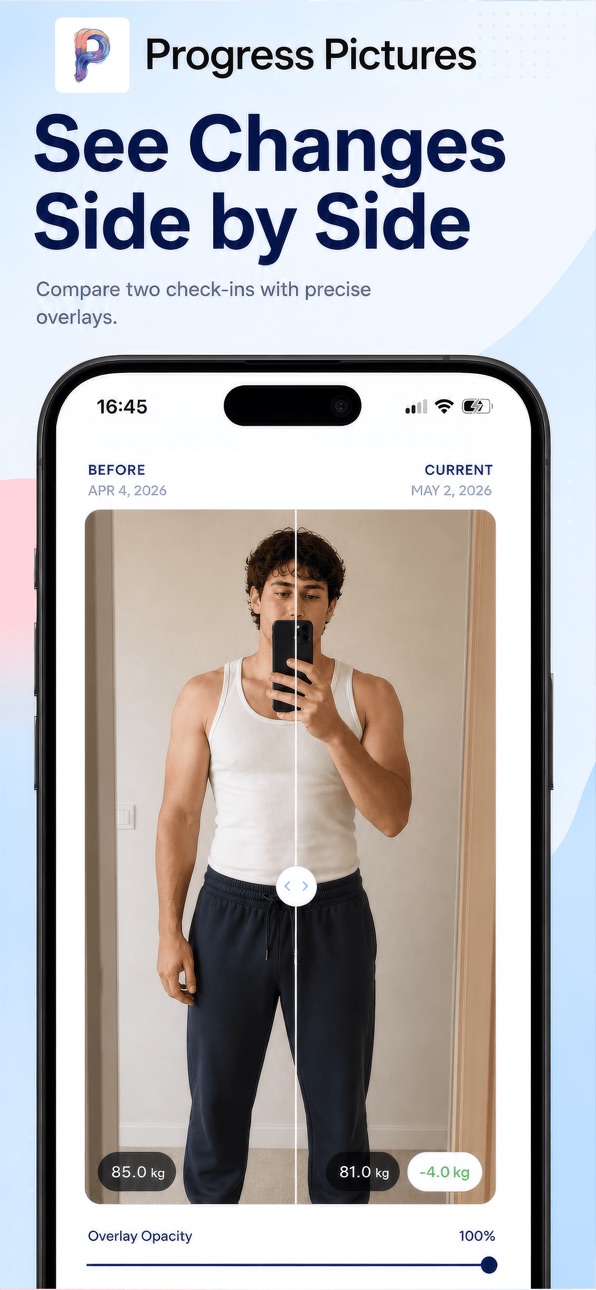
COMPARE BEFORE AND AFTER
Choose two records and compare your progress with before/after tools built for visual tracking. Spot subtle changes that are easy to miss day to day.
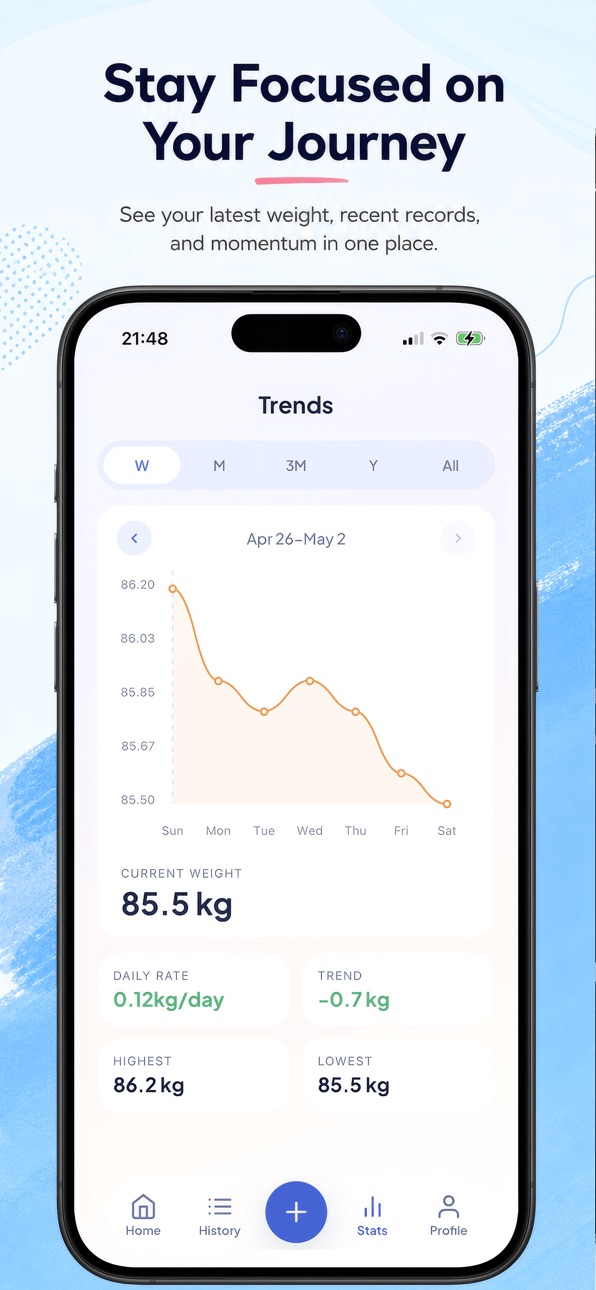
FOLLOW WEIGHT TRENDS
Use stats and trend views to understand your progress over time, not just one weigh-in or one photo.
STAY CONSISTENT
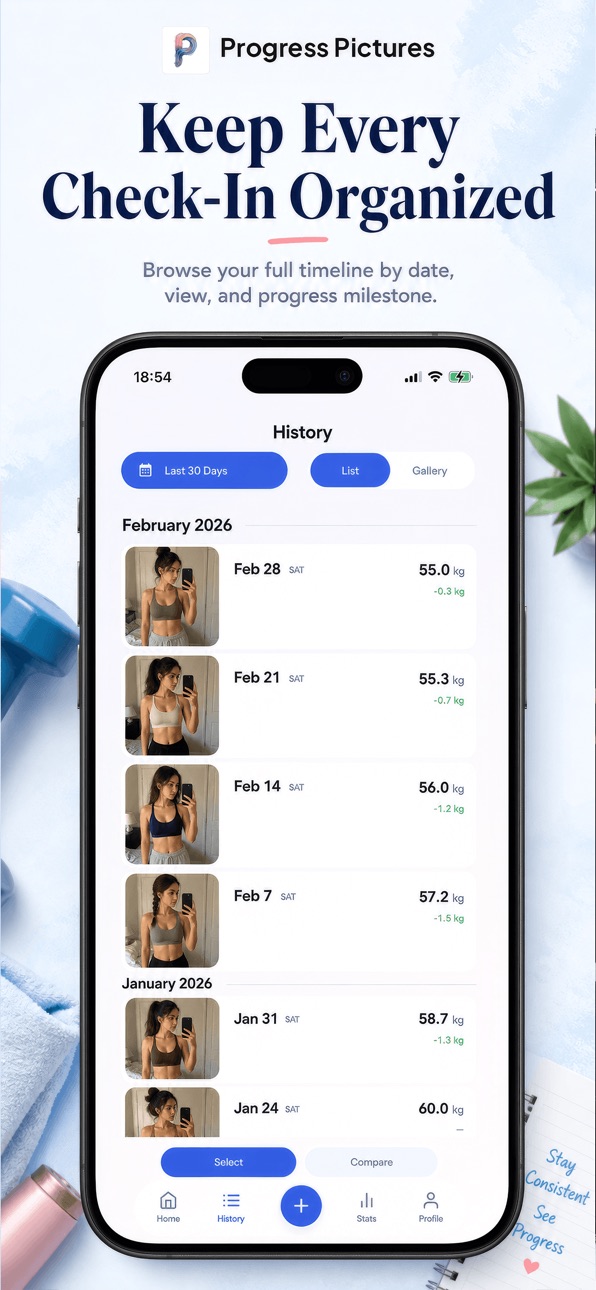
Create journeys for different goals, set reminders, and keep your check-ins organized in one progress timeline.
PRIVATE PHOTO STORAGE
Your progress photo files are stored locally on your device, with optional Camera Roll backup when you want an extra copy.
WHY PROGRESS PICTURES?
- Progress photos for front, side, and back angles
- Weight tracker with notes for each record
- Before and after comparison tools
- Journey goals for losing fat, building muscle, or maintaining
- Reminders to help you stay accountable
- History and stats views for long-term tracking
- Local photo storage for your progress pictures
HOW IT WORKS
1. Create a journey and choose your goal.
2. Capture progress photos, then add weight and notes.
3. Compare records and review trends to see what changed.
Progress Pictures is designed for real progress tracking, not filters or quick fixes. Build a visual record of your body transformation and stay consistent with every check-in.
Download Progress Pictures and start tracking your fitness progress today.
Accessibility
ipadiphonemacrealityDevicetvoswatch
Version history 2 versions
Build 887658665v1.12026-07-01 04:58:49
You can now rate and review Progress Pictures on the App Store. Your feedback helps guide future improvements to progress tracking, comparisons, and journeys.
Build 881700652v1.02026-05-26 15:52:23
No pricing data captured yet — comparisons appear once the app has paid storefronts or in-app purchases.
Availability 1 of 1 storefronts
| Region | Language | Price | Ratings | Avg | Version |
|---|---|---|---|---|---|
| US | en-US | Free | 0 | — | 1.1 |
Change log 6 changes · US
✎
releaseNotes updated
You can now rate and review Progress Pictures on the App Store. Your feedback helps guide future improvements to progress tracking, comparisons, and journeys.
✎
description updated
See the changes the scale can miss.
Progress Pictures helps you capture consistent body progress photos, log your weight, and compare your transformation over
✎
subtitle updated
Photos, weight, and trends
✎
name updated
Progress Pictures
◆
Version 1.1 released
You can now rate and review Progress Pictures on the App Store. Your feedback helps guide future improvements to progress tracking, comparisons, and journeys.
◆
Version 1.0 released