Home › Utilities

 US
US
1 of 1 storefronts
Content in en-US
Content in en-US
Information
Preview 3 platforms
iPhone 5 images


iPad 4 images


Apple Watch 2 images


What’s New Version 1.2.3
1.2.3 — Stability and Bug Fixes
This update focuses on stability and reliability. It fixes issues in the sticker editor and library, improves saving and reusing stickers, and makes sync with widgets, iMessage, and Apple Watch more dependable.
Description
Squicker is the fastest way to create custom stickers from your photos. Using advanced AI technology, Squicker automatically removes backgrounds and lets you add stylish borders to create perfect stickers for any messaging app.
KEY FEATURES:
AI Background Removal
- One-tap background removal powered by Apple's Vision framework
- Works with people, pets, objects, and more
- Clean, precise cutouts every time
Custom Borders & Effects
- Add colorful borders to make your stickers pop
- 8 animated border effects: rainbow, flame, electric, holographic, glitter, plasma, aurora, pulse
- Choose from preset colors or pick any custom color
- Adjust border thickness to your liking
Animated Stickers
- Create GIF stickers from Live Photos and videos
- Up to 3 seconds of animation
- Perfect for reactions and expressions
Share Everywhere
- Copy stickers directly to clipboard
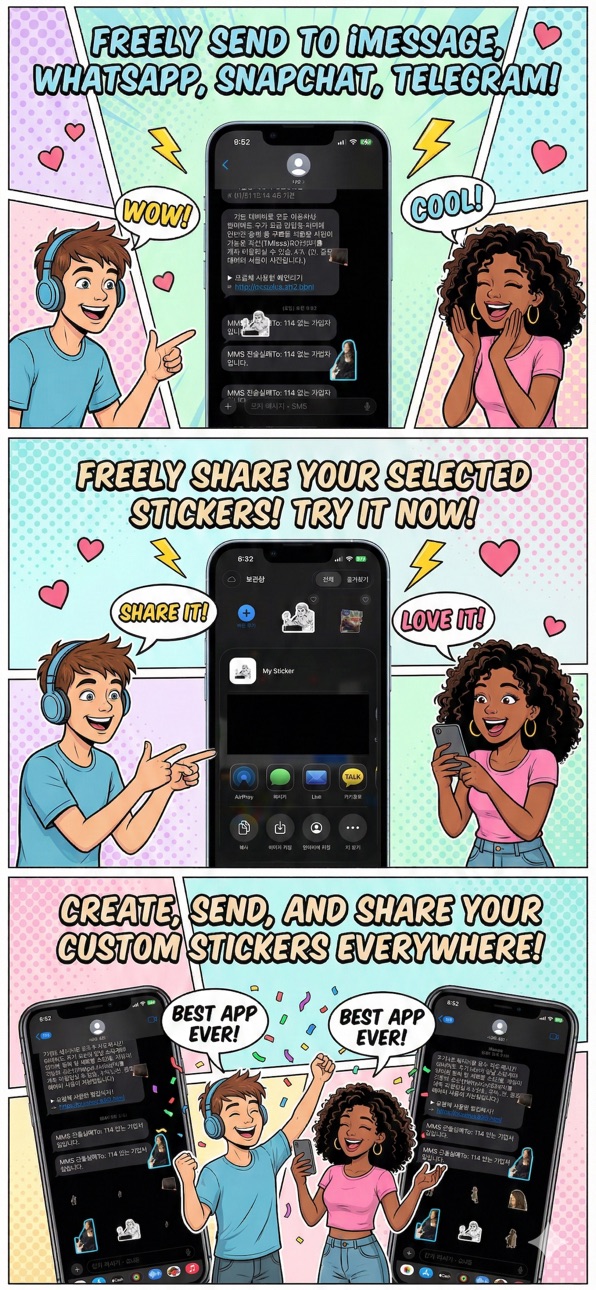
- Share to iMessage, WhatsApp, Telegram, LINE, KakaoTalk
- Save to your photo library
iCloud Sync
- Your stickers sync across all your devices
- Never lose your creations
Organization
- Organize stickers into packs
- Mark favorites for quick access
- Widget support for instant clipboard copy
Apple Watch Support
- Browse stickers on your wrist
- Send to iPhone clipboard with one tap
COMPLETELY FREE:
- Unlimited sticker creation — no daily limits
- No credits, no tokens, no subscription required
- Just pick a photo and create
Download Squicker now and start creating amazing stickers!
In-App Purchases US pricing
One-Time Purchases
Squicker Pro Lifetime$4.99
Capabilities
In-App PurchasesiMessage
Accessibility
ipadiphonemacrealityDevicetvoswatch
Version history 5 versions
Build 886051520v1.2.32026-05-25 22:23:15
1.2.3 — Stability and Bug Fixes
This update focuses on stability and reliability. It fixes issues in the sticker editor and library, improves saving and reusing stickers, and makes sync with widgets, iMessage, and Apple Watch more dependable.
Build 882457568v1.2.12026-02-14 09:57:56
miner bug fix
Build 882284847v1.2.02026-02-13 20:17:15
2.1 Design Refresh - Soft & Cozy Squicker!
NEW: Mongle Design System
- Rounder, softer, and cuter UI elements.
- Enjoy the new pill-shaped buttons and floating tab bar.
NEW: Soft Dark Mode
- Easy on the eyes with warm cocoa tones.
- Create stickers comfortably even at night.
Squicker 2.0 - The biggest update ever!
NEW: Sticker Studio
- Brand new canvas editor. Border, decorate, doodle, and add effects - all in one place.
NEW: 200+ FREE Decoration Stickers
- Cute characters for every mood: happy, love, sleeping, celebration, and 17 more categories. All completely free.
NEW: Doodle on Your Stickers
- Draw, write, and sketch directly on your stickers with Apple Pencil or your finger.
NEW: Sticker Packs
- Organize your stickers into custom packs. Create folders for friends, moods, or themes.
NEW: Lifetime Pro
- Unlimited creations, no ads, doodle tools, and precision mask editing. One-time purchase, no subscription ever.
Plus: Improved iPad layout, 15 languages, and performance improvements.
Build 882100238v1.1.02026-02-03 06:56:37
New in this update:
Animated Border Effects
Your sticker borders can now come alive! Choose from 8 dynamic border styles including Rainbow, Pulse, Flame, Electric, Holographic, Glitter, Plasma, and Aurora. Watch your stickers glow and shimmer.
13 Sticker Effects
Add personality to your stickers with new animation effects. Try Shiny, Flash, Shake, Breathe, Pulse, Glitch, Hologram, Rainbow, Wiggle, OldSchool, Ghost, Vertigo, and Sparkle.
Bug Fixes
Fixed an issue where GIF stickers appeared zoomed in when viewing your library.
Thank you for using Squicker!
Build 881656867v1.02026-01-26 13:55:36
Price history by region
Currency
Show
Columns
Search
Availability 1 of 1 storefronts
| Region | Language | Price | Ratings | Avg | Version |
|---|---|---|---|---|---|
| US | en-US | Free | 0 | — | 1.2.3 |
Change log 9 changes · US
✎
releaseNotes updated
1.2.3 — Stability and Bug Fixes
This update focuses on stability and reliability. It fixes issues in the sticker editor and library, improves saving and reusin
✎
description updated
Squicker is the fastest way to create custom stickers from your photos. Using advanced AI technology, Squicker automatically removes backgrounds and lets you ad
✎
subtitle updated
Create stickers instantly
✎
name updated
Squicker - Sticker Maker
◆
Version 1.2.3 released
1.2.3 — Stability and Bug Fixes
This update focuses on stability and reliability. It fixes issues in the sticker editor and library, improves saving and reusing stickers, and makes sync with widgets, iMessage, and Apple Watch more dependab
◆
Version 1.2.1 released
miner bug fix
◆
Version 1.2.0 released
2.1 Design Refresh - Soft & Cozy Squicker!
NEW: Mongle Design System
- Rounder, softer, and cuter UI elements.
- Enjoy the new pill-shaped buttons and floating tab bar.
NEW: Soft Dark Mode
- Easy on the eyes with warm cocoa tones.
- Creat
◆
Version 1.1.0 released
New in this update:
Animated Border Effects
Your sticker borders can now come alive! Choose from 8 dynamic border styles including Rainbow, Pulse, Flame, Electric, Holographic, Glitter, Plasma, and Aurora. Watch your stickers glow and shim
◆
Version 1.0 released