Home › Photo & Video

 US
US
1 of 1 storefronts
Content in en-US
Content in en-US
Information
Preview 2 platforms
iPhone 9 images



Apple Watch 3 images


What’s New Version 1.3.1
Bug fixes
* Fixed an issue where face detection zoom wasn’t working for all detected faces.
* Improved the timelapse menu: users can now press and hold the +/- buttons to quickly increase or decrease the number of shots.
Description
Shot Bridge is the ultimate companion app for Sony camera owners — wirelessly browse and transfer photos, control your camera remotely, and geotag every shot, all from your iPhone.
CONNECT & BROWSE — FREE
You can now connect to your camera and explore your photos without a subscription.
The app provides a fast, intuitive interface where users can:
* Scan their camera's QR code to connect instantly
* Browse photos automatically organized by capture date
* Preview images in high quality
* Select specific images for transfer
* Load images only from particular dates
* Incrementally fetch new photos — no reloading entire galleries
* Experience zero-lag browsing with preloaded images
* AI based image grouping
* Select images on the phone and export on your computer using the mac companion app.
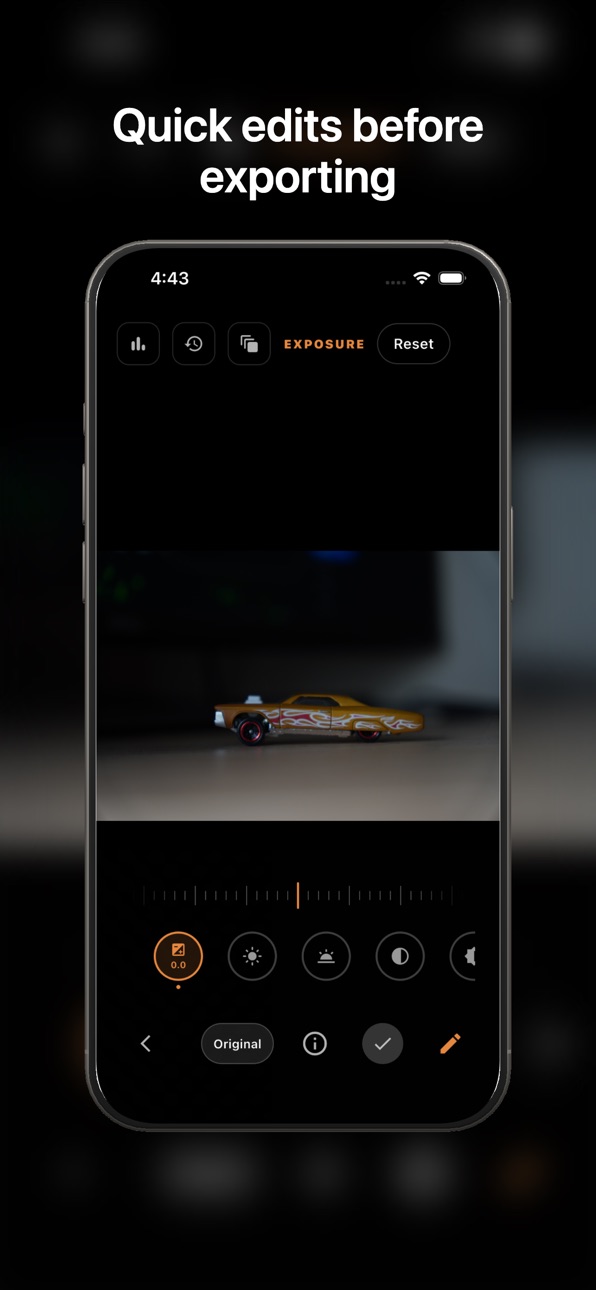
* Edit images
CONTROL YOUR CAMERA (Except image capture) — FREE
* Take full control of your camera directly from your devices (including manual focus)
* Adjust ISO, shutter speed, and aperture from your iPhone
* Control your camera from your Apple Watch
* Use remote control for tripods, long exposures, and group photos
* Time lapses
* Zebras/Focus peaking/grids
GEOTAG YOUR PHOTOS — FREE (5 min/session)
Sony cameras don't have built-in GPS — Shot Bridge fixes that. It sends your phone's live location to your camera over Bluetooth, so every photo is automatically geotagged as you shoot. Free for 5 minutes per session, with unlimited access on Premium.
UNLOCK EVERYTHING WITH PREMIUM (3-DAY FREE TRIAL)
Start your 3-day free trial (comes with the yearly plan) to unlock full-resolution photo exports, remote capture, and unlimited geotagging sessions.
After your trial, continue with:
Yearly: $9.99/year
Lifetime: $24.99
Premium enables:
* Export to iPhone photo library
* Capture photos remotely from iPhone and Apple Watch
* Unlimited geotagging sessions
* Focus Stacking
Perfect for professional photographers and content creators who need immediate access to their high-quality images on mobile devices, control their camera or enable geo tagging support.
Subscription required only for exporting, remote capture, and unlimited geotagging. Cancel anytime.
Shotbridge uses the Camera Remote API by Sony via ROCC, and works along side Imaging Edge Mobile and Play Memories.
Sony, α, Alpha, Cyber-shot, NEX, RX are trademarks of Sony Corporation.
Terms of Use: https://www.apple.com/legal/internet-services/itunes/dev/stdeula/
Capabilities
In-App Purchases
Accessibility
ipadiphonemacrealityDevicetvoswatch
Version history 14 versions
Build 885786122v1.3.12026-05-18 23:00:13
Bug fixes
* Fixed an issue where face detection zoom wasn’t working for all detected faces.
* Improved the timelapse menu: users can now press and hold the +/- buttons to quickly increase or decrease the number of shots.
Build 885640099v1.3.02026-05-16 19:49:31
* Focus Stacking
* Bulb mode fix
* Improved UI
Build 885216500v1.2.02026-05-04 20:31:34
New Features
* The gallery view now includes basic image editing tools and image histograms, making it easier to evaluate and cull photos quickly.
* Face Detection Zoom Shotbridge can now detect faces in your photos. Tap on any face to instantly zoom in, helping you review sharpness and expressions faster.
* Manual Focus Control with Live View You can now switch your camera to manual mode and adjust focus directly from the app, with real-time live view support.
Bug Fixes & Improvements
* QR Code Scanning Improved Some cameras struggled to scan QR codes due to large minimum focusing distances. You can now zoom in to scan more easily.
* Companion App Stability Fixes Resolved issues reported by users with the companion app.
* Improved Image Navigation Fixed an issue where users couldn’t zoom into all corners of an image in the gallery view.
Build 884519065v1.112026-04-15 04:40:52
* Export images selected on the camera.
* AI based image grouping
* Select your photos on your phone and have them ready to export on your computer using the macOS Companion App. Try it in the Transfer Photos section.
* UI Improvements
Build 884162022v1.102026-04-06 05:08:01
* Live view now has the following
* Ability to create timelapses
* Zebras
* Focus peaking
* Grid
* Existing connects are now saved for faster connecting
* UI improvements
Build 883903921v1.092026-04-01 15:16:50
* Ability to Geo tag images using Phone's GPS
* UI improvements
Build 883679706v1.082026-03-25 14:23:41
* Control your camera directly from your iPhone
* Control your camera from your Apple Watch
* Send feature requests and bug reports from within the app
* UI improvements and refinements
Build 883400866v1.072026-03-16 17:30:16
* UI fixes
Build 883151187v1.062026-03-12 13:32:43
* Added one time lifetime subscription
* UI fixes
Build 883050774v1.052026-03-05 21:26:02
* Improved UI
* Fixed connection instructions
Build 882953842v1.032026-03-03 04:09:09
* Performance improvements
Build 882992178v1.042026-03-03 20:23:00
* UI improvements
Build 882755594v1.022026-02-26 01:54:48
* minor UI updates
Build 881606502v1.012026-02-24 05:19:51
No pricing data captured yet — comparisons appear once the app has paid storefronts or in-app purchases.
Availability 1 of 1 storefronts
| Region | Language | Price | Ratings | Avg | Version |
|---|---|---|---|---|---|
| US | en-US | Free | 1 | 3.0 | 1.3.1 |
Change log 18 changes · US
✎
releaseNotes updated
Bug fixes
* Fixed an issue where face detection zoom wasn’t working for all detected faces.
* Improved the timelapse menu: users can now press and hold the +/-
✎
description updated
Shot Bridge is the ultimate companion app for Sony camera owners — wirelessly browse and transfer photos, control your camera remotely, and geotag every shot, a
✎
subtitle updated
Camera Control & Transfer
✎
name updated
Shot Bridge
◆
Version 1.3.1 released
Bug fixes
* Fixed an issue where face detection zoom wasn’t working for all detected faces.
* Improved the timelapse menu: users can now press and hold the +/- buttons to quickly increase or decrease the number of shots.
◆
Version 1.3.0 released
* Focus Stacking
* Bulb mode fix
* Improved UI
◆
Version 1.2.0 released
New Features
* The gallery view now includes basic image editing tools and image histograms, making it easier to evaluate and cull photos quickly.
* Face Detection Zoom Shotbridge can now detect faces in your photos. Tap on any face to inst
◆
Version 1.11 released
* Export images selected on the camera.
* AI based image grouping
* Select your photos on your phone and have them ready to export on your computer using the macOS Companion App. Try it in the Transfer Photos section.
* UI Improvements
◆
Version 1.10 released
* Live view now has the following
* Ability to create timelapses
* Zebras
* Focus peaking
* Grid
* Existing connects are now saved for faster connecting
* UI improvements
◆
Version 1.09 released
* Ability to Geo tag images using Phone's GPS
* UI improvements
◆
Version 1.08 released
* Control your camera directly from your iPhone
* Control your camera from your Apple Watch
* Send feature requests and bug reports from within the app
* UI improvements and refinements
◆
Version 1.07 released
* UI fixes
◆
Version 1.06 released
* Added one time lifetime subscription
* UI fixes
◆
Version 1.05 released
* Improved UI
* Fixed connection instructions
◆
Version 1.04 released
* UI improvements
◆
Version 1.03 released
* Performance improvements
◆
Version 1.02 released
* minor UI updates
◆
Version 1.01 released