Home › Education

VelociReader – Speed Reading
RSVP – read one word at a time
 US
US
1 of 1 storefronts
Content in en-US
Content in en-US
Information
Preview 2 platforms
iPhone 5 images




iPad 4 images


What’s New Version 1.4.2
Fixed distraction-free mode to work on all devices
Description
Read faster. Focus deeper. Actually remember what you read.
VelociReader uses RSVP (Rapid Serial Visual Presentation) to flash one word at a time in a clean, distraction-free window. Your eyes stop jumping around the page, your brain stops wandering, and you fly through articles, emails, PDFs, and study material — while understanding every bit of it.
It’s built for how you actually read, not the other way around.
Key Features
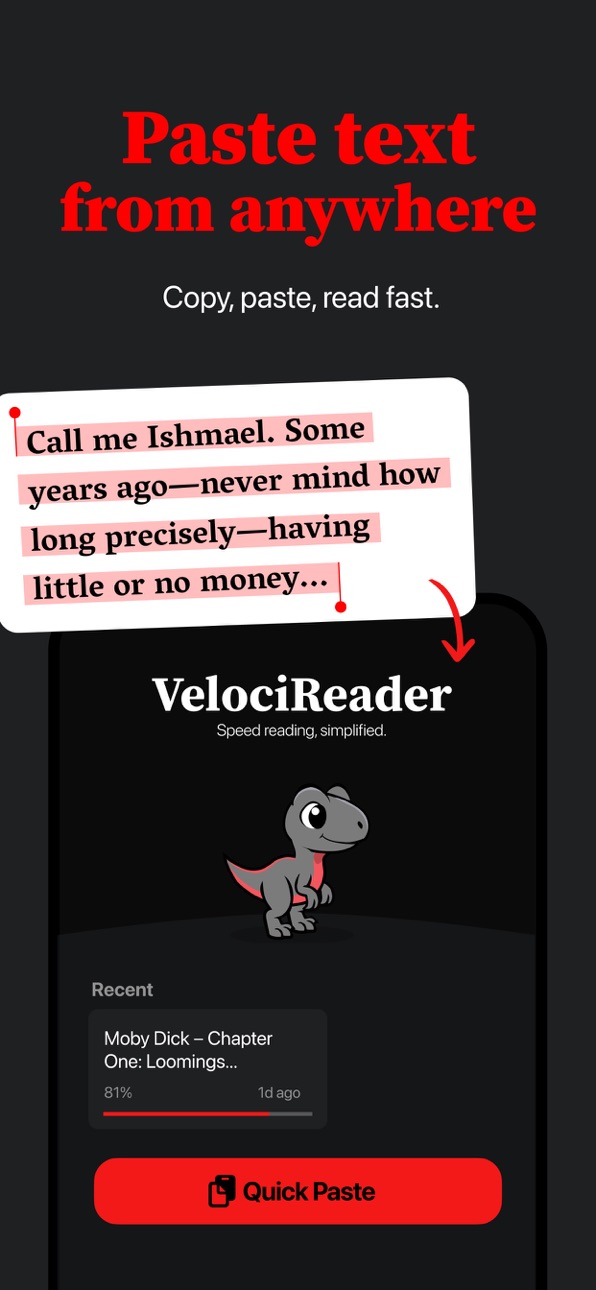
• Paste text from anywhere — copy from any app, website, or document and start reading instantly
• Tap Share from Safari, Mail, Notes, or anywhere else and send it straight to VelociReader
• Jump to any starting point — no more hunting for where you left off
• Dial in the exact speed that feels right for you (words per minute)
• Buttery-smooth even with huge articles or long study material
No subscription, ever! Go Premium with a one-time purchase.
• iCloud sync automatically keeps your content and progress in sync across iPhone, iPad, and Mac
• Push your speed all the way to 900 WPM
• Extra focus colors to match your vibe
• Retention Pause — smart sentence breaks so you catch your breath and lock in what you just read
Stop skimming. Start reading smarter.
In-App Purchases US pricing
One-Time Purchases
VelociReader Premium$2.99
Capabilities
In-App Purchases
Accessibility
ipadiphonemacrealityDevicetvoswatch
Version history 6 versions
Build 885216643v1.4.12026-05-04 15:39:47
Now includes distraction-free mode: tap the focused word to hide all controls.
Fixed iCloud sync issue with large ePub files.
Fixed small sync indicator issue.
Build 885250992v1.4.22026-05-04 21:36:51
Fixed distraction-free mode to work on all devices
Build 885126777v1.42026-04-30 20:13:29
• iCloud sync is here — your reading list and progress now stay perfectly in sync across all your Apple devices (Premium required)
• ePub chapters — opening an ebook? Just pick the exact chapter you want to start from
Build 884776091v1.32026-04-29 05:53:18
VelociReader now has a beautiful new library view where you can see all your recent content, organized by type. E-Pub books appear with a cover.
Build 884519418v1.22026-04-15 13:43:01
Hi reader friends, guess what?! Velo (your friendly veloci-reading pal) got a makeover! We also simplified some of the controls and made it easy to start reading sample content. You can now find the sample in the settings panel.
Build 881598655v1.12026-01-30 03:13:59
Price history by region
Currency
Show
Columns
Search
Availability 1 of 1 storefronts
| Region | Language | Price | Ratings | Avg | Version |
|---|---|---|---|---|---|
| US | en-US | Free | 4 | 5.0 | 1.4.2 |
Change log 10 changes · US
✎
releaseNotes updated
Fixed distraction-free mode to work on all devices
✎
description updated
Read faster. Focus deeper. Actually remember what you read.
VelociReader uses RSVP (Rapid Serial Visual Presentation) to flash one word at a time in a clean, d
✎
subtitle updated
RSVP – read one word at a time
✎
name updated
VelociReader – Speed Reading
◆
Version 1.4.2 released
Fixed distraction-free mode to work on all devices
◆
Version 1.4.1 released
Now includes distraction-free mode: tap the focused word to hide all controls.
Fixed iCloud sync issue with large ePub files.
Fixed small sync indicator issue.
◆
Version 1.4 released
• iCloud sync is here — your reading list and progress now stay perfectly in sync across all your Apple devices (Premium required)
• ePub chapters — opening an ebook? Just pick the exact chapter you want to start from
◆
Version 1.3 released
VelociReader now has a beautiful new library view where you can see all your recent content, organized by type. E-Pub books appear with a cover.
◆
Version 1.2 released
Hi reader friends, guess what?! Velo (your friendly veloci-reading pal) got a makeover! We also simplified some of the controls and made it easy to start reading sample content. You can now find the sample in the settings panel.
◆
Version 1.1 released